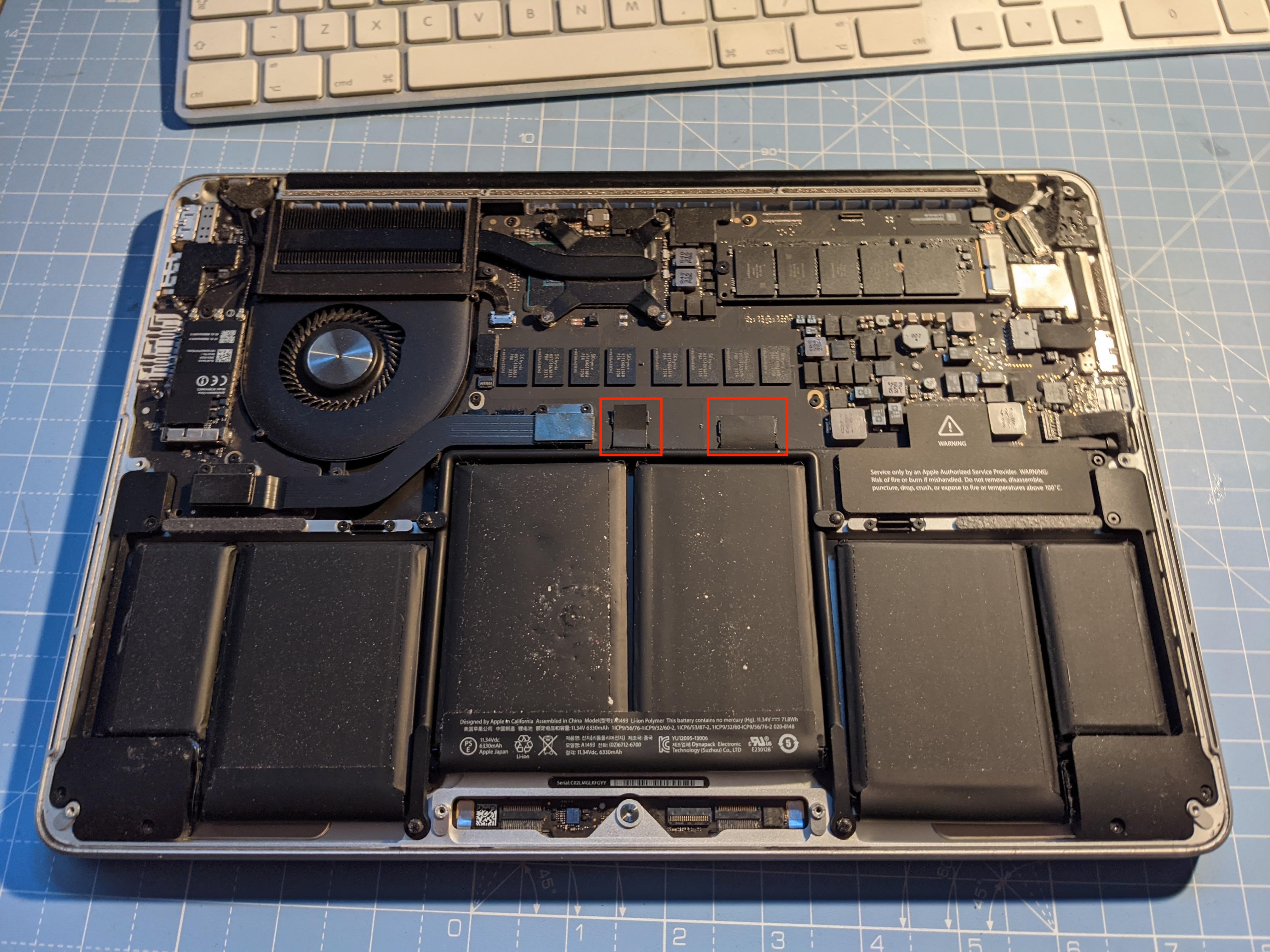
Replacing the battery in an M1 MacBook Pro costs $249 directly through Apple or an Apple Authorized Service Provider if your laptop is out of warranty. If your device is covered by active AppleCare+ and its maximum battery capacity has dropped below 80 percent, the replacement is completely free ($0). Third-party repair shops generally charge between $140 and $220, while do-it-yourself (DIY) replacement kits cost between $90 and $130.
Official Apple Battery Replacement Costs for M1 Models
Apple standardizes its out-of-warranty battery replacement pricing across its laptop lineup. Following pricing adjustments across service channels, all M1-generation MacBook Pro models share the same baseline out-of-warranty battery replacement fee.
Whether you own the 13-inch M1 MacBook Pro released in late 2020 or the redesigned 14-inch and 16-inch M1 Pro and M1 Max models introduced in late 2021, Apple’s standard out-of-warranty battery service fee is $249 USD (plus local sales tax and a potential $19.95 shipping fee if you use mail-in service).
| Coverage Status | Official Service Fee |
|---|---|
| Active AppleCare+ | $0 (if battery health is below 80%) |
| Out-of-Warranty (Apple) | $249 (plus applicable taxes/shipping) |
| Independent Repair Shop | $140 - $220 (varies by region/quality) |
| DIY Repair Kit | $90 - $130 (parts & specialized tools) |
Breakdown by Specific M1 MacBook Pro Model
- 13-inch MacBook Pro (M1, 2020 - Model A2338): Out-of-warranty service costs $249. This model features a 58.2-watt-hour lithium-polymer battery integrated into the palm rest assembly.
- 14-inch MacBook Pro (M1 Pro / M1 Max, 2021 - Model A2442): Out-of-warranty service costs $249. This model utilizes a 70-watt-hour battery divided into multiple cells glued into the top case chassis.
- 16-inch MacBook Pro (M1 Pro / M1 Max, 2021 - Model A2485): Out-of-warranty service costs $249. This laptop contains a 99.6-watt-hour battery—the maximum capacity permitted on standard commercial flights by the U.S. Federal Aviation Administration (FAA).
The AppleCare+ Coverage Condition
If you maintain active AppleCare+ coverage on your M1 MacBook Pro—either through a multi-year prepaid plan or an ongoing annual renewal—Apple replaces degraded batteries at no cost ($0). However, Apple strictly enforces a technical threshold: the battery's health diagnostic must display a maximum remaining capacity of under 80 percent of its original factory design.
If your battery health sits at 81 percent or higher, Apple technicians will not replace the battery under AppleCare+ coverage, even if you express frustration with actual daily runtimes. In such cases, you must either wait for the capacity to degrade below 80 percent or pay the standard out-of-warranty fee of $249.
Alternative Battery Replacement Options & Pricing
While having Apple service your laptop ensures genuine parts and preserves system diagnostics, alternative repair paths exist depending on your budget, turnaround urgency, and technical comfort.
| Option | Est. Cost | Turnaround | Calibration |
|---|---|---|---|
| Apple Genius Bar | $0 / $249 | Same-Day/3-5d | Factory |
| Authorized (AASP) | $0 / $249 | 1 - 5 Days | Factory |
| Third-Party Shop | $140 - $220 | 1 - 2 Hours | Limited |
| DIY Repair | $90 - $130 | 2 - 3 Hours | Manual |
1. Apple Authorized Service Providers (AASPs)
AASPs—such as Best Buy or local certified Apple specialists—follow official Apple repair guidelines, utilize genuine Apple batteries, and access proprietary calibration software.
- Cost: Matches Apple’s official pricing ($249 out-of-warranty, $0 under AppleCare+).
- Pros: Convenient local drop-off options, factory-trained technicians, genuine equipment.
- Cons: Labor turnaround depends on store inventory; some AASPs ship devices to centralized Apple repair centers, taking 3 to 7 business days.
2. Independent Third-Party Repair Shops
Non-authorized repair shops operate outside Apple’s formal network. They use aftermarket replacement cells or recycled OEM parts.
- Cost: Generally ranges from $140 to $220, including labor.
- Pros: Often faster local turnaround (sometimes completed within 1 to 2 hours), lower upfront prices.
- Cons: Non-OEM batteries vary significantly in quality, thermal stability, and lifespan. Furthermore, macOS may display a non-genuine battery warning in System Settings, and battery health tracking metrics may be disabled.
3. Apple Self Service Repair Program
Apple offers an official Self Service Repair program for modern Mac models, including M1 Pro and M1 Max laptops. Through this portal, owners can rent official repair toolkit bundles and purchase genuine Apple replacement parts directly.
- Cost: Parts for M1 MacBook Pro top cases (which include the battery, keyboard, and aluminum shell) typically cost $160 to $245 after returning the replaced part for a core credit refund. Tool kit rentals cost around $49.
- Pros: Access to genuine Apple components and official repair manuals without visiting a physical store.
- Cons: High initial holding deposits required for rental tools, and complex disassembly required.
4. DIY Aftermarket Replacement Kits
For hands-on users, companies such as iFixit provide aftermarket battery bundles complete with specialized screwdrivers, suction cups, spudgers, and chemical adhesive removers.
- Cost: $90 to $130 total for the kit and tools.
- Pros: The least expensive out-of-pocket option for devices without warranty coverage.
- Cons: High technical difficulty. Modern M1 MacBook Pro batteries are secured to the underside of the keyboard assembly using strong industrial adhesive. Prying against aggressive adhesive near lithium-polymer cells poses fire risks if the outer foil casing is accidentally punctured.
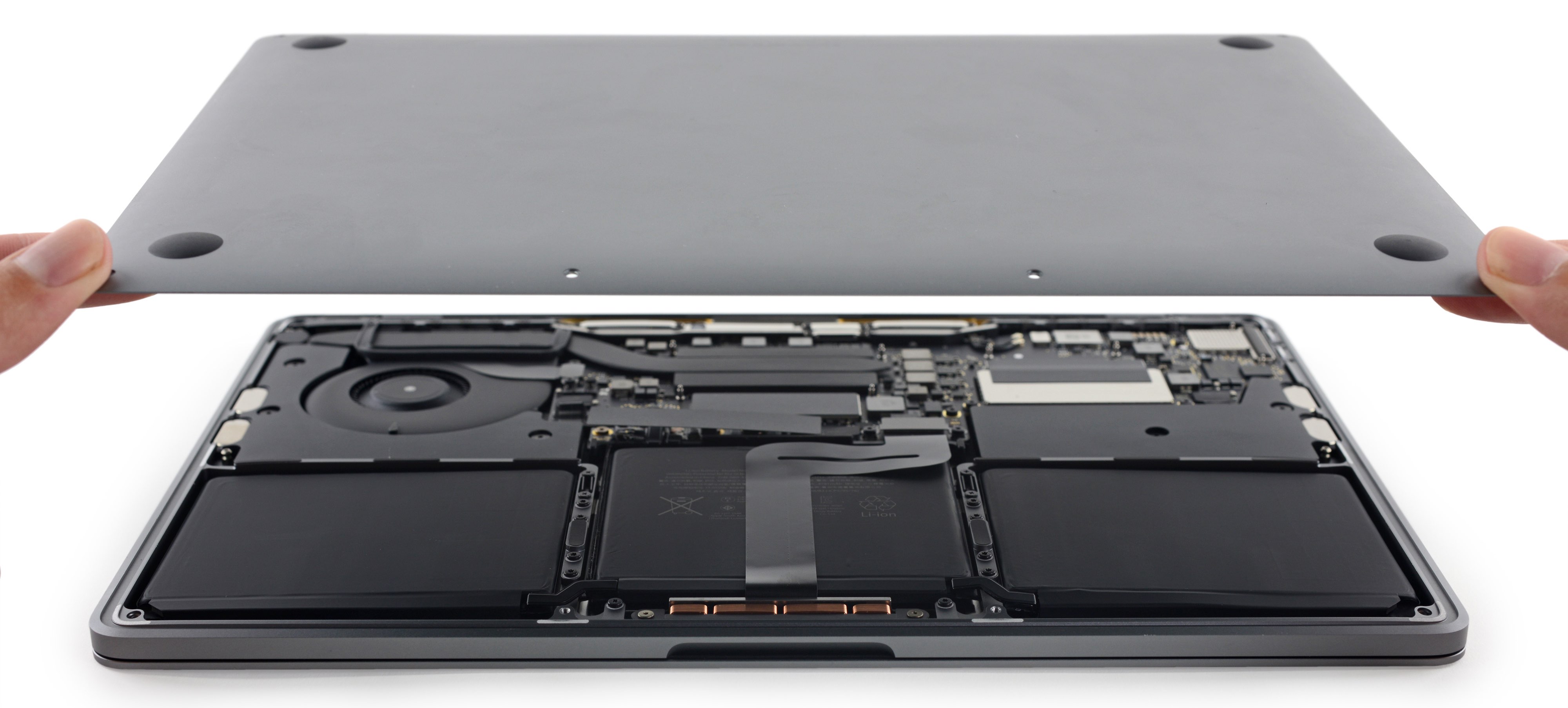
Detailed Cost & Option Comparison
The table below outlines the primary avenues available when replacing an M1 MacBook Pro battery, comparing total expense, turnaround timing, and key service factors.
| Service Option | Out-of-Warranty Cost | AppleCare+ Cost | Parts Used | Turnaround Time | Impact on System Warnings |
|---|---|---|---|---|---|
| Apple Store (Genius Bar) | $249 | $0 | Genuine Apple OEM | Same-day (in-stock) or 3–5 business days (mail) | None (Factory calibrated) |
| Apple Authorized Service Provider | $249 | $0 | Genuine Apple OEM | 1–5 business days | None (Factory calibrated) |
| Apple Self Service Repair | $160 – $245 (net) | N/A | Genuine Apple OEM | 2–4 hours (user labor) | None (via System Configuration tool) |
| Independent Repair Shop | $140 – $220 | N/A | Third-party / Aftermarket | 1–3 hours | May trigger non-genuine component pop-ups |
| DIY Aftermarket Kit (e.g., iFixit) | $90 – $130 | N/A | Third-party / Aftermarket | 2–3 hours (user labor) | May disable System Battery Health tracking |
Technical Signs Your M1 MacBook Pro Battery Needs Replacement
M1 Apple Silicon MacBooks are renowned for their exceptional energy efficiency. Consequently, battery degradation might not be immediately obvious during light administrative tasks. However, clear software markers and physical indicators signal when a battery replacement becomes necessary.
- Navigate to System Settings -> Battery -> Battery Health (i Icon)
- Check battery status:
- Status: Normal: Battery working as expected
- Status: Service Rec.: Maximum capacity < 80% or fault detected
1. Software Diagnostics and macOS Warnings
To check your battery status in macOS:
- Open System Settings (or System Preferences on older macOS versions).
- Click Battery in the sidebar.
- Locate the Battery Health entry and click the info icon (
i).
If the condition reads "Service Recommended," the operating system has detected internal cell degradation, reduced charge retention, or a micro-controller fault. macOS will also display a percentage metric for Maximum Capacity. If this figure drops below 80%, the battery can no longer support full performance potential under heavy workflows.
2. Cycle Count Thresholds
Apple rates modern MacBook Pro batteries to retain up to 80 percent of their original capacity at 1,000 complete charge-discharge cycles. A cycle is defined as using 100 percent of the battery's capacity—for instance, using 50 percent one day, charging to 100 percent, and using another 50 percent the next day.
You can inspect your cycle count by holding the Option key, clicking the Apple menu in the top-left corner, selecting System Information, and navigating to the Power section.
- System Information -> Hardware -> Power -> Health Information:
- Cycle Count: 1,050
- Condition: Service Recommended
If your cycle count exceeds 1,000, performance degradation, accelerated drain rates, and sudden battery drop-offs become common.
3. Physical Symptoms and Thermal Throttling
- Trackpad Resistance or Lifting: As lithium-ion batteries degrade and gas builds up within sealed cells, they expand. Swelling batteries push against the underside of the glass trackpad and palm rest, causing stiffness or physical warping.
- Unexpected Shutdowns: If your M1 MacBook Pro turns off unexpectedly while showing 15 to 30 percent remaining battery charge, internal cell impedance has increased, preventing steady voltage delivery under peak workload spikes.
- Extreme Throttling and Heat: Damaged or unbalanced battery cells generate excess thermal output during power delivery, forcing macOS to throttle CPU/GPU clock speeds to prevent hardware damage.
Evaluating AppleCare+ vs. Out-of-Warranty Options
Deciding whether to pay $249 out-of-pocket or rely on active coverage depends on your current warranty status and system age.
- Check Warranty Status:
- AppleCare+ Active:
- Check Battery Capacity:
- < 80%: Cost: $0
- >= 80%: Wait / Pay Out-of-Warranty
- Check Battery Capacity:
- No Coverage / Expired:
- Choose Service Path:
- Official Apple: Cost: $249
- Third-Party / DIY: Cost: $90 - $220
- Choose Service Path:
- AppleCare+ Active:
How to Verify Coverage Status
Check your coverage directly on your Mac:
- Open System Settings.
- Click General, then select About.
- Look for the Coverage section to view active AppleCare+ agreements.
Alternatively, enter your serial number at Apple’s official Check Coverage portal.
Financial Considerations
If your M1 laptop is covered under an annual AppleCare+ subscription, replacing a degraded battery costs nothing extra. However, if your coverage has lapsed, paying $249 for an official Apple replacement provides several distinct advantages:
- Safety Assurance: Authentic Apple lithium-polymer cells undergo rigorous safety testing, mitigating risks of overheating or thermal runaway.
- System Integrity: Official repairs include a complete replacement of the top case assembly (which often includes a fresh keyboard, trackpad, and internal structural elements, depending on the specific model).
- 90-Day Repair Warranty: Out-of-warranty replacements carried out by Apple or AASPs include a 90-day limited warranty or remainder of your AppleCare+ coverage, whichever is longer.
Step-by-Step Guide: How to Get Your M1 Battery Replaced
If you have confirmed that your M1 MacBook Pro battery requires replacement, follow this workflow to ensure a smooth repair process.
Step 1: Back Up Your Data
Before delivering your Mac to any service provider, complete a comprehensive backup of your local storage using Time Machine or a secure cloud service. Repair technicians frequently reflash or reset system firmware during diagnostic testing, which can lead to data loss.
Step 2: Disable Find My Mac
Apple authorized technicians cannot process hardware repairs if Activation Lock remains enabled.
- Open System Settings > [Your Name / Apple ID].
- Click iCloud, then select Find My Mac.
- Turn off Find My Mac and enter your Apple ID password when prompted.
Step 3: Choose Your Repair Channel
Option A: Apple Retail Store (Genius Bar)
- Download the Apple Support App on an iOS device or navigate to the official Apple Support website.
- Select Mac > Physical Damage & Services > Battery Service.
- Choose Bring in for Repair to locate nearby stores and schedule a Genius Bar appointment.
- Bring your laptop and power adapter to the appointment.
Option B: Mail-In Service
If you live far from an Apple Store or AASP, schedule a mail-in repair via Apple Support. Apple ships a pre-paid shipping box to your address. Package your device and drop it off at the designated courier hub. Typical mail-in turnaround spans 3 to 5 business days.
Option C: Self Service Repair (DIY Path)
- Navigate to Apple’s official Self Service Repair Store.
- Review the official repair manual for your specific model (e.g., 14-inch MacBook Pro 2021 repair manual).
- Order the appropriate top case/battery assembly and rent the specialized tool kit.
- Complete the repair, run the System Configuration software tool, and return your original part using the provided return label to secure your credit refund.
How to Extend M1 MacBook Pro Battery Longevity
After installing a replacement battery—or to extend the lifespan of your original pack—implementing modern battery management practices can help slow natural chemical aging.
- Enable Optimized Battery Charging (System Settings > Battery)
- Limit sustained exposure to temperatures above 95°F (35°C)
- Use charge-limiting utilities (e.g., AlDente) if always docked
- Store at ~50% charge if unused for extended periods
1. Utilize macOS Optimized Battery Charging
macOS includes built-in machine learning algorithms designed to reduce battery wear. Enable this feature by navigating to System Settings > Battery, clicking the info icon next to Battery Health, and toggling on Optimized Battery Charging. This feature delays charging past 80 percent when your Mac predicts it will remain connected to power for an extended period.
2. Manage Thermal Exposure
Lithium-polymer cells degrade rapidly when exposed to elevated temperatures. Avoid using your MacBook Pro on soft surfaces like blankets or cushions that block passive airflow vents. Never leave your laptop inside a parked vehicle in direct sunlight, as ambient temperatures exceeding 95°F (35°C) cause permanent capacity losses.
3. Use Third-Party Charge Management Software
If your M1 MacBook Pro remains plugged into a desktop dock or external monitor for most of its operational life, consider using charge management utilities such as AlDente. These utilities allow you to set a hard charging limit (such as 70 or 80 percent), keeping the battery out of high-voltage states that accelerate chemical degradation over time.
Frequently Asked Questions
How long does an M1 MacBook Pro battery typically last before needing replacement?
An M1 MacBook Pro battery is designed to retain up to 80 percent of its health at 1,000 full charge cycles. For average users, this equates to 3 to 5 years of daily use. Heavy workflows involving continuous video rendering, high-brightness operation, or exposure to excessive heat can shorten this lifespan to 2 to 3 years.
Can I replace an M1 MacBook Pro battery myself?
While technically possible using kits from suppliers like iFixit or Apple's Self Service Repair program, DIY replacement is challenging. Modern Apple Silicon MacBook batteries are held in place with strong adhesives directly over internal ribbons and logic board components. Prying cells out safely requires patience, correct tools, and isopropyl alcohol. Puncturing a battery cell creates a risk of chemical fires.
Will replacing my battery delete my personal files?
A battery replacement does not inherently delete storage drives, as Apple Silicon MacBooks use SSD chips soldered directly to the logic board. However, repair technicians may reflash system firmware or reinstall macOS during diagnostic tests. Consequently, you should always perform a complete Time Machine backup before handing over your device.
Why is my M1 MacBook Pro battery health declining so quickly?
Rapid health degradation often stems from frequent exposure to high heat, constant high-wattage power delivery while running heavy workloads, or completing high cycle counts rapidly. Additionally, operating system bugs can occasionally cause incorrect battery health reports; keeping macOS updated ensures accurate calibration metrics.
Does Apple replace just the battery, or the entire top case?
For most M1 MacBook Pro models, Apple's official service procedure involves replacing the entire top case assembly. This structural component integrates the lithium battery cells, aluminum upper enclosure, built-in keyboard, and trackpad into a single factory unit. Even though multiple components are replaced, Apple charges the standard flat battery service rate of $249 out-of-warranty.
Recommended Next Steps
If your M1 MacBook Pro is displaying a "Service Recommended" alert or consistently running out of power within just a few hours:
- Verify Battery Status: Open System Settings > Battery and check your exact Maximum Capacity percentage.
- Check AppleCare+ Coverage: Confirm whether your laptop maintains active coverage to secure a $0 replacement.
- Schedule an Official Appointment: If out of warranty, book a Genius Bar appointment or contact an Apple Authorized Service Provider to reserve an official $249 replacement, ensuring genuine parts, full diagnostic calibration, and a safe installation.
Image Gallery
Select an image to open it in a new tab.


Simon Caldwell
Enterprise Technology and Systems Editor
