
The Microsoft data catalog, now fully integrated into the Microsoft Purview ecosystem, is rarely worth the investment for organizations that lack a monolithic Azure-only architecture or the dedicated personnel to manage its steep learning curve. While it offers deep integration with SQL Server and Power BI, the combination of consumption-based pricing, high operational complexity, and limited depth in multi-cloud environments often results in a low return on investment compared to modern, specialized competitors.
For years, enterprise data leaders have sought a "single pane of glass" to view their data assets. Microsoft’s answer transitioned from the legacy Azure Data Catalog (Gen 1) to the more robust Microsoft Purview. However, as we evaluate the landscape in 2026, many organizations find that the promise of automated discovery does not match the reality of governance.
The Evolution of Microsoft’s Cataloging Strategy
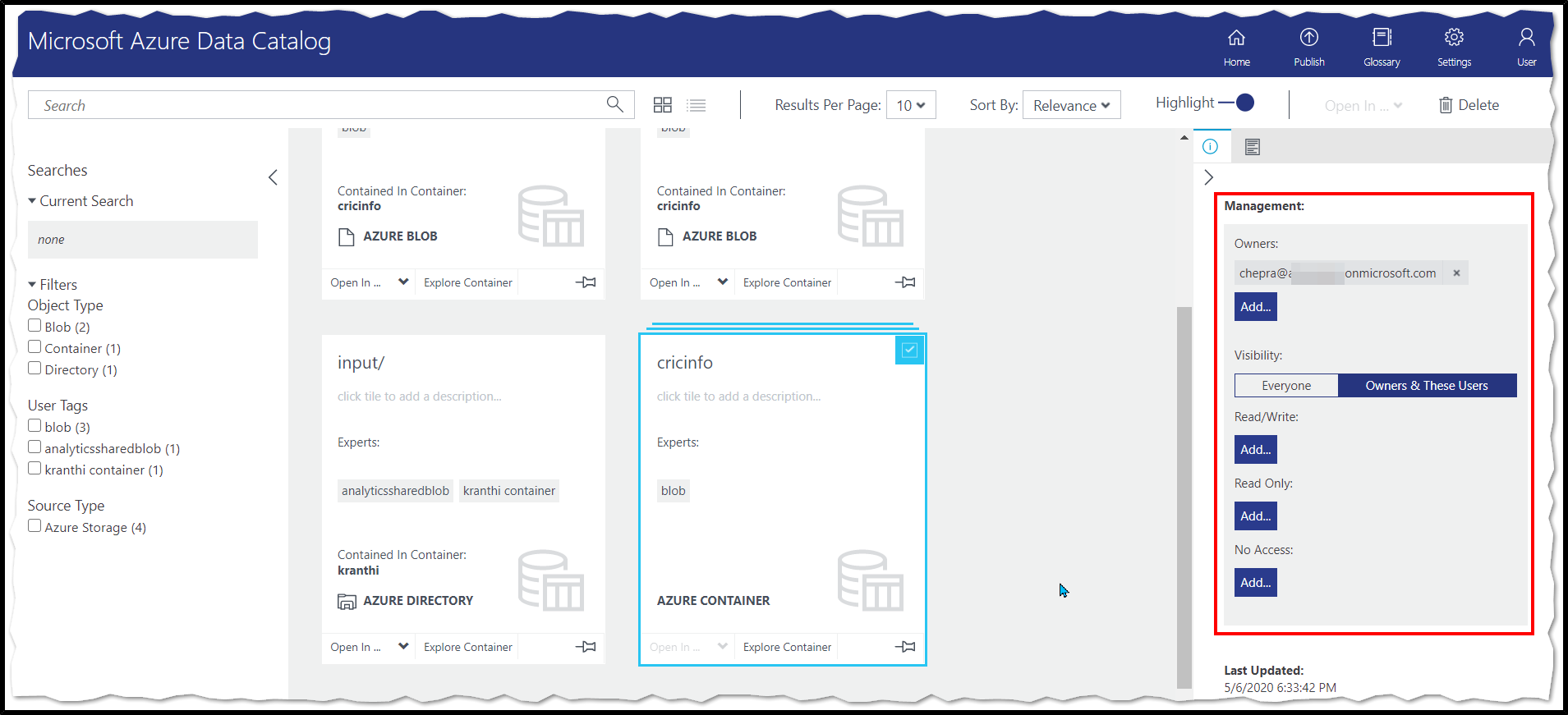
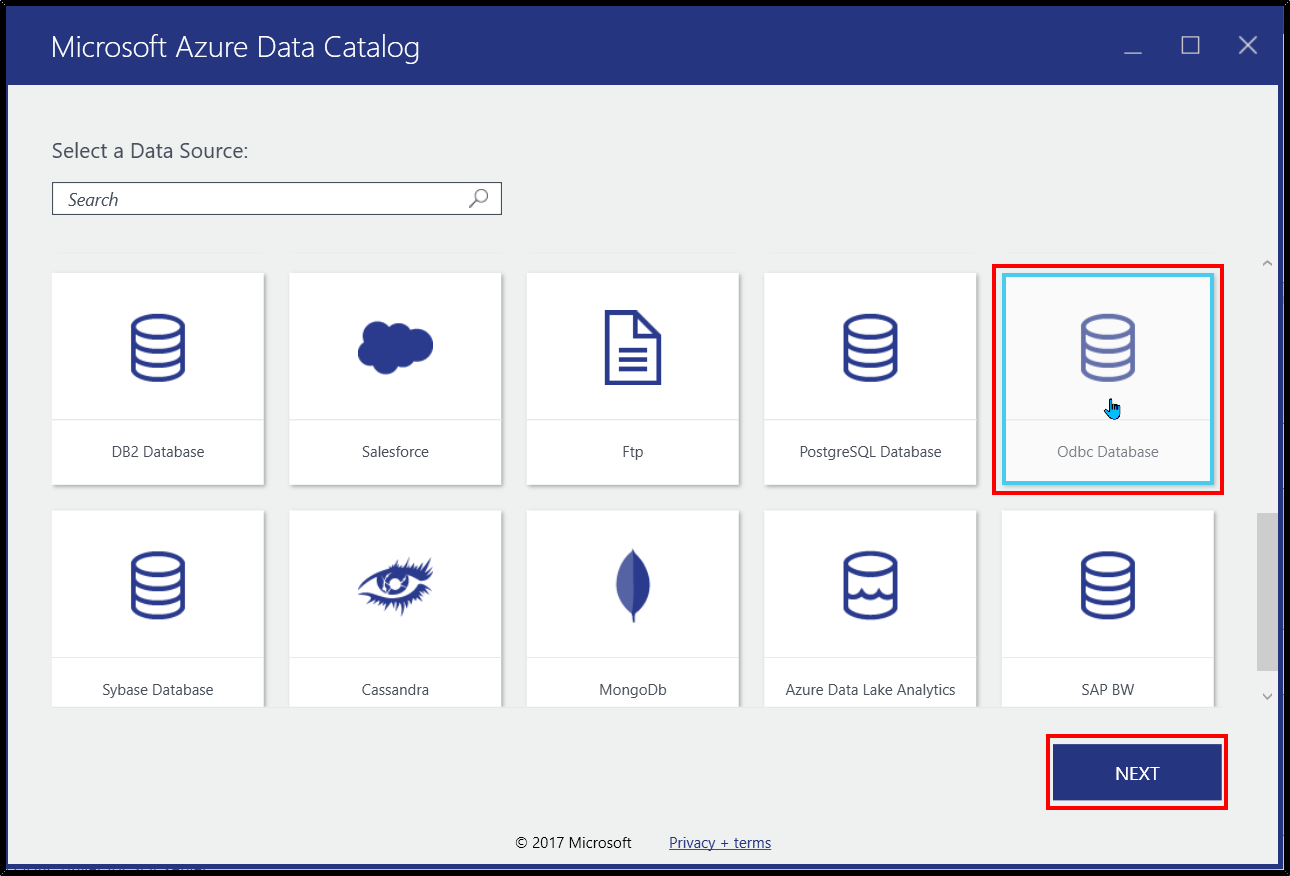
To understand why the Microsoft data catalog often fails to deliver value, one must look at its technical evolution. The original Azure Data Catalog was a standalone service focused on crowdsourced metadata. It lacked the automated scanning capabilities required by modern data engineering teams. Consequently, Microsoft pivoted to Azure Purview, eventually rebranding it as Microsoft Purview to encompass a broader range of compliance and governance tools.
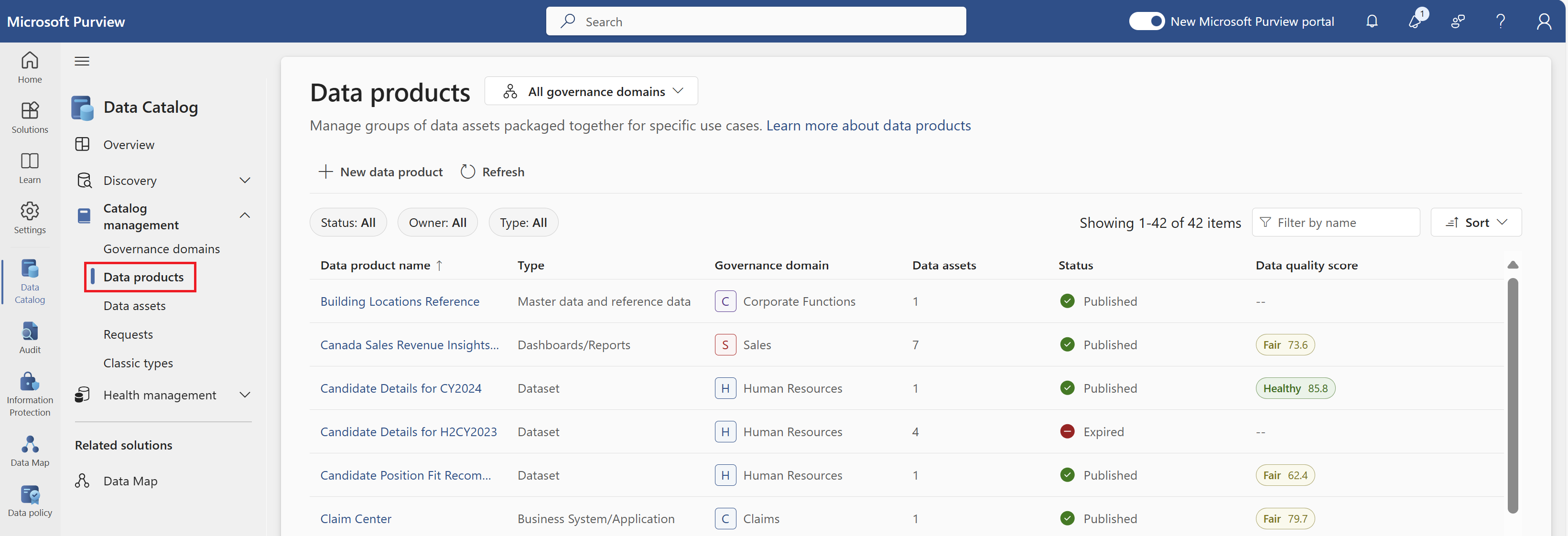
In 2026, the "Data Catalog" is no longer a discrete product but a feature set within the Purview Data Map. This shift was intended to centralize governance, but it introduced significant friction for teams who only needed a searchable inventory. By bundling the catalog with high-end compliance features, Microsoft increased the entry barrier for mid-sized enterprises and agile data teams.
The Cost-Value Disconnect: Hidden Expenses in Purview
One of the primary reasons the Microsoft data catalog is rarely worth the cost is its complex, consumption-based pricing model. Unlike SaaS competitors that often charge per seat or per data source, Microsoft Purview utilizes Capacity Units (CUs).
Consumption-Based Pricing Pitfalls
Purview charges for metadata storage and the duration of automated scans. For organizations with massive, "noisy" data lakes (such as those in Parquet or CSV formats), the cost of scanning every file to extract schema information can be astronomical.
By the time a company has indexed its entire environment, the monthly bill often exceeds the cost of a dedicated, third-party metadata management platform. Furthermore, the pricing is often opaque. Predicting the cost of a scan before it executes remains a challenge, leading to "sticker shock" when the monthly Azure bill arrives.
The Operational Tax
The financial cost is only half of the equation. The operational cost—the "people hours" required to make the catalog useful—is frequently underestimated. A data catalog is only as good as its metadata. While Purview can automatically ingest technical metadata (column names, types, sizes), it struggles with business metadata. To make the catalog "worth it," business users must manually enter descriptions, tag owners, and link assets to a business glossary. In most organizations, this manual labor is never fully realized, leaving the catalog as a graveyard of technical jargon that provides little value to non-technical stakeholders.
Integration Barriers in Multi-Cloud Environments
Microsoft Purview is designed with a "Microsoft-first" philosophy. While it has expanded its connectors to include Amazon S3, Google BigQuery, and Snowflake, the depth of integration is noticeably shallower than what is offered for native Azure services.
The "Walled Garden" Problem
When scanning a native Azure SQL database, Purview can often provide deep lineage, showing exactly how data flows into Power BI reports. However, when moving into a multi-cloud or hybrid-cloud scenario, this lineage often breaks or requires custom "Atlas API" development.
For the modern enterprise in 2026, which typically utilizes a best-of-breed approach (e.g., AWS for compute, Snowflake for warehousing, and Tableau for visualization), the Microsoft data catalog becomes a fragmented solution. It excels at showing you your Microsoft data but offers a blurry, incomplete picture of everything else. This lack of a true "universal" view is a dealbreaker for many Chief Data Officers.
Metadata Quality: The "Garbage In, Garbage Out" Reality
A common complaint regarding the Microsoft data catalog is the noise-to-signal ratio. Because Purview encourages automated scanning, it often ingests thousands of temporary tables, development schemas, and redundant "copy of copy" files.
Without a rigorous curation process, the search results in the catalog become cluttered. A data analyst searching for "Customer Sales" might be presented with 400 different tables across various environments, with no clear indication of which one is the "Golden Record."
Modern competitors have solved this through "social discovery" features—allowing users to upvote tables, see who uses them most frequently, and view warnings from other analysts. While Microsoft has attempted to add these features, the user interface remains centered on an IT-governance mindset rather than a user-centric, collaborative mindset.
Comparison: Microsoft Purview vs. Market Alternatives
The following table compares the Microsoft data catalog features (as of 2026) against the general capabilities of leading third-party specialized platforms like Atlan, Alation, or Collibra.
| Feature | Microsoft Purview (Data Catalog) | Specialized Data Catalogs |
|---|---|---|
| Primary Pricing Model | Consumption-based (Capacity Units) | Subscription/Seat-based |
| Setup Complexity | High (Requires Azure Infrastructure knowledge) | Medium (SaaS-native) |
| Native Lineage Depth | Excellent (Azure/Power BI only) | High (Multi-vendor/Cross-platform) |
| Business User UX | Technical and dense | Intuitive and collaborative |
| Automated Discovery | Strong for structured Azure assets | Strong across multi-cloud/SaaS |
| Metadata Enrichment | Heavy manual effort required | AI-augmented tagging/suggestions |
| Vendor Lock-in | High (Tied to Azure ecosystem) | Low (Independent) |
Operational Overload: Why the "Set it and Forget it" Dream Fails
Many IT departments purchase the Microsoft data catalog under the impression that it is a "set it and forget it" tool. They assume that by turning on the scanners, the organization’s data problems will be solved.
In reality, the Microsoft data catalog is an enterprise governance framework. It requires:
- Data Stewards: Individuals dedicated to managing the business glossary and verifying tags.
- Cloud Architects: To manage the networking and permissions required for scanners to access data across VNETs.
- Policy Managers: To define who can see which metadata, which is often as complex as managing the data access itself.
If an organization is not prepared to hire or reallocate staff to these roles, the Purview Data Catalog becomes an expensive, unused asset. The "rarely worth it" sentiment usually stems from this gap between the software's capabilities and the organization's readiness to use it.
When Is the Microsoft Data Catalog Actually Worth It?
Despite the criticisms, there are specific scenarios where the Microsoft data catalog is the correct choice. It is rarely worth it for everyone, but it is highly effective for a specific subset of users.
The Pure-Azure Shop
If your organization is 100% committed to the Microsoft stack—using Azure Data Factory for ingestion, Azure Synapse for warehousing, and Power BI for reporting—the integration is unparalleled. The ability to see end-to-end lineage within a single ecosystem provides a level of traceability that third-party tools struggle to match without significant custom coding.
Compliance-Driven Industries
For organizations in highly regulated sectors (such as banking or healthcare), the catalog's integration with Purview Information Protection is a significant advantage. The ability to automatically apply sensitivity labels (e.g., "Highly Confidential") to data discovered by the catalog and have those labels persist into Microsoft 365 and Power BI is a unique selling point. In these cases, the "worth" is measured in risk mitigation rather than analyst productivity.
Common Mistakes in Purview Implementation
The perceived lack of value often comes from poor implementation strategies. Organizations that find the catalog "not worth it" often fall into these traps:
- Boiling the Ocean: Attempting to scan every single data source in the enterprise on day one. This leads to high costs and a cluttered catalog.
- Neglecting the Business Glossary: Focusing entirely on technical metadata (tables/columns) and ignoring the business terms that actually help people find data.
- Assuming Permissions Sync: Assuming that because someone can see a table in the catalog, they have access to the data. This confusion leads to frustration among end-users.
- Ignoring the API: Many teams fail to realize that to get the most out of Purview, they need to interact with the Apache Atlas API for custom lineage, especially for non-Microsoft tools.
Frequently Asked Questions
Is Azure Data Catalog Gen 1 still supported?
As of 2026, Azure Data Catalog Gen 1 is considered a legacy service. Microsoft has heavily incentivized all users to migrate to Microsoft Purview. Gen 1 lacks the automated scanning, lineage, and security features that define modern data governance, making it largely obsolete for enterprise needs.
How does Microsoft Purview pricing work for the catalog?
Purview uses a Capacity Unit (CU) model. You pay for the "Data Map" capacity, which covers the storage and processing of metadata. Additional costs are incurred for "Scanning and Classification," which are billed based on the duration of the scan and the number of assets processed. In 2026, this remains a significant hurdle for budget forecasting.
Can Microsoft Purview scan on-premises data?
Yes, Purview can scan on-premises data sources (like SQL Server, Oracle, or SAP) using a Self-Hosted Integration Runtime (SHIR). However, setting up a SHIR adds another layer of technical complexity and maintenance overhead, which contributes to the "not worth it" sentiment for teams with limited IT resources.
Does the Microsoft data catalog support data quality monitoring?
While Microsoft has introduced "Data Quality" features into the Purview suite, they are often billed as add-ons or require specific licensing tiers. They are generally less mature than dedicated data quality platforms like Great Expectations, Monte Carlo, or Soda, leading many teams to use Purview for the catalog and a separate tool for quality.
Why do users prefer Alation or Atlan over Microsoft Purview?
Users often prefer specialized competitors because of the user experience. These platforms are built with a "search first" mentality, similar to an e-commerce site, making it easy for non-technical users to find and understand data. Microsoft Purview is often viewed as a "compliance first" tool, which can feel clunky and overly restrictive for daily data discovery.
Final Recommendation: Should You Invest?
The Microsoft data catalog is rarely worth it if you are looking for a simple, plug-and-play solution to help your analysts find data. The cost, complexity, and Azure-centric nature of the product make it a heavy lift for most organizations.
You should choose Microsoft Purview ONLY if:
- Your data estate is almost entirely within the Microsoft ecosystem.
- You require tight integration between data discovery and automated sensitivity labeling for compliance.
- You have a dedicated team of data stewards and Azure architects to maintain the system.
If your goal is to empower a diverse group of data users across a multi-cloud environment, you will likely find more value and a faster ROI in a specialized, vendor-neutral data catalog. Before committing to Purview, conduct a thorough Proof of Concept (POC) that includes a cost-projection for a full-scale scan—your future budget will thank you.
Image Gallery
Select an image to open it in a new tab.


Vivian Cho
Executive IT and Emerging Technologies Reporter
