
Navigating the iPhone 13 Pro trade-in process requires assessing your device’s physical condition, unpairing it from your Apple ID, and choosing between official manufacturer programs, carrier credit incentives, or third-party resale marketplaces to maximize your residual value. Preparing the device correctly ensures you avoid appraisal downgrades or potential security risks during the transfer of ownership.
Understanding Your iPhone 13 Pro Trade-In Value
As of 2026, the iPhone 13 Pro, originally released in 2021, occupies a unique space in the secondary market. While it remains a highly capable device, it has reached an age where market saturation and the release of successive hardware generations impact its trade-in valuation. Factors influencing your specific offer include the storage capacity (128GB, 256GB, 512GB, or 1TB), the physical condition of the display and chassis, and the battery health percentage.
When you initiate a trade-in, most platforms utilize an automated appraisal system. They ask a series of binary questions: Does the phone power on? Is the screen cracked? Are there significant dents or liquid damage? Providing accurate answers is critical; if an inspector at a facility finds discrepancies between your self-assessment and the device's actual condition, your final offer will be adjusted downward, often significantly.
Preparing Your Device for Trade-In
Before handing over your device to a carrier, Apple, or a third-party reseller, you must sanitize the hardware of your personal data. Failing to do this does not just pose a privacy risk; it can actually invalidate a trade-in offer, as locked devices (specifically those with Activation Lock enabled) are essentially worthless to refurbishers.
Step-by-Step Data Sanitization
- Back Up Your Data: Use iCloud or a local encrypted backup via Finder or iTunes to ensure your photos, contacts, and settings are preserved for your next device.
- Unpair Devices: If you own an Apple Watch, unpair it from your iPhone 13 Pro. This ensures that the Health data and pairing records are correctly moved to the cloud.
- Sign Out of Services: Navigate to Settings > [Your Name] > Sign Out. You will be prompted to enter your Apple ID password to disable "Find My" and Activation Lock.
- Erase All Content and Settings: Once signed out, go to Settings > General > Transfer or Reset iPhone > Erase All Content and Settings. This initiates a cryptographic wipe, rendering your data unrecoverable.
- Remove Physical Media: Ensure you have removed your SIM card, even if you are moving to an eSIM-only model in the future.

Evaluating Trade-In Channels
Not all trade-in paths offer the same benefits. Your choice depends on whether you prioritize convenience, immediate credit, or the highest possible cash payout.
Apple Trade-In
Apple’s official trade-in program is designed for seamless integration with new purchases. The primary advantage is the "instant credit" provided during the checkout process if you buy a new device online or in-store. However, the valuation for older models like the iPhone 13 Pro is often lower than what you might achieve through private sales or specialized buyback sites, as Apple factors in the convenience of the service and the overhead of their recycling/refurbishing pipeline.
Carrier Trade-In Programs
Wireless carriers frequently use trade-in incentives as a customer retention tool. They may offer inflated "bill credit" amounts (often spread over 24 or 36 months) in exchange for signing or renewing a service contract. This is highly effective if you are already planning to stay with your current provider, but it effectively locks you into that carrier for the duration of the credit payout.
Third-Party Resellers and Marketplaces
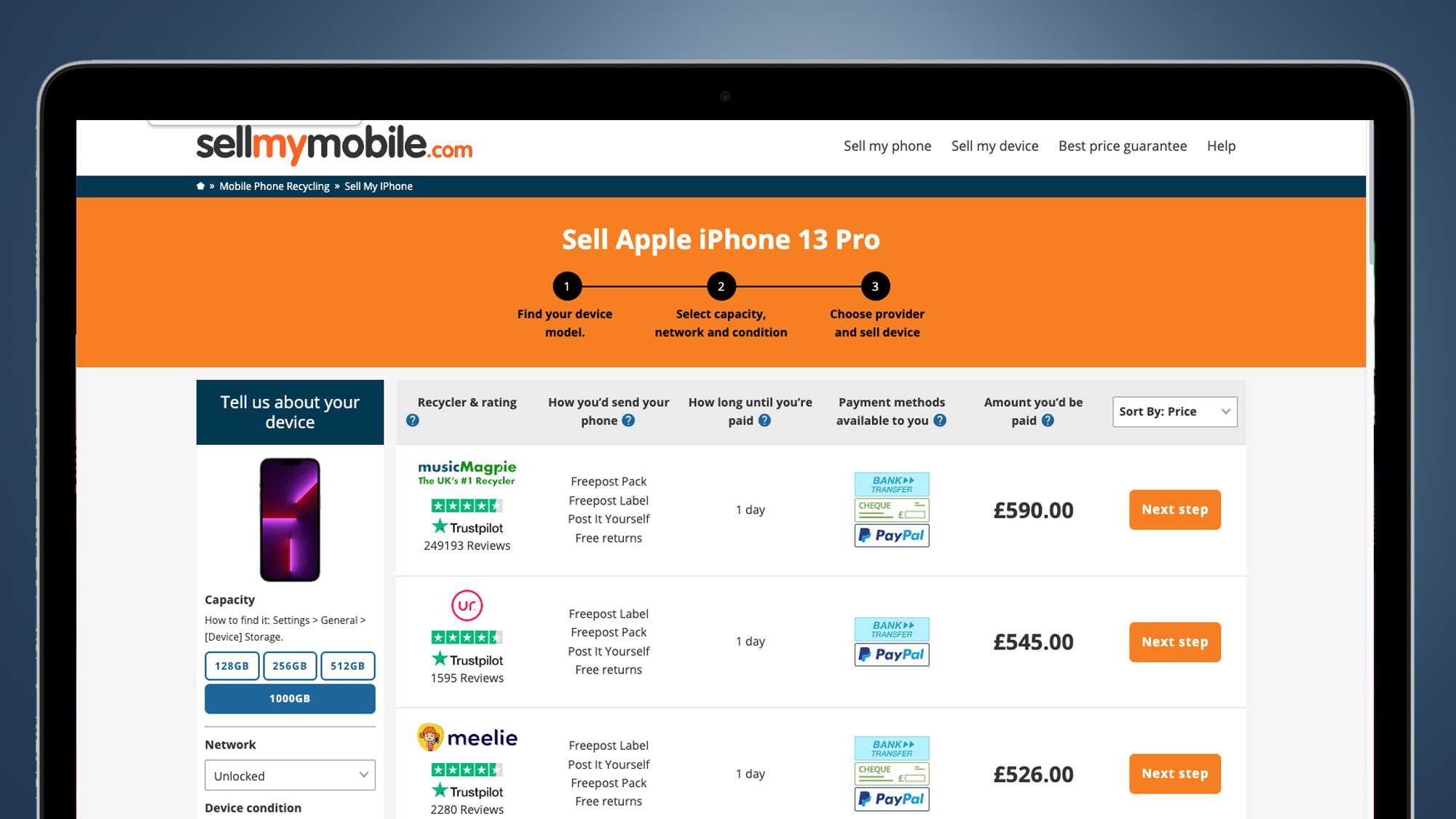
Companies specializing in electronics buyback (such as Gazelle, Swappa, or Back Market) often provide a middle-ground valuation. They usually offer a flat cash payout rather than store credit. Private marketplaces like eBay or specialized local classifieds generally offer the highest absolute dollar value, but they come with significant risks, including potential fraud, the need to handle shipping logistics, and the responsibility of dealing with non-paying buyers.
| Method | Payment Type | Payout Speed | Effort Level | Risk Level |
|---|---|---|---|---|
| Apple Store | Store Credit | Instant | Low | Minimal |
| Carrier Program | Bill Credit | Long-term | Moderate | Low |
| Buyback Sites | Cash/Check | Moderate | Moderate | Moderate |
| Private Sale | Cash | Variable | High | High |
The Impact of Battery Health and Cosmetic Wear
A common mistake during the trade-in process is ignoring the battery. Most professional buyback organizations require a battery health capacity of at least 80%. If your iPhone 13 Pro has degraded below this threshold, some services may reduce your trade-in value to zero or reject the device entirely for the purpose of a trade-in, offering only a "recycling" credit instead.
Cosmetic condition is evaluated under bright lighting by professional inspectors. While minor micro-scratches on the display are often accepted under the umbrella of "normal wear and tear," deep gouges, chips in the glass, or frame deformations are classified as "damaged." When filling out the condition form, be honest. If the camera lens cover is cracked or the volume buttons are unresponsive, declare it. Attempting to hide these flaws usually results in a rejected trade-in shipment, which forces you to pay for return shipping or accept a drastically reduced offer after the device has already left your possession.
Troubleshooting Common Trade-In Issues
If you encounter problems during the process, prompt action is required to avoid financial loss.
- Offer Discrepancies: If you receive an email stating your device has been downgraded by the inspector, you usually have a 24-to-48-hour window to reject the new offer. If you reject it, the company is typically obligated to return the device to you, though they may charge a small fee for return shipping.
- Shipping Delays: Always obtain a tracking number when sending your phone to a third-party or carrier. If the carrier loses the package, your proof of drop-off is the only thing that will protect your credit eligibility.
- Activation Lock Persistence: If you sent the device without signing out of iCloud, you will likely receive an automated notification. You can often log into iCloud.com from a browser, navigate to "Find Devices," and remove the device from your account remotely to clear the lock without needing physical access to the phone again.
Frequently Asked Questions
Will my iPhone 13 Pro trade-in value change if I don't include the original box or accessories?
Generally, no. Most trade-in programs evaluate the device itself. While including the original box can be a selling point in a private market transaction, professional companies recycle or discard packaging materials immediately. You are usually better off keeping your charging cable and power adapter.
Can I trade in an iPhone 13 Pro that has a third-party screen replacement?
This depends on the specific policy of the trade-in partner. Apple’s official program requires original parts for certain valuations, whereas third-party resellers are more concerned with functionality. Always check the "terms and conditions" of the specific program to see if unauthorized repairs are grounds for rejection.
What is the advantage of using a carrier promotion over an Apple store trade-in?
Carrier promotions typically provide a higher total value in exchange for a service contract. Apple's trade-in is usually a lower, flat amount applied to the purchase price of a new, unlocked device. Choose the carrier route if you are comfortable with long-term contracts; choose Apple if you prefer device autonomy.
Is it safer to trade in my device at a physical store?
Yes. Trading in at an Apple Store or a carrier retail location allows an associate to inspect the device in front of you. This eliminates shipping risks and provides an immediate confirmation of the trade-in value, preventing surprises regarding condition-based valuation changes after the fact.
What should I do if my trade-in offer is rejected entirely?
If the device is rejected because it is deemed too damaged, ask for it to be returned. You can then look into local independent repair shops to fix the specific issue, or list the device as "for parts" on a secondary market site to recoup some of the cost.
Final Recommendation
To successfully navigate your iPhone 13 Pro trade-in, start by cleaning the device thoroughly and checking your current battery health percentage. If you are near an Apple Store or a carrier retail outlet, perform the trade-in in-person to ensure immediate verification and security. If you choose to mail the device, record a short video of the phone powering on and its condition as you pack it, and always request a receipt upon dropping the package at a shipping center.
Image Gallery
Select an image to open it in a new tab.

Mateo Castillo
Decentralized Finance and E-Payments Strategist
