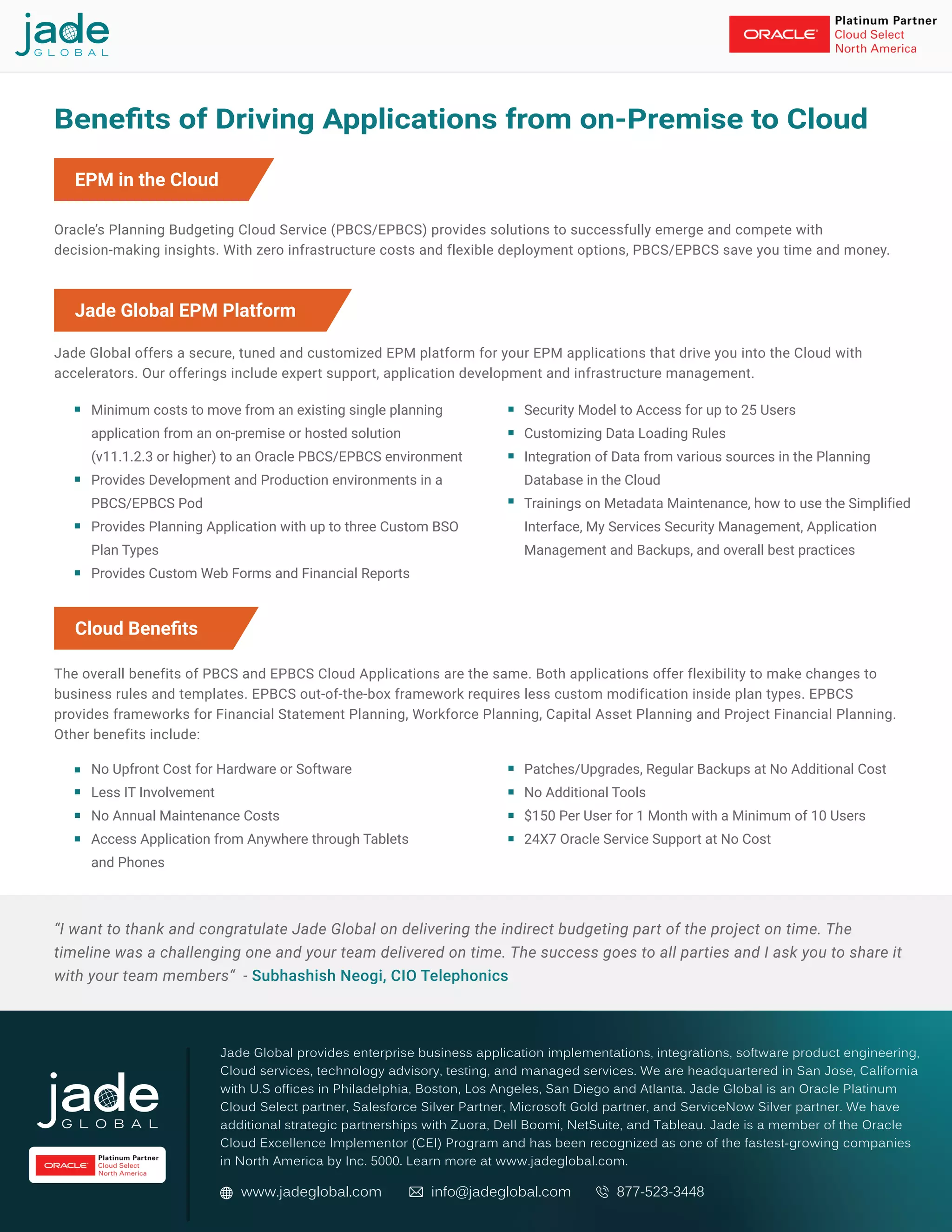
Securing Oracle Planning and Budgeting Cloud Service (PBCS) requires a defense-in-depth strategy that leverages Oracle Cloud Infrastructure (OCI) Identity and Access Management (IAM), role-based access controls, and encrypted data lifecycle management. Administrators must prioritize granular provisioning, consistent audit logging, and the enforcement of multi-factor authentication to protect sensitive financial planning data from unauthorized access and internal threats.
Understanding the Architecture of PBCS Security
Oracle Planning and Budgeting Cloud Service (PBCS) is a sophisticated enterprise performance management (EPM) solution that stores highly sensitive financial, human resources, and operational data. Because this environment functions as a Software-as-a-Service (SaaS) platform, the security model operates on a "shared responsibility" framework. Oracle manages the underlying infrastructure, physical security of data centers, and the core application patching, while your organization retains full control over identity management, user provisioning, and data access policies.
In a 2026 enterprise environment, PBCS security is not a static checkbox but a continuous process of governing who can access the application, what they can see, and what actions they can perform. The security architecture is primarily built on three layers: identity management, object-level security, and data-level security. Understanding these layers is the first step in ensuring that your budgeting processes remain compliant with corporate governance policies.
Identity and Access Management (IAM) Integration
At the foundation of PBCS security is Identity and Access Management. Most modern deployments utilize Oracle Identity Cloud Service (IDCS) or integration with your corporate Identity Provider (IdP) via Security Assertion Markup Language (SAML).
Multi-Factor Authentication (MFA)
Multi-factor authentication is no longer optional for financial systems. In 2026, the risk of credential compromise through phishing or brute-force attacks is significant. Implementing MFA ensures that even if a user’s password is compromised, the attacker cannot gain entry to the PBCS environment. You should enforce MFA policies at the IdP level, ensuring that every session authentication request requires a second factor, such as a push notification or a hardware security key.
Provisioning and Deprovisioning
The lifecycle of a user account is a critical security vulnerability. Automated provisioning, typically handled via SCIM (System for Cross-domain Identity Management) or direct sync with your Active Directory, ensures that access is granted immediately upon hiring and—more importantly—revoked instantly upon departure. Regularly auditing accounts for "privilege creep," where users retain elevated rights after changing job functions, is a mandatory administrative task.
Role-Based Access Control (RBAC) in PBCS
PBCS utilizes an RBAC model to dictate what a user can see and do within the application. Security administrators must move away from assigning "Service Administrator" rights to users who only require data entry capabilities.
- Service Administrator: Possesses full control over the environment. Limit this role to a maximum of two or three senior IT staff members.
- Power User: Designed for administrators who manage metadata, dimensions, and business rules but do not need to manage the security settings of the environment.
- User: The standard role for end-users. These individuals can enter data and view reports based on the security filters applied to them.
- Viewer: A read-only role suitable for auditors or executive stakeholders who need to review final budgets without the ability to modify figures.
By segmenting these roles, you minimize the "blast radius" should an account be compromised. Always follow the Principle of Least Privilege: provide the minimum access necessary for the user to perform their specific business tasks.
Protecting Data Through Security Filters
Data-level security is perhaps the most critical component for financial departments. You need to ensure that a cost center manager in the North American division cannot see the sensitive payroll data of the European division.
Member-Level Security
PBCS allows you to assign access permissions to members within dimensions, most commonly the Entity or Department dimension. By applying "Read" or "Write" permissions to specific nodes in your metadata hierarchy, you restrict the visibility of data intersections. If a user does not have explicit access to a specific branch of the dimension tree, the application will effectively hide the data in forms, reports, and dashboards.
Security Filters vs. Access Groups
While it is possible to assign permissions to individual users, it is considered a best practice to assign permissions to Groups. Create security groups based on job functions or business units in your IdP and map these to PBCS roles. This approach scales significantly better than manual user-level assignment and ensures that when a new employee joins the team, they automatically inherit the correct data visibility settings by being added to the relevant group.
Data Encryption and Network Security
Your financial data is protected by Oracle at rest using Transparent Data Encryption (TDE). However, you must also be aware of the controls you have over data in transit and access points.
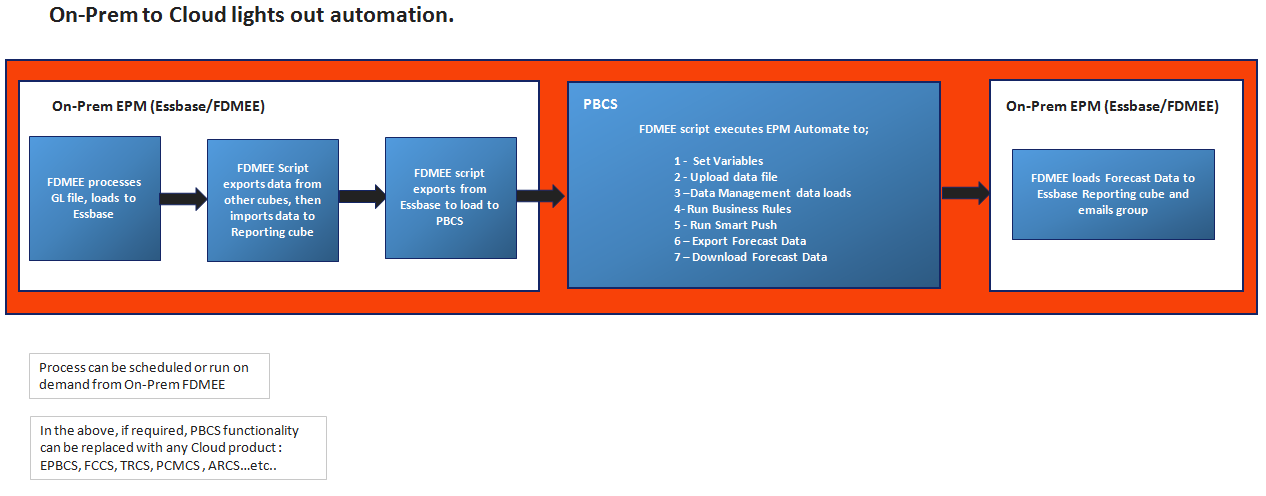
- Encryption in Transit: All connections to the PBCS cloud must be made via HTTPS (TLS 1.2 or higher). Ensure that all integrations, including automated data loads from on-premises ERP systems, use secure protocols.
- IP Whitelisting: If your organization requires strict network perimeter controls, OCI allows you to configure Access Control Lists (ACLs). This restricts access to the PBCS URL to specific IP ranges (e.g., your corporate VPN gateway or office head-end). This provides an additional layer of defense against unauthorized access from public networks.
Monitoring and Audit Logging
Security cannot be effective without visibility. PBCS provides robust audit logs that track user activities, login attempts, and changes to application objects.
| Audit Category | What It Tracks | Why It Matters |
|---|---|---|
| Login History | Successful/Failed sign-ins | Detects brute-force attempts |
| Metadata Changes | Modifications to dimensions/hierarchies | Identifies unauthorized structure changes |
| Security Changes | Changes to user/group permissions | Prevents privilege escalation |
| Data Changes | Cell-level adjustments | Provides accountability for budget figures |
Reviewing these logs on a monthly basis is highly recommended. You should integrate these logs with your organization’s SIEM (Security Information and Event Management) system if your security policies mandate centralized logging and automated alerting for suspicious patterns.
Common Security Mistakes to Avoid
Even with a well-configured system, common pitfalls often undermine security posture. Avoiding these practices is essential for maintaining a hardened environment:
- Sharing Service Accounts: Never use a single, shared login for an entire department. If an incident occurs, it becomes impossible to attribute the action to a specific individual. Every user must have a unique identity.
- Ignoring Default Passwords: If you migrate or create service accounts, ensure all default or temporary passwords are changed immediately.
- Excessive Use of the "Service Administrator" Role: We often see organizations granting "Service Administrator" rights to users to "save time" or avoid troubleshooting access errors. This is a primary cause of accidental data loss or unauthorized configuration changes.
- Neglecting Sandbox Security: If you use Test or Sandbox instances, ensure they are secured with the same rigor as the Production environment. Often, these environments contain clones of production data, making them equally attractive to attackers.
Troubleshooting Security Access Issues
When a user reports they cannot see data, the problem usually stems from one of three areas. Use this troubleshooting workflow:
- Verify Role Assignment: Check the user's role in the PBCS Users & Roles interface. Do they have the appropriate role (e.g., User, Power User) to perform the task?
- Review Group Membership: Verify if the user is in the correct group. If they are in a group that has "Read" access but not "Write" access, their data entry will be blocked.
- Check Dimension Security Filters: Navigate to the specific dimension members involved. Check the "Permissions" tab to see if the user or their group has been explicitly restricted from those members.
- Clear Application Cache: Sometimes, security changes take a moment to propagate. If changes have recently been made, have the user sign out and sign back in to refresh their session token.
Establishing a Compliance Framework
In 2026, financial regulations such as SOX (Sarbanes-Oxley) or GDPR continue to influence how financial data must be secured. Your PBCS security model should be documented to support these audits.
Maintain a "Security Matrix" that maps your organizational chart to the corresponding roles and security groups within PBCS. This document serves as evidence for internal and external auditors, proving that access is managed systematically and that unauthorized individuals cannot influence financial reporting data. Periodically reconcile this matrix against actual user access lists to ensure the environment remains in a state of continuous compliance.
Next Actions and Recommendations
To immediately improve your PBCS security posture, we recommend the following three-step approach:
- Conduct an Access Audit: Pull a report of all users with "Service Administrator" and "Power User" roles. Downgrade any user who does not strictly require these rights for their current job function.
- Review MFA Enforcement: Confirm that your Identity Provider forces MFA for all sessions accessing the PBCS service URL. If you are using local PBCS authentication, switch to a centralized IdP to ensure consistent security policy enforcement.
- Document the Security Workflow: Create a standard operating procedure (SOP) for user onboarding and offboarding. Ensure that when an employee leaves the organization, their access is revoked in the central directory within the same business day to prevent data exposure.
By focusing on these foundational elements, you can ensure that your financial planning and budgeting data remains secure, compliant, and available only to authorized personnel throughout the 2026 fiscal cycle.
Image Gallery
Select an image to open it in a new tab.


Omar Farooq
EdTech Innovation and Virtual Pedagogy Journalist
