
The CW is broadcast over-the-air in most markets across the United States via local affiliate stations. Because the channel number for The CW varies significantly depending on your specific geographic location and the local broadcast tower in your area, there is no single universal channel number. You can identify your local channel by performing a channel scan on your digital television or using online signal-finding databases provided by the FCC or third-party broadcast trackers.
Understanding Over-the-Air Broadcasts and The CW
In the era of streaming, many viewers forget that major broadcast networks—including The CW—remain available for free via terrestrial television signals. Unlike cable or satellite services, which assign a standardized channel number to a network across their entire provider network, over-the-air (OTA) television operates on a localized basis.
The CW, formerly a joint venture between Warner Bros. and CBS, functions through a network of affiliated local stations. These stations are independent businesses that broadcast in their specific regions. Each station is assigned a broadcast frequency by the Federal Communications Commission (FCC). When you use an antenna, your television is essentially listening to these specific frequencies. Because the physical radio frequency (the "real" channel) is often different from the virtual channel (the number you see on your remote), the channel displayed on your screen might be 11.1, while the actual transmission is occurring on a completely different frequency.
The Role of Digital Subchannels
One of the most important aspects of finding The CW on an antenna is understanding digital subchannels. In the analog television era, a station was limited to one channel. In the modern digital age (ATSC 1.0 and ATSC 3.0 standards), a single physical broadcast signal can be split into multiple subchannels.
A single local station might carry its primary programming on ".1," while airing secondary networks like The CW, MeTV, or ION on ".2," ".3," or ".4." This means that if you are looking for The CW, you should not assume it occupies a primary channel slot. It is common for The CW to reside as a secondary or tertiary subchannel within a local station's broadcast stream. If you have not performed a recent channel scan, your television may not know these subchannels exist.

Step-by-Step: How to Locate Your Local CW Channel
To find exactly where The CW is located in your area, follow this logical progression of technical checks.
1. Perform a Full Channel Scan
The most effective way to identify every available network is to initiate a "Channel Scan" or "Auto-Tune" from your television's settings menu.
- Ensure your antenna is securely connected to the "Antenna/Cable In" port on the back of your television.
- Navigate to the "Settings" or "Menu" on your TV.
- Look for "Channels," "Tuner," or "Installation."
- Select "Auto-Program" or "Scan for Channels."
- Allow the process to complete entirely—this usually takes several minutes.
Once finished, scroll through your channel guide. If the network is available in your area, it will appear as a numbered channel (e.g., 5.2 or 33.3).
2. Using FCC and Official Station Databases
If a scan does not yield results, you should verify whether The CW is actually broadcast in your market. Not every remote area has a local CW affiliate. You can use the FCC's official "Reception Maps" tool by entering your zip code. This tool provides a list of stations that should be reachable with an antenna of appropriate gain (Indoor, Attic, or Outdoor).
3. Checking Affiliate Finder Tools
The CW maintains an official affiliate search tool on its website. By entering your city or zip code, the network provides the specific local station that carries its programming. This is the most accurate way to verify which local broadcast group owns the rights to carry the signal in your community.
Comparison of Antenna Types for Reception
The ability to pull in The CW depends heavily on your hardware. If you live in a dense urban environment, an indoor antenna may suffice. If you are in a rural area, you may require a high-gain outdoor antenna.
| Antenna Type | Best Use Case | Performance Characteristics |
|---|---|---|
| Indoor Rabbit Ears | Urban/Close proximity | Inexpensive; susceptible to indoor interference. |
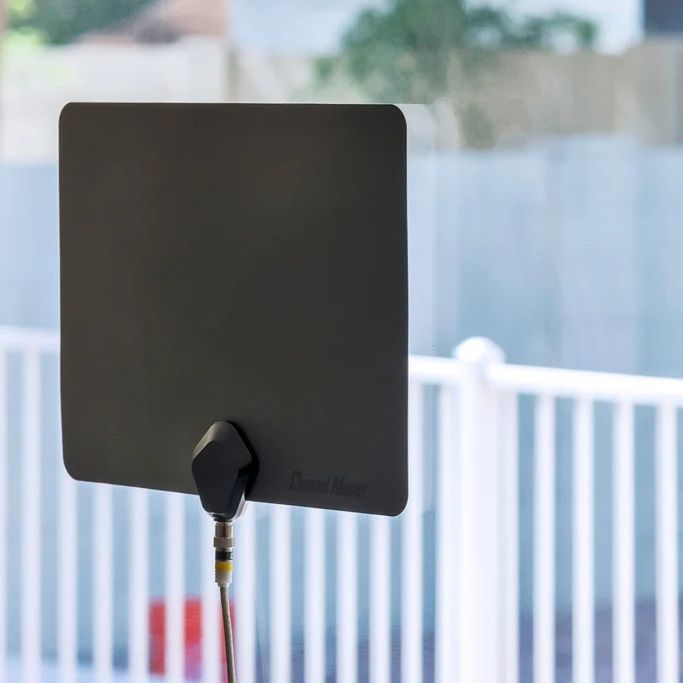
| Flat Amplified | Suburban areas | Aesthetic; handles VHF/UHF well with amplification. |
| Outdoor Yagi | Rural/Long range | High gain; requires precise aiming at broadcast towers. |
| Multidirectional | Near multiple towers | Captures signals from varying directions without rotating. |
Troubleshooting Common Reception Issues
If you know The CW is broadcast in your area but your antenna is not picking it up, consider the following technical variables:
- Obstructions: Buildings, trees, and mountainous terrain can block broadcast signals. Because digital television signals are "line-of-sight," moving your antenna toward a window or higher location can often resolve the issue.
- Interference: Electronic devices such as LED light dimmers, microwave ovens, and poorly shielded power cables can introduce signal noise that prevents your tuner from locking onto the CW subchannel.
- VHF vs. UHF: Some stations broadcast The CW on a VHF frequency, while others use UHF. Ensure your antenna is "Wideband," meaning it is designed to receive both VHF and UHF signals, as some small, flat antennas are optimized only for UHF.
- Antenna Positioning: Even a few inches can make a difference. Use a tool like "AntennaWeb" to find the compass heading of your local tower and orient your antenna accordingly.
Frequently Asked Questions
Can I get The CW on an antenna if I live in a rural area?
It depends entirely on your distance from the nearest affiliate's transmitter. If you are outside the "Grade B" contour of the station, you may not be able to receive the signal with a standard consumer antenna. You can check your eligibility via the FCC's DTV reception maps.
Why does the channel number on my TV look like "12.3"?
The number before the dot is the virtual channel, which is tied to the legacy channel identification of the broadcaster. The number after the dot (the subchannel) indicates that the station is multiplexing its signal. The CW is frequently hosted as a subchannel because it often does not occupy the primary "x.1" slot of the major networks.
Do I need an internet connection to get The CW with an antenna?
No. An antenna provides a pure, uncompressed over-the-air broadcast signal that is independent of your internet service. This is a primary advantage of OTA television, as it allows for viewing even during internet outages or high-traffic periods.
What should I do if the signal keeps dropping?
Signal dropout, often called "pixelation" or "macroblocking," usually indicates that your TV tuner is receiving an insufficient amount of data to reconstruct the image. Try repositioning your antenna, removing splitters from the cable line, or using a signal amplifier if the cable run from the antenna to the TV is longer than 20 feet.
Can I get The CW in high definition via antenna?
Yes. Most CW affiliates broadcast in either 720p or 1080i high definition. Because OTA signals are not compressed by cable or satellite companies to save bandwidth, the picture quality of an antenna-received signal is often superior to the version provided by cable providers.
Recommendation for Next Actions
If you are unable to locate The CW, your first step should be to visit the official CW affiliate finder website to confirm that a station exists in your DMA (Designated Market Area). If a station exists, perform a manual scan and, if the signal remains elusive, investigate the terrain between your home and the transmitter. In 2026, most major markets offer robust digital signals; if you cannot pick up the station after a thorough scan and antenna adjustment, the broadcast signal may simply not reach your specific property. In such cases, checking your provider's local broadcast lineup or utilizing the official CW streaming application may serve as a viable alternative for accessing the network’s programming.
Image Gallery
Select an image to open it in a new tab.



Vivian Cho
Executive IT and Emerging Technologies Reporter
