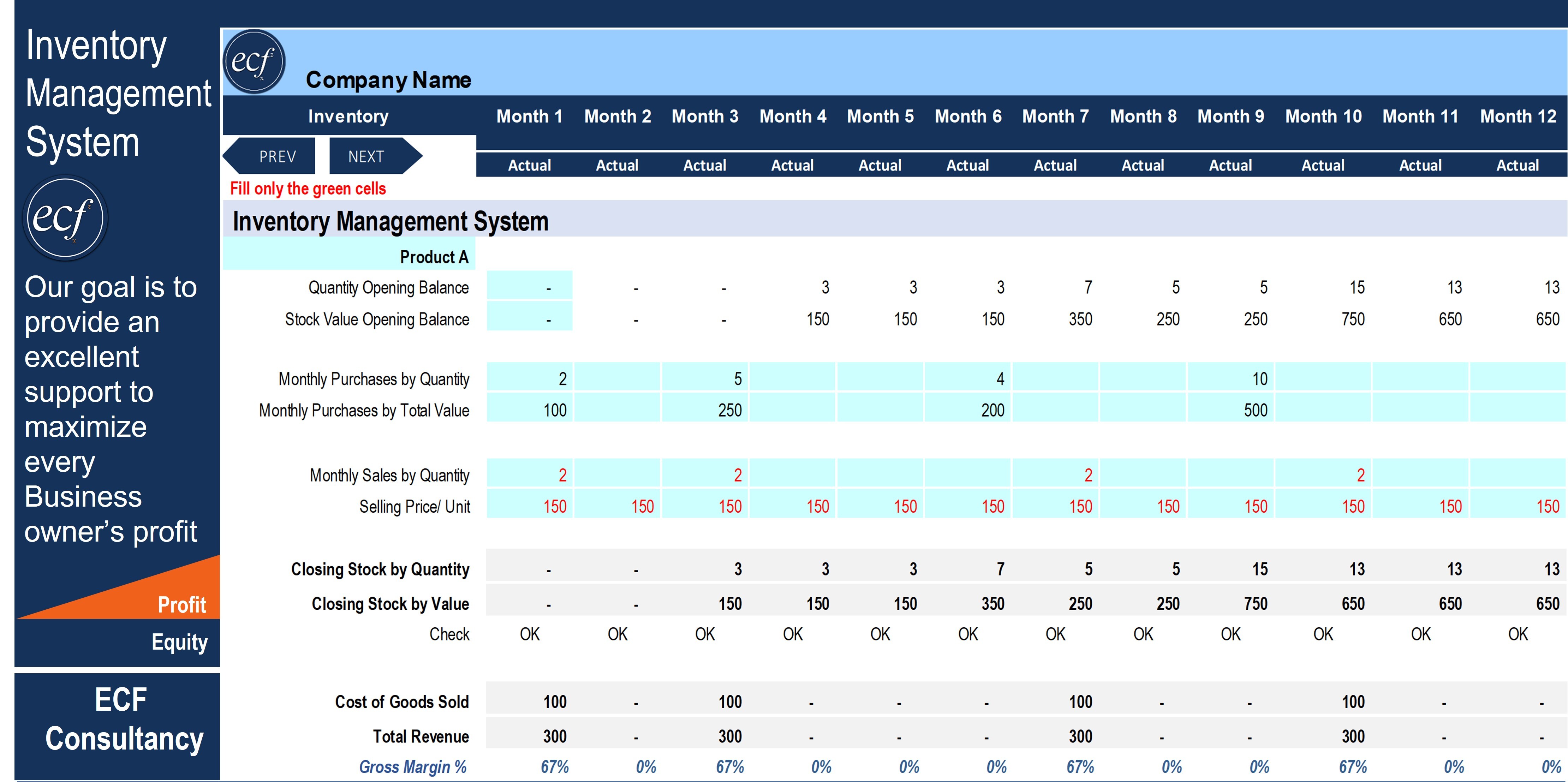
To use an IT inventory template effectively, you must first define your asset scope, categorize items into logical groups (hardware, software, and infrastructure), and systematically input critical data including serial numbers, purchase dates, and current users. Regular audits and integration with your procurement and decommissioning processes are essential to maintain the template as a "single source of truth" for your organization’s technology stack.
Understanding the Role of an IT Inventory Template in 2026
An IT inventory template serves as the foundational database for managing an organization's physical and digital assets. By 2026, the complexity of IT environments—spanning on-premises hardware, remote workstations, and sprawling SaaS (Software as a Service) ecosystems—requires a structured approach that goes beyond simple list-making. Using a template allows small to mid-sized organizations to track the lifecycle of their equipment, ensure software compliance, and optimize hardware spending without the immediate need for expensive, automated Enterprise Asset Management (EAM) suites.
The primary goal of an inventory template is to provide visibility. Without a central record, IT departments face "shadow IT" (unauthorized software or hardware usage), security vulnerabilities from unpatched legacy systems, and financial waste through redundant subscriptions or forgotten hardware. A well-maintained template facilitates faster disaster recovery, simplifies financial auditing, and ensures that every piece of technology is accounted for from procurement to disposal.
Phase 1: Preparation and Scoping
Before entering data into a template, you must establish the boundaries of what you intend to track. Attempting to document every peripheral, such as mice or keyboards, often leads to administrative burnout. Instead, focus on high-value and high-risk assets.
Defining Your Asset Categories
A comprehensive IT inventory generally splits into three main categories:
- Hardware: Laptops, desktops, servers, mobile devices, tablets, and specialized equipment like printers or VoIP phones.
- Software and Licenses: Operating system versions, productivity suites (like Microsoft 365 or Google Workspace), specialized industry software, and their respective license keys or renewal dates.
- Network Infrastructure: Routers, switches, firewalls, wireless access points, and UPS (Uninterruptible Power Supply) units.
Establishing Data Standards
To ensure the template remains searchable and useful, you must standardize how information is recorded. For example, will you record dates as MM/DD/YYYY or DD/MM/YYYY? Will manufacturers be listed by their full names (e.g., "International Business Machines") or abbreviations ("IBM")? Deciding these standards early prevents data fragmentation.
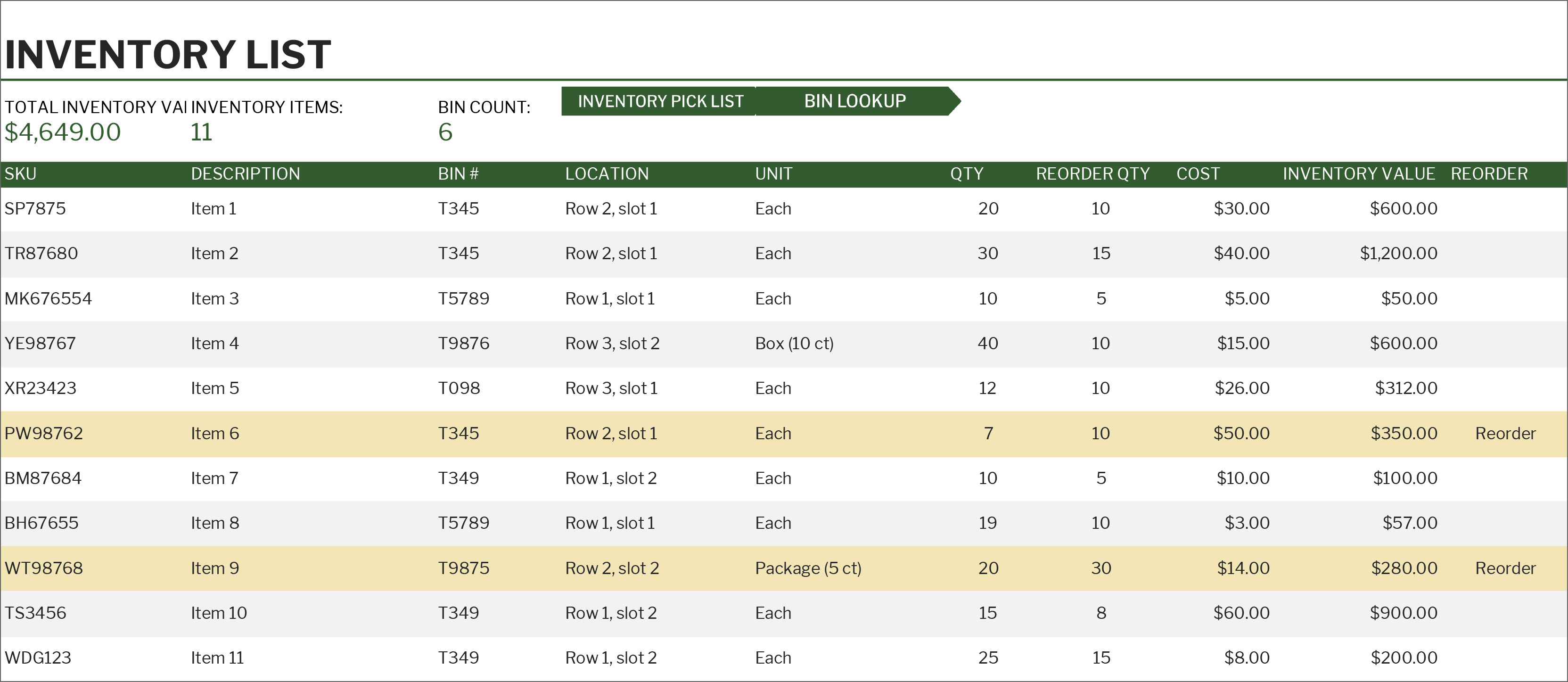
Phase 2: Populating the Template
Once the scope is defined, the execution phase begins. Whether you are using an Excel-based template, a Google Sheets document, or a dedicated database, the process of data entry requires precision.
Step 1: Identifying Mandatory Fields
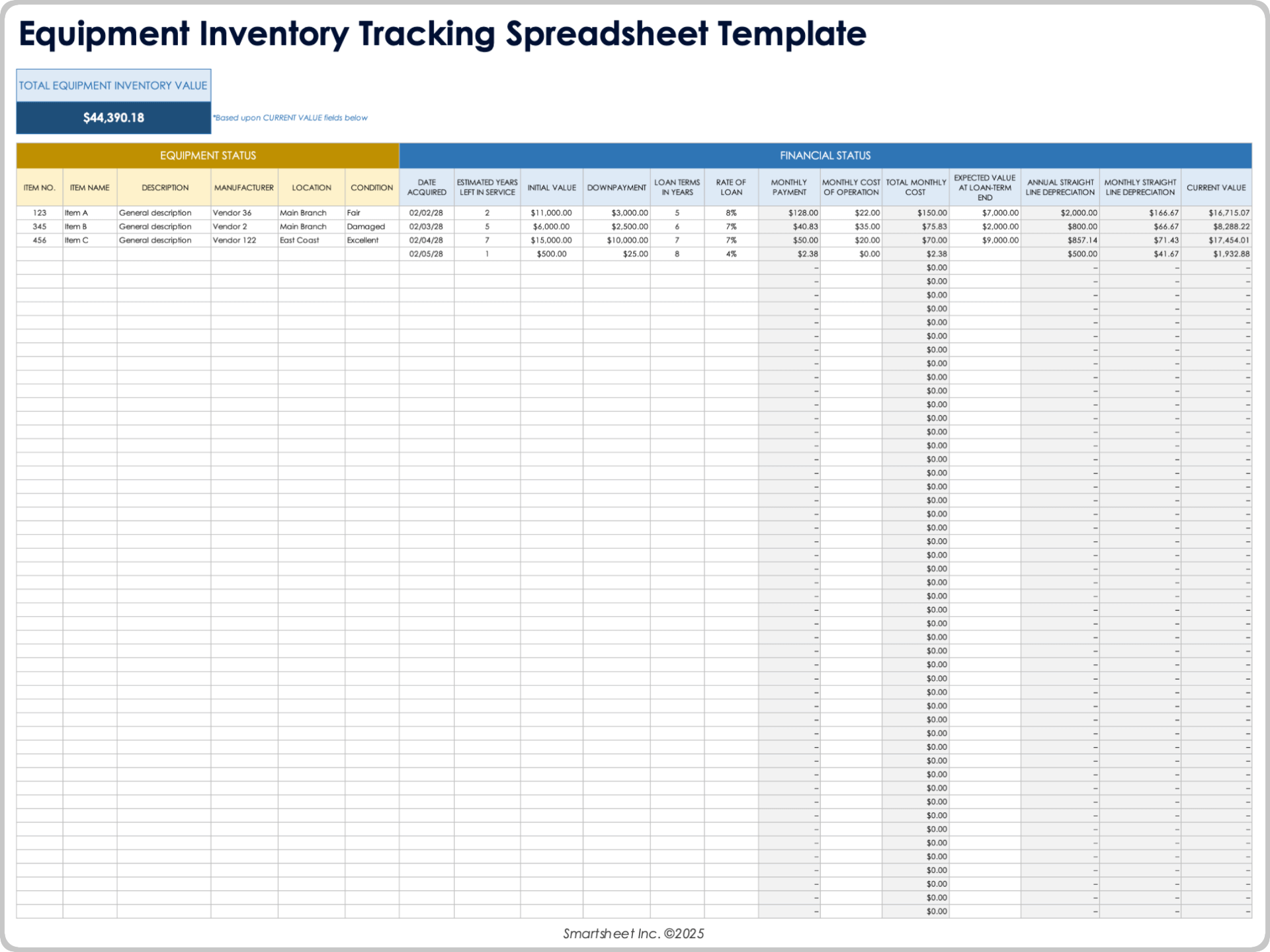
Most professional templates include pre-configured columns. If you are building or customizing one, ensure the following fields are present for every asset:
- Asset ID: A unique internal number assigned to the item (often via a physical barcode or asset tag).
- Manufacturer and Model: The specific brand and version of the hardware.
- Serial Number/Service Tag: The unique identifier provided by the manufacturer, essential for warranty claims.
- Purchase Date and Cost: Vital for depreciation calculations and financial reporting.
- Current Status: Is the item "In Use," "In Storage," "Under Repair," or "Pending Disposal"?
- Assigned User/Location: Who currently possesses the asset, or which server rack/office does it reside in?
Step 2: Collecting Data via Physical and Digital Audits
For hardware, a physical walkthrough is often necessary for the initial setup. You should verify the presence of every device and apply a physical asset tag if one does not exist. For software and network devices, utilize built-in administrative consoles. For instance, the Microsoft 365 Admin Center or a network controller (like Ubiquiti or Cisco Meraki) can provide a list of active devices and their specifications, which can then be exported and mapped into your inventory template.
Step 3: Documenting Software and Cloud Assets
In 2026, software tracking is as critical as hardware tracking. Your template should include fields for:
- License Type: (e.g., Perpetual, Subscription, Open Source).
- Renewal Date: To prevent service interruptions.
- Seat Count: How many licenses are owned versus how many are currently assigned.
- Compliance Status: Ensuring the software is used according to the End User License Agreement (EULA).
Phase 3: Technical Specifications and Maintenance
A template is a living document. Its value diminishes rapidly if it is not updated as assets move through their lifecycle.
Integrating the Template into the Lifecycle
The lifecycle of an IT asset follows a predictable path:
- Procurement: The moment an item is ordered, a placeholder entry should be created in the template using the Purchase Order (PO) number.
- Deployment: When the item arrives and is assigned to a user, the "Status" and "Owner" fields are updated, and the serial number is recorded.
- Maintenance: Any repairs, battery replacements, or RAM upgrades should be noted in a "Notes" or "Maintenance History" column.
- Retirement/Disposal: When an asset is no longer viable, it should not be deleted from the template. Instead, change its status to "Disposed" and record the date and method of disposal (e.g., electronic recycling or resale). This provides an audit trail for data destruction compliance.
The Importance of the MAC Address
For networked devices, recording the MAC (Media Access Control) Address is a critical technical step. Unlike IP addresses, which may change (dynamic IP), the MAC address is a permanent hardware identifier. This allows IT staff to identify a device on the network even if its hostname or user changes, which is vital for security troubleshooting and network access control.
Comparison of Inventory Tracking Methods
Selecting the right format for your template depends on the size of your fleet and your technical requirements.
| Feature | Spreadsheet Template (Excel/Sheets) | Specialized Asset Management Software | Manual Paper/Logbook |
|---|---|---|---|
| Cost | Low (Often Free) | Monthly Subscription | Very Low |
| Ease of Use | High | Moderate (Requires Training) | High |
| Scalability | Up to ~500 Assets | Unlimited | Very Low |
| Automation | Limited (Macros/Scripts) | High (Auto-discovery) | None |
| Reporting | Manual Pivot Tables | Automated Dashboards | None |
| Audit Trail | Basic Version History | Detailed Change Logs | None |
Advanced Tips for IT Inventory Management
Implementing a "Check-In/Check-Out" System
If your organization maintains a "loaner pool" of laptops or peripherals, your template needs a dedicated tab or section for temporary assignments. This section should track the return due date and the condition of the equipment upon return. This prevents the common problem of "vanishing assets" that are borrowed and never returned to the IT closet.
Linking to Digital Documentation
Modern spreadsheets allow you to insert hyperlinks. Use this feature to link specific assets in your template to their digital manuals, warranty certificates (stored in a cloud drive like SharePoint or Dropbox), or original purchase receipts. This saves significant time during hardware failures when you need to contact manufacturer support quickly.
Security and Access Control
Because an IT inventory contains sensitive information—such as serial numbers, user names, and sometimes network configurations—access to the template must be restricted. Only authorized IT personnel and finance officers should have "Edit" permissions. In Google Sheets or Excel Online, utilize protected ranges to prevent accidental deletion of formulas or critical headers.
Common Pitfalls to Avoid
- Over-complicating the Template: Do not track details that you will never use. Information like the color of a laptop or the brand of the carrying case usually adds noise without providing management value.
- Neglecting Remote Assets: With the continued prevalence of hybrid work in 2026, assets located in employees' homes are often forgotten. Ensure your template includes a "Home/Remote" location status and tracks the shipping details for these items.
- Failure to Audit: Even the best template requires a "true-up" audit at least once or twice a year. This involves physically or digitally verifying that the assets listed as "In Use" actually exist and are functioning.
- Ignoring Zombie Assets: These are devices that are still drawing power or software subscriptions that are still being paid for but are no longer in use. Regular review of your "Status" column helps identify these cost-centers for decommissioning.
Next Actions and Recommendations
To begin, download a reputable IT inventory template or create one using the mandatory fields identified above. Start by cataloging your most expensive and critical assets—servers and primary workstations—rather than trying to do everything at once. Once the initial data is entered, schedule a recurring 15-minute weekly block to update the template with any changes from that week’s helpdesk tickets or procurement orders.
For organizations subject to formal audits or certifications (such as ISO 27001), ensure your inventory process aligns with NIST Special Publication 800-53, which provides guidelines for inventorying system components as a security control. Proper inventory management is not just an administrative chore; it is a fundamental component of a secure and fiscally responsible IT strategy.
Frequently Asked Questions
How often should I update my IT inventory template?
You should update the template in real-time whenever an asset's status changes (e.g., it is assigned to a new user or sent for repair). Additionally, a full physical audit should be performed at least annually, or quarterly for high-turnover environments, to ensure the digital record matches the physical reality.
Can I use a free Excel template for a company with 200 employees?
Yes, a well-structured Excel or Google Sheets template is sufficient for organizations with up to approximately 500 assets. Beyond that point, the manual effort required to keep the data accurate often outweighs the cost of specialized inventory software that can automatically discover devices on the network.
What should I do if an asset's serial number is missing?
If a serial number is physically worn off and cannot be retrieved through software (such as using the wmic bios get serialnumber command in Windows), you should assign a prominent, permanent internal asset tag. Use this internal ID as the primary identifier in your template to maintain tracking continuity.
Should I track cloud-based SaaS subscriptions in the same template?
Yes, it is highly recommended to track SaaS subscriptions in your IT inventory. While they are not physical assets, they represent a significant portion of IT spend and security risk. Tracking them allows you to manage renewal dates, monitor seat counts, and ensure that access is revoked when an employee leaves the company.
Is it necessary to track disposal methods in the template?
Absolutely. For legal and environmental compliance, you must be able to prove that hardware containing sensitive data was disposed of securely. Recording the name of the recycling vendor or the certificate of data destruction number directly in your template protects the organization during a security audit.
Image Gallery
Select an image to open it in a new tab.

Mateo Castillo
Decentralized Finance and E-Payments Strategist
