Mastering MC Command Center Settings: A Comprehensive Guide for The Sims 4

MC Command Center (MCCC) is an indispensable mod for The Sims 4 that empowers players to control nearly every aspect of their game’s progression, story progression, population management, and gameplay rules. Because the mod operates entirely through in-game menus accessed via computers, mailboxes, and individual Sims, configuring the correct settings requires a solid understanding of how its various modules interact with your save file.
Introduction to MC Command Center and Its Architecture
Created by Deaderpool, MC Command Center is not a single script file, but a modular suite of tools designed to fix shortcomings in The Sims 4’s simulation logic. By default, the base game struggles with neighborhood stories, unplayed Sim progression, population caps, and automated life events. MCCC steps in to run background checks, handle marriages, pregnancies, employment, and demographic balancing without requiring direct player micro-management.
When you first install the mod files into your Documents/Electronic Arts/The Sims 4/Mods directory, it operates using a default configuration file known as mc_settings.cfg. While these default settings provide a stable baseline, they may not align with your specific gameplay style. Whether you prefer a quiet, static world where unplayed Sims never age or a dynamic, chaotic sandbox filled with randomized households, understanding how to navigate and modify these settings is crucial.
Preparing Your Game: Installation and Prerequisites
Before tweaking any configurations, you must ensure that your mod environment is properly prepared. Failing to meet basic installation and updating prerequisites is the leading cause of script errors, game crashes, and missing menu options in The Sims 4.
Basic Installation Steps
- Download the Latest Version: Always source MCCC directly from the official Deaderpool website or trusted repository pages to ensure compatibility with the current game patch.
- Clean Extraction: Extract the downloaded ZIP file directly into your
Modsfolder. Avoid nesting script files more than one folder deep; The Sims 4 only reads script mods up to one subfolder level. - Enable Custom Content: Launch the game, navigate to Game Options > Other, and check both Enable Custom Content and Mods and Script Mods Allowed.
- Restart the Game: Apply the changes and restart the application to load the script framework successfully.
Verifying Successful Installation
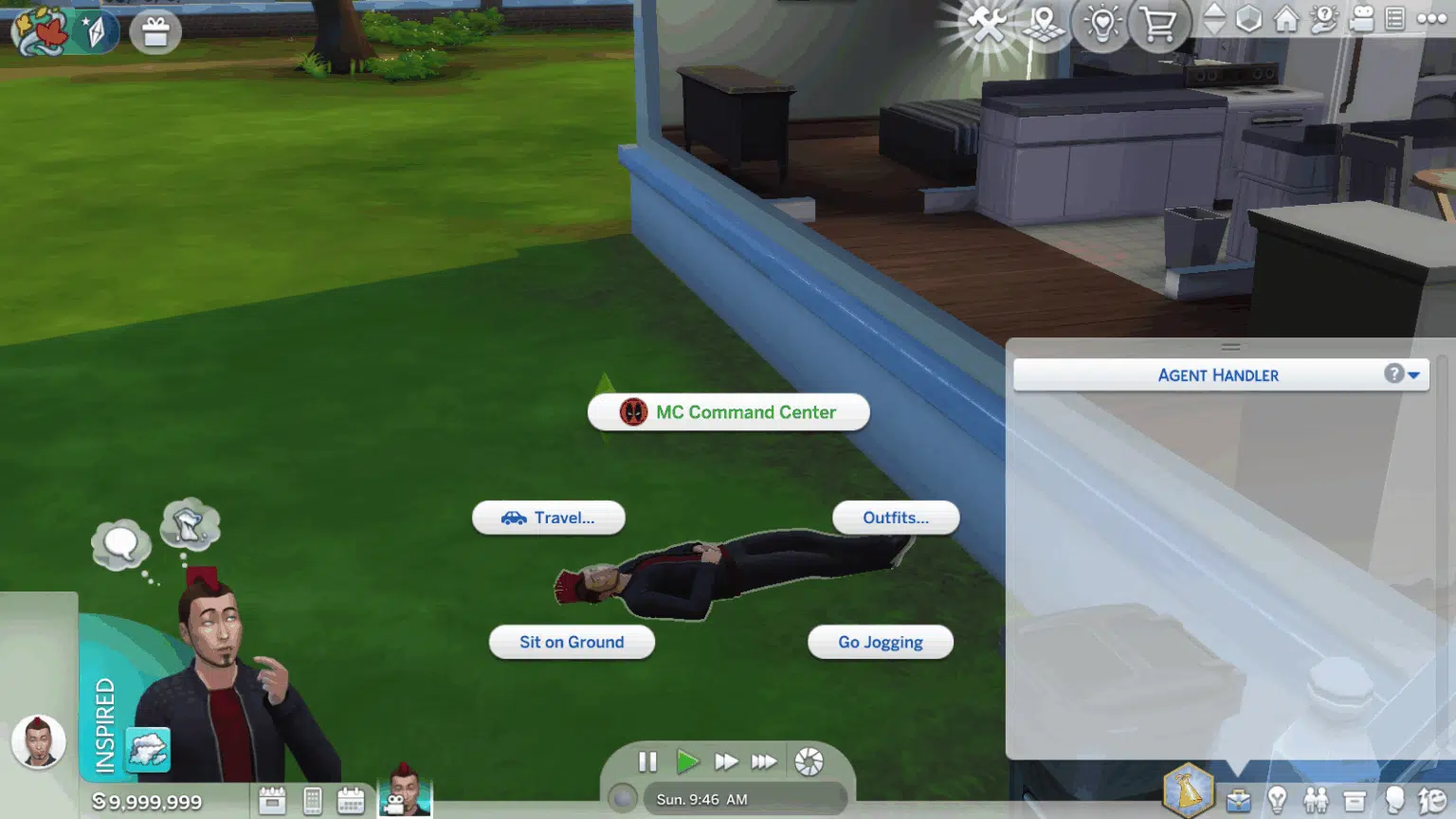
Once loaded into a live household, click on any computer or click directly on your active Sim. Look for the MC Command Center radial menu option. If this option appears, the mod is installed correctly. If it does not appear, check your game options to ensure script mods were not disabled by a recent game patch.

Navigating the Primary Interface Modules
MC Command Center is divided into several specialized modules, each targeting a different facet of The Sims 4 simulation engine. Knowing which menu controls which system prevents frustration when hunting for a specific toggle.
| Module Name | Primary Function | Typical In-Game Access Point |
|---|---|---|
| MC Population | Controls ghost cleaning, homeless counts, and move-in mechanics. | Computer > MC Command Center > MC Population |
| MC Pregnancy | Governs marriage rates, alien pregnancies, and autonomous offspring generation. | Computer > MC Command Center > MC Pregnancy |
| MC WooHoo | Manages romantic interactions, risk percentages, and birth control options. | Sim or Computer > MC Command Center > MC WooHoo |
| MC Career | Regulates youth employment, adult job changes, and retirement logic. | Computer > MC Command Center > MC Career |
| MC Cleaner | Automatically purges unwanted items, excessive inventories, or orphaned ghosts. | Computer > MC Command Center > MC Cleaner |
| MC Tuner | Adjusts autonomous behaviors, animation styles, and object interactions. | Computer > MC Command Center > MC Tuner |
Essential Population and Relationship Settings
One of the primary reasons players install MCCC is to fix the game's population stagnation. Without intervention, unplayed townsfolk often remain single, childless, and eventually vanish from the world via culling.
Managing Sim Culling and Generation
The base game automatically deletes unplayed ghosts and homeless Sims when the total save file population exceeds internal limits. Within the MC Population module, you can alter these limits:
- Maximum Population: Increase or decrease the cap to balance performance against world vitality.
- Bypass Culling: Protect specific favorite unplayed Sims from being deleted by the game engine.
- Import Settings: Control how many homeless Sims are automatically generated by the game to fill empty venue roles like barmen, yoga instructors, and vendors.
Story Progression and Marriage Mechanics
The MC Pregnancy module dictates how unplayed Sims form families. By default, MCCC allows unplayed married couples to try for baby autonomously based on configurable percentages.
- Maximum Household Size: You can override the default limit of 8 Sims per household, allowing larger families up to custom thresholds (though exceeding 8 can occasionally cause UI quirks in standard game panels).
- Pregnancy Age Limits: Define whether Elder Sims can reproduce or restrict reproduction strictly to Young Adults and Adults.
- Bypass Relationship Checks: Choose whether unplayed Sims need to be romantically involved or married before having a child through story progression logic.
Fine-Tuning Career and Financial Controls
Sims 4 economics and career progressions can feel rapid or detached from realistic pacing. The MC Career and general settings modules allow deep customization of financial flows and job stability.
Adjusting Pay and Progression
If you find that Sims earn money too quickly or struggle to afford high-end real estate, financial multipliers within MCCC offer precise balancing:
- Bill Pay Adjustments: Scale household utility and property bills up or down by setting a custom percentage modifier.
- Child Support: Configure automated alimony and child support payments between separated or divorced parents to add financial depth to household breakups.
- Youth and Elder Employment: Enable teenagers and older Sims to enter specific adult career tracks or prevent retirement if you prefer active senior workers.
Automating Housekeeping with MC Cleaner
Over long save files, inventories clutter, ghosts accumulate, and stray animals multiply. The MC Cleaner module runs automated maintenance routines to keep save files lean and prevent performance degradation.
- Inventory Cleaning: Automatically delete harvested items, books, or crafting materials left in Sim inventories during zone transitions.
- Ghost Removal: Set specific thresholds for how long a ghost can persist in the world before being permanently laid to rest, preventing save bloat.
- Outfit Cleaning: Clear out invalid clothing pieces generated by randomly generated townies that can cause visual distortion or game stutter.
Troubleshooting Common MCCC Configuration Issues
Even experienced players occasionally encounter unexpected behavior after altering configuration files or updating the mod alongside a new game patch.
Missing Menu Options
If the MCCC menu disappears from computers and Sims, it almost always means the script files are missing or disabled.
- Check that your game options still have Script Mods Allowed checked.
- Verify that the MCCC script and package files are located directly in the
Modsfolder or a single subfolder deep, without being zipped. - Ensure your game version matches the required MCCC version. Major EA patches frequently break script structures, requiring an immediate update from the mod author.
Overwriting Settings Across Saves
By default, MCCC settings saved via the in-game menu apply globally to your user profile (mc_settings.cfg). If you start a new save game, these settings carry over. However, if you want different rules for different saves, you can utilize save-specific configuration folders or manually back up your settings file before experimenting with radical gameplay changes.
Frequently Asked Questions
How do I open the MC Command Center menu in the game?
You can access the main MCCC settings by clicking on any in-game computer or by clicking directly on your active Sim. Selecting the "MC Command Center" option from the radial menu opens the configuration interface. If you do not see the menu, verify that script mods are enabled in your game options and that the mod is installed correctly in your Mods folder.
Do MC Command Center settings carry over to new save files?
Yes. The primary configuration file (mc_settings.cfg) is stored in your global mod settings directory, meaning your preferred population, pregnancy, and career rules apply across all new and existing save files unless you manually reset or override them.
Can MC Command Center increase the household size limit beyond eight Sims?
Yes. Within the MC Population module, you can adjust the maximum household size setting to allow more than eight Sims to live together. However, keep in mind that the standard user interface panels in The Sims 4 are built for a maximum of eight portrait icons, so managing larger households may occasionally require utilizing keyboard shortcuts or MCCC menus to select obscured Sims.
What should I do when a new Sims 4 game patch breaks MCCC?
When Electronic Arts releases a major game patch, script mods like MCCC often require a simultaneous update to remain compatible with updated game code. You should visit the official Deaderpool website to download the latest compatible version, delete your old MCCC files entirely, and place the newly downloaded files into your Mods folder.
How do I stop unplayed Sims from moving out or getting married randomly?
If you prefer a static world where unplayed townies do not undergo autonomous life changes, you can disable specific progression features inside the MC Pregnancy and MC Population modules. Turning off story progression flags for unplayed households ensures that neighbor Sims remain frozen in their initial state until you actively interact with them.
Final Recommendations for Stable Configuration
When configuring MC Command Center settings for the first time, make changes incrementally. Avoid altering dozens of advanced toggles simultaneously, as this makes troubleshooting difficult if an unexpected gameplay loop occurs. Test your configuration over several in-game days, keep your mod files updated with every official game patch, and regularly back up your saves folder to protect your long-term progress from accidental corruption.
Image Gallery
Select an image to open it in a new tab.


Declan O'Connor
Higher Education and Campus Culture Reporter
