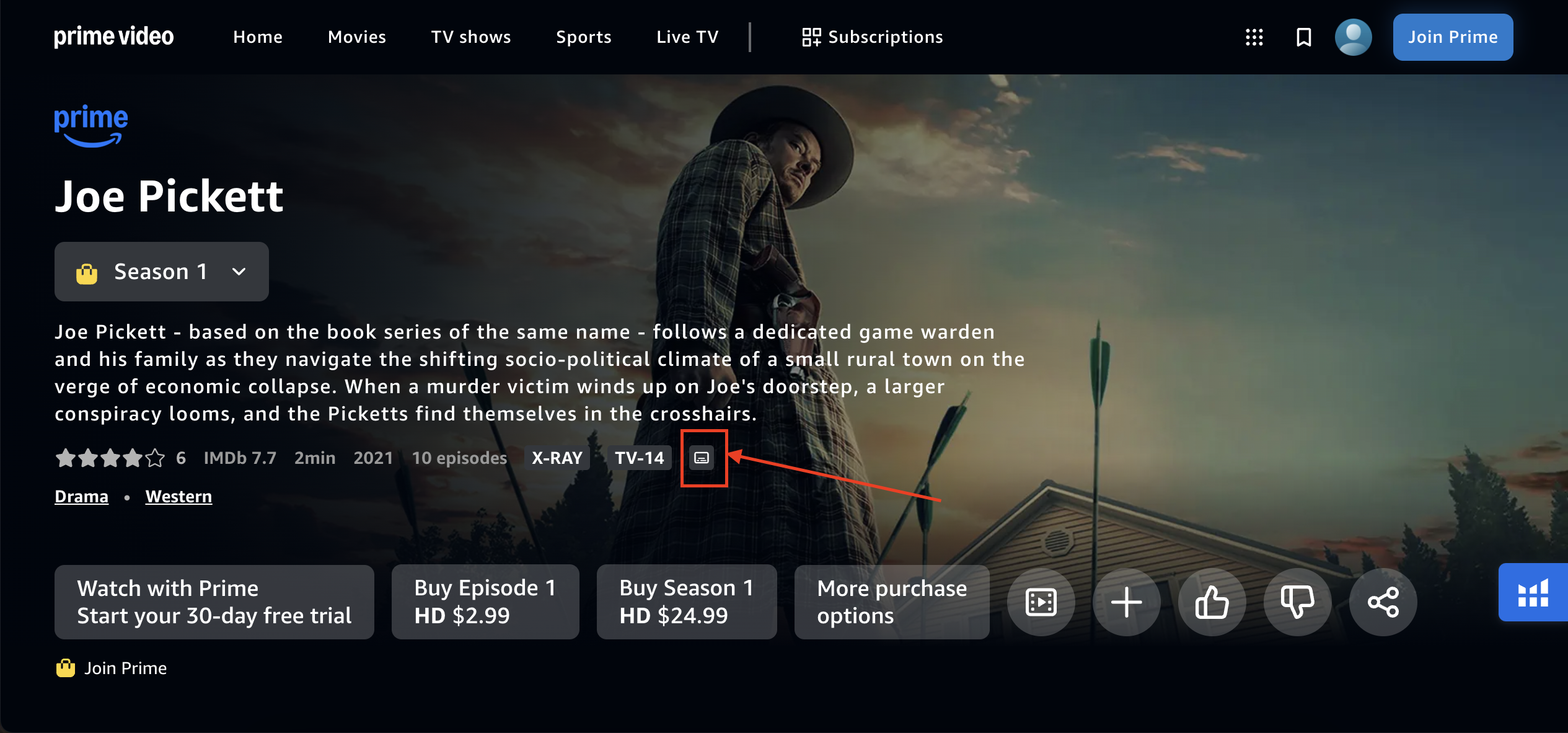
Amazon Video subtitles function by integrating timed-text files—commonly formatted as .SRT, .VTT, or proprietary Amazon formats—with synchronized media streams to provide accessibility and language localization for global audiences. When you watch content on Prime Video, the player dynamically fetches text overlays from a content delivery network (CDN) that match the specific timecode of the video, rendering them locally on your device based on your user-defined appearance settings.
The Architecture of Subtitles on Prime Video
At its core, the subtitling system on Amazon Prime Video is an exercise in time-coded metadata management. Unlike a simple hard-coded text overlay where the captions are "burned" directly into the video frames, modern streaming services like Amazon utilize "soft subtitles." This approach keeps the text data separate from the video and audio data.
When a user initiates playback, the Prime Video client (whether a smart TV app, a web browser, or a mobile device) establishes a communication channel with Amazon’s servers. The client identifies the user's preferred language settings. It then retrieves the media manifest file, which contains instructions on how to assemble the video stream, the audio track, and the corresponding subtitle track. The subtitle track is essentially a structured file containing text blocks paired with "start" and "end" timestamps.
The player acts as a real-time interpreter. As the video progresses, the player continuously checks the timestamp of the current frame against the timestamps in the active subtitle file. When a match occurs, the player retrieves the specific string of text and renders it on top of the video buffer according to the user's selected style—font size, background opacity, and color.
Understanding Supported Formats and Technical Specifications
Amazon utilizes several industry-standard formats to ensure compatibility across its diverse ecosystem of devices. Because Prime Video is accessible on everything from high-end 4K smart TVs to low-power mobile devices, the underlying text data must be lightweight and easily parsed.
- WebVTT (Web Video Text Tracks): This is the gold standard for HTML5-based streaming. It is the primary format used by browsers to render captions. It supports styling information, allowing the subtitle to retain specific positioning and layout instructions.
- SRT (SubRip Subtitle): The most common universal subtitle format. It consists of a sequential number, a time range (hours:minutes:seconds,milliseconds), the text content, and a blank line to signify the end of a block. While less feature-rich than WebVTT, it is highly reliable for simple text display.
- TTML (Timed Text Markup Language): Often used for professional-grade, high-definition content, this XML-based format allows for advanced positioning, complex styling, and support for multiple languages within a single file.
These files are stored on Amazon’s massive CDN infrastructure. When a user changes their subtitle settings, they are essentially updating their session profile, which tells the CDN to deliver a different file (e.g., switching from English to Spanish) to the client player.
User-Side Configuration and Customization
One of the most robust features of the Amazon video subtitle system is the level of user customization available. Since the captions are rendered locally on the user's device rather than being part of the video signal, the interface allows for significant visual adjustments. This is critical for accessibility, as users with visual impairments may require higher contrast or larger text to follow the dialogue effectively.
When you access the "Subtitles & Audio" menu during playback, you are interacting with a set of CSS-like parameters that dictate how the text appears. Users can modify:
- Text Size: Scaling the font to be larger or smaller based on screen distance.
- Opacity: Adjusting the transparency of both the text and the "window" or background behind the text.
- Color: Changing the font color (commonly white, yellow, or green for high contrast).
- Edge Style: Adding shadows or outlines to ensure the text remains legible against bright or busy video backgrounds.
These settings are generally stored in the user's Amazon account cloud profile. This means that if you adjust your subtitle preferences on a tablet, those settings will persist when you log into your smart TV, providing a seamless viewing experience across the Amazon ecosystem.
Comparison of Subtitle Accessibility Features
The following table summarizes how different streaming delivery methods impact subtitle accessibility and performance on the Amazon platform.
| Feature | Hard-Coded Subtitles | Soft Subtitles (Amazon Standard) |
|---|---|---|
| Customization | None (Permanent) | High (Size, Font, Color) |
| Language Selection | Limited to one track | Multiple language tracks |
| Bandwidth Impact | None | Negligible (separate small text file) |
| Device Flexibility | Universal | Requires player support |
| Searchability | Impossible | Possible (if metadata is indexed) |
The Role of Automated Transcription and Human Review
Not all subtitles are created in the same way. For Amazon Originals and high-budget licensed content, subtitle files are typically produced by professional transcriptionists who ensure that nuance, tone, and humor are preserved during the translation process. These files undergo rigorous quality control (QC) to ensure the timing is frame-accurate.
For a vast library of third-party content, Amazon also utilizes advanced Automated Speech Recognition (ASR) technology. ASR systems analyze the audio track of the film or show and convert speech into text in real-time. While this allows for the rapid scaling of subtitles to thousands of titles, it is susceptible to errors in technical jargon, heavy accents, or overlapping dialogue.
In recent years, the integration of machine learning has significantly improved ASR accuracy. These models are trained on massive datasets of dialogue, allowing them to differentiate between speakers and provide more accurate punctuation. However, "human-in-the-loop" verification remains the industry standard for high-profile releases to ensure the integrity of the artistic intent.
Troubleshooting Common Subtitle Issues
Even with a sophisticated backend, issues can occur. If subtitles are not appearing or are not syncing correctly, the following steps are usually effective:
- Check the "Subtitles & Audio" Menu: Ensure the correct track is selected. Sometimes, a "None" option is toggled by mistake.
- Refresh the Player: A temporary handshake failure between the client and the CDN can cause subtitle metadata to fail to load. Exiting and restarting the video stream forces a fresh request to the CDN.
- Update Device Firmware: If the device's video player software is outdated, it may not be able to parse newer versions of WebVTT or TTML files. Ensure your TV, streaming stick, or app version is up to date.
- Clear Cache/Cookies (Browser): If viewing on a PC, cached data can occasionally conflict with the rendering engine. Clearing browser history and cookies often resolves synchronization lag.
- Check Network Latency: While subtitle files are tiny, if your internet connection is struggling to fetch the video stream, the player may prioritize video frames over text metadata, leading to captions that appear delayed.
Future Developments in Subtitle Technology
As of 2026, the technology behind Amazon video subtitles is shifting toward more interactive and personalized experiences. We are seeing the early adoption of "Intelligent Subtitling," where the positioning of the text dynamically moves to avoid obstructing important visual elements on screen (such as key characters or informational graphics). Furthermore, developments in low-latency synchronization mean that subtitles for live events, such as sports broadcasts on Prime Video, are becoming nearly instantaneous, reducing the "lag" that was once common in broadcast-to-internet transitions.
Frequently Asked Questions
Why are my subtitles out of sync with the audio?
Subtitle desynchronization is usually caused by a mismatch between the playback speed and the timestamp reference in the text file. If the video buffer is lagging, the player may struggle to align the text packets with the audio frames. Refreshing your stream or checking your internet connection stability usually fixes this.
Can I upload my own subtitle files to Prime Video?
Generally, no. Amazon manages its own subtitle assets to ensure quality and legal compliance. Users cannot currently inject custom .SRT files into the official Prime Video player for public content, as these files must be hosted on Amazon’s secure servers to be recognized by the player.
Why do some titles have fewer language options than others?
Subtitle availability is dependent on licensing agreements and production budgets. While Amazon provides translations for many of its global originals, third-party studios are responsible for providing subtitle assets for the content they license to Prime Video. If a studio does not provide a translation, it will not appear as an option.
What is the difference between "Subtitles" and "Closed Captions"?
In the Amazon player, "Subtitles" typically refer to translations of spoken dialogue, whereas "Closed Captions" (CC) include descriptions of non-speech elements such as music, sound effects, and speaker identification, which are vital for users who are deaf or hard of hearing.
Will subtitles affect my data usage?
Subtitle files are extremely small, usually ranging from a few kilobytes to a few megabytes for a full-length feature. They have a negligible impact on data consumption compared to the video stream itself, which accounts for the vast majority of bandwidth used while streaming.
How do I report an error in subtitles?
If you encounter blatant errors, spelling mistakes, or major timing issues, you can report the content through the "Feedback" section on the Prime Video player menu. These reports are aggregated and used by content management teams to prioritize re-syncing or correcting problematic subtitle files.
Next Steps for Improving Your Viewing Experience
To get the most out of Amazon’s subtitle system, start by configuring your "Accessibility Preferences" within the Prime Video app settings. Once you have set your preferred font size and background opacity, test these settings on a title that includes multiple language tracks to ensure the rendering remains consistent. If you find the default styling difficult to read, prioritize adjusting the "Text Background" opacity first, as this often has the most significant impact on legibility regardless of the video content's brightness.
Image Gallery
Select an image to open it in a new tab.
Vivian Cho
Executive IT and Emerging Technologies Reporter
