
Designing your own custom apparel has become increasingly accessible, with free online t-shirt design tools allowing users to create professional-grade graphics, layouts, and mockups without needing expensive desktop software. These web-based platforms provide intuitive interfaces, extensive template libraries, and direct integration with print-on-demand services, bridging the gap between creative vision and finished product for both hobbyists and small business owners in 2026.
Understanding the Role of Online Design Platforms
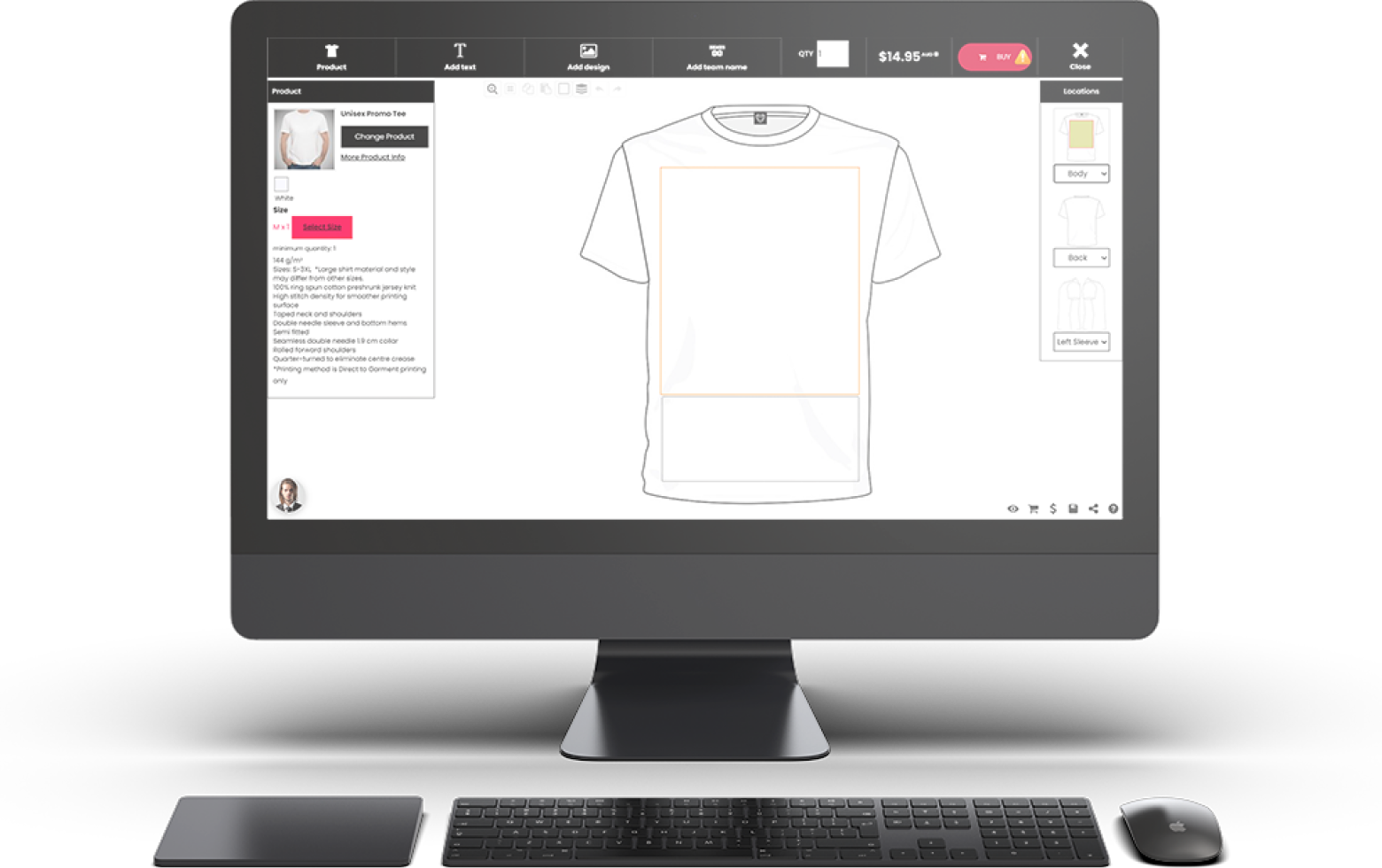
The primary purpose of free online t-shirt design tools is to democratize the apparel creation process. Unlike traditional graphic design software that requires a steep learning curve and high subscription fees, these platforms are optimized for the specific requirements of textile printing. They generally operate in one of two ways: as standalone graphic editors that allow you to export high-resolution assets for third-party printers, or as integrated design-and-sell interfaces connected directly to a fulfillment service.
When selecting a tool, you must differentiate between software that offers "freemium" features—where basic tools are free but high-resolution downloads or commercial licenses cost money—and platforms that are genuinely free for personal or commercial use. The "free" aspect often relies on the platform’s business model, which may involve earning a commission when you order physical products printed through their affiliated printing network.
Prerequisites for High-Quality T-Shirt Printing
Before you begin designing, it is vital to understand the technical constraints of t-shirt printing. Even the most powerful design tool cannot compensate for an incorrectly prepared file.
- File Formats: Vector files (SVG, EPS, AI) are the industry standard because they can be scaled infinitely without losing quality. Raster files (PNG, JPG) must be prepared at a minimum of 300 DPI (dots per inch) at the actual size of the intended print to avoid pixelation.
- Color Profiles: Most digital printing services use CMYK (Cyan, Magenta, Yellow, Black) color modes. If your design tool defaults to RGB (used for screens), your final print colors may appear duller than they looked on your monitor.
- Transparency: For designs that need to sit seamlessly on a colored shirt, you must ensure your background is transparent. PNG-24 or PNG-32 are the most common formats for maintaining transparency in web-based design tools.
- Print Area Limits: Always verify the "safe area" of your chosen t-shirt provider. Most printers cannot cover the entire shirt surface; they are restricted to specific dimensions (often 12x16 inches for front prints).
Comparing Popular Free Online Design Tools
The following table outlines the capabilities of common web-based tools used for apparel design in 2026. Note that "Free Tier" refers to the availability of core design features without an upfront subscription cost.
| Platform | Best For | Key Features | Export Options |
|---|---|---|---|
| Canva | Beginners & Social Media | Drag-and-drop elements, massive template library | PNG, PDF, SVG (Pro) |
| Inkscape | Professional Vector Work | Full vector control, SVG native | SVG, EPS, PDF |
| Printful/Printify | Fulfillment Integration | Direct-to-garment mockups, print-ready previews | Direct to fulfillment |
| Adobe Express | Quick Graphic Creation | AI-assisted effects, simple layouts | PNG, JPG, PDF |
| Gravit Designer | Browser-based Vector | Advanced layers, precise dimensioning | SVG, PDF, PNG |
Navigating the Design Process
To achieve a professional result, follow a systematic workflow. First, choose your base shirt style and color within the application to provide context for your color choices. Textures and colors that look vibrant on a white shirt may be entirely invisible on a navy or black shirt.
Second, start with a high-contrast design. Simple geometric shapes, bold typography, and clear vector art translate best to screen printing or direct-to-garment (DTG) processes. Avoid excessive gradients or thin, wispy lines that may disappear or fail to print clearly on fabric.
Third, utilize alignment tools. Most online editors have "snap-to-grid" or alignment guides. Ensure your design is perfectly centered on the garment, as even a slight offset will be visually jarring when worn. If you are creating a front-and-back design, use the platform's "layers" feature to ensure consistency in scale and aesthetic across both sides.
Troubleshooting Common Design Failures
Many users encounter issues during the "Pre-Flight" stage—the check performed by printing companies before production begins.
- Pixelation: If your print appears blurry, you are likely using a low-resolution raster image. Return to your design tool and export at a higher resolution (300 DPI) or recreate the element as a vector.
- Color Mismatch: If your colors look "off," it is often because of the discrepancy between screen-emitted light (RGB) and pigment-based ink (CMYK). When possible, use the "soft proofing" feature in your design software to simulate how the colors will look on a printer.
- Complex Overlays: If your design features many overlapping elements with different levels of transparency, these may cause artifacts during the screen-printing process. Flatten your design into a single, high-quality layer before submitting it for print to ensure the final output matches your screen view.
Limitations and Considerations
While these tools are powerful, they are not a replacement for professional design suites. Free versions often restrict your ability to export files with transparent backgrounds, or they may impose watermarks. Furthermore, if you intend to sell your designs, ensure you have the rights to any assets, fonts, or clipart used within the tool. Many platforms provide "commercial use" libraries, but you should verify the licensing agreement specifically for merchandise printing to avoid copyright infringement.
Additionally, browser-based tools rely on your internet connection. Large, high-resolution design files can lag or cause browser crashes. Save your work frequently and clear your browser cache if you experience performance degradation during complex projects.
Frequently Asked Questions
Are free t-shirt design tools sufficient for starting a clothing brand? Yes, for beginners. Tools like Canva or Printful’s design generator are adequate for creating initial samples and testing designs. As your business grows, you may want to transition to professional software like Adobe Illustrator or Affinity Designer to gain more precise control over color separation and vector manipulation.
Do I own the copyright to designs created with free online tools? Generally, you own the copyright to the unique arrangement of elements you create. However, you do not own the individual assets (stock photos, icons, or proprietary fonts) provided by the platform. You are usually granted a license to use these assets in your designs, but that license may have specific limitations regarding merchandise production.
Why does my design look different on the screen than on the printed shirt? This is typically due to the color space difference (RGB vs. CMYK) and the texture of the fabric. Fabric absorbs ink, whereas screens emit light. Always request a "physical sample" before committing to a large production run, as this is the only way to see exactly how your design interacts with the specific shirt material and ink type.
Can I use mobile apps for t-shirt design? Many of the web-based design platforms mentioned offer mobile applications. While these are convenient for brainstorming, they are often less precise than desktop versions. Use them for drafting ideas, but finalize your files on a desktop to ensure accuracy in dimensions and high-resolution export settings.
What is the best way to handle text in apparel design? Always convert your text to "outlines" or "curves" before exporting, if your tool allows it. This prevents the printing company from having issues with missing fonts, as the text will be treated as a shape rather than a live font file.
Recommendation for Success
To move from concept to physical apparel, start by choosing one of the integrated design-and-fulfillment platforms like Printful or Printify. These tools handle the "technical math"—such as print area, resolution checks, and color profiles—for you, significantly reducing the likelihood of production errors. If you need more creative freedom, use a tool like Inkscape to build your graphic as a clean vector file, then upload that file into the fulfillment provider's generator. Always order a sample of your own design first; seeing the product in person is the most reliable way to verify your design's success before offering it to the public.

Image Gallery
Select an image to open it in a new tab.



Ingrid Bjornson
Global Cyber Policy and Regulation Analyst
