Understanding the Minecraft Wand in Game Mechanics: From Debugging to World Building

In Minecraft game mechanics, "the wand" primarily refers to two distinct technical tools used for world manipulation: the vanilla Debug Stick and the WorldEdit Wand. These tools allow players to bypass standard survival limitations, enabling the direct editing of block states, coordinate-based selections, and rapid environmental transformation through specialized commands and metadata adjustments.
Defining the Wand: Disambiguation of Mechanical Tools
To understand the wand in Minecraft, one must first distinguish between gameplay-oriented "magic" items found in community-made mods and the technical "utility" wands that define the game’s structural mechanics. As of 2026, the term is most frequently associated with the manipulation of the game's underlying data rather than survival-mode combat.
The Debug Stick is an official, non-craftable item in the Java Edition that functions as a "wand" to toggle block properties. Conversely, the WorldEdit Wand (traditionally a wooden axe) is the cornerstone of the most widely used world-editing framework in the game's history. While they appear as simple items, their mechanics are rooted in complex interactions with the game's engine, specifically involving NBT (Named Binary Tag) data and the Block State API.
The Vanilla Mechanics: The Debug Stick
The Debug Stick is the closest official equivalent to a "mechanical wand" in vanilla Minecraft. Introduced to facilitate testing by developers, it has become an essential tool for high-level builders and map makers who require precise control over the environment.
Access and Requirements
The Debug Stick cannot be obtained through the creative inventory or crafting. It must be summoned using the command: /give @s minecraft:debug_stick. Because of its power to alter the game world in ways survival mechanics do not allow, its use is restricted to players with "Operator" (OP) status in Creative Mode.
How the Mechanics Work
When a player holds the Debug Stick, the item interacts with the Block State of the targeted block. Every block in Minecraft is more than just a texture; it is a collection of properties. For example, a "Stair" block has properties like facing (north, south, east, west), half (top, bottom), and shape (straight, inner_left, etc.).
- Left-Clicking: This action selects which property of the block you wish to edit. The game provides a feedback message above the hotbar, such as "selected 'facing' (north)".
- Right-Clicking: This action cycles through the available values for that specific property. If you have "facing" selected, right-clicking will rotate the block through all possible directions without requiring the player to reposition themselves.
Practical Applications of Block State Manipulation
The mechanical depth of the Debug Stick allows for "impossible" builds. Builders use it to create "floating" fences that do not connect to adjacent blocks, or to keep trapdoors in an open state regardless of redstone signals. In 2026, this remains the primary method for "glitch-building," a technique where the mechanical properties of blocks are forced into states that would normally be illegal under standard physics rules.

The WorldEdit Wand: The Industry Standard for Geometry
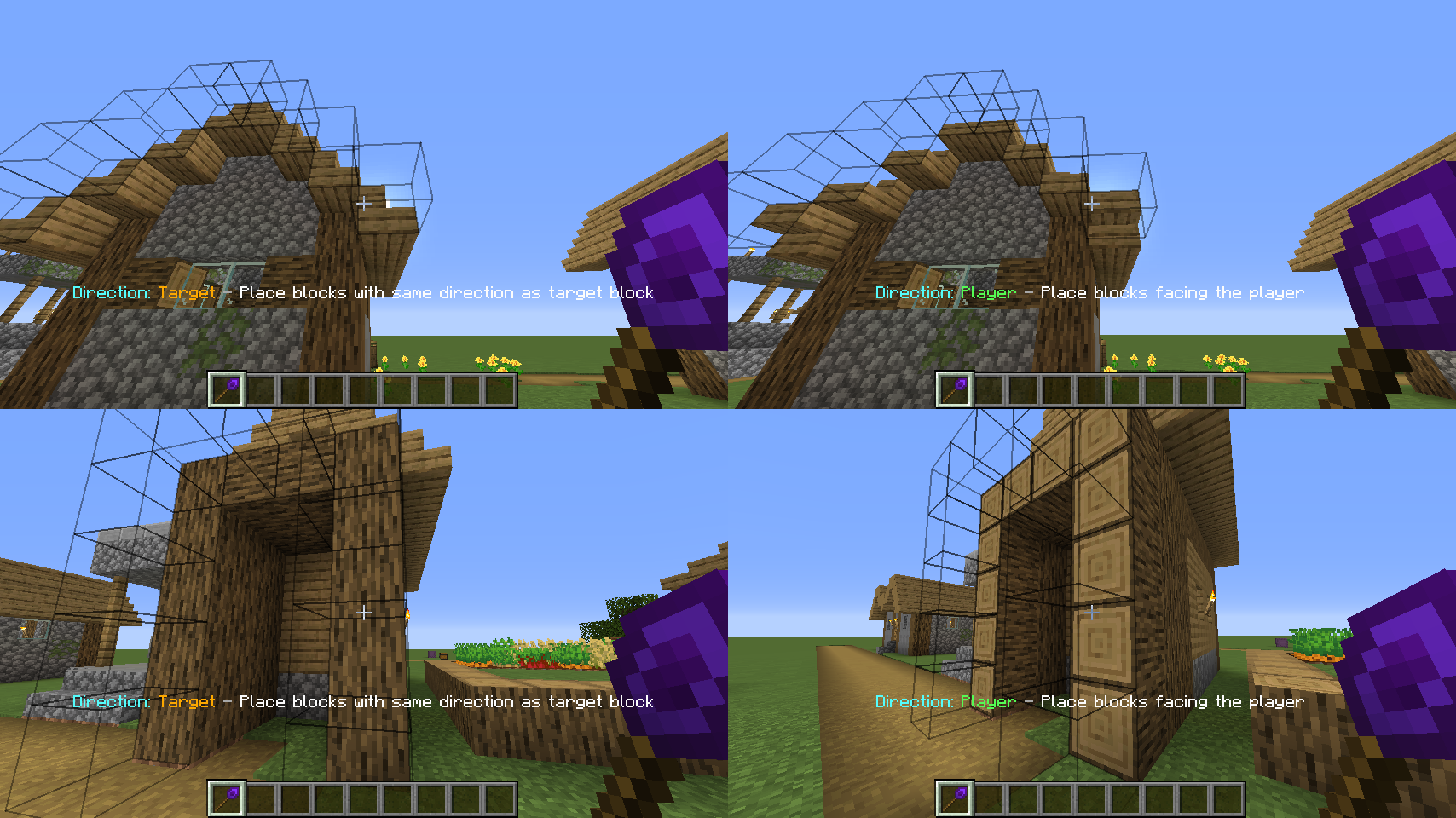
While the Debug Stick handles individual block properties, the WorldEdit Wand handles spatial geometry. This "wand" is typically a wooden axe, though the item ID can be rebound to any object. It serves as the primary interface for the WorldEdit plugin and mod, which is the foundational tool for massive-scale construction in Minecraft.
The Logic of 3D Selections
The core mechanic of the WorldEdit Wand is the definition of a region. Minecraft operates on a three-dimensional Cartesian coordinate system (X, Y, Z). The wand allows a user to define a "cuboid" selection by marking two points:
- Point A (Left Click): Sets the first corner of the selection.
- Point B (Right Click): Sets the opposite corner.
Once these points are established, the game mechanics of the mod calculate every block coordinate within that boundary. This allows for the execution of massive "Set," "Replace," and "Move" commands. For instance, replacing 100,000 blocks of stone with air happens nearly instantaneously because the wand provides the engine with a defined mathematical range to process.
Beyond Cuboids: Advanced Selection Mechanics
In the advanced technical landscape of 2026, the wand's mechanics have evolved to support non-linear selections. By using specific commands in conjunction with the wand, players can define:
- Polygonal Selections: Creating custom 2D shapes that extend vertically.
- Ellipsoid Selections: Defining spheres and ovals for more natural terrain.
- Cylindrical Selections: Used frequently for towers and circular infrastructure.
The "wand" acts as a bridge between the player's visual perspective and the server's backend database of block locations. Without this interface, players would be forced to manually type in long strings of coordinates, which is prone to human error.
Technical Comparison of "Wand" Tools
The following table compares the primary mechanical tools often referred to as "wands" within the Minecraft ecosystem.
| Feature | Debug Stick (Vanilla) | WorldEdit Wand (Mod) | Magic Wands (Add-ons) |
|---|---|---|---|
| Primary Edition | Java Edition Only | Java & Bedrock (via scripts) | Bedrock & Java |
| Primary Goal | Edit Block States | Mass Construction | Combat & Utility |
| How to Obtain | /give command |
//wand command |
Crafting / Loot |
| Area of Effect | Single Block | Large Scale Regions | Projectile / Entity |
| Persistence | Permanent (until updated) | Permanent Changes | Temporary Effects |
| Technical Base | BlockState API | Vector Math / Regions | Entity & Particle API |
Block States and NBT: The "Brain" Behind the Wand
To truly master the wand in game mechanics, one must understand NBT (Named Binary Tag) data and Block States. Every block placed in a Minecraft world is an entry in the region file's data.
When you use a wand to change a block, you aren't just changing a visual skin. You are sending a packet to the server that says: "Update the property map for the block at 100, 64, -200 from 'waterlogged=false' to 'waterlogged=true'."
Interaction with Update Detectors
A critical aspect of wand mechanics is how they interact with "block updates." Normally, if you place a block in an "illegal" position (like a floating piece of tall grass), the game's physics engine detects an "update" and breaks the block. Technical wands often bypass these update checks. This is why a Debug Stick can create a piece of a bed that exists without its other half; it forces the data state into the world without triggering the standard "neighbor update" logic that would usually cause the block to disappear.
Implementation in Bedrock Edition (2026 Update)
Historically, Bedrock Edition lacked a native "wand" equivalent to the Java Debug Stick. However, by 2026, the evolution of the Minecraft Bedrock Scripting API and Creator Tools has changed the landscape.
Scripting API Wands
Modern Bedrock "wands" are essentially scripts packaged into behavior packs. These tools use the minecraft/server module to detect when an item is used on a block. The mechanic involves:
- Item Use Event: The script listens for the player using a specific item (e.g., a stick named "Editor Wand").
- Raycasting: The game calculates exactly where the player is looking to identify the target block.
- Component Manipulation: The script then modifies the block's components, effectively mimicking the Java Debug Stick.
This has bridged the gap between the two versions, allowing for a unified understanding of how wands manipulate game data regardless of the platform.
Common Mistakes and Troubleshooting
Using technical wands requires precision. Because they operate at a mechanical level above standard gameplay, errors can lead to world corruption or server crashes.
- The "Block Update" Trap: If you use a wand to create an illegal block state (like a floating door) and then place a block next to it, the game will perform a neighbor update. This will "remind" the door it shouldn't be there, causing it to break. Always finish your wand work after surrounding blocks are placed.
- Selection Overload: In WorldEdit, selecting a region that is too large (millions of blocks) can exceed the server's allocated memory. In 2026, most modern servers have "safety buffers," but it is still possible to cause significant "TPS" (Ticks Per Second) lag.
- Version Mismatches: Blocks are often renamed or their properties changed between versions. A wand command that worked in version 1.20 might fail in 2026 if the underlying Block State name has been modified by Mojang.
Frequently Asked Questions
Can I get the wand in Minecraft Survival mode?
No, the mechanical wands (Debug Stick and WorldEdit Wand) are strictly utility tools intended for Creative mode or players with administrative permissions. In survival, block states are determined by how you place them or by environmental factors (like redstone or gravity), and they cannot be manually toggled.
Is the "Wand" an actual item in the creative inventory?
The WorldEdit Wand is generally a Wooden Axe, which is in the inventory, but it only functions as a wand if the WorldEdit plugin/mod is installed. The Debug Stick is not in the creative inventory at all; it must be obtained via the /give command.
Why doesn't the Debug Stick work on Bedrock Edition?
As of 2026, the Debug Stick remains a Java-exclusive item due to the differences in how the two engines handle block data. Bedrock uses a different system for block states that is managed primarily through the Scripting API and specialized Add-ons rather than a native debug item.
Can a wand change the contents of a chest?
The Debug Stick cannot change the contents of a chest because items inside a container are stored in NBT data, not Block States. However, the WorldEdit Wand can copy and paste "Tile Entities," which includes the contents of chests, furnaces, and hoppers, by using the -e flag during a copy/paste operation.
How do I change the item used as the WorldEdit wand?
By default, the wand is a wooden axe. You can change this to any item in your hand by using the command //selwand. This is useful if you are building in a style that requires frequent use of a wooden axe as a legitimate building material and you want to avoid accidental selections.
Final Recommendations for Mastering Wand Mechanics
To effectively use the wand in Minecraft game mechanics, players should focus on learning the Block State names of the materials they use most. Knowing that a "fence" has a "north/south/east/west" boolean property allows you to use the Debug Stick with intent rather than trial and error.
For large-scale projects, the WorldEdit Wand is indispensable. Aspiring builders should practice "selection expansion" (using //expand) and "selection shifting" to move their 3D boundaries precisely. As the game continues to evolve through 2026, the reliance on these mechanical tools only grows, making them a fundamental skill set for anyone looking to move beyond simple survival gameplay into the realm of technical creation and map design.
Image Gallery
Select an image to open it in a new tab.


Mateo Castillo
Decentralized Finance and E-Payments Strategist
