
The camera system on the iPad Pro is a sophisticated array of optical hardware and computational software designed not for traditional photography, but for professional workflows, augmented reality (AR), and high-end video communication. As of 2026, the iPad Pro lineup—specifically the models featuring M-series silicon—utilizes a specialized 12MP Wide camera, a LiDAR Scanner, and a landscape-oriented TrueDepth front camera system to bridge the gap between mobile productivity and studio-grade content creation.
The Design Philosophy of iPad Pro Imaging
Unlike the iPhone, which prioritizes multi-lens zoom capabilities for consumer photography, the iPad Pro camera system is engineered for utility. Apple’s design philosophy for the iPad Pro focuses on "spatial computing" and document fidelity. This explains why recent hardware iterations have shifted away from the dual-lens (Wide and Ultra Wide) configurations of the past toward a more streamlined, sensor-heavy setup.
For most users, the iPad Pro is a tool for scanning blueprints, attending virtual boardrooms, and capturing reference footage for creative projects. By understanding the specific hardware components—the rear lens, the LiDAR scanner, and the TrueDepth array—users can better leverage the device for professional applications in fields ranging from interior design to software development.
The Rear Camera: Hardware and Capabilities
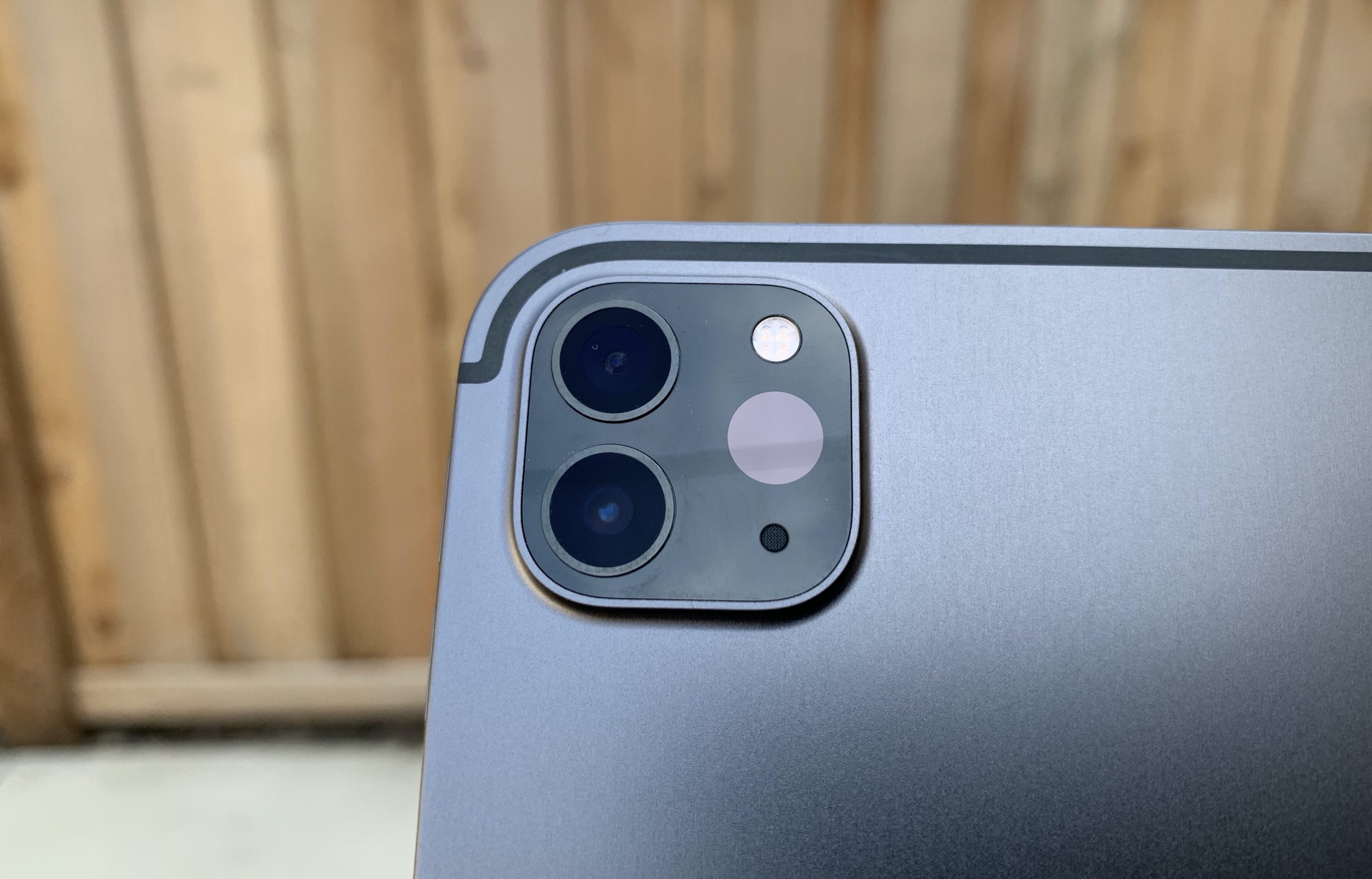
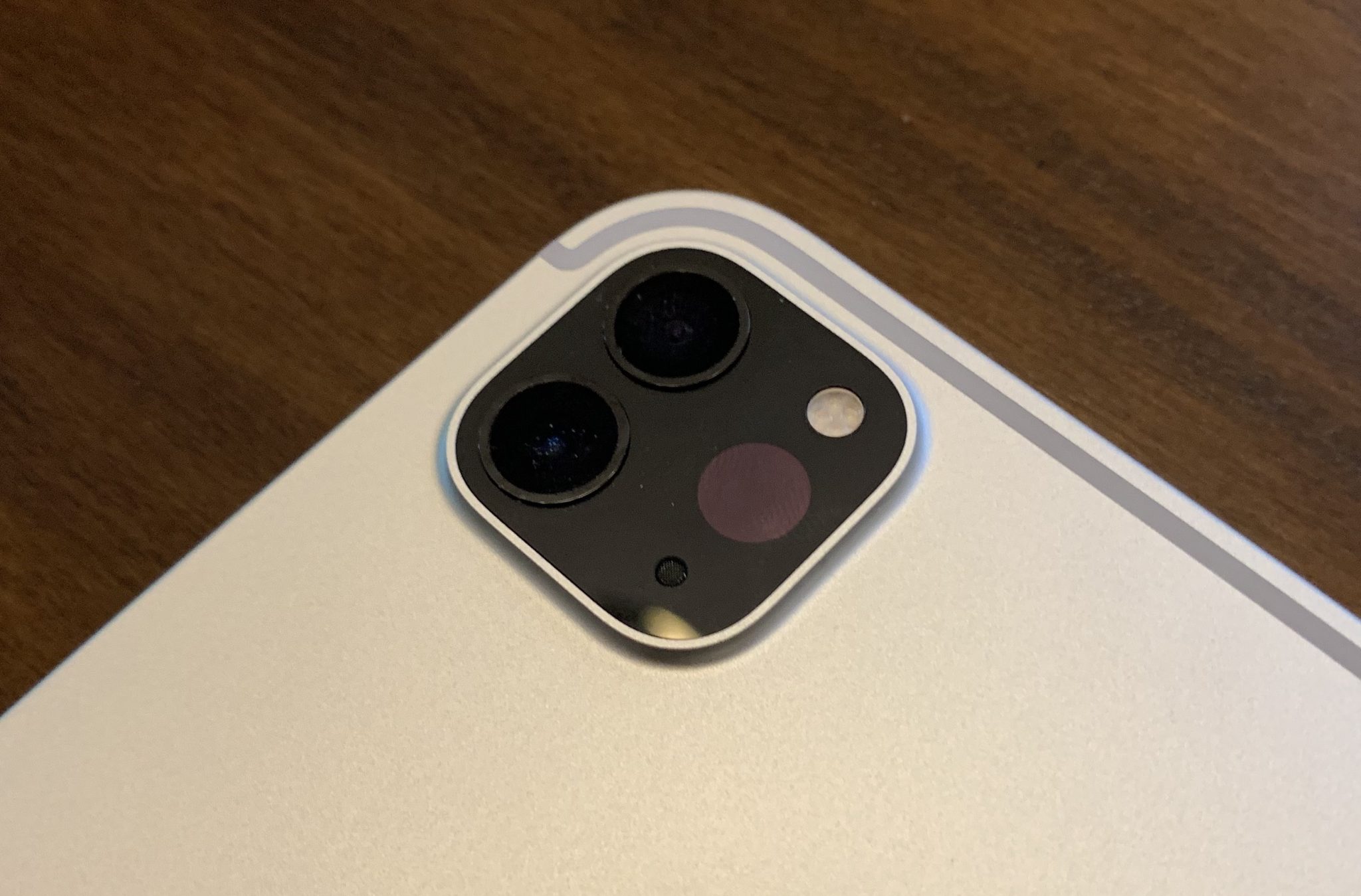
The current flagship iPad Pro models (the M4-series and their immediate predecessors) feature a single 12MP Wide camera. While some users initially questioned the removal of the Ultra Wide lens found on older M1 and M2 models, the decision reflects how professionals actually use these devices.
Technical Specifications
The 12MP Wide camera features an f/1.8 aperture, which allows for significant light intake, essential for indoor environments. The lens is constructed with five elements and is protected by a sapphire crystal lens cover to prevent scratches during heavy field use.
Key technical features include:
- Focus Pixels: The sensor uses 100% Focus Pixels, ensuring that autofocus is rapid and accurate, even when moving the tablet quickly to track a subject.
- Smart HDR 5: Utilizing the Neural Engine within the M-series chips, the iPad Pro performs frame-by-frame analysis to balance highlights and shadows, resulting in more natural skin tones and textures.
- Digital Zoom: The system supports up to 5x digital zoom. Because the iPad lacks a dedicated telephoto lens, users should be aware that zooming significantly reduces image resolution.
The Shift to a Single Lens
In the 2024 M4 iPad Pro update, Apple removed the 10MP Ultra Wide camera. This transition was driven by two factors: the physical space required for the Tandem OLED display technology and the realization that the LiDAR scanner could handle many of the depth-sensing tasks previously assisted by the second lens. For professionals, the 12MP Wide lens remains the superior choice for high-resolution document capture and 4K video recording.
Understanding the LiDAR Scanner
The LiDAR (Light Detection and Ranging) scanner is arguably the most "Pro" feature of the iPad’s camera housing. Unlike a standard camera lens that captures light to create a 2D image, LiDAR emits light pulses to measure the distance to surrounding objects.
How LiDAR Works
The scanner sends out nanosecond-speed pulses of light that bounce off surfaces and return to the sensor. By measuring the "Time of Flight" (ToF) for each pulse, the iPad Pro constructs a highly accurate 3D point cloud of the environment. This works at a range of up to 5 meters (approximately 16 feet) and functions effectively both indoors and outdoors.
Professional Applications
- Augmented Reality (AR): LiDAR allows the iPad to "see" the geometry of a room instantly. In AR applications, digital objects can be placed behind physical furniture (occlusion) with near-perfect accuracy.
- 3D Modeling: Apps like Polycam or RoomPlan use LiDAR to generate 3D CAD models of interior spaces. This is a standard workflow for architects and real estate professionals in 2026.
- Low-Light Photography: The LiDAR scanner assists the Wide camera’s autofocus in dim environments. By "feeling" the distance to the subject, the camera can lock focus up to six times faster than traditional contrast-detection systems in low light.
The Front-Facing Camera and the Landscape Shift
Perhaps the most significant functional change in recent iPad Pro history is the relocation of the TrueDepth camera system. Previously located on the short "top" edge, the camera is now positioned on the long "landscape" edge.
The Logic of the Landscape Orientation
Because the iPad Pro is frequently used with a Magic Keyboard or in a horizontal stand, the old portrait-oriented camera caused users to appear as if they were looking off to the side during video calls. By moving the camera to the landscape center, Apple has aligned the iPad’s video conferencing experience with that of a MacBook, making eye contact feel natural during Zoom or FaceTime sessions.
Center Stage Technology
The front camera is a 12MP Ultra Wide sensor with a 122-degree field of view. This wide field is the foundation for Center Stage, a machine-learning feature that automatically pans and zooms the frame to keep you in focus as you move around the room. If someone else joins the frame, the camera intelligently zooms out to include them, ensuring everyone is part of the conversation.
TrueDepth and Face ID
The front array isn't just a camera; it is a complex sensor suite. It includes:
- Dot Projector: Throws 30,000 invisible infrared dots onto your face to create a depth map.
- Infrared Camera: Reads the dot pattern to verify your identity for Face ID.
- Flood Illuminator: Ensures the system works in total darkness.
Video Recording and Professional Codecs
The iPad Pro is a powerful video capture device, capable of recording in 4K at up to 60 fps. However, its true power lies in its support for high-end professional formats.
ProRes Video
The M-series iPad Pro supports ProRes video recording. ProRes is a "visually lossless" codec that preserves more data in the video file, allowing for extensive color grading and post-production without the artifacting seen in standard H.264 or HEVC files.
- Note: ProRes recording at 4K requires the 256GB storage model or higher. The 128GB base models (where applicable in older generations) are often limited to 1080p ProRes due to the massive file sizes generated.
Audio Integration
The camera system is paired with a five-microphone array. These "studio-quality" mics use beamforming technology to focus on the person speaking while suppressing background noise. When recording video, the iPad can perform "audio zooming," matching the audio pickup pattern to the camera's field of view.
Adaptive True Tone Flash and Document Scanning
One of the often-overlooked components of the iPad Pro camera system is the Adaptive True Tone Flash. In the 2024 and newer models, this flash has been redesigned specifically to aid in document scanning.
When the iPad detects it is scanning a document, it uses the flash to take multiple images and stitch them together to remove shadows cast by the iPad itself or the user’s hands. This "shadow-free" scanning is a critical feature for lawyers, students, and administrators who use the iPad Pro as a mobile office. By utilizing the ISP (Image Signal Processor) in the M-series chip, the device can instantly rectify the perspective of a document, sharpen the text, and export it as a clean PDF.
Technical Comparison of iPad Pro Camera Systems
| Feature | iPad Pro (M2, 2022) | iPad Pro (M4, 2024/2026) |
|---|---|---|
| Rear Wide Camera | 12MP, f/1.8 | 12MP, f/1.8 |
| Rear Ultra Wide | 10MP, f/2.4 | Removed |
| LiDAR Scanner | Yes (5m range) | Yes (Enhanced) |
| Front Camera Position | Portrait (Short Edge) | Landscape (Long Edge) |
| Front Camera Specs | 12MP Ultra Wide | 12MP Ultra Wide |
| Flash | True Tone Flash | Adaptive True Tone Flash |
| Video Format | ProRes up to 4K | ProRes up to 4K |
| Smart HDR | Smart HDR 4 | Smart HDR 5 |
Computational Photography: The Role of the M-Series Chip
The physical lenses are only half the story. The Image Signal Processor (ISP) integrated into the M-series silicon is what allows the iPad Pro to compete with dedicated cameras.
Each time you press the shutter, the ISP performs billions of operations. It executes Deep Fusion, which analyzes multiple exposures at the pixel level to pull out detail in mid-to-low light. It also handles noise reduction and tone mapping in real-time. In 2026, the intersection of AI and photography means the iPad Pro can recognize specific subjects—like a whiteboard or a human face—and optimize the sensor settings specifically for those objects.
Practical Recommendations for iPad Pro Users
- For Document Scanning: Always use the native Notes app or Files app. The "Scan Document" feature is specifically tuned to activate the Adaptive True Tone Flash and the AI-driven shadow removal hardware.
- For Video Calls: Ensure your iPad is in landscape orientation. Not only is the camera centered, but the microphones are also positioned to provide the best stereo separation in this mode.
- For 3D Scanning: Use LiDAR-specific apps like Canvas or Polycam. If you are scanning a room, move slowly and ensure there is adequate lighting; while LiDAR works in the dark, the photographic textures applied to the 3D mesh still require light for clarity.
- For Video Production: If you intend to shoot ProRes, invest in the highest storage capacity possible. A few minutes of 4K ProRes footage can easily consume 10GB to 20GB of space.
Frequently Asked Questions
Why did Apple remove the Ultra Wide camera on the M4 iPad Pro?
The removal was primarily a strategic shift based on user data. Most iPad Pro users utilized the Wide camera for documents and the LiDAR scanner for depth sensing. Removing the Ultra Wide lens allowed for a thinner device design and made room for the hardware required for the landscape front-facing camera and the Tandem OLED display.
Can the iPad Pro replace a professional DSLR or Mirrorless camera?
For specific tasks like document archival, 3D room scanning, and high-quality video conferencing, yes. However, for traditional portraiture or wildlife photography, the lack of an optical telephoto lens and a smaller sensor size compared to full-frame cameras means a DSLR or Mirrorless camera is still superior.
Is the LiDAR scanner eye-safe?
Yes. The LiDAR scanner on the iPad Pro uses a Class 1 laser, which is considered eye-safe under all conditions of normal use. It emits low-power infrared light pulses that are invisible to the human eye.
Does the iPad Pro camera support Night Mode?
While the iPad Pro does not have a dedicated "Night Mode" toggle like the iPhone, its ISP uses Deep Fusion and LiDAR-assisted autofocus to significantly improve low-light performance. It automatically adjusts exposure and noise reduction when it detects dark environments.
How do I clean the iPad Pro camera lenses?
Use a clean, lint-free microfiber cloth. Because the lenses are protected by sapphire crystal, they are very resistant to scratches, but oils from fingerprints can smudge the LiDAR sensor and affect AR performance. Avoid using harsh chemicals or compressed air.
Conclusion and Next Actions
The iPad Pro camera system is a masterclass in utility-focused engineering. By prioritizing the landscape front camera for communication and the LiDAR scanner for spatial awareness, Apple has tailored the device for the modern professional.
If you are a new owner of an M-series iPad Pro, your next step should be exploring the AR capabilities via the Measure app or professional scanning software to fully realize the value of the LiDAR hardware. For those using the device as a mobile office, testing the document scanner in various lighting conditions will demonstrate how the Adaptive True Tone Flash significantly reduces the need for external lighting or post-scan editing.
Image Gallery
Select an image to open it in a new tab.


Declan O'Connor
Higher Education and Campus Culture Reporter
