Selecting and Implementing IT Incident Management Tools for Operational Resilience
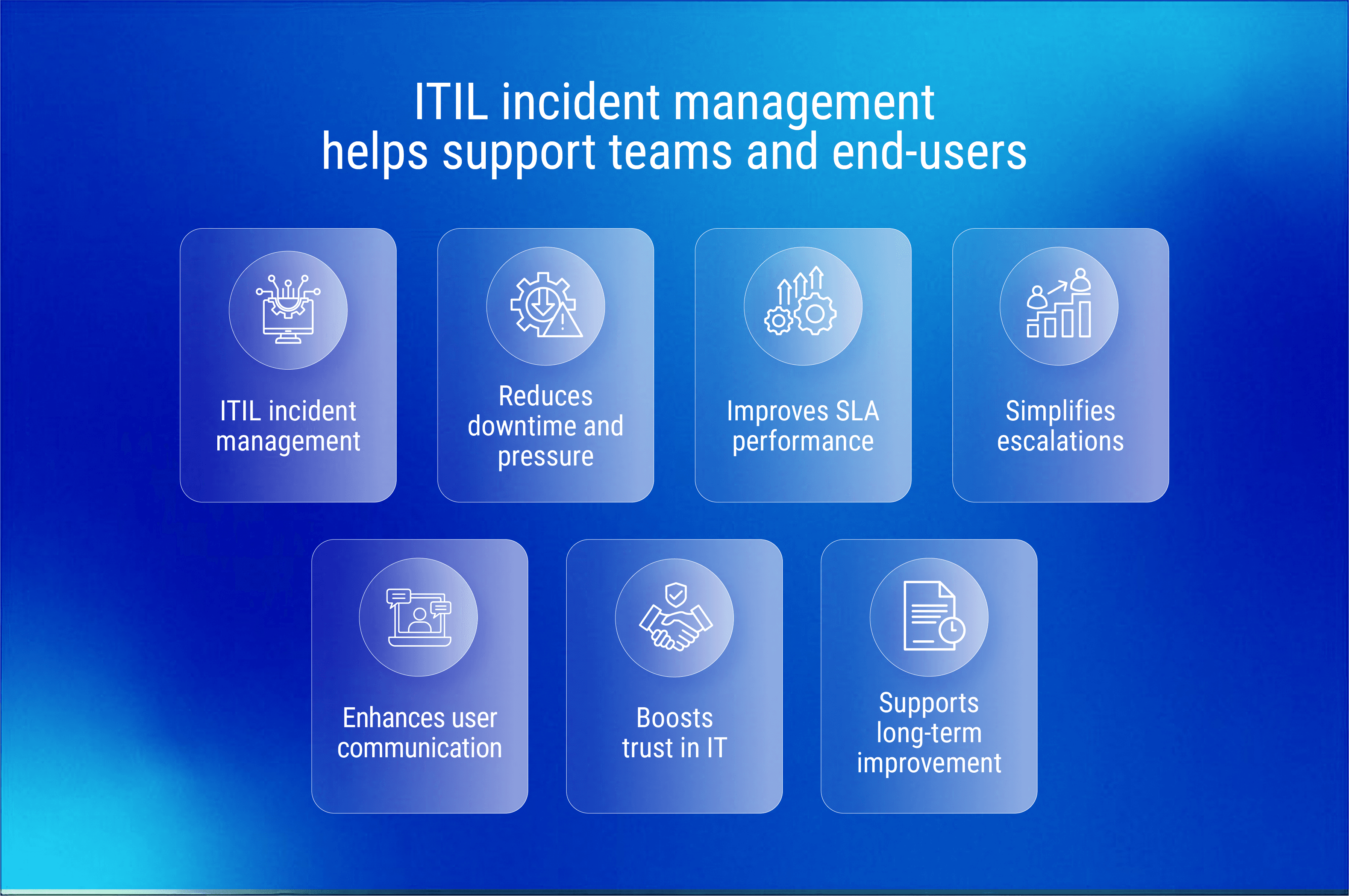
IT incident management tools serve as the centralized command center for identifying, recording, categorizing, and resolving service disruptions within an organization’s digital infrastructure. By automating ticketing workflows, facilitating communication between technical teams, and maintaining audit trails, these platforms enable IT departments to minimize downtime and ensure adherence to Service Level Agreements (SLAs) during critical service outages or performance degradation.
Understanding the Role of Incident Management in IT Service Management
In the landscape of modern enterprise operations, the distinction between general IT support and formal incident management is critical. IT incident management tools are specifically engineered to restore normal service operation as quickly as possible, distinguishing them from Problem Management (which seeks the root cause of recurring incidents) and Change Management (which controls the implementation of infrastructure updates).
These tools function as the backbone of an organization's Service Desk or Network Operations Center (NOC). When an event occurs—such as a server outage, a security breach, or an application crash—the tool captures the event, assigns it a priority based on business impact, and routes it to the appropriate engineering team. By 2026, the reliance on these tools has shifted from simple ticketing systems to integrated suites that incorporate automated alerting, observability data, and automated remediation scripts.
Core Capabilities and Functional Requirements
When evaluating software for incident management, organizations must look beyond basic tracking features. An effective tool must support the full lifecycle of an incident, from detection to post-mortem analysis.
1. Automated Alerting and Escalation
Modern tools must integrate with monitoring software (such as Prometheus, Datadog, or Zabbix) to receive alerts via API. Once an alert is received, the tool must be capable of applying "on-call" schedules. If the assigned engineer does not acknowledge the incident within a defined timeframe, the platform must automatically escalate the notification to a secondary responder or supervisor to prevent SLA breaches.
2. Incident Classification and Prioritization
Not all incidents require the same response time. Effective platforms allow for custom classification schemas. A standard P1 (critical) incident, which might involve a complete customer-facing service outage, necessitates immediate, 24/7 notification, whereas a P4 (low) incident might involve a minor display issue that can be handled during standard business hours.
3. Collaboration and Contextual Documentation
Incident response is rarely a solo task. The platform must provide a "war room" or collaborative space where logs, screenshots, and internal communications are stored alongside the ticket. This ensures that when a new team member joins the response effort, they have access to the full history of attempted fixes and observed symptoms without needing to ask for a briefing.
4. Post-Incident Analysis (Post-Mortems)
After service is restored, the tool should facilitate a debriefing process. Capturing the timeline of events, what went right, and what failed provides the necessary data to update internal knowledge bases and prevent similar incidents from recurring.
Comparison of Incident Management Categories
The following table summarizes the primary categories of tools available in the 2026 market, highlighting their primary use cases.
| Tool Category | Primary Focus | Best For |
|---|---|---|
| Enterprise ITSM Suites | Broad process management | Large organizations needing integrated ITIL compliance. |
| On-Call Management Platforms | Alert routing and escalation | DevOps teams requiring rapid incident acknowledgment. |
| Open Source Frameworks | Customizability and low cost | Teams with deep engineering capacity to self-host. |
| AIOps-Driven Platforms | Pattern recognition and noise reduction | High-volume environments where "alert fatigue" is common. |
Prerequisites for Successful Tool Implementation
Deploying an incident management tool is a significant operational project that requires more than just selecting a vendor. Organizations must first establish a formal Incident Management Policy. This document should explicitly define what constitutes an incident versus a service request, who has the authority to declare a "Major Incident," and the communication protocols for notifying stakeholders during downtime.
Additionally, successful implementation requires a clean Configuration Management Database (CMDB). An incident management tool is only as effective as its awareness of the organization’s digital assets. If the system does not know which servers, databases, or cloud services are connected to a specific business application, it cannot accurately calculate the impact of an incident or determine the correct team to engage.
Addressing Common Challenges: Alert Fatigue and Context Switching
One of the most persistent issues in IT operations is "alert fatigue." When monitoring systems are overly sensitive, they generate a deluge of low-value notifications, causing responders to ignore even the critical ones. To combat this, modern incident management tools utilize deduplication algorithms—collapsing hundreds of similar alerts into a single incident ticket.
Another challenge is context switching. When a responder must toggle between a chat application, a ticketing system, and a separate monitoring dashboard, valuable time is lost. Organizations should prioritize tools that integrate directly into existing communication flows, such as Slack or Microsoft Teams, allowing responders to update ticket status, add notes, and acknowledge alerts without leaving their primary workspace.
Frequently Asked Questions
What is the difference between an incident and a problem? An incident is an unplanned interruption to or reduction in the quality of an IT service. A problem is the underlying cause of one or more incidents. The incident management tool focuses on fixing the service quickly; problem management focuses on identifying and fixing the root cause to prevent future incidents.
How do I justify the cost of an enterprise-grade incident management tool? The value is typically measured in terms of reduced "Mean Time to Resolve" (MTTR). By automating escalations and providing better context, teams resolve issues faster, thereby reducing the financial losses associated with downtime and improving overall staff productivity.
What should I look for in an on-call scheduling feature? Look for the ability to handle complex rotations, including weekend shifts, holidays, and regional time zones. The system should also support "follow-the-sun" models and allow for easy manual overrides when team members need to swap shifts or take leave.
Can these tools be used for non-IT incidents? While designed for IT, many modern platforms are flexible enough to handle "business incidents," such as facilities issues or HR-related service requests. However, this often requires careful configuration to ensure that IT-specific logic does not interfere with other business processes.
How often should we review our incident management processes? Process reviews should occur annually or immediately following a "Major Incident" (a P1 event). This ensures that the workflows, escalation paths, and contact information remain aligned with current organizational structures and technology stacks.
Establishing Your Implementation Plan
To begin your deployment, start by auditing your current communication workflows. Map out who currently handles specific types of issues and identify where the bottlenecks exist. If your team spends more time coordinating who should fix an issue than actually fixing it, prioritize a tool with strong automated routing capabilities.
Ensure that any tool selected offers a robust API and a sandbox environment. Before deploying to your production environment, conduct a "game day" or simulation exercise. During this, trigger a fake P1 incident and ensure that the alerting, escalation, and documentation features function as expected under pressure. This verification step is vital to ensuring your team is ready when a real disruption occurs.

Image Gallery
Select an image to open it in a new tab.



Celine Dubois
Contemporary Living and Global Arts Columnist
