Color of Ethernet Cable: Does It Matter and What Do Colors Mean?

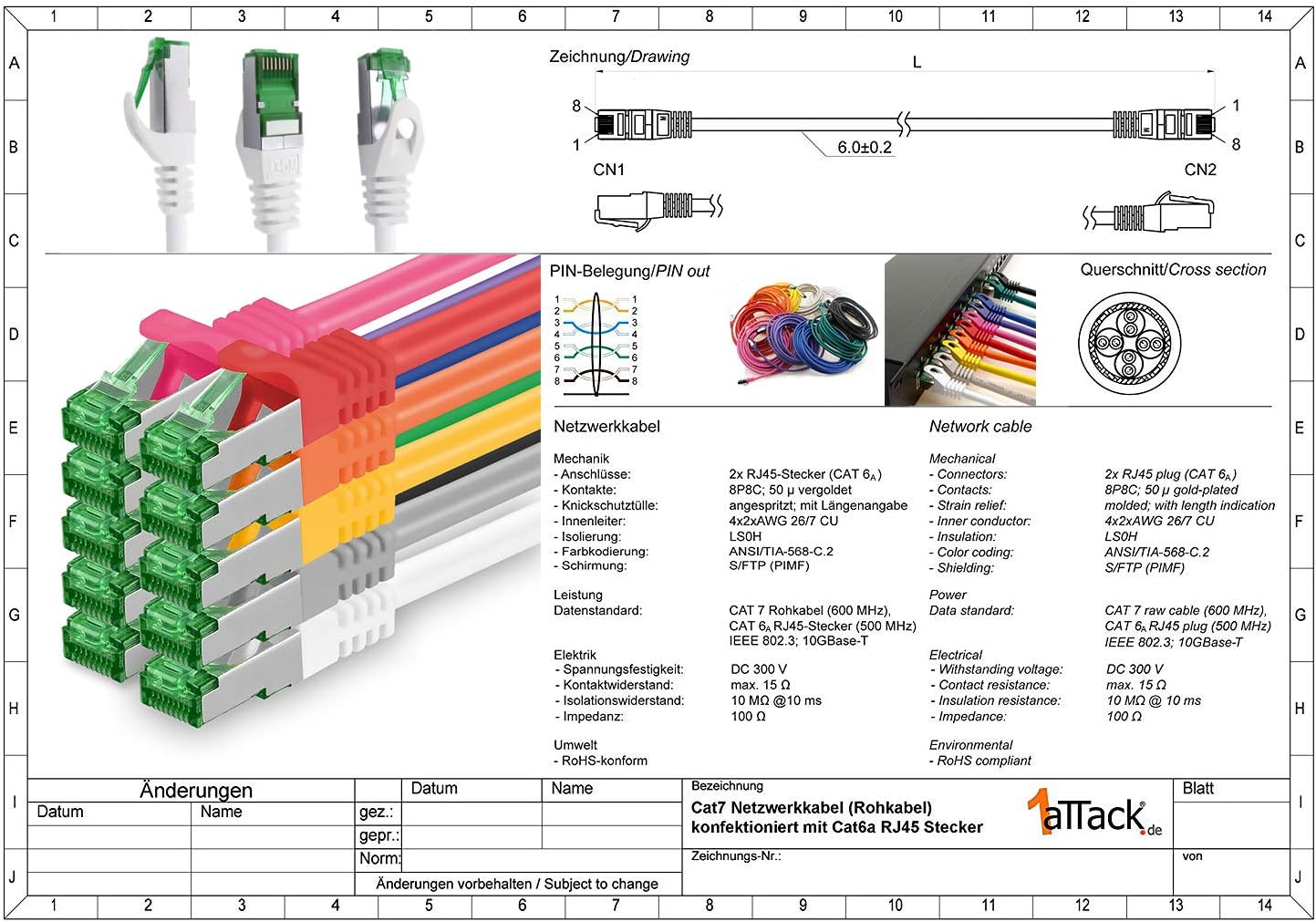
The color of an Ethernet cable outer jacket does not affect network speed, bandwidth, or signal performance. Cable performance is determined entirely by its Category rating (such as Cat6 or Cat6a), shielding, and conductor quality. However, jacket colors are widely used for network organization, identifying specific device roles, and indicating specialized jacket materials like outdoor UV protection.
Outer Jacket Color vs. Ethernet Performance: Sorting Fact from Fiction
A common myth among home users and novice system administrators is that a specific color of Ethernet cable—such as blue, red, or yellow—delivers faster internet speeds or lower latency. In reality, the physical color dye applied to the outer PVC, LSZH (Low Smoke Zero Halogen), or polyethylene (PE) jacket has no electrical impact on the data traveling through the internal copper conductors.
Data speeds and signal integrity are governed exclusively by technical specifications defined by standards organizations such as the Telecommunications Industry Association (TIA) and the Institute of Electrical and Electronics Engineers (IEEE). Key factors determining network capabilities include:
- Category Specification: Category ratings (e.g., Cat5e, Cat6, Cat6a, and Cat8) specify signal bandwidth (measured in MHz) and maximum data transmission rates (ranging from 1 Gbps to 40 Gbps).
- Shielding Construction: Unshielded Twisted Pair (UTP) vs. Shielded Twisted Pair (F/UTP, S/FTP) protects signal pairs from electromagnetic interference (EMI) and alien crosstalk.
- Conductor Composition: Pure Bare Copper conductors maintain lower attenuation and better Power over Ethernet (PoE) performance compared to cheaper Copper-Clad Aluminum (CCA) alternatives.
- Wire Gauge: The American Wire Gauge (AWG) size (typically 23 AWG or 24 AWG for standard patch cords) impacts resistance and signal loss over distance.
Because a bright red Cat6 cable and a subtle gray Cat6 cable manufactured to the same specifications contain identical internal copper geometry and twist rates, both will yield identical throughput. Color serves purely as a visual administrative tool for cable management, security identification, and environmental classification.
Standard Ethernet Cable Color Schemes and Industry Guidelines
While there is no mandatory law forcing network engineers to use specific colors for specific devices, industry standards provide voluntary guidelines to prevent chaos in commercial server rooms and structured cabling systems.
The primary reference for administration in telecommunications infrastructure is the ANSI/TIA-606-C standard. This standard defines color-coding systems for termination fields, patch panels, and infrastructure hierarchy to ensure field technicians can quickly identify network segments during installation, maintenance, and troubleshooting.
| Color | Recommended Function |
|---|---|
| Blue | Horizontal Cabling / Workstation Outlets |
| Orange | Demarcation Point / Central Office |
| Red | Security / Fire Alarm / Critical Links |
| Yellow | Auxiliary / Wireless / Security Cameras |
| Green | Network Management / Monitoring Links |
| Purple | PBX / Major Switching Equipment |
| Gray | Intra-Building Backbone Connections |
Common Corporate and Data Center Color Conventions
In practical enterprise deployments, network administrators adapt standard color frameworks to establish intuitive color conventions across server racks, patch panels, and switch stacks:
- Blue Cables: Standard workstation and desktop computer connections. Blue is the most widely produced Ethernet cable color and frequently serves as the default choice for general horizontal cabling.
- Red Cables: Critical infrastructure, fire alarms, physical security systems, or emergency voice circuits. In many data centers, red patch cords indicate high-priority connections or connections to backup power supplies that must never be unplugged without formal authorization.
- Yellow Cables: Power over Ethernet (PoE) devices, including Wireless Access Points (WAPs), IP surveillance cameras, and door access controllers. Yellow signals to technicians that active DC voltage is passing through the cable.
- Green Cables: Management networks, dedicated monitoring links, or crossover connections. Green is also commonly used to isolate local network administrative interfaces from general user traffic.
- White Cables: Integrated voice over IP (VoIP) phones or general in-wall vertical runs within commercial enterprise space.
- Black Cables: External WAN (Wide Area Network) feeds, internet service provider (ISP) modem connections, or outdoor runs requiring high UV resistance.
- Gray Cables: Standard patch panel interconnections, local printer runs, or secondary desktop drops.

Internal Wire Colors: T568A vs. T568B Wiring Standards
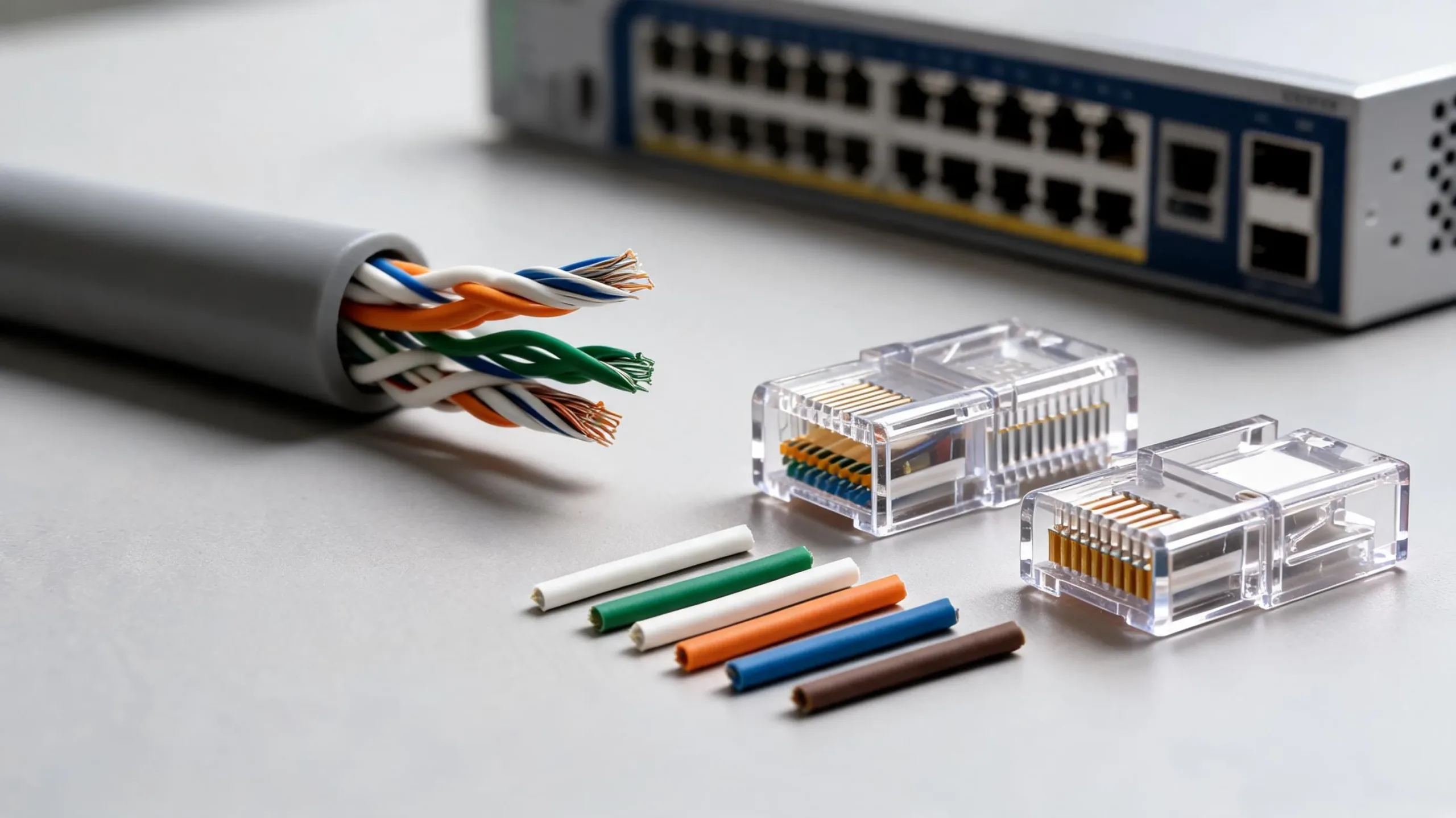
When stripping back the outer color jacket of an RJ45 Ethernet patch cord, you will expose four twisted conductor pairs. Each individual wire is insulated with color-coded plastic to ensure exact pin alignment when crimping RJ45 modular plugs or punching down wires onto 110-blocks and keystone jacks.
The eight internal wires consist of four solid colors paired with four white-striped matching wires:
- Orange Pair: Solid Orange & White/Orange
- Green Pair: Solid Green & White/Green
- Blue Pair: Solid Blue & White/Blue
- Brown Pair: Solid Brown & White/Brown
To transmit data correctly across Ethernet networks, the internal wires must follow a standardized pinout configuration defined by ANSI/TIA-568.2-D. The two recognized standards are T568A and T568B. The primary physical difference between these two standards is that the positions of the Orange and Green conductor pairs are swapped.
| Pin # | T568A Standard | T568B Standard |
|---|---|---|
| 1 | White / Green | White / Orange |
| 2 | Green | Orange |
| 3 | White / Orange | White / Green |
| 4 | Blue | Blue |
| 5 | White / Blue | White / Blue |
| 6 | Orange | Green |
| 7 | White / Brown | White / Brown |
| 8 | Brown | Brown |
Straight-Through vs. Crossover Cable Wiring
- Straight-Through Cable: Both ends of the cable are terminated using the exact same standard (either T568A on both ends or T568B on both ends). This is the standard configuration used to connect different types of devices, such as a computer to a network switch or a router to a cable modem.
- Crossover Cable: One end is terminated using the T568A standard and the other end is terminated using the T568B standard. Historically, crossover cables were required to directly connect two similar devices (such as switch-to-switch or PC-to-PC) without a hub or switch in between.
Modern network hardware features Auto-MDIX (Automatic Medium Dependent Interface Crossover), an electronic physical layer feature that automatically detects the required cable connection type and configures the signal paths accordingly. As a result, modern equipment operates seamlessly regardless of whether you use T568A or T568B, provided both ends of an individual patch cord share the same pinout structure.
Comparison Table: Ethernet Cable Colors and Typical Roles
The following table summarizes common outer jacket colors, standard usage patterns based on TIA recommendations, and practical network deployments:
| Cable Jacket Color | TIA-606-C Recommended Function | Common Industry Deployment | Key Environmental Considerations |
|---|---|---|---|
| Blue | Horizontal Cabling / Desktop Drops | Workstations, PCs, Laptops, Standard Patching | Indoor PVC / Plenum; General Purpose |
| Red | Key Systems, Emergency, Fire Alarms | Critical Infrastructure, Security, Emergency Links | High-visibility warning; Restricted disconnect |
| Yellow | Auxiliary Equipment, Security, Alarms | PoE Access Points, IP Surveillance, Access Control | Indicates active DC voltage handling |
| Green | Network Management, Security Drops | Out-of-Band Management, Monitoring, HVAC | Logical network isolation identification |
| Orange | Demarcation Point (Central Office) | ISP Gateway Connections, Fiber Conversion Drops | Demarcation isolation in telecom closets |
| White | First-Level Backbone / Telecommunications | VoIP Telephony, Clean Architectural Installations | Unobtrusive interior aesthetic runs |
| Black | Building Interconnect / General Backbone | Outdoor Runs, Direct Burial, ISP Modems | High UV resistance (Carbon Black PE jackets) |
| Gray | Second-Level Backbone / Riser Links | Inter-Rack Patching, Desktop Extensions | Standard riser/plenum commercial cabling |
Special Cable Jackets: Outdoor, Flame Ratings, and UV Resistance
Beyond network identification, outer jacket color often reflects specific physical construction materials tailored for challenging installation environments.
Outdoor and Direct Burial Cabling (Black Jackets)
When running Ethernet cables outdoors—whether attached to exterior walls, mounted on rooftops, or buried underground in conduit—standard indoor PVC patch cables rapidly degrade due to ultraviolet (UV) radiation from sunlight. Solar radiation breaks down standard plastic compounds, causing the jacket to crack, crumble, and expose internal wires to moisture within months.
Outdoor-rated Ethernet cables utilize heavy-duty High-Density Polyethylene (HDPE) or CMX outer jackets. These jackets are nearly always black because manufacturers mix finely divided carbon black particles into the resin. Carbon black absorbs harmful UV rays and dissipates them as low-level thermal energy, protecting the mechanical integrity of the cable for decades.
| Layer | Component Description |
|---|---|
| Outer Layer | Black HDPE (Carbon Black UV Inhibitors) |
| Water Barrier | Gel-Filled or Water-Blocking Tape |
| Shielding | Overall Aluminum Foil (F/UTP) + Ground |
| Inner Core | 4 Twisted Pairs (23 AWG Solid Copper) |
Cable Fire Ratings (Plenum vs. Riser)
Jacket color should not be confused with cable fire safety ratings, which dictate flame spread and smoke toxicity compliance under regional building codes such as the National Electrical Code (NEC):
- CMP (Plenum Rated): Required in spaces used for environmental air circulation (plenum spaces, drop ceilings, raised floors). Flame-retardant fluorinated ethylene propylene (FEP) jackets emit low smoke and minimal toxic fumes when burning.
- CMR (Riser Rated): Designed for vertical shafts running between floors. Prevents fires from spreading floor-to-floor.
- LSZH (Low Smoke Zero Halogen): Commonly required in European facilities and enclosed mass-transit environments to prevent toxic acid gas generation during fires.
Plenum, Riser, and LSZH jacket materials are available in almost every standard color (blue, white, gray, yellow, red), meaning technicians must read the continuous text printed along the cable jacket to verify fire safety ratings rather than relying on jacket color alone.
Practical Tips for Implementing a Network Color-Coding Scheme
Designing an intentional color-coding system streamlines operations, simplifies troubleshooting, and minimizes expensive human errors during maintenance windows.
1. Document Your Scheme and Stick to It
Before buying bulk cable or patch cords, create a standardized color matrix document for your organization or home network. Ensure all local administrators and contractors receive copies. If blue is designated for data and white for VoIP, enforce strict adherence to prevent "cable drift" over time.
2. Match Patch Cord Colors to Patch Panel Icons
Modern patch panels and keystone jacks often feature color-coded bezel inserts or icon clips. Aligning patch cord colors directly with patch panel port assignments allows field technicians to confirm correct connections at a glance without tracing physical wire paths through crowded cable management trays.
3. Use Color for Security Boundaries
If your infrastructure processes multi-tenant data, payment card information (PCI-DSS compliance zones), or isolated guest networks, assign distinct cable colors to physically separated network segments. For example, using red cables for demilitarized zones (DMZs) or public-facing router interfaces prevents accidental cross-patching into sensitive internal LAN switches.
- ISP MODEM (Black Cable) to MAIN ROUTER
- Red Cable to DMZ SWITCH
- Blue Cable to LAN SWITCH
- Yellow Cable to PoE Wi-Fi APs
- White Cable to VoIP Desk Phones
- Green Cable to Out-of-Band Admin
4. Label Both Ends Regardless of Color
Color coding is a supplement to—not a replacement for—proper cable labeling. Use durable wrap-around vinyl or heat-shrink wire labels on both ends of every cable run, indicating origin switch ports, patch panel identifiers, and destination room numbers.
Frequently Asked Questions
Does a red Ethernet cable make your internet faster?
No. The outer jacket color has zero impact on network bandwidth, throughput, or latency. Performance depends on the internal technical specification (Cat5e, Cat6, Cat6a), cable length, and copper wire quality. Red cables are traditionally chosen to highlight emergency connections, critical security systems, or isolated firewall links.
What is the difference between green and blue Ethernet cables?
Electrically, there is no difference if both cables belong to the same category rating (e.g., Cat6 UTP). Functionally, network administrators often use blue cables for standard workstation connections and green cables for out-of-band management interfaces, cross-connect links, or monitoring hardware to organize switch racks visually.
Why are most outdoor Ethernet cables black?
Outdoor Ethernet cables use black outer jackets made from High-Density Polyethylene (HDPE) mixed with carbon black. Carbon black acts as a protective stabilizer against ultraviolet (UV) radiation from sunlight, preventing the plastic jacket from cracking, degrading, and allowing water penetration over time.
Which internal wiring standard should I use: T568A or T568B?
For new installations in North America, T568B is the most widely adopted standard in commercial and residential networking. However, T568A is commonly used in federal government projects and legacy residential telephone/data combo wiring. The key rule is consistency: both ends of a standard straight-through patch cable must use the same pinout layout.
Can I mix different colored Ethernet cables on the same router?
Yes. You can plug blue, yellow, red, white, and black cables into the same router or switch simultaneously without any performance issues or hardware conflicts. The switch processes electrical or optical signals identically regardless of outer jacket color.
Conclusion and Recommended Next Actions
The color of an Ethernet cable is an administrative tool rather than a performance specification. While high-performance data transfers rely on proper Category selections (such as Cat6a for 10 Gbps speeds over 100 meters), implementing a structured color scheme delivers substantial operational efficiency.
To optimize your network setup:
- Audit Existing Cabling: Standardize cable colors across your patch panels to reflect specific equipment roles (e.g., Blue for desktops, Yellow for PoE access points, Black for outdoor WAN connections).
- Verify Environment Ratings: Ensure all outdoor runs utilize black, UV-resistant HDPE jackets, and check that indoor ceiling runs comply with CMP (Plenum) fire code requirements.
- Maintain Pinout Consistency: Standardize on T568B termination across all custom-crimped cables and wall jacks to prevent wiring confusion during future expansions.
Image Gallery
Select an image to open it in a new tab.

Mateo Castillo
Decentralized Finance and E-Payments Strategist
