Why the Gigabit Ethernet Connector Matters for Home Networks
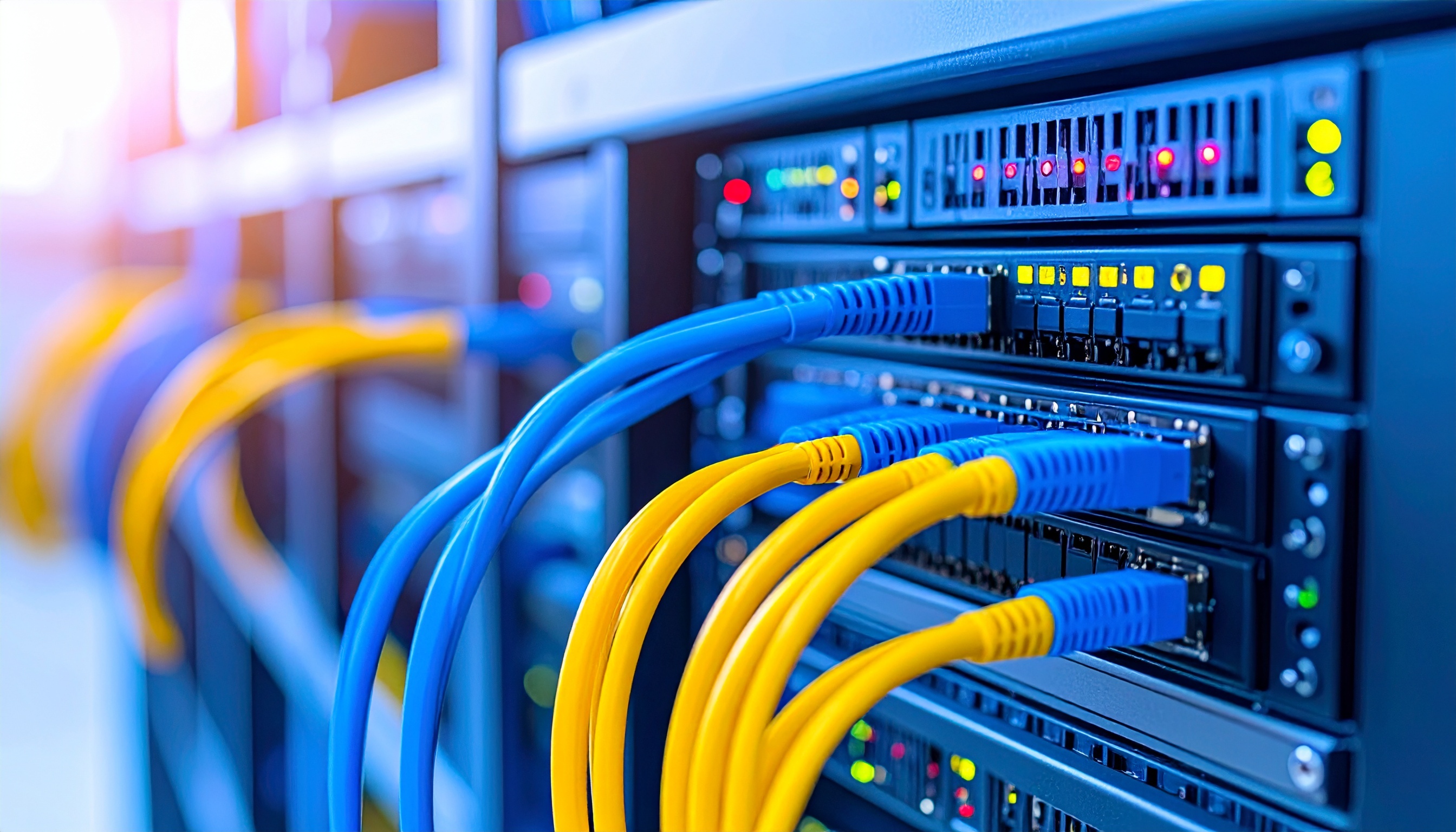
The gigabit Ethernet connector, technically known as the 8P8C modular connector used with RJ45 specifications, is the essential physical interface that ensures your home network can transmit data at speeds up to 1,000 Mbps. It serves as the bridge between your high-speed internet service provider hardware and your internal devices, preventing hardware-based bottlenecks that would otherwise cripple modern high-bandwidth digital activities.
The Role of the Physical Interface in Network Performance
When discussing home networks, users often focus exclusively on Wi-Fi standards like Wi-Fi 6E or 7. However, the physical wired connection remains the backbone of any high-performance home infrastructure. The gigabit Ethernet connector—the familiar plastic-tabbed jack found on the back of routers, switches, and computers—is designed to support Category 5e (Cat5e) or higher cabling. This physical standardization ensures that electrical signals are transmitted with minimal interference and attenuation.
In 2026, many households subscribe to fiber-optic internet plans offering speeds of 1 Gbps or higher. If a single link in the chain—such as a cable, a wall port, or a router port—uses older hardware standards (like the Fast Ethernet 10/100 standard), the entire throughput is effectively throttled. The gigabit connector acts as the gatekeeper; it is the physical requirement for maintaining a full-duplex connection where data can be sent and received at 1,000 Mbps simultaneously.
Distinguishing Gigabit from Legacy Standards
Understanding why the gigabit connector is crucial requires looking at the technical evolution of networking hardware. The original "Fast Ethernet" (100BASE-TX) standard, which dominated the early 2000s, utilizes only two of the four pairs of twisted wires inside a standard Ethernet cable.
Gigabit Ethernet (1000BASE-T) utilizes all four pairs of wires simultaneously. While the physical connector looks identical—an RJ45 8P8C interface—the internal wiring and the signaling technology used by the network interface controller (NIC) behind the port differ significantly.
- 100 Mbps (Fast Ethernet): Adequate for basic web browsing and low-resolution streaming, but creates a massive bottleneck for modern cloud backups, 4K/8K video editing over a network, and simultaneous high-traffic tasks.
- 1,000 Mbps (Gigabit Ethernet): The current functional baseline for local area network (LAN) traffic, ensuring that file transfers between a local NAS (Network Attached Storage) device and a PC occur at speeds capable of saturating standard hard drives or SSDs.
The Ecosystem: Cables, Switches, and Port Requirements
For a gigabit connector to provide its intended benefits, every element of the signal path must meet the gigabit specification. A common mistake in home networking is the assumption that the "box" (the router) dictates the speed, regardless of the components connected to it.
Essential Components of a Gigabit-Ready Network
- The Router/Switch Port: Must be labeled as "Gigabit" or "10/100/1000." If a port is only "10/100," it will force any connected device to drop to 100 Mbps speeds.
- The Cabling: While Cat5e is the minimum requirement for 1 Gbps, Cat6 or Cat6a cables are recommended for 2026 home setups. These cables provide better shielding against electromagnetic interference (EMI), which is particularly important in homes with dense smart device deployments.
- The NIC (Network Interface Controller): The device (desktop, game console, TV) must have a gigabit-capable port. Many smart TVs, even in 2026, still ship with 100 Mbps ports to save costs, which can limit the quality of high-bitrate streaming from a local server.
Comparative Hardware Performance
The following table illustrates the impact of connector and hardware standards on real-world file transfer scenarios.
| Component Chain Standard | Max Throughput | Typical Use Case Suitability |
|---|---|---|
| Fast Ethernet (10/100) | 100 Mbps | Web browsing, basic IoT, low-res audio |
| Gigabit Ethernet (1000) | 1,000 Mbps | 4K streaming, large file transfers, gaming |
| Multi-Gig (2.5G/5G/10G) | 2,500+ Mbps | High-end NAS, professional editing, fiber backhaul |
Note: Achieving these speeds requires all devices in the chain—cables, switches, and ports—to meet or exceed the lowest common denominator.
Common Pitfalls and Troubleshooting
Users often struggle to identify why their connection speed is slower than their service plan. Often, the culprit is not the internet service provider (ISP), but a legacy connector or cable in the home network.
The Cat5 vs. Cat5e Confusion: Many older buildings have legacy Cat5 cabling installed in the walls. While Cat5 technically supports 100 Mbps, it is often incapable of maintaining a stable gigabit connection. If you are experiencing "flapping" connections (where the link drops to 100 Mbps and then disconnects), the cable quality is the first point of failure. Always inspect the cable jacket for text; if it simply says "Cat5," it should be replaced with Cat6 to ensure reliability in a gigabit environment.
Mechanical Wear and Tear: The plastic locking tab on an Ethernet connector is a frequent point of failure. If the connector does not "click" securely into the jack, the gold-plated pins may not align perfectly. This misalignment can cause the interface to negotiate down to a slower speed or drop the connection entirely. If a connection is intermittent, replace the patch cable before troubleshooting software or router firmware.
Port Density and Overloading: In 2026, many homes utilize "unmanaged switches" to add more gigabit ports to a room. Ensure these switches are powered adequately and that they support "Jumbo Frames" if your network environment requires large packet transfers. Avoid "daisy-chaining" too many switches together, as this can introduce latency and potential bottlenecks at the upstream gigabit port.
Future-Proofing in 2026
While gigabit Ethernet remains the standard for the majority of home devices, the industry is shifting toward "Multi-Gig" (2.5G and 5G) ports. These ports use the same RJ45 gigabit connector shape but utilize different signaling frequencies. If you are planning a home renovation or a network upgrade in 2026, investing in Cat6a cabling is highly recommended. It is backward compatible with all gigabit connectors while providing the overhead required for faster standards when you eventually upgrade your router and end-user devices.
Frequently Asked Questions
Does a gigabit connector make my Wi-Fi faster? No, the Ethernet connector only affects the wired portion of your network. However, connecting your wireless access point to your router via a gigabit Ethernet connection ensures that the backhaul is not a bottleneck, allowing the Wi-Fi to operate at its maximum potential speed.
Can I use a Cat6 cable with a regular gigabit port? Yes. Ethernet cabling is strictly backward compatible. Using a higher-rated cable (Cat6 or Cat6a) in a standard gigabit port will function perfectly and may provide better signal integrity than older cables.
Why does my device show a 100 Mbps connection when I have gigabit internet? This is usually caused by an old patch cable, a faulty connector, or a device that only possesses a Fast Ethernet (10/100) port. Check the cable rating and the technical specifications of your device’s network adapter.
Does cable length affect gigabit performance? Ethernet standards are rated for up to 100 meters (approx. 328 feet). Within this range, there is no performance degradation. If your cable is longer than 100 meters, you will experience signal loss and potential connection failures.
Are there different types of gigabit connectors? Physically, they are all 8P8C (RJ45). The differences lie in the shielding (UTP vs. STP) and the certification of the cable attached to the connector. For home use, standard unshielded twisted pair (UTP) is sufficient.
Final Recommendation
To maximize the performance of your home network in 2026, perform a physical audit of your connections. Ensure that every patch cable in your home is labeled "Cat6" or higher. If you are experiencing slower-than-expected speeds, bypass your wall wiring by connecting your computer directly to the router with a verified Cat6 cable. If the speed returns to 1,000 Mbps, the issue is likely a specific wall port or cable run within your home infrastructure. Prioritizing the physical integrity of these connectors is the most cost-effective way to ensure your network handles modern bandwidth requirements reliably.

Image Gallery
Select an image to open it in a new tab.



Mateo Castillo
Decentralized Finance and E-Payments Strategist
