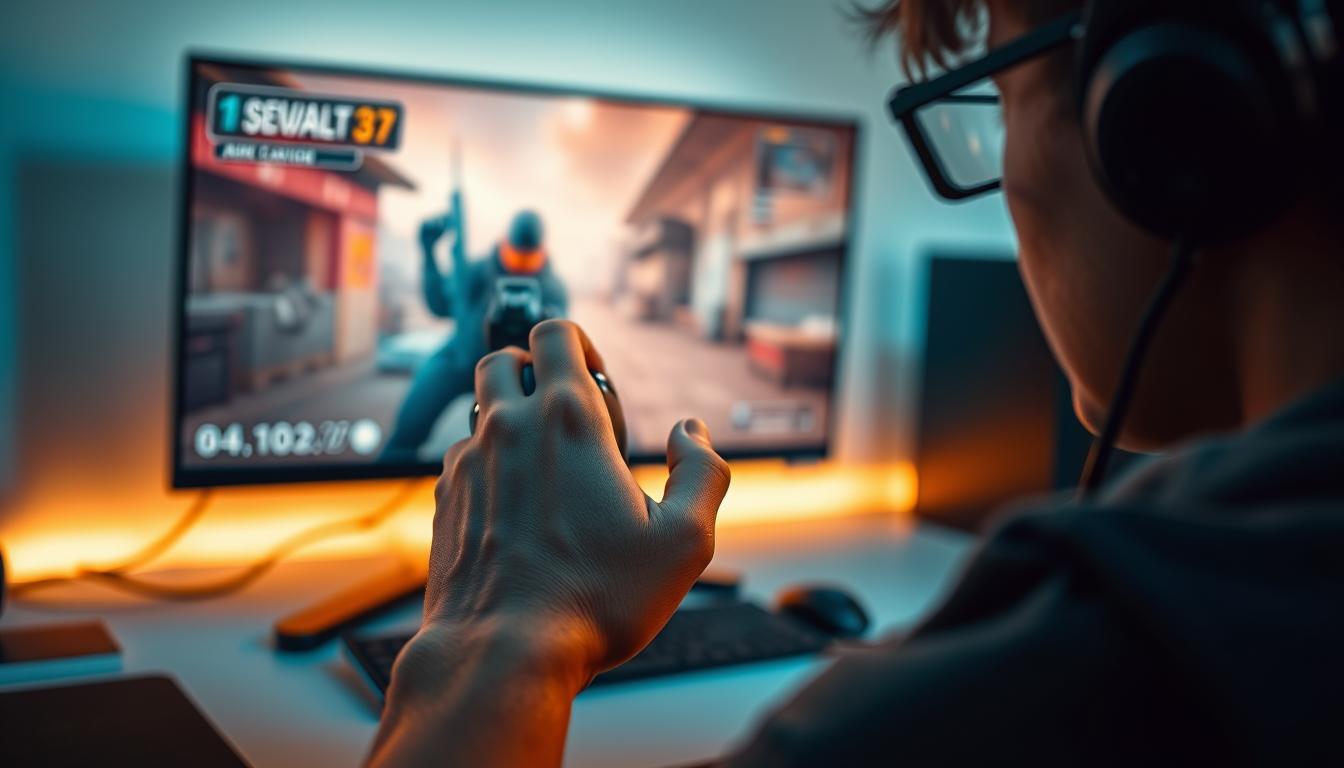
Achieving better aim in Counter-Strike depends on finding a balance between hardware settings and physical mechanics. To optimize your sensitivity, you must calculate your Effective Dots Per Inch (eDPI) by multiplying your mouse DPI by your in-game sensitivity. Most competitive players find success with an eDPI between 600 and 1,200, allowing for a mix of precision tracking and rapid 180-degree rotations.
The journey to mastering aim in tactical shooters is often hindered by a misunderstanding of how software and hardware interact. In the context of 2026, where high-polling rate sensors and sub-tick movement systems are the standard, the technical nuances of mouse sensitivity are more critical than ever. Whether you are playing the legacy version of CS:GO or the current iteration of the franchise, the underlying physics of mouse movement remain the constant foundation of a player’s performance.
The Fundamentals of Mouse Sensitivity
To understand sensitivity, one must first distinguish between the various layers of input that determine how a crosshair moves across the screen. The process begins at the hardware level and ends with the game engine’s interpretation of that data.
Dots Per Inch (DPI)
DPI is a measure of how many "dots" or pixels the mouse sensor registers for every inch of physical movement. A higher DPI means the cursor moves further on the screen with less physical effort. While many modern mice in 2026 offer DPI ranges up to 30,000, most tactical shooter players remain within the 400 to 1,600 range. Lower DPI levels are often preferred because they reduce the impact of "jitter" or unintended hand tremors, though higher DPI (like 1,600) can offer marginally lower input latency on high-frequency monitors.
In-Game Sensitivity
This is a multiplier within the game's software settings. If your in-game sensitivity is set to 2.0, the game takes the input from your mouse and doubles it. This setting is the most common way players fine-tune their feel, but it is meaningless without knowing the hardware DPI it is multiplying.
Effective DPI (eDPI)
The most important metric for any player is eDPI. This is the universal language of sensitivity. By multiplying DPI by in-game sensitivity, you get a number that can be compared across different setups. For example:
- 400 DPI × 2.0 Sensitivity = 800 eDPI
- 800 DPI × 1.0 Sensitivity = 800 eDPI
- 1600 DPI × 0.5 Sensitivity = 800 eDPI
Even though the settings look different, all three configurations result in the exact same physical distance required to turn your character 360 degrees.
The Science of eDPI Ranges
Choosing the right eDPI range is the first step toward consistency. While sensitivity is subjective, the competitive community has converged on specific ranges based on the physical requirements of the game.
Low Sensitivity (400 – 800 eDPI)
Low sensitivity is the gold standard for many professional riflers. It forces the player to use their entire arm for large movements and their wrist for micro-adjustments. The primary benefit is a higher margin for error; if your hand slips by a millimeter, your crosshair moves very little, allowing you to stay on target during long-range duels. The trade-off is the physical exertion required and the need for a very large mousepad.
Medium Sensitivity (800 – 1,200 eDPI)
This is the "sweet spot" for most players. It offers enough precision for headshots at a distance while still allowing for quick 180-degree turns if an enemy flashes behind you. It balances wrist and arm movement effectively, making it a versatile choice for both entry fraggers and support players.
High Sensitivity (1,200+ eDPI)
High sensitivity is generally reserved for players with exceptional fine motor skills or those with very limited desk space. It allows for incredibly fast reaction times and flick shots with just a flick of the wrist. However, it is much harder to maintain consistency under pressure, as small muscle spasms or adrenaline-induced shakes can cause the crosshair to fly off-target.
Hardware Considerations for 2026
By 2026, the technology surrounding competitive gaming has evolved, making certain legacy settings obsolete while reinforcing others.
Polling Rates and Latency
Most high-end gaming mice now support polling rates of 4,000Hz or 8,000Hz. The polling rate determines how often the mouse reports its position to the computer. While 1,000Hz was the standard for a decade, higher rates provide a smoother, more "connected" feel, especially on 360Hz or 540Hz monitors. If you use a high polling rate, you may find that higher DPI settings (like 1,600) feel more responsive than 400 DPI due to the way the sensor saturates the data packets sent to the CPU.
Mousepads: Control vs. Speed
Your sensitivity does not exist in a vacuum; it is heavily influenced by the friction of your mousepad.
- Control Pads: These provide more friction (stopping power), which helps players on high sensitivity stay steady.
- Speed Pads: These have very low friction, allowing for effortless gliding. These are often preferred by low-sensitivity players who need to move their arms rapidly across the desk without fatigue.
Physical Mechanics: Arm vs. Wrist Aiming
Understanding how your body moves the mouse is just as important as the numbers in the menu. Most elite players use a "hybrid" approach, but understanding the two extremes is vital for troubleshooting aim issues.
Arm Aiming
In arm aiming, the elbow acts as the pivot point. This is used for "navigational" movements—checking corners, turning around, or tracking a running enemy. Arm aiming is inherently more consistent because it utilizes larger muscle groups that are less prone to fatigue and jitters.
Wrist Aiming
The wrist acts as the pivot point for "mechanical" movements—the final micro-adjustment to click a head or controlling the spray pattern of an AK-47. If your sensitivity is too high, you might try to use your wrist for everything, which can lead to repetitive strain injuries (RSI) over time. If it is too low, you may find yourself "running out of arm," requiring multiple swipes to turn around.
The Perfect Sensitivity Approximation (PSA) Method
If you are unsure where to start, the PSA method is a structured way to find your baseline. This method involves testing a range of sensitivities and narrowing them down based on how "natural" they feel during tracking exercises.
- Find your 360 distance: Adjust your sensitivity so that one full swipe from the left edge of your mousepad to the right edge results in exactly one 360-degree turn in-game. This is your "Starting Point."
- Determine the Base: Multiply your starting sensitivity by 0.5 to get your "Low" value, and by 1.5 to get your "High" value.
- Test and Compare: Spend five minutes in a practice map tracking a bot's head with the Low sensitivity, then five minutes with the High.
- Narrow the Gap: Decide which felt more comfortable. If you liked the Low better, your new High becomes the average of the Starting Point and the Low.
- Repeat: Continue this "bracketing" process until the difference between the High and Low values is negligible. This final number is your mathematically ideal sensitivity.
Technical Configuration and Software Settings
Beyond the basic numbers, several technical settings can interfere with your aim if not configured correctly.
Windows Pointer Speed
Historically, players were advised to keep the Windows slider at 6/11 to avoid pixel skipping. While "Raw Input" settings in modern games largely bypass this, it is still best practice to ensure your Windows settings are neutral. In 2026, ensure "Enhance Pointer Precision" is disabled, as this is a form of software acceleration that ruins muscle memory.
Raw Input
Always enable Raw Input (m_rawinput 1). This ensures the game reads data directly from the mouse sensor, ignoring any processing or acceleration applied by the operating system. This provides the most "one-to-one" feel possible between your physical movement and the on-screen response.
Mouse Acceleration
For 99% of players, mouse acceleration should be turned OFF. Acceleration causes the cursor to move further based on how fast you move the mouse, not just how far. This makes building muscle memory nearly impossible, as the same physical flick will result in different crosshair distances depending on your speed. While a few legendary pros have used it, it adds a layer of complexity that usually hinders improvement.
Comparison of Common Sensitivity Profiles
The following table illustrates how different hardware and software combinations result in various eDPI profiles.
| Player Type | DPI | In-Game Sens | eDPI | Aiming Style | Primary Benefit |
|---|---|---|---|---|---|
| The Precise Rifler | 400 | 1.5 | 600 | Heavy Arm | Maximum stability at long ranges. |
| The Standard Pro | 800 | 1.1 | 880 | Hybrid | Balanced for all engagement types. |
| The Entry Fragger | 400 | 2.5 | 1000 | Hybrid | Faster clearing of close-quarters angles. |
| The Wrist Specialist | 1600 | 0.8 | 1280 | Heavy Wrist | High reactive speed and rapid 180s. |
| Legacy High Sens | 400 | 4.0 | 1600 | Wrist Only | Minimal physical effort; requires high skill. |
Common Mistakes to Avoid
The most frequent error players make is "sens-hopping"—changing their settings after a bad match. Aim is a product of muscle memory, which takes hundreds of hours to build. When you change your sensitivity, you reset that internal calibration.
Another mistake is ignoring your resolution and aspect ratio. While changing your resolution from 16:9 to 4:3 stretched does not technically change your sensitivity, it changes the perceived horizontal speed. Because the image is stretched, enemies appear to move faster across the screen, which can make your sensitivity feel higher than it actually is. It is often better to adjust to the visual change rather than changing your actual eDPI.
Finally, ensure your hardware is clean. Dust on a mouse sensor or a worn-out mousepad can create "dead spots" or inconsistent glide, making it feel like your sensitivity is fluctuating. In 2026, PTFE or glass mouse feet are common; ensure they are not scratched or pitted, as this significantly changes the static friction of your movements.
FAQ
Does a higher DPI make you more accurate?
Not necessarily. While higher DPI (like 1,600 or 3,200) can reduce input latency and provide smoother movement data, it also makes the mouse much more sensitive to tiny hand movements. Most players find that 400 or 800 DPI provides a more "stable" feel that is easier to control during the stress of a match.
Why do pros use such low sensitivity?
Professional players prioritize consistency over speed. In a tactical shooter like Counter-Strike, most of the "aiming" is actually crosshair placement. You shouldn't need to do 360-degree spins constantly. Low sensitivity allows for "pixel-perfect" adjustments, which are required to hit a head at the back of a long corridor or to hold a tiny gap.
Should I copy my favorite pro's sensitivity?
Copying a pro can give you a good starting point (within the 600-1,200 eDPI range), but it is not a magic fix. Your sensitivity must account for your specific mouse, mousepad, desk space, and even the way you sit. A pro's sensitivity on a glass pad will feel entirely different on your cloth pad.
Does mouse weight affect sensitivity?
Yes, physically. A lighter mouse (sub-60g) is easier to stop and start, which often allows players to use a slightly lower sensitivity than they would with a heavy mouse. If you switch to a much lighter mouse, you might find your current sensitivity feels "floaty," and you may need to lower it slightly to regain control.
Can I use different sensitivities for different games?
It is possible, but not recommended if you are trying to reach an elite level in one specific game. The muscle memory for a flick in Counter-Strike is different from a flick in a fast-paced arena shooter. Using a "Sensitivity Converter" tool can help you maintain the same 360-degree distance across all your games to preserve your mechanical skill.
Final Recommendation
To truly improve your aim, find an eDPI between 700 and 900, turn off all forms of acceleration, and ensure Raw Input is enabled. Once you have a setting that allows you to comfortably track a moving target without your crosshair "lagging behind" or "overshooting," stop touching the settings. Spend your time in aim training maps or Deathmatch servers to build the muscle memory required to make those settings second nature. Consistency in your configuration is the only way to achieve consistency in your performance.
Image Gallery
Select an image to open it in a new tab.
Declan O'Connor
Higher Education and Campus Culture Reporter
