Cloud Server Security Best Practices: A Comprehensive Guide to Infrastructure Hardening
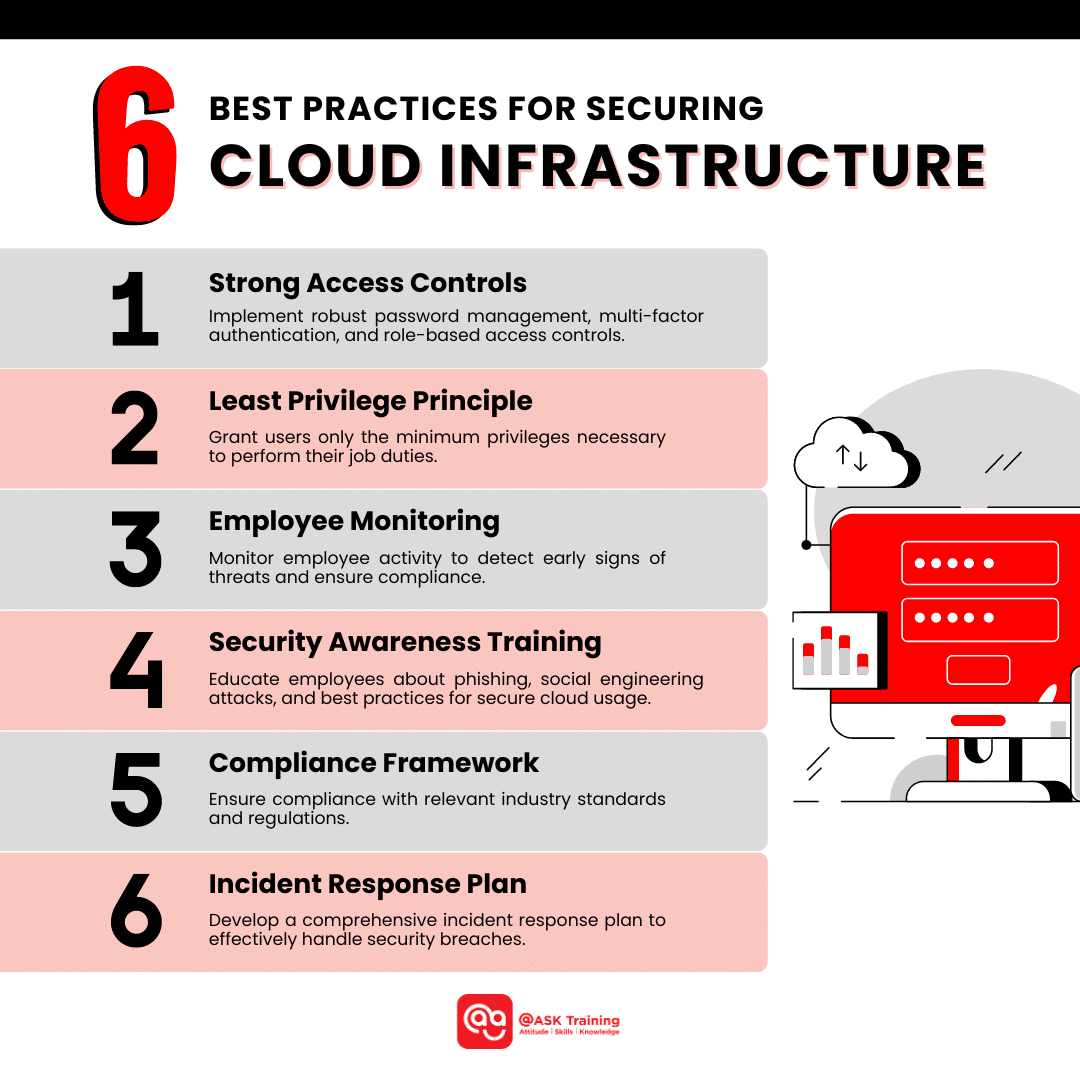
Securing a cloud server requires a multi-layered strategy that integrates identity management, network segmentation, and proactive monitoring to mitigate risks inherent in virtualized environments. By enforcing the principle of least privilege, automating security updates, and implementing robust encryption protocols, organizations can protect sensitive data and maintain operational integrity against increasingly sophisticated cyber threats in 2026.
Understanding the Shared Responsibility Model
Before implementing specific security controls, administrators must understand the shared responsibility model. Cloud service providers (CSPs) such as Amazon Web Services (AWS), Microsoft Azure, and Google Cloud Platform (GCP) are responsible for the security of the cloud, which includes the physical infrastructure, networking, and virtualization layer.
The customer is responsible for security in the cloud. This includes the operating system, network configuration, data encryption, firewall rules, and identity access management (IAM). Failure to acknowledge this division often leads to misconfigurations, which remain the leading cause of cloud-based data breaches. Understanding that the underlying hardware is protected by the CSP does not absolve the user from hardening the virtual machines (VMs) and containers they deploy.
Identity and Access Management (IAM) Foundations
The first line of defense is securing how users and services authenticate to the cloud infrastructure. IAM is not merely about passwords; it is about identity lifecycle management.
The Principle of Least Privilege
Users and service accounts should only possess the minimum permissions required to perform their specific tasks. If a web server needs to read data from a storage bucket, it should have read-only access to that specific bucket, not administrative access to the entire account. Regularly audit IAM roles to identify and prune unused permissions.
Enforcing Multi-Factor Authentication (MFA)
Password-based authentication is insufficient for cloud environments. In 2026, the adoption of phishing-resistant MFA, such as FIDO2-compliant hardware keys, is the industry standard. MFA should be mandatory for all users with access to the cloud console, API keys, and administrative SSH access.

Securing Network Access
Cloud servers are often exposed to the public internet, making the network perimeter a primary target for brute-force attacks and vulnerability scanning.
Implementing Security Groups and Network ACLs
Security groups act as virtual firewalls for individual instances, while Network Access Control Lists (ACLs) provide a layer of protection at the subnet level. Follow these practices:
- Deny-by-default: Block all incoming and outgoing traffic by default, then explicitly allow only necessary ports and protocols.
- Remove SSH from the Public Internet: Instead of leaving port 22 open to the world, use a Bastion Host (jump box), a VPN tunnel, or cloud-native tools like AWS Systems Manager Session Manager, which allows shell access without requiring an open inbound port.
- IP Whitelisting: Restrict management access to specific, static corporate IP addresses whenever possible.
Using Virtual Private Clouds (VPCs)
Organize resources within a VPC to isolate sensitive components. Place database servers in private subnets with no direct internet access, ensuring they can only communicate with application servers. This architectural isolation limits the blast radius if an application server is compromised.
Data Protection and Encryption
Data security encompasses both encryption at rest and encryption in transit. Without these, even physical or network-level security measures leave data vulnerable if storage volumes or network packets are intercepted.
Encryption at Rest
Always enable disk-level encryption for storage volumes. Modern cloud providers offer managed encryption services, such as AWS Key Management Service (KMS) or Azure Key Vault, which allow you to rotate keys and control access to the encryption material. Ensure that backups and snapshots are also encrypted.
Encryption in Transit
Never transmit sensitive information over unencrypted channels. Enforce TLS 1.3 for all web traffic and use encrypted tunnels (IPsec or TLS) for communication between services. When managing servers, prioritize secure protocols like SSH with public key authentication over password authentication.
Vulnerability Management and Patching
Cloud servers are ephemeral in nature, but they require consistent maintenance to remain secure. As of 2026, automated vulnerability scanning and patch management are essential to keep pace with rapid exploit development.
- Automated Patching: Use configuration management tools (e.g., Ansible, Terraform) or cloud-native orchestration (e.g., AWS Systems Manager Patch Manager) to deploy security patches automatically across your fleet.
- Hardened Images: Avoid using default OS images. Create "golden images" that are pre-configured with security hardening benchmarks, such as those provided by the Center for Internet Security (CIS).
- Vulnerability Scanning: Implement continuous scanning tools to identify unpatched software, weak configurations, or exposed ports. Integrate these scans into your CI/CD pipeline so that security issues are identified before code is deployed to production.
Monitoring and Logging
Security is an ongoing process. If a compromise occurs, logging provides the forensic data required to understand the scope and nature of the breach.
- Centralized Logging: Aggregate logs from your cloud environment into a centralized, immutable repository. This includes server access logs, firewall logs, application logs, and cloud provider management logs (e.g., AWS CloudTrail).
- Real-time Alerting: Configure alerts for suspicious activities, such as repeated failed login attempts, unauthorized API calls, or changes to security group rules.
- Incident Response Planning: Have a documented incident response plan that includes clear steps for isolating compromised instances, revoking credentials, and performing a root-cause analysis.
Comparison of Security Tools and Approaches
| Security Layer | Traditional Approach | Cloud-Native Best Practice |
|---|---|---|
| Authentication | Shared passwords | MFA + Role-Based Access (RBAC) |
| Connectivity | VPN for all access | Zero Trust / Session Manager / Bastion |
| Patching | Manual periodic updates | Automated image-based deployment |
| Network | Physical firewalls | Security Groups + VPC Network ACLs |
| Storage | On-site encryption hardware | Managed Cloud HSM / Key Management |
Frequently Asked Questions (FAQ)
1. Is it safer to keep cloud servers behind a public load balancer or an internal gateway? For most applications, a public-facing load balancer acts as an additional layer of defense. It can terminate SSL/TLS connections, filter traffic via a Web Application Firewall (WAF), and prevent direct interaction with the underlying server instances, which hides the server's true IP address.
2. How often should I rotate my API keys and secrets? Industry standards recommend rotating credentials every 30 to 90 days. However, the best practice is to move away from static credentials entirely. Where possible, use identity-based access (e.g., IAM Roles for EC2) that automatically provide short-lived, temporary credentials to your applications.
3. Does encryption in the cloud protect me from the CSP? While encryption keeps data unreadable to unauthorized parties, you must ensure the CSP does not have access to your encryption keys. Using "Customer Managed Keys" (CMK) ensures that the cloud provider cannot decrypt your data without explicit authorization.
4. What is a "Zero Trust" approach to cloud security? Zero Trust assumes that threats exist both inside and outside the network. It requires continuous verification of every user, device, and application, regardless of their location, using strict access controls and micro-segmentation to limit lateral movement if a breach occurs.
5. How do I handle security for containerized cloud workloads? Containers require their own security layers, including image scanning (checking for vulnerabilities in OS libraries), limiting container privileges (running as non-root), and using runtime security monitoring to detect anomalous behavior within the container orchestration platform.
Final Recommendation: Implementing a Security Roadmap
To begin improving your cloud security posture, prioritize these three actions:
- Audit IAM Permissions: Identify and revoke any over-privileged user roles and enforce MFA for every account.
- Restrict Administrative Access: Disable password-based SSH authentication and implement a secure method like a bastion host or systems manager.
- Enable Cloud-Native Logging: Ensure that management logs (like CloudTrail or Azure Activity Logs) are active and flowing into a separate, secured logging account or storage bucket to ensure data integrity.
By moving away from static perimeter defenses and adopting an identity-centric, automated approach, you significantly reduce the surface area available to attackers, ensuring your cloud environment remains resilient in the face of evolving digital threats.
Image Gallery
Select an image to open it in a new tab.
Simon Caldwell
Enterprise Technology and Systems Editor
