Modern Digital Signage Platforms: A Comprehensive Guide to Enterprise Visual Communication in 2026

Modern digital signage platforms are centralized, cloud-native ecosystems designed to manage, schedule, and distribute multimedia content across global display networks. In 2026, these platforms leverage artificial intelligence, real-time data integration, and System-on-Chip (SoC) hardware to transform static screens into interactive, contextually aware communication tools for retail, corporate, and public environments.
The landscape of digital signage has shifted from simple "looping video" players to sophisticated software-as-a-service (SaaS) models. Organizations no longer view these screens as secondary marketing assets but as critical infrastructure for internal communication, customer experience, and operational efficiency. Choosing the right platform requires a deep understanding of hardware compatibility, security protocols, and content automation capabilities.
The Architectural Shift: Cloud-Native vs. Edge Computing
In 2026, the architecture of digital signage platforms is predominantly cloud-native, yet it relies heavily on "intelligent edge" processing. This means that while the management console, content library, and scheduling engines live in the cloud, the actual rendering and data processing often occur locally on the media player or the display itself.
Cloud-Native Management
A modern Content Management System (CMS) allows administrators to manage thousands of displays from a single browser-based interface. This eliminates the need for localized servers and manual updates. Cloud platforms facilitate seamless scaling; adding a new screen in a different country is now as simple as entering a pairing code. Furthermore, cloud-based platforms offer robust APIs that allow the signage network to "talk" to other enterprise software, such as Salesforce for real-time sales data or Workday for corporate announcements.
System-on-Chip (SoC) Dominance
The reliance on external media players—small PCs tucked behind screens—has significantly diminished. Major manufacturers like Samsung (MagicINFO/Tizen), LG (webOS), and Sony (Android SoC) now provide displays with integrated processors powerful enough to handle 4K and even 8K video streams. Modern platforms are built specifically to run natively on these operating systems, reducing hardware costs, simplifying installation, and minimizing failure points like HDMI cables or external power bricks.
Essential Features of 2026 Digital Signage Platforms
When evaluating a platform, decision-makers must look beyond the ability to upload a JPEG or MP4. The following features define the standard for enterprise-grade solutions in 2026.
1. Dynamic Data Integration and Triggers
The most effective signage is no longer static. Modern platforms use "data-driven" content. For example, a retail display can automatically change its featured product based on local inventory levels pulled from an ERP system. Similarly, corporate screens can display real-time safety metrics or KPIs directly from PowerBI or Tableau.
Trigger-based content goes a step further by using external inputs—such as weather changes, emergency alerts, or even facial analysis (demographics) from local sensors—to switch playlists instantly. If a sensor detects a high concentration of foot traffic, the platform can prioritize high-impact promotional content over general branding.
2. AI-Powered Content Optimization
Artificial Intelligence is now embedded within the CMS to assist with scheduling and content creation. AI algorithms analyze historical engagement data to suggest the best times to play specific content. Some platforms even include generative AI tools that can resize assets for different screen orientations (landscape vs. portrait) or generate localized text versions of an announcement in seconds, ensuring that content remains fresh without requiring a massive design team.
3. Enterprise-Grade Security and Device Management
Security is the primary concern for IT departments. In 2026, a "modern" platform must support:
- Single Sign-On (SSO): Integration with Okta, Microsoft Azure AD, or Google Workspace to manage user permissions.
- SOC2 Type II and ISO 27001 Compliance: Verification that the provider follows strict data handling and privacy standards.
- Remote Device Management (RDM): The ability to reboot screens, update firmware, and take remote screenshots for troubleshooting without being physically present at the site.
- Content Approval Workflows: Ensuring that no content goes live until it has been vetted by the appropriate department heads.
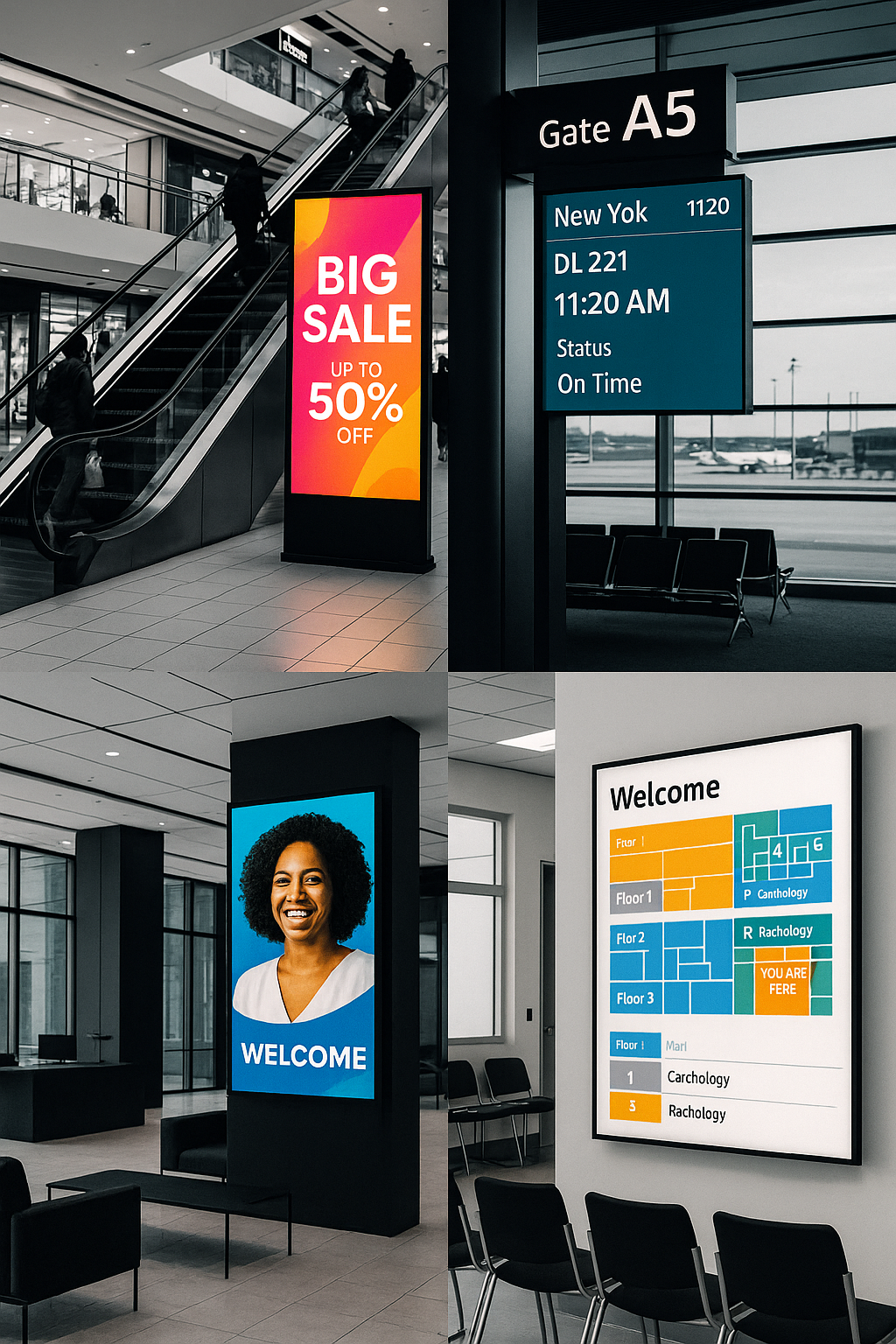
Hardware Considerations for Modern Environments
While the software (CMS) is the brain, the hardware remains the face of the operation. Modern environments require a mix of display technologies suited to specific use cases.
High-Brightness and Fine-Pitch LED
For window displays or outdoor environments, high-brightness LCDs (2,500+ nits) are essential to combat direct sunlight. Inside the modern office or flagship retail store, fine-pitch Direct View LED (dvLED) is replacing traditional video walls. These displays offer a seamless look without the "bezels" or lines associated with tiled LCD screens.
Sustainability and E-Ink
Sustainability has become a core requirement in 2026. For static signage like wayfinding, meeting room labels, or menu boards that don't change frequently, E-ink (Electronic Paper Display) platforms have gained massive traction. These displays consume zero power once an image is set and can run for years on a single battery, making them the most environmentally friendly option for modern "green" buildings.
Comparison of Modern Platform Types
| Feature | Entry-Level SaaS | Enterprise SaaS | On-Premise/Hybrid |
|---|---|---|---|
| Primary Audience | Small Retail, Cafes | Global Corps, Hospitals | Gov, High-Security Finance |
| Deployment Time | Minutes | Weeks (due to integration) | Months |
| Scalability | Moderate | Unlimited | Limited by hardware |
| Data Integration | Basic (Weather/RSS) | Advanced (API/BI Tools) | Custom/Isolated |
| Hardware Support | Limited (FireStick/Chrome) | Universal (SoC/Linux/Win) | Specialized/Proprietary |
| Security | Standard SSL | SSO, Audit Logs, SOC2 | Air-gapped options |
Implementation Strategy: From Pilot to Global Rollout
Successfully deploying a digital signage platform in 2026 requires a structured approach that involves stakeholders from Marketing, IT, and Operations.
Step 1: Defining the "Why"
Before selecting hardware or software, define the primary goal. Is it to reduce perceived wait times in a clinic? To improve employee engagement in a hybrid workplace? Or to drive "lift" in retail sales? The objective dictates the type of content and the frequency of updates needed.
Step 2: Infrastructure Audit
Ensure the physical environment can support the platform. This includes checking for:
- Connectivity: While 5G is a viable backup, a hardwired Ethernet connection (PoE+ where possible) remains the gold standard for reliability.
- Power: Ensuring displays have dedicated power outlets and that the electrical load is accounted for.
- Mounting: Verifying that walls can support the weight of professional-grade displays, which are significantly heavier than consumer TVs.
Step 3: Content Governance
One of the most common mistakes is "set it and forget it." A modern platform requires a content calendar. Assign roles: who creates the content, who schedules it, and who is responsible for removing expired promotions? Most enterprise platforms allow for "localized" control, where a corporate office sets 80% of the content, but local managers can add 20% relevant to their specific branch.
Troubleshooting and Maintenance in 2026
Modern platforms are designed to be self-healing. If a media player loses internet connectivity, it should continue to play the cached content rather than showing a "blue screen" or an error message. However, technical issues are inevitable.
- Caching Issues: If content is not updating, the first step is to check the local cache on the device. Most modern CMS platforms allow for a "remote clear cache" command.
- Network Latency: Large 4K video files can strain local networks. Modern platforms use "trickle downloading" to fetch content in the background without interrupting the current playback or hogging the office bandwidth during peak hours.
- Hardware Longevity: Professional displays are rated for 16/7 or 24/7 operation. Using consumer-grade TVs in a modern signage environment often leads to premature backlight failure and voids the manufacturer’s warranty.
Frequently Asked Questions
Can I use a consumer-grade Smart TV for my digital signage platform?
While technically possible via built-in web browsers or HDMI sticks, it is not recommended for modern environments. Consumer TVs lack the brightness, cooling systems, and remote management capabilities required for professional use. Furthermore, using a consumer TV for commercial purposes usually voids the warranty and may violate local fire safety codes.
How much does a digital signage platform cost in 2026?
Pricing typically follows a per-screen, per-month subscription model. Entry-level platforms range from $10 to $25 per screen, while enterprise solutions with advanced security and data integrations can cost $40 to $80 per month. Hardware costs are separate and can range from $500 for a basic SoC display to over $10,000 for high-end LED walls.
Is digital signage effective for internal communications in a hybrid work model?
Yes. In 2026, many platforms extend their reach beyond physical screens to "virtual signage." This allows the same content shown in the office lobby to be pushed to employee desktop screensavers or mobile apps, ensuring that remote workers stay as informed as those physically present in the building.
How does digital signage interact with mobile devices?
Modern platforms often use QR codes or NFC triggers. A customer can scan a QR code on a screen to "take the content with them," such as a digital coupon, a wayfinding map, or a product manual. This creates a bridge between the large-format display and the personal device.
What is the average lifespan of a digital signage display?
Professional-grade LCD and LED displays are typically designed to last between 50,000 and 100,000 hours. In a 24/7 environment, this equates to roughly 6 to 10 years of operation before a significant drop in brightness occurs.
Next Steps for Organizations
For organizations looking to modernize their visual communication, the first action should be a Proof of Concept (PoC). Select 3-5 high-traffic locations and test two different platforms over a 30-day period. Focus on the ease of use for the content team and the stability of the connection for the IT team. Ensure that the chosen platform can scale with your organization's growth through 2030 and beyond.
Image Gallery
Select an image to open it in a new tab.
Celine Dubois
Contemporary Living and Global Arts Columnist
