
Face ID enables secure, seamless authentication for App Store purchases by leveraging the TrueDepth camera system to map your facial geometry against a locally stored, encrypted mathematical representation. When you initiate a download or purchase, your device captures infrared data to verify your identity in real-time, bypassing the need for manual password entry while maintaining rigorous privacy standards through on-device processing.
The Foundation of Face ID Authentication
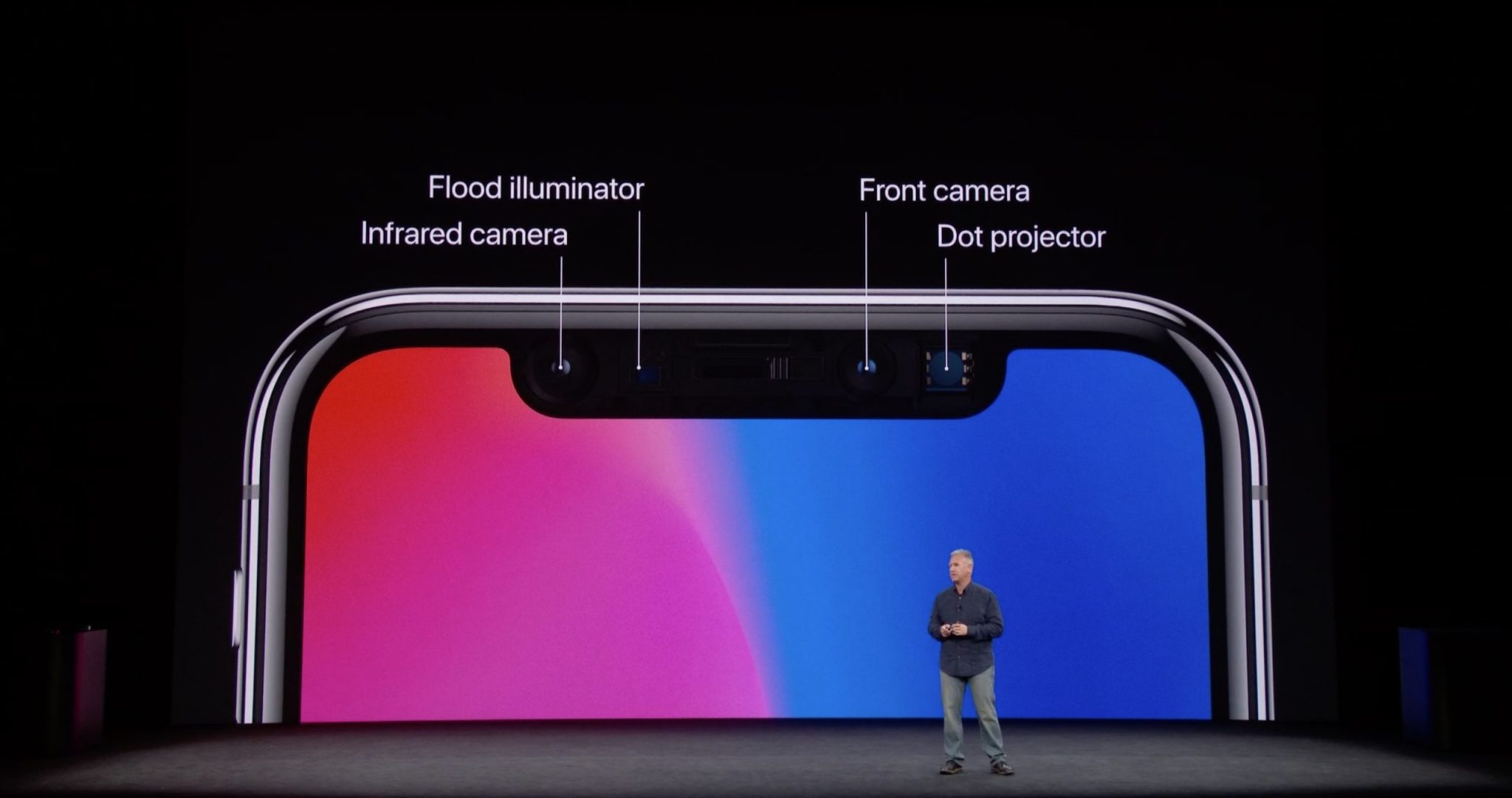
Face ID is more than a simple camera-based recognition system; it is a sophisticated biometric authentication method integrated into the iOS and iPadOS security architecture. Introduced as a successor to Touch ID, Face ID utilizes the TrueDepth camera system, which resides in the top portion of the device display housing.
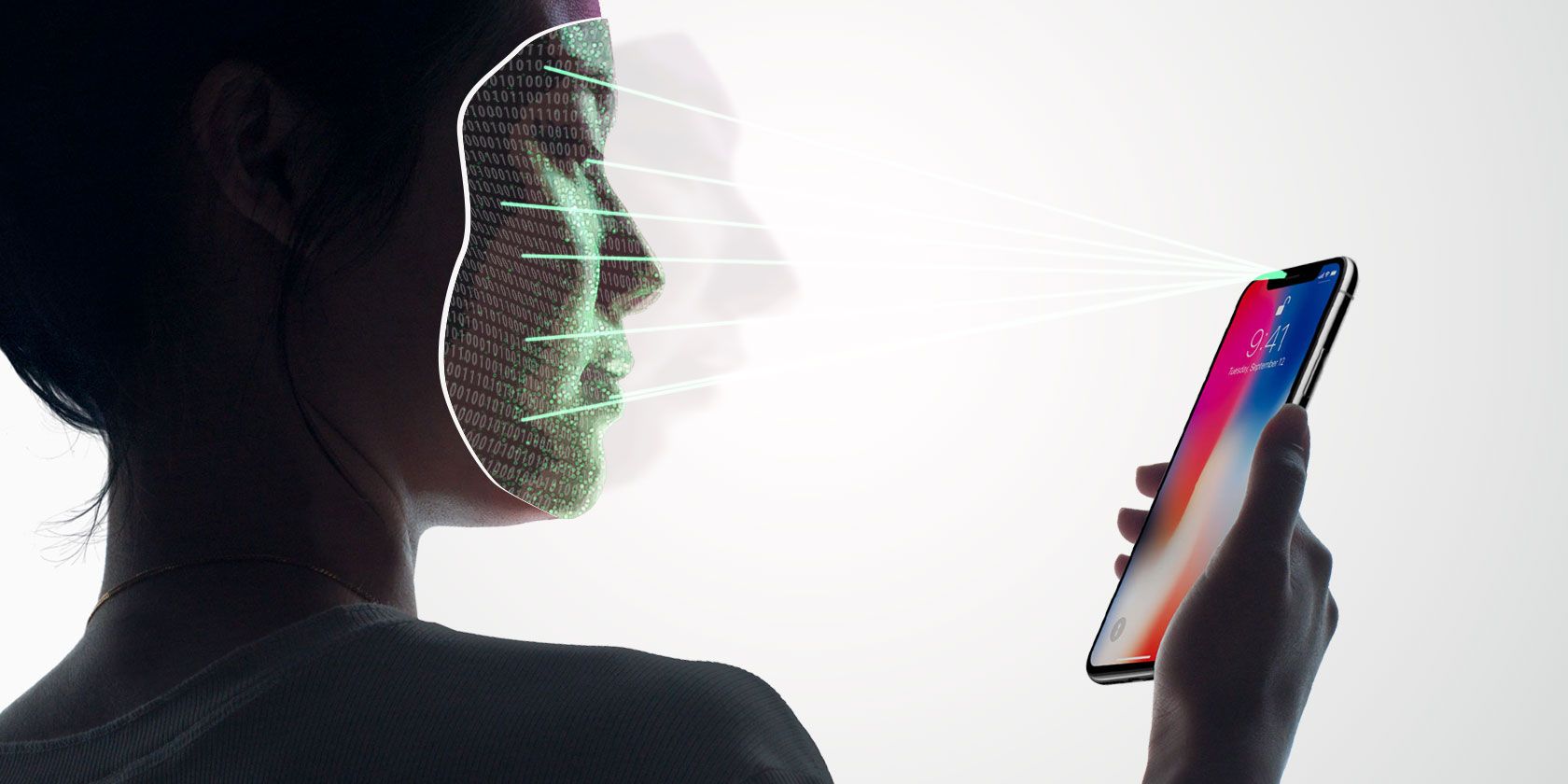
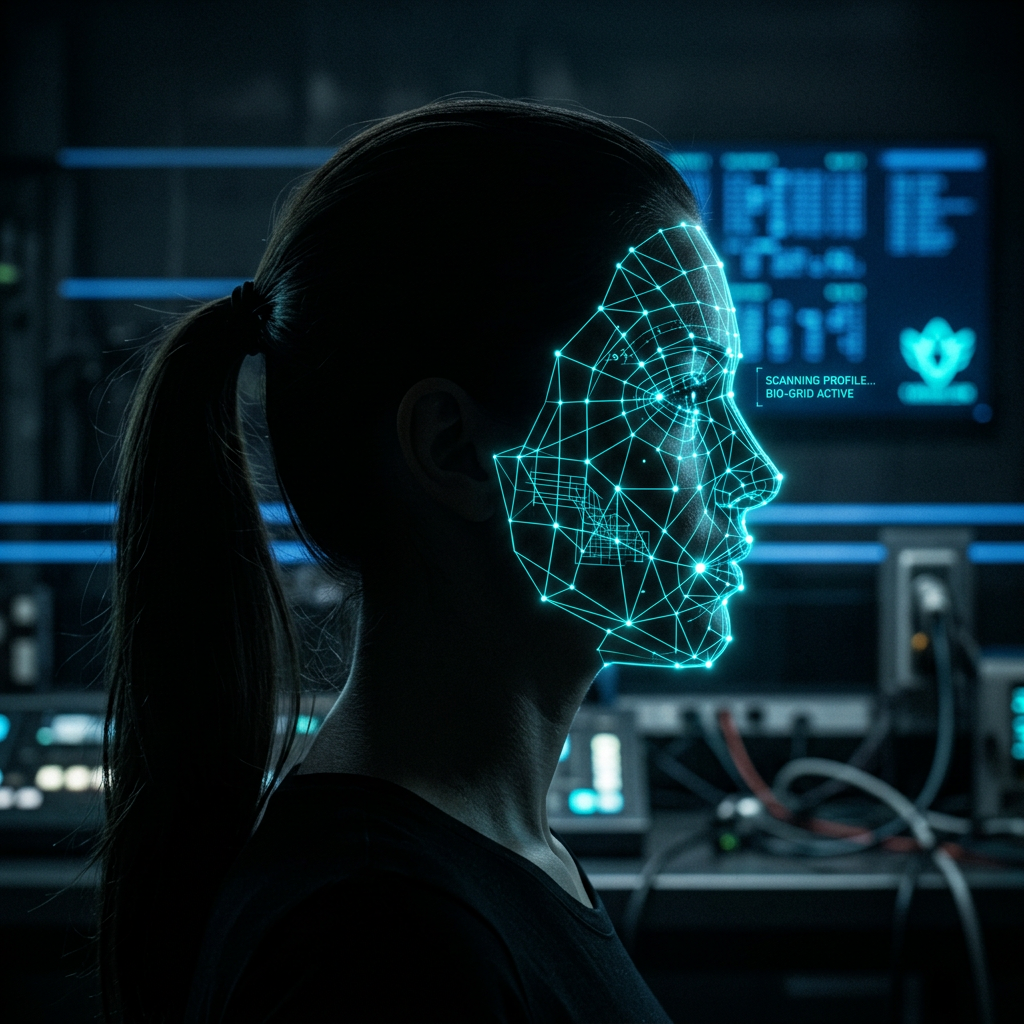
This system operates by projecting thousands of invisible infrared dots onto the user’s face. These dots, combined with an infrared image, create a unique three-dimensional map of the user's facial structure. This depth map is then converted into a mathematical representation that the device’s Secure Enclave—a dedicated, isolated sub-processor—compares against the stored biometric template.
When you navigate to the App Store, the integration of Face ID is designed to replace the manual typing of your Apple ID password. By requiring physical attention (gaze detection) and a confirmed biometric match, the device ensures that the person authorizing the financial transaction or download is indeed the registered user.
The Technical Workflow of an App Store Purchase
The process of authenticating an App Store transaction using Face ID involves several discrete steps occurring in milliseconds. Understanding this sequence explains why the system is both fast and secure.
1. Initiation
When you tap "Get," "Buy," or "Install" within the App Store, the iOS system triggers the biometric request. The App Store app does not handle your biometric data directly; rather, it makes a request to the system-level authentication service, which manages the interface with the TrueDepth hardware.
2. Data Capture and Processing
The TrueDepth camera activates, emitting a flood illuminator that projects infrared light to illuminate your face, even in total darkness. The dot projector casts over 30,000 invisible dots to map your facial features. The infrared camera then reads these patterns, and the system creates a depth map.
3. Secure Enclave Comparison
The data captured by the sensors is sent to the Secure Enclave, a hardened area of the A-series or M-series processor. The raw image and the mathematical map are never sent to Apple’s servers or stored in the cloud. The Secure Enclave compares the new reading against the stored mathematical model. If the match criteria are met, the Enclave sends a signed "success" token back to the App Store process.
4. Authorization
Upon receiving the success token, the App Store unlocks the purchase or download request. The Apple ID password is automatically "typed" into the system as if you had entered it manually, allowing the transaction to proceed to completion.

Security Features and Privacy Protections
A primary concern for users regarding biometric authentication is the potential for data leakage or spoofing. Apple designed Face ID with several layers of security to mitigate these risks.
- Mathematical Representations: The device does not store a photograph of your face. It stores a complex mathematical model that cannot be reversed into an image of your face.
- Secure Enclave: By isolating the biometric data from the main operating system and applications, Apple ensures that even if an app were compromised, it would not have access to the underlying biometric templates.
- Adaptive Learning: Face ID is designed to adapt to changes in your appearance, such as the growth of facial hair, the wearing of glasses, or changes in makeup. It updates its mathematical model incrementally over time as you continue to use the device.
- Anti-Spoofing: The TrueDepth system is designed to distinguish between a living human face and a static or digital image. The requirement for your eyes to be open and looking toward the device—known as "Attention Awareness"—serves as a defense against unauthorized access while you are sleeping or distracted.
Requirements and Troubleshooting for App Store Face ID
To ensure that Face ID works reliably for App Store purchases, specific settings must be correctly configured. If you encounter issues where the device asks for your password instead of Face ID, consider the following checklist.
| Factor | Requirement |
|---|---|
| System Setting | Ensure "iTunes & App Store" is toggled ON in Face ID & Passcode settings. |
| Apple ID | The Apple ID must be active and signed into the App Store. |
| Attention | The device must detect that you are looking at it (Attention Awareness). |
| Hardware | Ensure the TrueDepth camera is not obscured by a case or screen protector. |
| Fail-safes | If Face ID fails multiple times, the device will revert to the manual passcode requirement. |
If you find that Face ID is not appearing for purchases, navigate to Settings > Face ID & Passcode and verify that the "iTunes & App Store" toggle is active. If the toggle is missing or disabled, it may be due to restrictive Screen Time settings managed by an organization or a parent.
Distinguishing Face ID from Other Authentication Methods
It is helpful to contrast Face ID with other common authentication methods to understand why it is preferred for the App Store.
- Face ID vs. Password: Passwords are vulnerable to keylogging and social engineering. Face ID provides a higher entropy, as it is tied to unique physical hardware that is physically present at the time of purchase.
- Face ID vs. Touch ID: Touch ID requires a physical finger-to-sensor contact. Face ID operates at a distance, which is often faster, though it requires a line of sight to the sensor array.
- Face ID vs. Biometric APIs in Third-Party Apps: While some apps use Face ID for internal app locking, the system-level authentication for the App Store is managed exclusively by Apple, providing a consistent, verified environment for financial transactions.
Frequently Asked Questions
Does Apple store my face scan on their servers?
No. Your biometric data, including the mathematical map generated during setup, is stored exclusively on your device within the Secure Enclave. Apple does not have access to this data, and it is not backed up to iCloud.
Can someone use a photo of me to unlock my App Store purchases?
The TrueDepth camera system is highly sophisticated and incorporates infrared sensing specifically to detect depth and liveness. A high-resolution photo, or even a detailed 3D mask, will not reliably trigger a match because the system identifies the depth and infrared reflection patterns of a living human face.
What happens if I wear sunglasses or a mask?
Modern versions of iOS, as of 2026, are highly capable of recognizing users even when wearing masks or certain types of sunglasses. You can also configure "Face ID with a Mask" in your device settings to improve recognition when your mouth and nose are covered.
Can I require a password every time instead of Face ID?
Yes. You can disable Face ID for the App Store by toggling the "iTunes & App Store" switch off in your Face ID settings. If you do this, you will be required to enter your Apple ID password for every transaction.
What should I do if Face ID stops working for the App Store?
First, clean the notch or the dynamic island area of your screen to ensure the sensors are unobstructed. If the issue persists, restart your device. If it still fails, go to Settings > Face ID & Passcode, reset Face ID entirely, and set it up again in a well-lit environment.
Final Recommendation
To maximize both security and convenience, keep your Face ID settings updated and ensure your device's software is current. While Face ID is robust, it is a tool that relies on user attention; always ensure your eyes are focused toward your screen when confirming a purchase. If you share your device with family members, remember that anyone with their face registered in your settings can authorize App Store purchases; manage your "Alternate Appearance" and user settings carefully to prevent unauthorized spending.
Image Gallery
Select an image to open it in a new tab.



Mateo Castillo
Decentralized Finance and E-Payments Strategist
