Finding Products by UPC: A Comprehensive Guide to Barcode Lookups and Identification
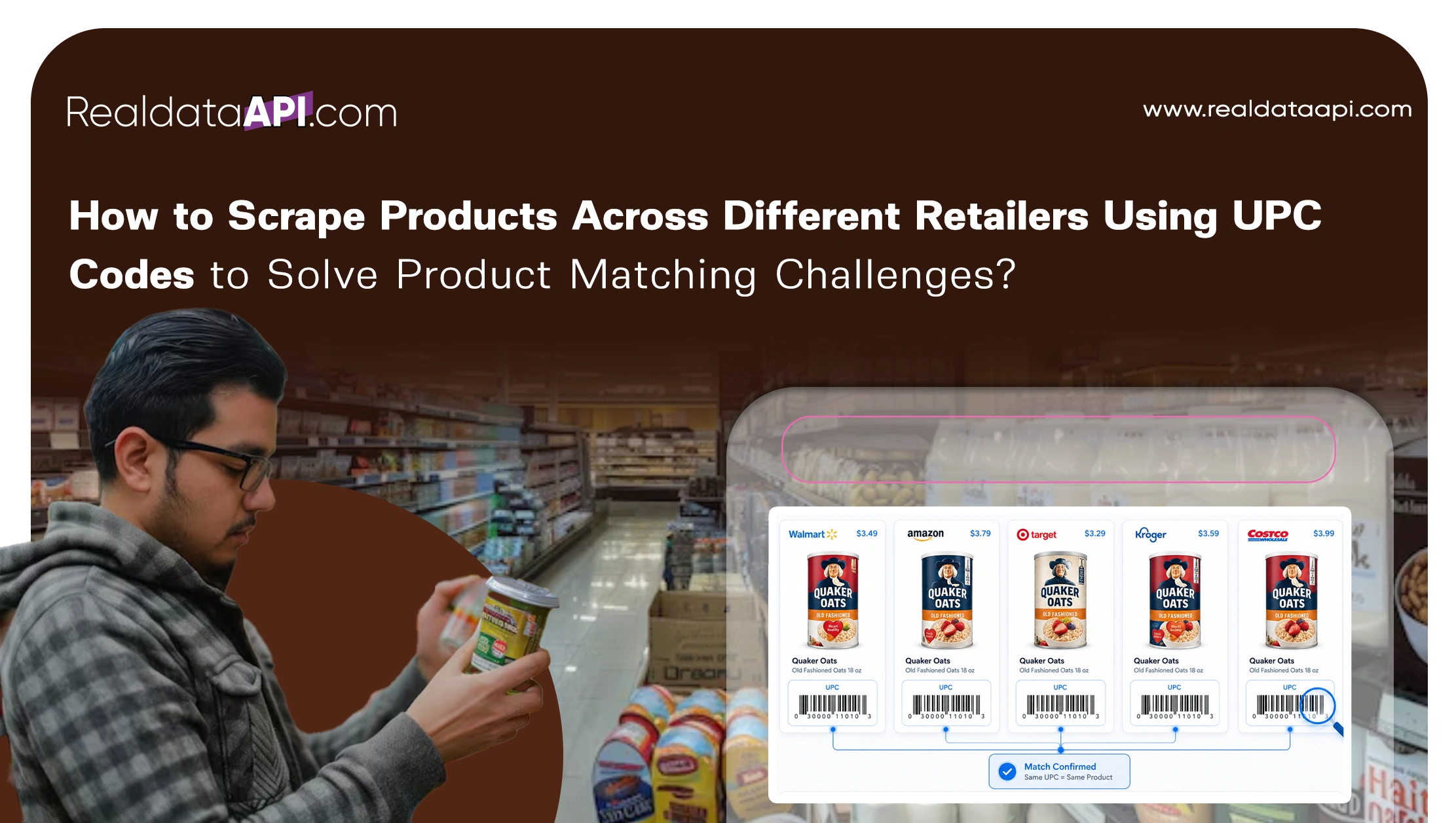
Finding products by UPC involves entering the 12-digit Universal Product Code into a dedicated database, search engine, or retailer application. This process allows users to instantly retrieve specific product details, current market pricing, manufacturer information, and inventory availability across various global e-commerce platforms and physical retail locations.
Universal Product Codes (UPCs) serve as the backbone of modern retail logistics. While they appear as simple sequences of black lines and numbers, they contain unique identifiers that bridge the gap between a physical item and its digital footprint. As of 2026, the reliance on UPC data has only intensified, with shoppers and businesses alike using these codes to navigate a complex global supply chain. Understanding how to effectively leverage these codes is essential for price comparison, inventory management, and authenticating the products you purchase.
The Anatomy of a UPC: Understanding the 12-Digit Code
Before attempting to find a product using its code, it is helpful to understand what those numbers represent. A standard UPC (technically known as a UPC-A or GTIN-12) consists of 12 numerical digits. Unlike internal store SKUs (Stock Keeping Units), which are unique to a specific retailer, a UPC is a universal identifier that stays with the product regardless of where it is sold.
The code is typically broken down into three distinct segments:
- The Manufacturer Prefix: The first six to nine digits are assigned by GS1, the global standards organization. This prefix identifies the company that manufactured or branded the product. Large corporations like Procter & Gamble or Sony have shorter prefixes because they produce thousands of different items, while smaller businesses may have longer prefixes.
- The Item Reference Number: Following the manufacturer prefix is a unique series of digits assigned by the manufacturer to that specific product. Every variation—such as size, color, or packaging count—requires a different item reference number.
- The Check Digit: The final 12th digit is a calculated value used to verify the integrity of the barcode. It is the result of a mathematical formula applied to the previous 11 digits. If a scanner misreads a number or a user types it incorrectly, the check digit will not match the calculation, signaling an error.
As we move through 2026, many manufacturers are beginning to transition toward 2D barcodes (such as QR codes with GS1 Digital Link), but the traditional 12-digit UPC remains the primary standard for point-of-sale systems in North America.
Primary Methods for Finding Products by UPC
There are several ways to translate a 12-digit code into a product profile. The best method often depends on whether you are a consumer looking for the best price or a business professional looking for detailed manufacturing data.
1. General Search Engines
The fastest way to identify a product is often through a standard Google or Bing search. By simply typing the 12 digits into the search bar, the engine’s crawlers will scan billions of indexed pages to find a match.
This method is particularly effective for finding:
- Product manuals and PDFs.
- Discontinued items that may no longer be listed on major retail sites.
- User reviews and forum discussions.
2. Dedicated UPC Databases
For more structured data, dedicated UPC lookup tools are superior. Websites like UPCitemdb or Barcode Lookup aggregate data from retailers and wholesalers worldwide. These platforms provide not just the product name, but often high-resolution images, weight, dimensions, and historical pricing.
3. Major Retailer Search Bars
If your goal is to purchase the item or check its current market value, searching directly on Amazon, Walmart, or eBay is highly effective. These platforms use the UPC as a primary identifier in their backend systems. Entering a UPC into the Amazon search bar will almost always lead you directly to the exact ASIN (Amazon Standard Identification Number) associated with that product.
4. Mobile Barcode Scanning Apps
In 2026, mobile applications have become the most common way for users to "lookup" products while on the go. Apps like ShopSavvy or even the built-in scanners within the Amazon and eBay apps allow you to use your smartphone camera to read the barcode. This eliminates the risk of manual entry errors and provides immediate price comparisons between local physical stores and online retailers.
Professional and Technical Lookups: Using GS1 GEPIR
When accuracy is paramount—such as in legal disputes, supply chain auditing, or high-stakes reselling—the most authoritative source is the GS1 GEPIR (Global Electronic Party Information Registry).
Unlike third-party databases that "scrape" information from the web, GEPIR provides data directly from the source. By entering a UPC here, you can verify:
- Company Authenticity: Is the company listed on the barcode actually the one that owns the prefix?
- Licensing Status: Is the manufacturer’s GS1 license active or expired?
- Global Reach: GEPIR connects to GS1 member organizations in over 100 countries, making it the gold standard for international product verification.
Comparison of Top UPC Lookup Tools in 2026
The following table compares the most popular methods for finding products by UPC based on their primary use case and data depth.
| Tool Name | Primary Audience | Key Features | Best For |
|---|---|---|---|
| GS1 GEPIR | Professionals/Legal | Official manufacturer registration data | Verifying company ownership |
| UPCitemdb | Developers/Resellers | API access, massive data points | Bulk lookups and technical specs |
| Google Shopping | Consumers | Real-time price comparison | Finding the lowest price |
| Barcode Lookup | General Users | Images, descriptions, store links | Quick identification with visuals |
| Amazon Search | Shoppers | Inventory status, customer reviews | Checking market demand and reviews |
| ShopSavvy App | Local Shoppers | Brick-and-mortar vs. online pricing | In-store price matching |
Troubleshooting Common Issues in UPC Searches
Even with a 12-digit code in hand, you may occasionally encounter difficulties finding a product. Understanding why a search fails is key to resolving the issue.
The "No Results Found" Error
If a UPC returns no results across multiple databases, one of the following is likely true:
- Private Label Products: Some retailers (like Aldi or Trader Joe's) use internal barcodes or UPCs that are not registered in public global databases.
- Bundle Items: Items that are part of a larger kit or "multipack" may have a UPC on the outer box, but the individual items inside may not have their own searchable codes.
- Recent Releases: If a product was launched very recently, it may take a few weeks for web crawlers and third-party databases to index the new code.
- Incorrect Check Digit: If you are typing the number manually, ensure the 12th digit is correct. You can use an online GTIN check digit calculator to verify the number's mathematical validity.
Mismatched Product Data
Occasionally, a UPC lookup will return a product that does not match the item in your hand. This typically happens due to:
- Recycled UPCs: While GS1 discouraged the practice, some manufacturers in the past recycled UPCs from discontinued products.
- Database Errors: Third-party databases rely on user submissions or automated scraping, which can occasionally lead to "dirty" data.
- Counterfeit Codes: Some low-cost sellers purchase "third-party" UPCs from unverified sources rather than GS1. These codes may have been previously assigned to entirely different products.
The Role of UPCs in Modern Reselling and Arbitrage
For those involved in retail arbitrage (buying items at a discount to resell for a profit), the ability to find products by UPC is a foundational skill. By scanning items at clearance racks or thrift stores, resellers can instantly determine the "Sales Rank" on platforms like Amazon.
Advanced resellers often use tools like Scoutify or Keepa, which integrate UPC lookups with historical pricing charts. This allows them to see not just what a product is worth today, but what its average price has been over the last year, helping them avoid "price spikes" and make more informed investment decisions.
Future Trends: Beyond the Standard UPC
As we navigate through 2026, the retail industry is in the midst of a significant shift known as "Sunrise 2027." This is a global initiative by GS1 to move from the traditional 1D barcode to 2D barcodes.
While you can currently find products by typing in the 12-digit UPC, the future involves "Digital Links." These are QR codes that contain the UPC data but also link directly to a URL. This allows a single scan to provide:
- The product identity (for the cashier).
- Nutritional or ingredient info (for the consumer).
- Recycling instructions (for sustainability).
- Promotional offers (for the brand).
Even as these advanced codes become more common, the 12-digit numerical string will remain the "key" that unlocks this data. Learning to manage and search by this string remains a permanent necessity in the digital economy.
FAQ: Frequently Asked Questions
Can I find a UPC if I only have the product name?
Yes, this is known as a "reverse lookup." Most major UPC databases, including UPCitemdb, allow you to search by product title or brand. However, this is less precise than searching by code, as one product name might have dozens of UPC variations for different sizes or packaging versions.
Why does my UPC have 13 digits instead of 12?
If your code has 13 digits, it is likely an EAN-13 (European Article Number). EANs are the standard outside of North America. Most modern scanners and databases can read both 12-digit UPCs and 13-digit EANs interchangeably. To search a 12-digit UPC in a 13-digit system, you usually just add a leading zero.
Is it legal to buy UPCs from third-party websites?
While it is not "illegal," it is highly risky for businesses. Third-party UPC resellers often sell codes that are not registered to your specific company prefix in the GS1 database. Major retailers like Amazon now verify UPCs against the GS1 database and may delist products if the manufacturer prefix does not match the brand owner.
How do I calculate the check digit of a UPC?
To calculate the check digit, you add all the digits in odd positions and multiply the sum by three. Then, add all the digits in even positions to that total. The check digit is the smallest number that, when added to this total, results in a multiple of 10.
Can I find the price a store paid for an item using the UPC?
No. The UPC identifies the product and the manufacturer, but it does not contain "embedded" pricing or wholesale cost data. Prices are determined by the retailer's internal database and are not part of the universal code itself.
Final Recommendation for Finding Products by UPC
For the most efficient results, always start with a high-quality mobile scanning app if you have the physical product in hand. If you only have the number, use a reputable database like UPCitemdb for technical specifications or Google Shopping for current pricing. If you are a business professional verifying the legitimacy of a supplier, skip the third-party sites and go directly to the GS1 GEPIR registry to ensure the manufacturer prefix is correctly licensed and active.
Image Gallery
Select an image to open it in a new tab.
Celine Dubois
Contemporary Living and Global Arts Columnist
