Managing the Active Directory User: A Comprehensive Guide to Identity Lifecycle and Administration
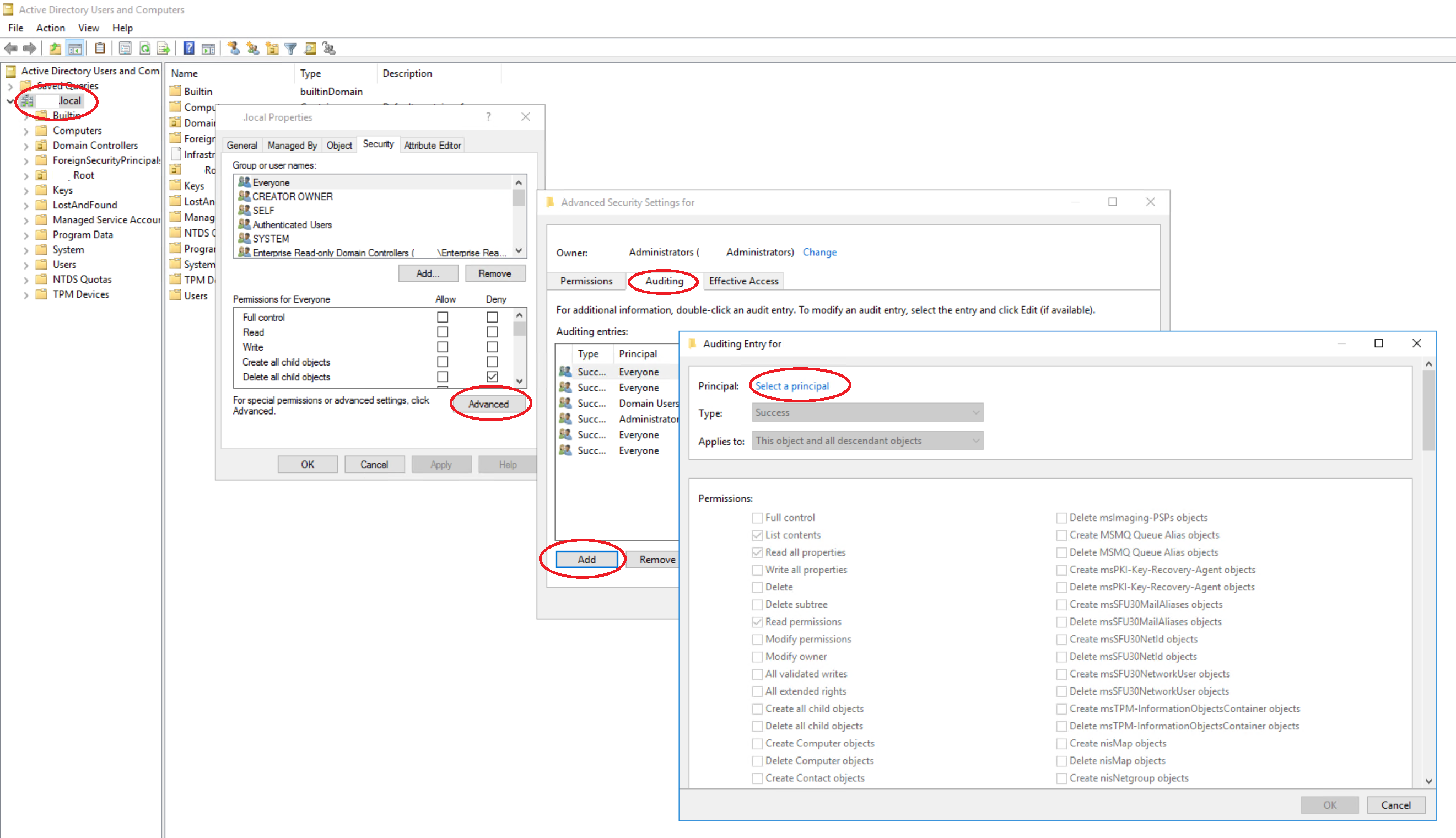
An Active Directory (AD) user is a security principal within a Microsoft Windows domain environment that represents an individual, service, or machine requiring authentication and authorization to access network resources. Administering these accounts involves managing user attributes, group memberships, security permissions, and lifecycle states—from initial provisioning during onboarding to secure decommissioning upon offboarding.
Understanding the Active Directory User Object
In the architecture of Active Directory Domain Services (AD DS), a user is an object stored within a database schema. Each object acts as a container for attributes that define the user's identity. When you create an Active Directory user, you are essentially generating a unique Security Identifier (SID) that the domain controller uses to verify the user’s identity and enforce access control policies across the forest.
The fundamental components of an AD user account include the Distinguished Name (DN), which specifies the object's path within the directory hierarchy, and the User Principal Name (UPN), typically formatted as an email address (e.g., user@domain.com), which serves as the primary logon identifier. Beyond these, accounts hold critical security descriptors, such as password hashes, group memberships, and account control flags—settings that dictate whether an account is disabled, locked out, or requires a password change at the next login.
Prerequisites for Account Creation and Management
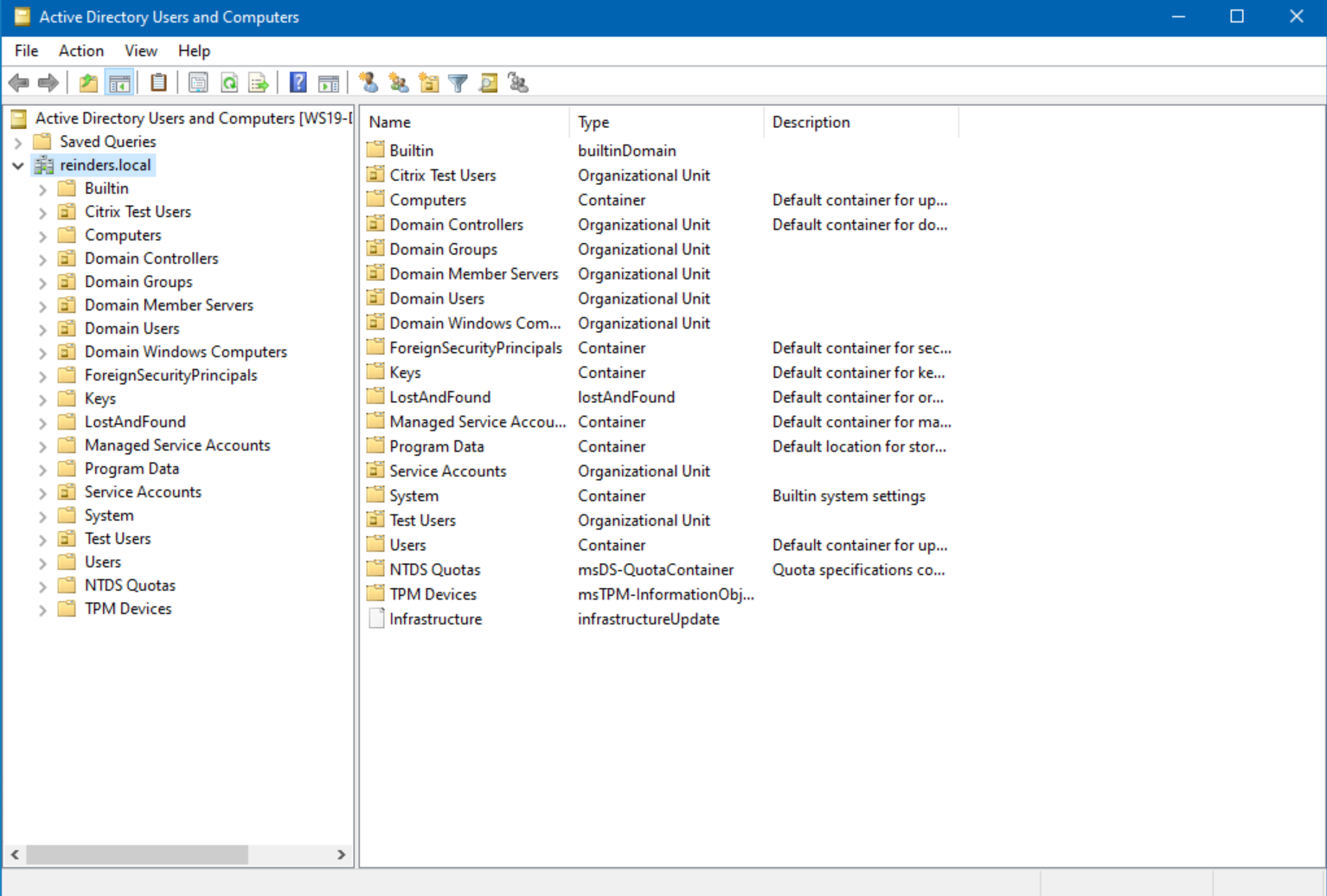
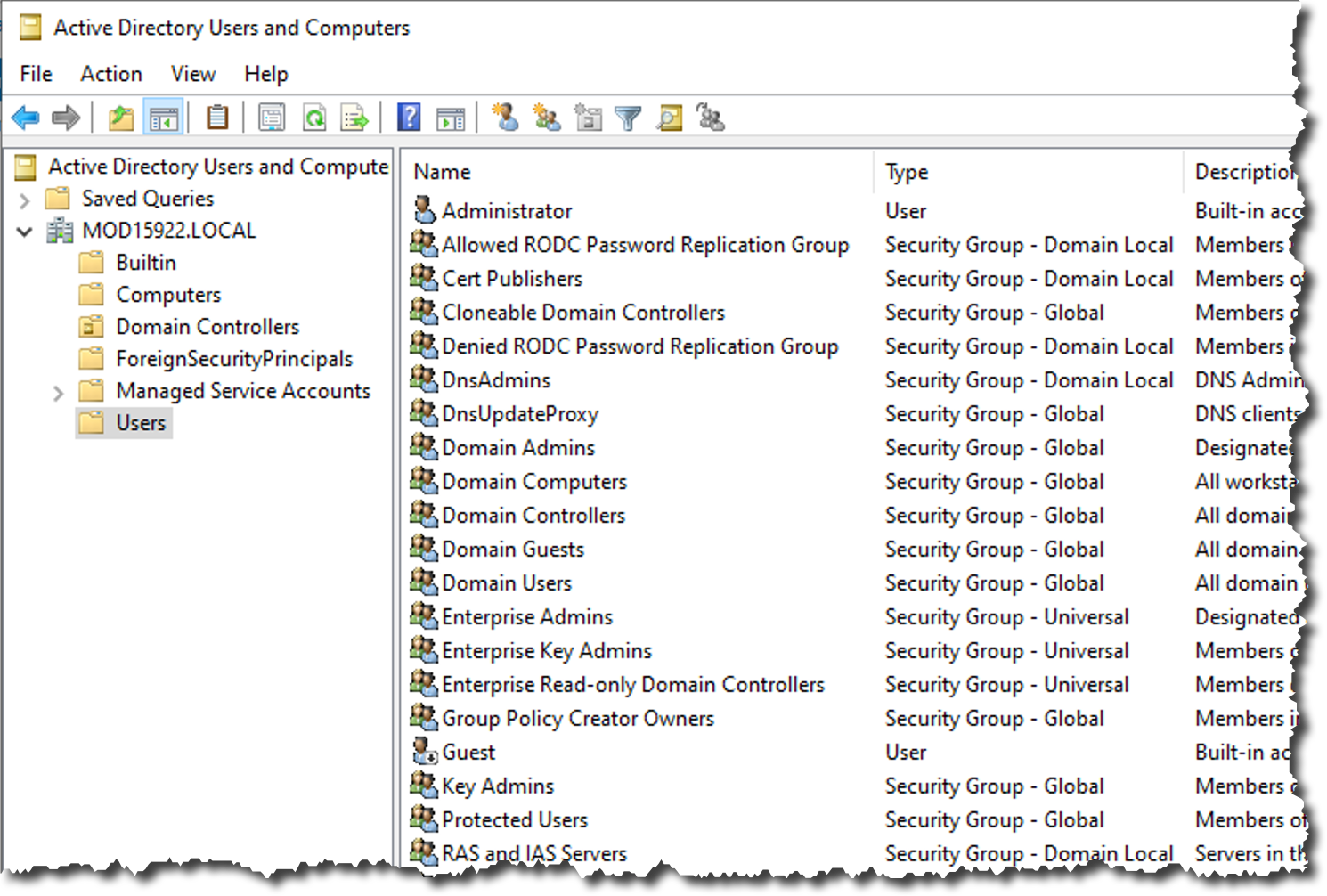
Before creating an account, administrators must ensure the environment is correctly configured. A standard setup requires the Active Directory Users and Computers (ADUC) management console or the Active Directory Administrative Center (ADAC). These tools serve as the primary interface for managing directory objects.
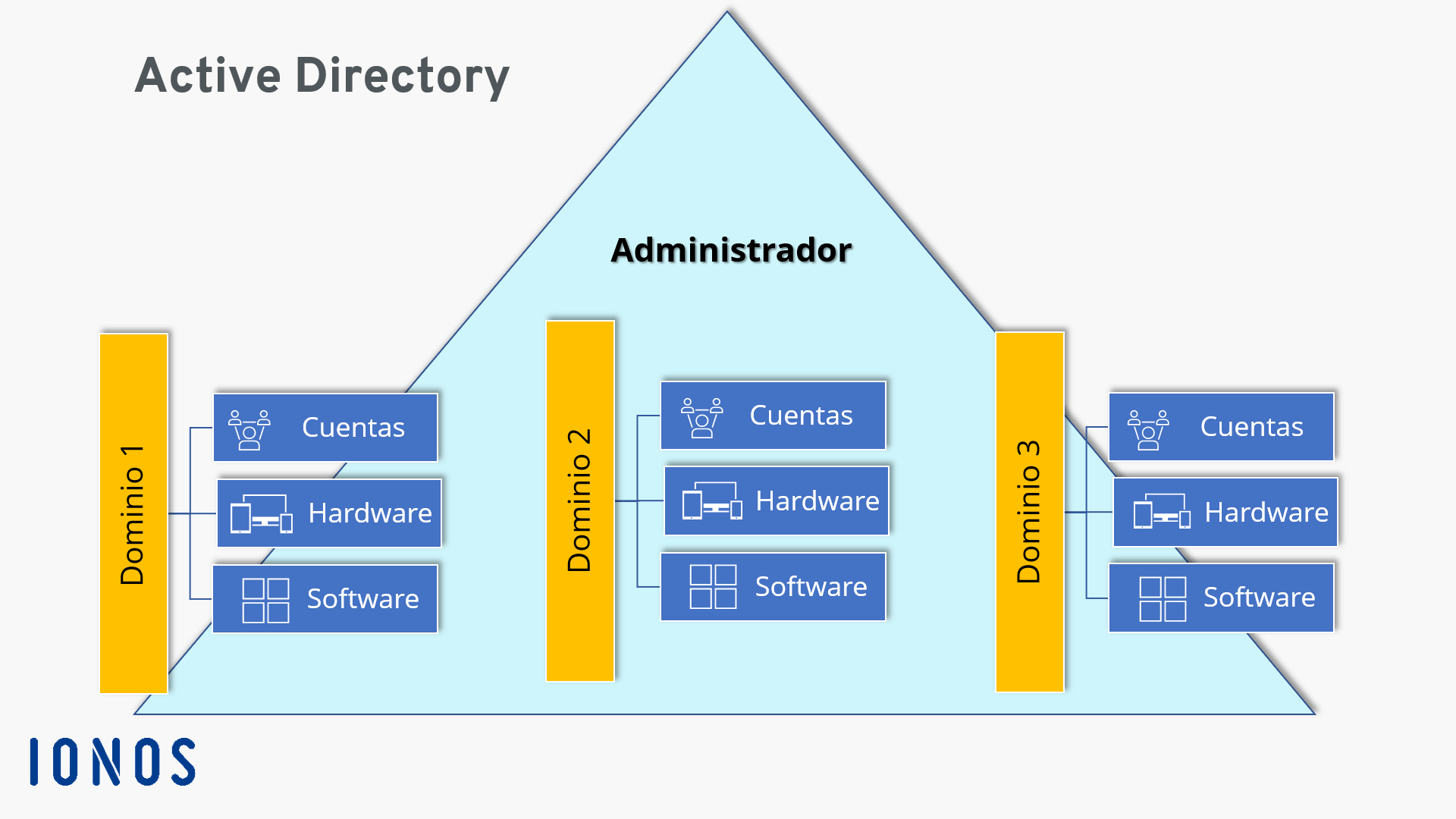
Administrators must also define a clear organizational unit (OU) structure. Placing users in specific OUs allows for the efficient application of Group Policy Objects (GPOs), which enforce security settings, software installation, and drive mapping. Without a logical OU structure, managing permissions becomes exponentially more complex as the organization scales.
Provisioning: Creating and Configuring Accounts
The creation of an Active Directory user is a high-stakes administrative task that follows a standardized workflow. Precision is required to ensure that the user has the correct level of access without violating the principle of least privilege.
- Defining Attributes: When creating the user, provide the first name, last name, and display name. Ensure that the naming convention aligns with organizational standards to prevent collisions in a global catalog.
- Assigning Organizational Units: Select the appropriate OU. If the user belongs to a specific department, ensure they are placed in the corresponding OU to inherit the correct GPO settings.
- Password Policies: Set an initial password that meets the domain's complexity requirements. Always check the box "User must change password at next logon" to ensure the initial password does not remain valid long-term.
- Security Tokenization: Once the account is created, it is assigned a SID. This SID is immutable; even if you rename the user account, the SID remains the same, ensuring that files and resources shared with the user remain accessible without manual permission updates.
Managing Group Memberships and Permissions
The power of an Active Directory user lies not in the account itself, but in the groups to which it belongs. Directly assigning permissions to a single user is considered a best practice failure; instead, administrators use a strategy known as RBAC (Role-Based Access Control).
In an RBAC model, you create security groups that correspond to specific functions—such as "Finance_Accounting" or "IT_Managers." You then add users to these groups. When the user logs in, their access token includes the SIDs of all groups of which they are a member. If the user changes roles, you simply update their group memberships, and their permissions adjust automatically across the network.
Security and Lifecycle Maintenance
Maintaining the security of Active Directory users is an ongoing operational requirement. As of 2026, threat actors frequently target dormant accounts and misconfigured permissions to escalate privileges within a domain.
- Disabling vs. Deleting: When an employee leaves an organization, never delete the account immediately. Disable it instead. Deleting the object removes the SID, which can cause significant issues with auditing and file ownership. Disabling the account prevents login access while keeping the record intact for recovery or audit purposes.
- Audit Logging: Enable "Audit Account Management" via Group Policy. This allows administrators to track when accounts are created, modified, or deleted, providing a vital trail for incident response.
- Password Rotation: Ensure that the default domain policy enforces regular password updates and account lockout thresholds to mitigate the risk of brute-force attacks.
Comparison of User Management Interfaces
Administrators can manage users through various interfaces, each serving different levels of complexity and scale. The choice of tool depends on whether you are performing a bulk operation or managing a single, sensitive account.
| Interface | Best For | Technical Depth |
|---|---|---|
| ADUC (Snap-in) | Daily manual management | Moderate (UI-based) |
| ADAC (Admin Center) | Advanced features, recycle bin | Moderate/High |
| PowerShell (ActiveDirectory Module) | Bulk updates, automation | High (Scripting) |
| Entra Connect (Hybrid) | Syncing AD users to the cloud | High (Integration) |
Troubleshooting Common Issues
Even with rigorous management, users will eventually encounter access issues. Most problems fall into one of three categories:
- Account Lockouts: Often caused by cached credentials on mobile devices or background services running with stale passwords. Check the domain controller logs to identify the source of the lockout.
- Authentication Failures: Often arise from clock skew (the time difference between the client and the domain controller exceeding five minutes) or UPN suffix mismatches. Ensure that time synchronization (NTP) is functioning across all endpoints.
- Group Membership Lag: When a user is added to a group, they may not immediately gain access to a resource. This is usually due to the Kerberos ticket cache. The user must log off and log back in to refresh their security token, or the administrator can clear the ticket on the client machine using the
klist purgecommand.
Integrating with Modern Cloud Services
By 2026, most organizations operate in a hybrid environment where on-premises Active Directory users are synchronized with Microsoft Entra ID (formerly Azure Active Directory). This synchronization allows users to utilize their domain credentials to sign in to SaaS applications like Microsoft 365, Salesforce, or various identity providers.
When managing these hybrid users, remember that the "source of authority" remains your on-premises Active Directory. If you change a user’s attribute in the local AD, that change is propagated to the cloud during the next synchronization cycle. Avoid making changes directly in the cloud portal, as they may be overwritten during the next sync, leading to configuration drift and potential security gaps.
Frequently Asked Questions
What is the difference between an Active Directory user and an Active Directory computer? While both are security principals, a user represents a human identity with associated profile settings and interactive login capabilities. A computer account is managed by the operating system and is used primarily for machine authentication and secure channel communications between the host and the domain controller.
How do I safely offboard a user? The recommended process is to: 1. Disable the account. 2. Remove the user from all high-privilege groups. 3. Reset the password to a complex, random string. 4. Move the account to a specific "Terminated Users" OU. 5. Remove their access to physical and digital mailboxes, waiting for legal hold periods to expire before final deletion.
Can I rename an Active Directory user account? Yes, you can rename the user object (the "SamAccountName" or Common Name). Because Active Directory uses the unique SID to identify users, renaming the account will not break security permissions or file access, provided the underlying SID remains unchanged.
What is the "Recycle Bin" in Active Directory? The AD Recycle Bin is a feature that allows administrators to restore deleted objects—including users—without performing a full authoritative restore from a system state backup. It must be enabled at the forest level and is invaluable for recovering from accidental deletions.
Should I use PowerShell for user management? For enterprise environments, PowerShell is highly recommended. It allows for consistent, repeatable actions, reduces the risk of human error during repetitive tasks (like bulk account creation), and provides a robust audit trail of the commands executed.
Next Steps for Administrators
To ensure your Active Directory environment remains secure and efficient, perform a quarterly audit of your user accounts. Identify inactive accounts that haven't logged in for over 90 days, verify that high-privilege accounts are not being used for standard daily tasks, and confirm that your backup strategy includes a verified restoration plan for your most critical user objects. By strictly adhering to identity management best practices, you protect the core of your network infrastructure.
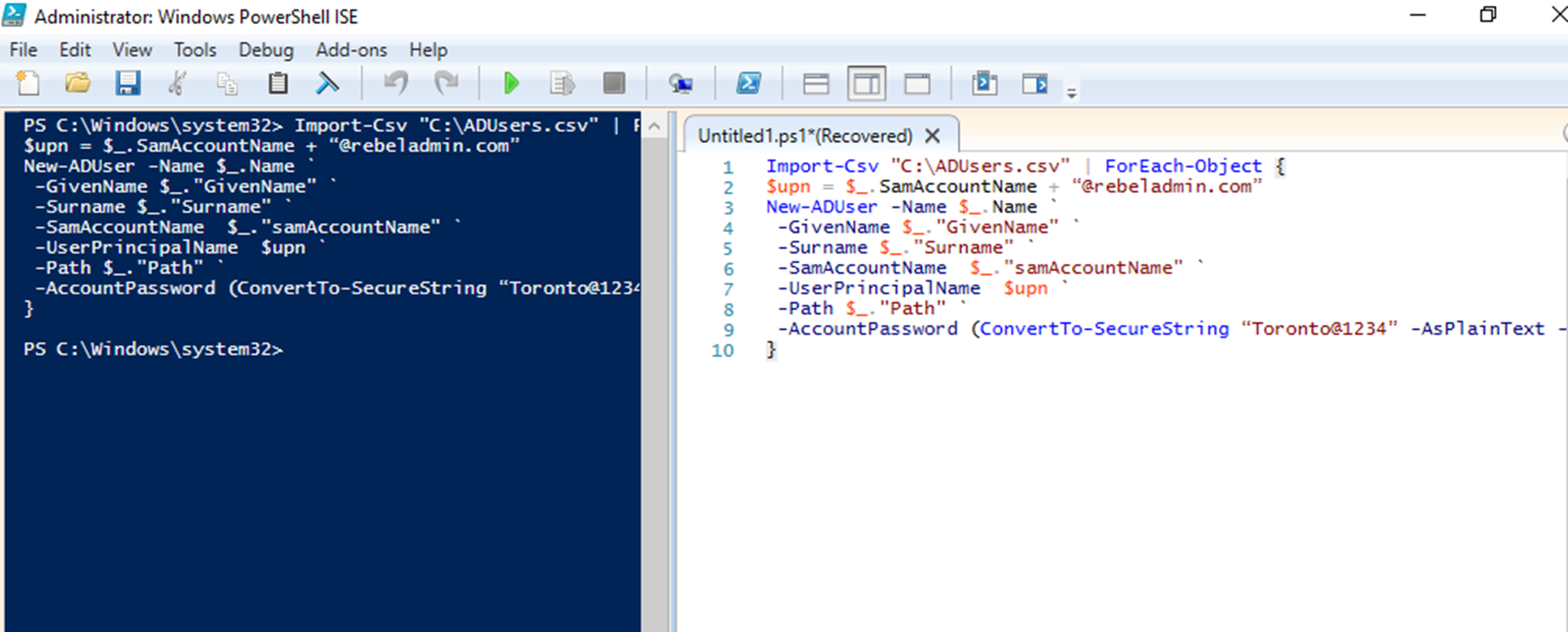
Image Gallery
Select an image to open it in a new tab.




Ingrid Bjornson
Global Cyber Policy and Regulation Analyst
