Selecting and Implementing Windows Network Monitoring Software for Enterprise Environments

Enterprise network monitoring on Windows-based infrastructure requires a robust balance of granular visibility, scalability, and integration with established identity management frameworks like Active Directory. For large-scale environments, monitoring software must move beyond simple ping-based availability checks, providing deep packet inspection, flow analysis, and automated alerting to maintain the uptime and security requirements of mission-critical systems.
The Role of Network Monitoring in Enterprise Environments
In an enterprise context, a Windows network is rarely a monolithic block; it is a complex ecosystem of domain controllers, member servers, virtualization hosts, and high-performance workstations. Network monitoring software acts as the central nervous system, providing the necessary telemetry to detect performance bottlenecks, unauthorized ingress, and hardware failures before they result in service degradation.
For IT operations teams, the primary goal is to shift from reactive firefighting to proactive maintenance. By leveraging protocols such as Simple Network Management Protocol (SNMP), Windows Management Instrumentation (WMI), and packet-level data, administrators can establish baselines for normal traffic patterns. When performance deviates from these baselines, automated monitoring tools flag the anomaly, allowing engineers to intervene before users notice a service outage.
Key Capabilities Required for Enterprise Windows Networks
Enterprise-grade software must offer features that scale alongside your network footprint. Basic tools designed for small offices will often fail under the weight of hundreds of subnets, thousands of endpoints, and high-volume data center traffic.
- Scalability and Distributed Architecture: As your network grows, a single server cannot monitor the entire infrastructure. Enterprise tools must support remote probes or pollers that handle data collection locally at branch offices or data centers, funneling processed data back to a centralized management console.
- WMI and PowerShell Integration: Unlike general network monitoring that relies solely on SNMP, Windows-centric monitoring must deeply leverage WMI and PowerShell. This allows the software to query performance metrics directly from the Windows OS, such as disk queue length, thread counts, or specific Windows service statuses.
- Active Directory Awareness: The tool should ideally integrate with Active Directory (AD) to facilitate role-based access control (RBAC). Being able to map network performance alerts to specific departments or business units based on AD groups simplifies incident response and accountability.
- Automated Topology Mapping: In a complex enterprise environment, manual mapping is impossible. Effective monitoring solutions must automatically discover devices as they connect, map their relationships, and update the topology in real-time.
Evaluating Potential Solutions
When selecting a monitoring suite, organizations often weigh the benefits of proprietary, feature-rich enterprise platforms against open-source or modular alternatives. The decision usually hinges on the organization's capacity for in-house maintenance versus the desire for vendor support and out-of-the-box functionality.
Comparison of Network Monitoring Approaches
| Feature | Enterprise Suites (e.g., SolarWinds, PRTG) | Open Source/Modular (e.g., Zabbix, Nagios) |
|---|---|---|
| Setup Time | Rapid; guided discovery and templates. | High; requires manual configuration. |
| Technical Support | Dedicated 24/7 technical support. | Community-based or contract-based. |
| Customization | High, but limited to provided APIs. | Unlimited, provided you have the expertise. |
| Resource Overhead | High; often requires dedicated server specs. | Variable; can be lightweight. |
| Total Cost of Ownership | High initial license fees; recurring maintenance. | Low license costs; high labor/maintenance. |
Technical Specifications and Prerequisites
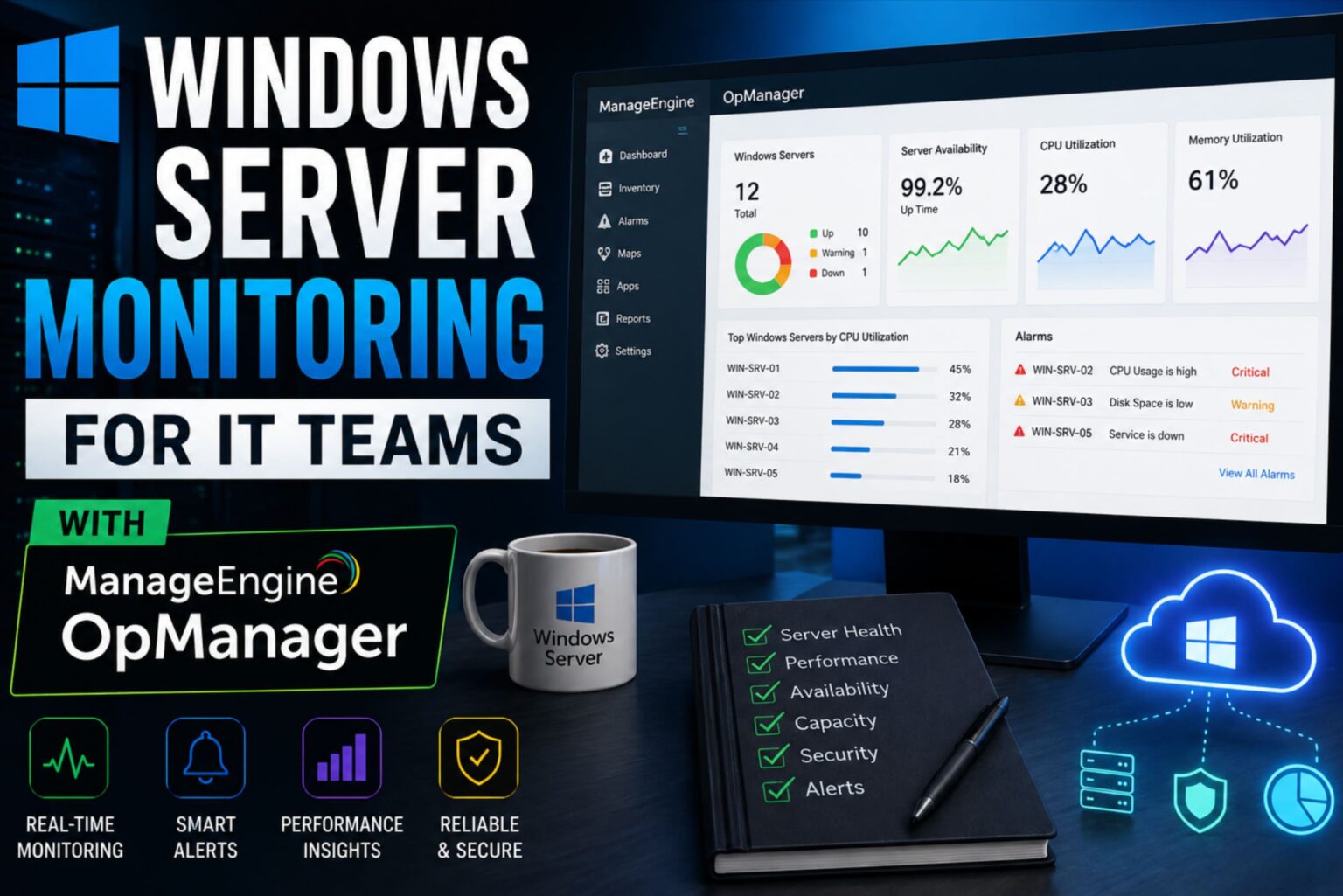
Before deploying any monitoring software in an enterprise Windows environment, you must account for the infrastructure overhead. Most enterprise-grade solutions require a dedicated SQL database (typically Microsoft SQL Server) to handle the telemetry storage.
If your environment spans multiple geographical locations, you must verify the latency between your remote pollers and the central database. Excessive latency can lead to "false negatives" where the monitoring system reports an outage simply because the heartbeat packet failed to reach the database within the expected timeframe. Always implement a heartbeat mechanism that accounts for network jitter, which is common in wide-area networks (WANs).
Implementation Steps for Windows-Centric Networks
- Requirement Scoping: Audit your network assets. Categorize devices by role (Core, Distribution, Access, Server, End-user) to determine which require deep performance monitoring versus basic uptime heartbeats.
- Environment Preparation: Provision the server environment. Ensure that your Windows Servers used for monitoring have sufficient IOPS for the database backend, as network monitoring generates massive amounts of time-series data.
- Authentication Configuration: Establish a dedicated, least-privilege service account in Active Directory for the monitoring software. Grant this account only the permissions necessary to query WMI or SNMP; avoid using Domain Administrator credentials.
- Baseline Establishment: Once the agents or pollers are installed, allow the software to run for at least 7 to 14 days without high-sensitivity alerting. This period allows the software to calculate "normal" patterns, which prevents "alert fatigue" once the system goes live.
- Alert Correlation Tuning: Configure the system to aggregate alerts. In a large Windows network, a single switch failure can trigger hundreds of alerts for all the servers connected to it. Use alert suppression or dependency rules to ensure you are notified of the root cause rather than the symptoms.
Common Pitfalls and Troubleshooting
The most frequent error in enterprise network monitoring is the "More is Better" fallacy. Administrators often attempt to monitor every single metric on every single interface, which leads to bloated databases, slow dashboard response times, and an overwhelming volume of non-actionable alerts.
Mitigating Alert Fatigue
Alert fatigue occurs when the volume of notifications causes operators to ignore or disable them. To mitigate this, define alert severity levels clearly:
- Critical: Immediate action required (e.g., server offline, critical link saturated).
- Warning: Monitor closely; potential issue (e.g., disk usage at 85%).
- Informational: For capacity planning and trends (e.g., monthly traffic growth).
If you find that your monitoring system is failing to detect genuine Windows service failures, verify that the WMI providers are not blocked by the local Windows Firewall. Often, connectivity exists at the network layer, but the specific port or namespace required for the monitoring agent is restricted by Group Policy Objects (GPOs).
Frequently Asked Questions
What is the best way to handle monitoring across multiple subnets? The most effective method is to use a distributed monitoring architecture. Place a dedicated "probe" or "secondary poller" in each VLAN or physical site. This allows the probe to collect data locally and communicate back to the main management server, which saves bandwidth and increases data collection reliability.
How does monitoring software interact with Windows Firewall? Most monitoring tools rely on WMI or specific agent ports. You must ensure that the "Windows Management Instrumentation (WMI-In)" rule is enabled in the Windows Firewall across all server profiles. It is safer to scope these rules to the IP address of your monitoring server rather than allowing access from the entire network.
Is it necessary to use agents on every Windows Server? Agents provide deeper visibility into memory, disk, and CPU processes but require maintenance and resource overhead. If you only need basic availability and bandwidth usage, use agentless methods like SNMP or WMI. Reserve agents for high-performance servers where you need to track specific application-level metrics.
How can I ensure my monitoring software is secure? Treat your monitoring console as a high-security asset. Because it holds the credentials and status of your entire network, it is a prime target for attackers. Ensure the monitoring database is encrypted at rest, use Multi-Factor Authentication (MFA) for dashboard access, and isolate the management server in a dedicated management VLAN.
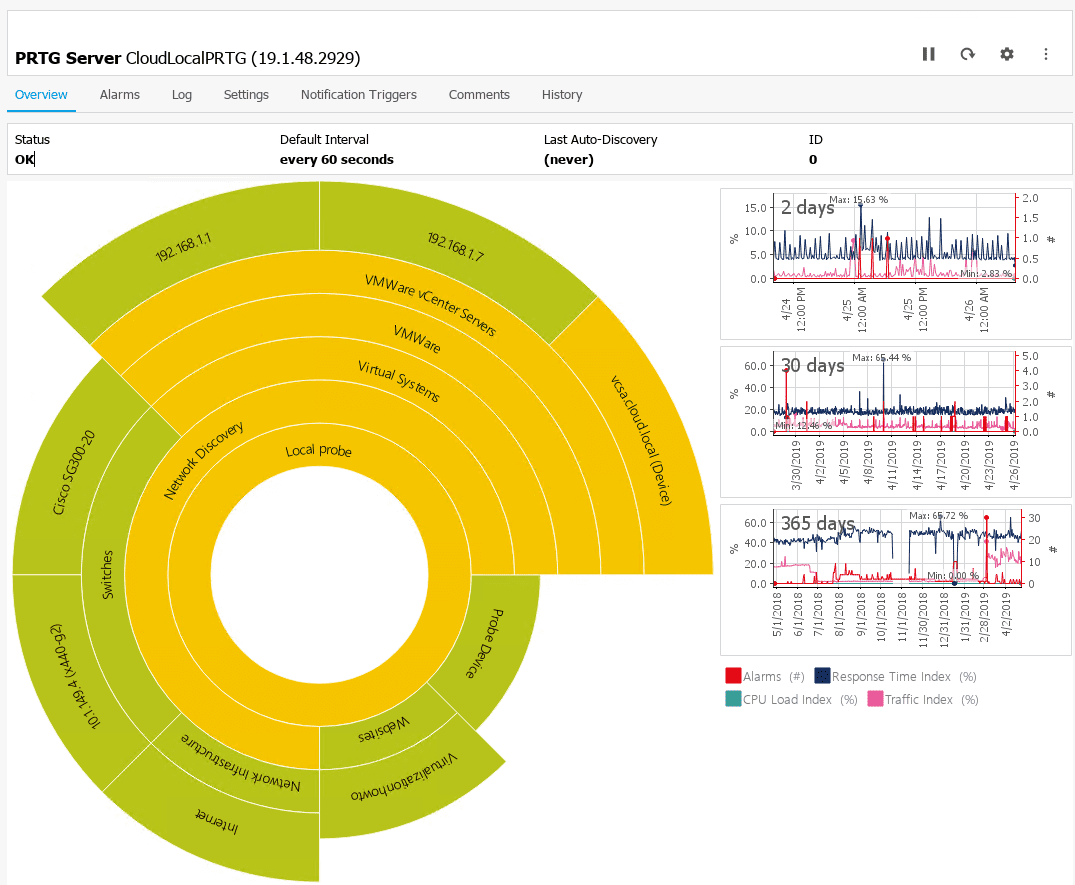
What is the importance of "Time-Series" data in this context? Network performance is temporal. Knowing that a server is down right now is vital, but knowing that the server consistently spikes at 2:00 AM every Tuesday suggests a misconfigured scheduled task or a backup job collision. Time-series data is the key to identifying patterns that occur outside of business hours.
Final Recommendations
Start your deployment by identifying the most critical business services—those that, if they failed, would halt your organization's operations. Configure monitoring for these assets first, ensuring that you have both the technical telemetry (CPU, RAM, Disk) and the network connectivity (latency, throughput) metrics. Once your core services are stabilized, expand the monitoring scope to secondary systems. Regularly review your alerting logic every six months to prune ineffective alerts and incorporate new hardware or cloud-integrated resources into your monitoring dashboard.
Image Gallery
Select an image to open it in a new tab.
Zara El-Hashem
Sociocultural Dynamics and Academics Writer
