Do You Need a Title Page in APA Formatting? Guidelines for Students and Professionals

Yes, APA formatting requires a dedicated title page for every paper, whether written by a student or a professional researcher. Under the 7th edition of the American Psychological Association (APA) Style guidelines, the title page acts as page 1 of your document and establishes essential metadata, ownership, and context before your main body text begins.
Understanding APA Style Title Page Requirements
The American Psychological Association introduced significant updates in the 7th edition of its Publication Manual. One of the most important revisions was establishing two distinct title page standards: one tailored for student papers and another designed for professional manuscripts intended for journal publication or peer review.
Under earlier guidelines (such as APA 6), every writer had to follow a single, standardized professional layout that included a header label known as a running head. APA 7 simplified academic writing for undergraduate and graduate students by removing the running head requirement for student papers, unless an instructor or academic department specifically requests one.
Regardless of whether you are submitting a standard classroom assignment or preparing a manuscript for submission to an academic journal, an APA title page serves four critical structural and bibliographical functions:
- Document Identification: It clearly identifies the specific title, author(s), and institutional context of the work.
- Standardized Formatting: It establishes the baseline page layout, margins, typography, and page numbering used throughout the rest of the manuscript.
- Academic Integrity & Ownership: It records institutional affiliations, course information, and instructor names, helping institutions track scholarly attribution.
- Publication Metadata: For professional researchers, it contains author disclosures, contact details, conflict of interest statements, and institutional funding sources via the Author Note.
Unless your instructor, university guidelines, or target publisher explicitly gives you permission to omit the title page—such as for informal weekly discussion posts or short single-page journal entries—you must always include a complete title page as page 1 of your document.
Student vs. Professional Title Pages: Key Differences
Understanding whether you need a student or professional title page is the first step in correctly formatting your document. The table below details the specific structural differences between the two formats according to the official APA Style guidelines.
| Formatting Element | Student Title Page | Professional Title Page |
|---|---|---|
| Page Number | Yes (Page 1, top right header) | Yes (Page 1, top right header) |
| Paper Title | Yes (Bold, centered, Title Case) | Yes (Bold, centered, Title Case) |
| Author Name(s) | Yes (Byline format) | Yes (Byline format) |
| Author Affiliation | Department & College/University | Department & College/University |
| Course Name & Number | Required (e.g., PSYC 101: General Psychology) | Not Included |
| Instructor Name | Required (e.g., Dr. Jane Smith) | Not Included |
| Assignment Due Date | Required (e.g., October 24, 2026) | Not Included |
| Running Head | Omitted (Unless requested by instructor) | Required (Shortened title, ALL CAPS, top left header) |
| Author Note | Omitted (Unless requested) | Required (Bottom section of title page) |
Student Title Page Elements
The student title page emphasizes administrative and course details so that instructors and teaching assistants can record and assess student submissions easily.
A standard student title page contains seven core elements, positioned sequentially down the center of the page:
- Header: Page number
1flush right in the top header. - Paper Title: A concise, clear title typed in bold font, centered, using Title Case capitalization (capitalize major words).
- Author Byline: The full name of the student (First name, middle initial, last name).
- Institutional Affiliation: The academic department and name of the college, university, or high school.
- Course Information: The course number and full course title as listed in the syllabus.
- Instructor Name: The official title and name of the instructor teaching the course.
- Due Date: The assignment submission date written in the standard format used in your region (e.g., Month Day, Year).
Professional Title Page Elements
Professional title pages are tailored for authors submitting manuscripts for journal publication, conference proceedings, or institutional grants.
In addition to the basic identifying details, professional title pages include critical components for metadata indexing and academic review:
- Header: Running head (a shortened title of 50 characters or fewer, formatted in ALL CAPS) flush left, and page number
1flush right. Note that the label "Running head:" is no longer used in APA 7. - Paper Title: Bold, centered, Title Case.
- Author Byline & Institutional Affiliation: Full names and exact institutional affiliations (department, division, university, city, state, country) for all contributing authors.
- Author Note: Positioned on the lower half of the title page, containing ORCID iDs, administrative changes in affiliation, disclosures of financial support, acknowledgments, and contact details for the corresponding author.
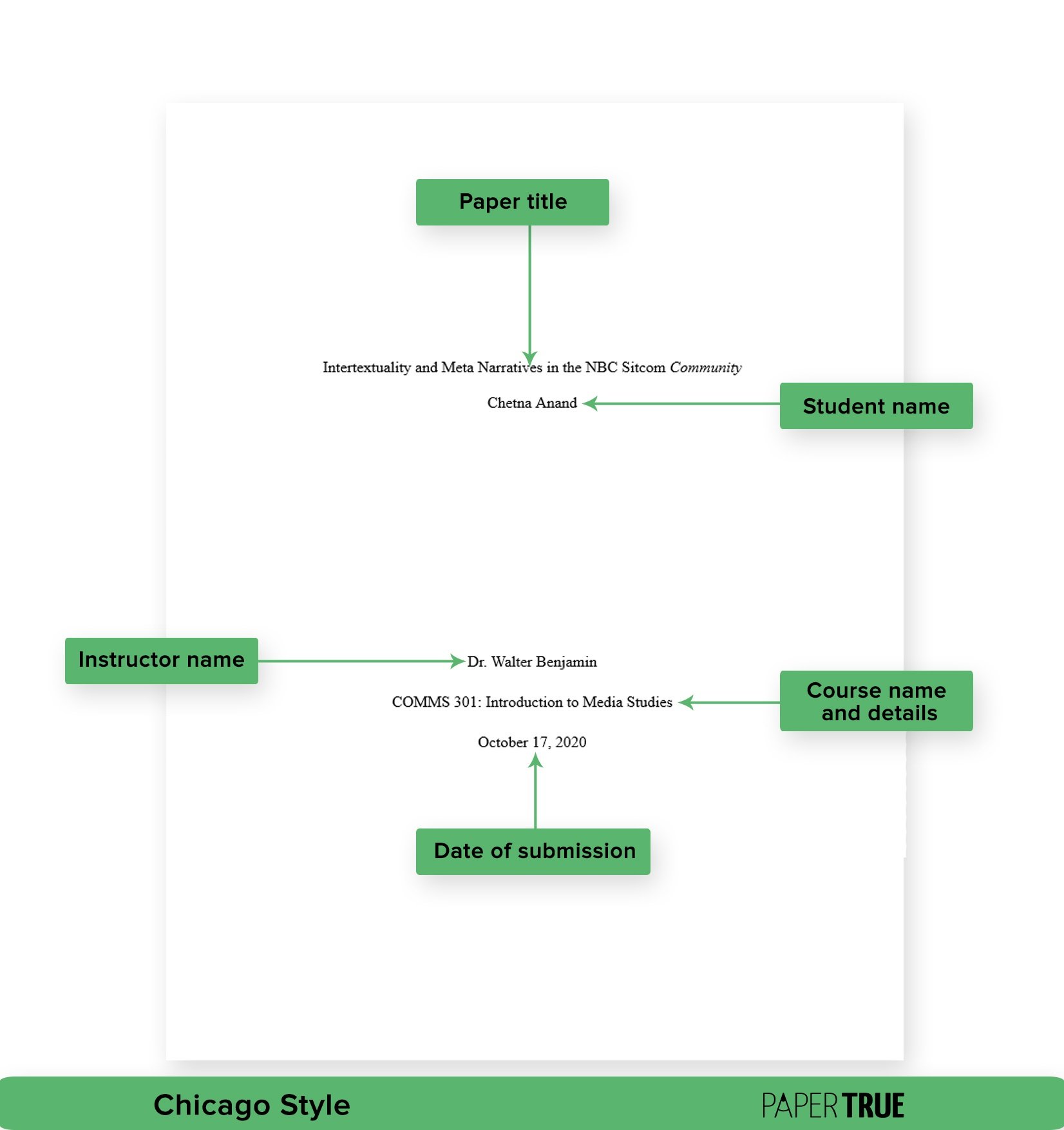
How to Format a Student Title Page (Step-by-Step)
Setting up an APA student title page requires precise adherence to page setup rules, font standards, line spacing, and vertical positioning. Follow these step-by-step instructions to ensure your student title page meets APA 7 standards.
1 The Impact of Sleep Deprivation on Cognitive Performance in College Students Jordan L. Miller Department of Psychology, University of Texas PSYC 2301: Cognition 101 Dr. Rebecca Reynolds November 12, 2026
Step 1: Page Setup and Header Margins
- Set document margins to 1 inch (2.54 cm) on all four sides (top, bottom, left, right).
- Insert a standard page header. Place the page number
1flush right in the header area. - Do not include a running head, header text, or paper title in the student header unless your professor specifically asks for it.
Step 2: Selecting an Approved APA Font
APA 7 allows writers to select from several legible, standard typography options. You must use the same font consistently across both the title page and the entire manuscript body. Approved fonts include:
- Calibri: 11 point
- Arial: 11 point
- Lucida Sans Unicode: 10 point
- Times New Roman: 12 point
- Georgia: 11 point
- Computer Modern: 10 point (standard for LaTeX documents)
Step 3: Vertical Positioning and Spacing
- Set the document line spacing to double-spaced across the entire title page. Do not add extra manual space between paragraphs or lines unless specified by structural placement.
- Place your cursor at the very top of page 1 and press
ENTER3 to 4 times (creating 3 to 4 blank double-spaced lines). - Center your alignment before typing the title.
Step 4: Adding Title Page Details
- Title: Type your paper title in bold, centered, using Title Case. If your title includes a subtitle, separate it with a colon and space (e.g., Cognitive Flexibility in Early Childhood: A Longitudinal Analysis).
- Blank Line: Insert one extra double-spaced blank line between the title and the author's name.
- Author Name: Type your full name (First, Middle Initial, Last Name) in regular text (not bold).
- Affiliation: Type your department name, followed by a comma and the name of your university or institution (e.g., Department of Psychology, University of Florida).
- Course Number and Name: On the next double-spaced line, type the course code, a colon, and the full course name (e.g., PSYC 1010: Introduction to Psychology).
- Instructor Name: On the next line, type your instructor's preferred honorific and name (e.g., Dr. Marcus Vance or Prof. Sarah Jenkins).
- Assignment Due Date: On the final line, write the full date (e.g., March 15, 2026).
How to Format a Professional Title Page
Professional manuscripts require specific structural additions, primarily surrounding author attribution and the Author Note.
IMPACT OF SLEEP DEPRIVATION ON COGNITION 1 The Impact of Sleep Deprivation on Cognitive Performance in College Students Jordan L. Miller Department of Psychology, University of Texas Eleanor K. Brooks Department of Neuroscience, Baylor University Author Note Jordan L. Miller https://orcid.org/0000-0002-1825-0097 Eleanor K. Brooks https://orcid.org/0000-0003-4912-8812 We have no known conflict of interest to disclose. Correspondence concerning this article should be addressed to Jordan L. Miller, Department of Psychology, University of Texas, Austin, TX 78712. Email: jmiller@utexas.edu
Running Head Setup
In professional papers, the top header must contain a running head flush left and the page number 1 flush right:
- The running head is an abbreviated version of the paper title.
- It must be written in ALL UPPERCASE letters.
- It cannot exceed 50 characters, including letters, spaces, and punctuation.
- Do not prefix the running head with "Running head:". That label was retired in APA 7.
Multiple Authors and Institutional Affiliations
When a professional paper has multiple authors from different institutions:
- List author names in order of their contributions.
- Use superscript numbers if authors belong to different departments or institutions.
- If two authors share the exact same affiliation, place their names on the same line joined by "and" (e.g., Jane D. Smith and Robert M. Johnson), followed by their shared affiliation on the next line.
- For authors at different institutions, list each name followed immediately by their respective affiliation on the subsequent line.
Structure of the Author Note
The Author Note appears on the bottom half of a professional title page, starting at least 1 to 2 double-spaced lines below the last affiliation line.
- Center the heading Author Note in bold font.
- Format paragraphs flush left with normal double spacing.
- Organize content into four specific paragraphs:
- Paragraph 1 (ORCID iDs): List individual author ORCID iDs if available. Format as
https://orcid.org/0000-0000-0000-0000. - Paragraph 2 (Changes in Affiliation): Record any changes in author affiliations since the completion of the research project.
- Paragraph 3 (Disclosures and Acknowledgments): Disclose financial support, grants, special data collection assistance, or potential conflicts of interest.
- Paragraph 4 (Contact Person): Provide complete mailing and email contact details for the designated corresponding author.
- Paragraph 1 (ORCID iDs): List individual author ORCID iDs if available. Format as
Are There Any Exceptions to the Title Page Requirement?
While standard APA guidelines strictly enforce the title page requirement, practical academic and publication contexts sometimes call for modifications or exceptions.
1. Specific Course or Instructor Guidelines
Academic freedom allows professors to alter style guidelines for classroom submissions. An instructor may ask students to omit a title page to conserve paper or streamline short writing tasks. For instance, short weekly responses, lab summaries, or online discussion forum entries often use a condensed heading at the top of the first page instead of a formal title page:
Jordan Miller | PSYC 2301 | Dr. Reynolds | October 14, 2026 Short Response Essay: Neural Plasticity
If your course syllabus or assignment prompt specifically instructs you to omit the title page, always follow your instructor's custom instructions over standard APA guidelines.
2. Journal-Specific Author Formatting Rules
Academic publishers routinely issue customized "Instructions for Authors." Many online submission systems (such as ScholarOne or Editorial Manager) extract metadata automatically from digital submission forms during file upload. Consequently, some journals request single-blind or double-blind peer review formats:
- Double-Blind Peer Review: Authors must upload a "blinded" manuscript where the title page omits author names, affiliations, and author notes to ensure unbiased evaluation by peer reviewers.
- Separate Metadata Documents: Some publishers require the title page details to be submitted as a separate standalone file (e.g., "Title Page File") to keep author identity separate from the main manuscript file.
3. Transitioning from APA 6 to APA 7 Guidelines
If an institutional style manual or older academic department policy still enforces APA 6th Edition rules, you may encounter legacy requirements. Key differences include:
- APA 6 required the literal text
"Running head: SHORT TITLE"in the header of page 1 for all documents. - APA 6 did not differentiate between student assignments and published papers, requiring running heads and author notes across all paper types.
Common APA Title Page Formatting Mistakes
Even experienced writers frequently make formatting mistakes on APA title pages. Reviewing these common pitfalls helps ensure complete technical compliance before submitting your work.
INCORRECT (APA 6 Legacy Error): Header: Running head: MEMORY RETENTION IN ADULTS CORRECT (APA 7 Professional Header): Header: MEMORY RETENTION IN ADULTS CORRECT (APA 7 Student Header): Header: 1
1. Including "Running head:" Label
The most widespread formatting error in APA 7 is including the words "Running head:" in the page header. This text was required in APA 6 but was officially retired in 2019. Student papers should omit the running head entirely, while professional papers should include only the abbreviated title in ALL CAPS.
2. Incorrect Capitalization (Title Case vs. Sentence Case)
APA 7 requires the paper title to be formatted in Title Case. This means you must capitalize:
- The first word of the title and subtitle.
- All major words (nouns, verbs, adjectives, adverbs, pronouns).
- Any word with four or more letters.
Do not write the paper title in ALL UPPERCASE or sentence case (where only the first word is capitalized).
3. Improper Vertical Alignment and Manual Center Tweaks
Writers frequently place the title too high up on page 1 or manually center text using spacebars instead of Word/Google Docs center alignment tools.
- Place 3 to 4 double-spaced blank lines before typing the paper title.
- Always use the software's built-in Center Alignment command to ensure elements are perfectly aligned across margins.
4. Bolding Non-Bold Elements
Only the Paper Title and the Author Note section heading should be bolded on an APA title page. Author names, affiliations, course information, instructor names, and due dates must always be typed in regular font weight.
5. Inconsistent Font Selection
Using one font for the title page (such as Arial) and another font for the main body text (such as Times New Roman) breaks APA uniform typography rules. Select one approved APA font and keep it consistent from page 1 through your references section.
Frequently Asked Questions
Is a running head required on an APA student paper title page?
No. Under APA 7th edition rules, student papers do not require a running head unless an instructor, department, or university specifically requests one. Student headers should only contain the page number 1 flush right.
What page number goes on the APA title page?
The title page is always page 1 of your manuscript. The number 1 must appear flush right in the top page header on the very first page of the document.
Can you put graphics, logos, or images on an APA title page?
No. Official APA Style rules prohibit decorative clip art, university logos, images, or graphic design elements on the title page. The page must remain clean, uncluttered, and composed strictly of standard formatted text.
What font size and style should be used on an APA title page?
You may choose between several standard fonts, including 11-point Calibri, 11-point Arial, 10-point Lucida Sans Unicode, 12-point Times New Roman, or 11-point Georgia. The entire title page—and the rest of the paper—must use the same font and size.
How do you format an APA title page for multiple authors from the same class?
For a student group project, list all author names on the same byline line separated by commas and the word "and" before the final name (e.g., Alex R. Mercer, Taylor Kim, and Morgan B. Lee). If all students belong to the same institution and course, list the department, university, course details, instructor, and due date once below the author names.
Practical Checklist and Next Steps
Before submitting your manuscript or assignment, review this quick verification checklist to guarantee your title page complies fully with official APA 7 requirements:
- Margins are set to 1 inch on all sides.
- Font style and size are uniform throughout the title page and manuscript body.
- Page number
1is present flush right in the top header. - Student papers omit the running head (unless required by instructor).
- Professional papers include a 50-character running head in ALL CAPS flush left (without the "Running head:" label).
- The paper title is placed 3–4 double-spaced lines down, centered, bolded, and capitalized in Title Case.
- One double-spaced blank line separates the paper title and the author byline.
- Author names, affiliations, course name, instructor, and due date are typed in regular text (not bolded).
- Line spacing is uniformly set to double-spaced across the entire page without extra blank lines (except after the title).
By adhering to these standard requirements, you ensure your document presents a clean, professional, and academically compliant title page that fulfills all official APA formatting specifications.
Image Gallery
Select an image to open it in a new tab.



Celine Dubois
Contemporary Living and Global Arts Columnist
