
NetSuite’s API architecture, primarily delivered through SuiteTalk REST and SOAP web services, defines the boundaries of data exchange between the ERP and external systems. By enforcing specific governance limits, authentication protocols like OAuth 2.0, and structured schemas, it ensures secure, scalable, and standardized pathways for real-time synchronization across e-commerce, CRM, and logistics platforms.
As of 2026, the NetSuite ecosystem has matured into a hyper-connected hub where the API is no longer just a technical gateway but a strategic asset. The "shape" of an integration—its speed, reliability, and cost—is directly dictated by how these APIs handle requests, manage state, and respect the multitenant constraints of the NetSuite cloud. Understanding these nuances is essential for any organization looking to build a resilient digital architecture.
The Architectural Foundation of SuiteTalk
The NetSuite API ecosystem is broadly categorized under the "SuiteTalk" brand. For years, SuiteTalk was synonymous with SOAP (Simple Object Access Protocol), a robust but heavy-weight XML-based standard. However, the landscape in 2026 is dominated by the SuiteTalk REST API. This evolution from SOAP to REST has fundamentally changed how developers approach NetSuite integration.
The REST (Representational State Transfer) API utilizes standard HTTP methods like GET, POST, PATCH, and DELETE. This shift has democratized NetSuite development, allowing web developers comfortable with JSON (JavaScript Object Notation) to interact with ERP data without the steep learning curve associated with complex WSDL (Web Services Description Language) files. The REST API is designed to be "resource-centric," meaning that every record in NetSuite—whether an Invoice, a Customer, or a Custom Record—is treated as a unique URL.
Despite the rise of REST, the SOAP API remains a critical component for legacy systems and specific high-volume batch processing tasks. SOAP’s strength lies in its rigid contract-based structure, which ensures that both the sender and receiver adhere to a strict data format. This is particularly useful in highly regulated industries where data integrity and schema validation are paramount. By offering both, NetSuite allows businesses to choose the "shape" of their communication based on their specific technical requirements.
How API Governance Models Define Integration Strategy
One of the most influential ways the NetSuite API shapes integration is through "Governance." In a multitenant cloud environment, NetSuite must ensure that one customer’s massive data import doesn’t degrade performance for others. To manage this, NetSuite employs strict concurrency limits and usage quotas.
Concurrency refers to the number of simultaneous connections an account can have with the API. For a standard NetSuite account, this limit might be as low as five or ten concurrent requests. If an integration tries to send 50 requests at once, the API will return a 429 "Too Many Requests" error. This constraint forces developers to build "intelligent" integrations. Instead of simple "fire and forget" systems, developers must implement queuing mechanisms and retry logic.
Furthermore, the concept of SuiteCloud Plus licenses directly ties API performance to business investment. Organizations requiring higher throughput must purchase these licenses to unlock additional concurrency slots. This shapes the integration strategy by making performance a budgetary consideration. Architects must decide whether to optimize their code to fit within standard limits or to invest in more "pipes" to handle higher volumes. This governance model prevents the "noisy neighbor" effect and ensures the long-term stability of the ERP, but it requires a sophisticated understanding of asynchronous processing.
Security and the Shift to OAuth 2.0
Security is perhaps the most rigid aspect of how the NetSuite API shapes integration. In the early days, integrations often relied on basic "email and password" authentication, which posed significant security risks. By 2026, these methods have been entirely deprecated in favor of Token-Based Authentication (TBA) and OAuth 2.0.
OAuth 2.0 is the modern gold standard. It allows an external application to access NetSuite data without ever seeing the user's password. Instead, the application uses a "token" that can be scoped to specific permissions and revoked at any time. This shapes integration by requiring a formal handshake process between systems.
From a development perspective, this means that every integration must start with a secure authentication layer. It also simplifies the management of user permissions. Because tokens are tied to specific "Integration Records" within NetSuite, administrators can monitor exactly which external system is accessing what data. If a third-party shipping tool starts behaving erratically, the admin can disable its specific token without affecting other integrations. This granular control is a direct result of the API’s security architecture.
Real-Time vs. Batch: The Frequency of Integration
The NetSuite API also determines the "frequency" of data exchange. There are two primary patterns: real-time (webhooks and REST calls) and batch (scheduled scripts or SOAP exports).
Real-time integration is shaped by the REST API’s ability to handle CRUD (Create, Read, Update, Delete) operations on a per-record basis. When a customer places an order on a Shopify store, the store can immediately push that order into NetSuite. This provides the business with an up-to-the-minute view of their inventory and sales.
However, real-time isn't always the best choice. For massive data migrations or nightly reconciliations with a bank, the API’s governance limits might make a single, massive batch upload more efficient. NetSuite’s "Bulk" API capabilities allow for the processing of thousands of records in a single job. This bifurcation of the API forces businesses to categorize their data: Is it "perishable" and needed now (Real-time), or is it "historical" and better suited for later (Batch)? The API doesn't just provide the tools; it dictates the workflow.
The Role of Middleware and iPaaS
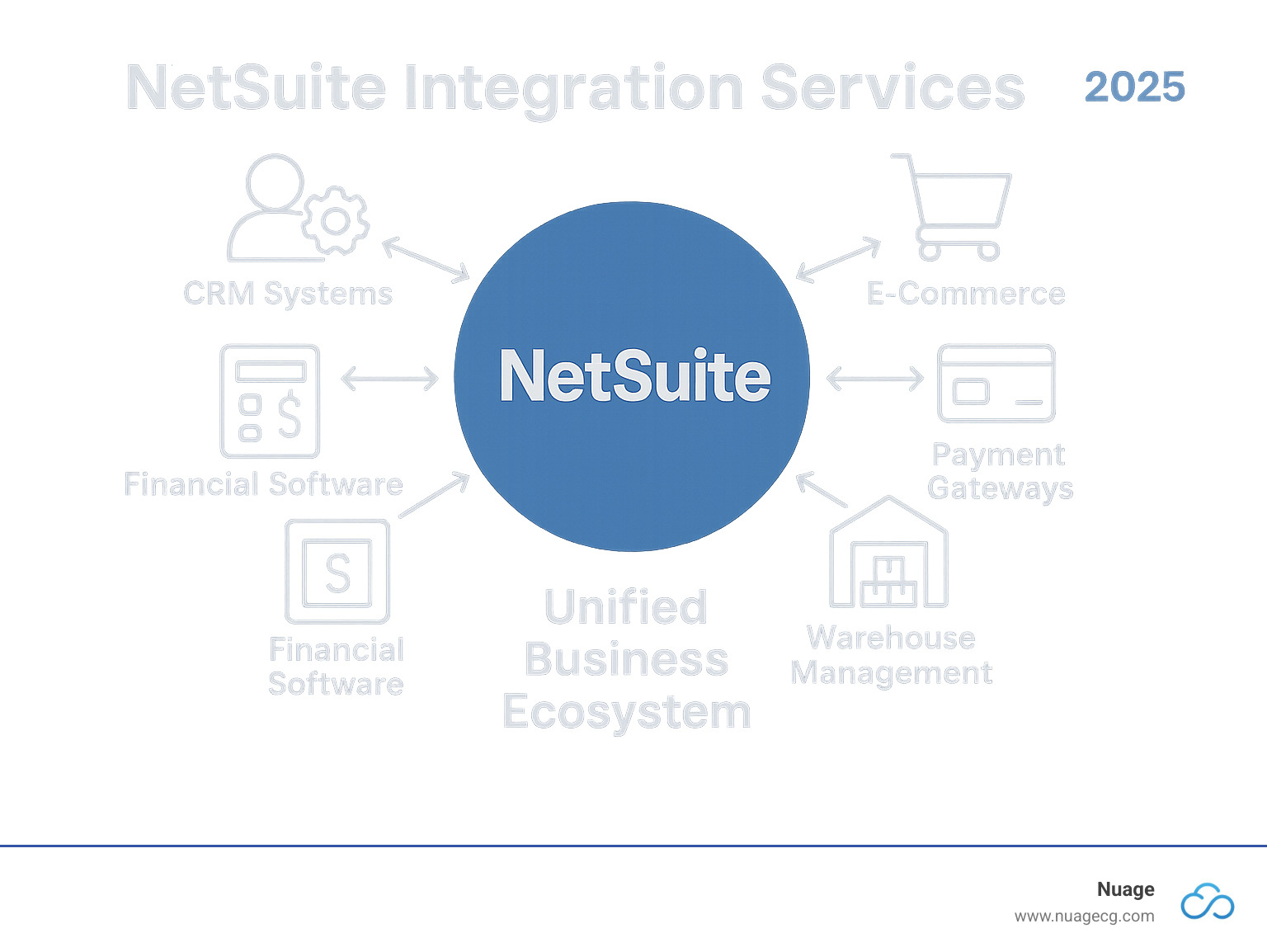
Because of the complexities of NetSuite’s API—governance, authentication, and data mapping—a massive industry of "Middleware" or iPaaS (Integration Platform as a Service) has emerged. Solutions like Celigo, Boomi, and Workato act as a translator between NetSuite’s API and the outside world.
These platforms are essentially built around the "shape" of the NetSuite API. They have pre-built connectors that understand NetSuite’s specific quirks, such as how to handle "Internal IDs" versus "External IDs." Using middleware simplifies the integration process, but it also adds a layer of abstraction.
The decision to use middleware versus a "point-to-point" custom integration is a direct response to the API's complexity. A custom integration offers more control and avoids monthly subscription fees for middleware, but it requires deep NetSuite-specific expertise to handle concurrency and error management. The API’s design essentially pushes many mid-market companies toward iPaaS solutions, which have become the standard way to interact with NetSuite in 2026.
Technical Comparison of NetSuite API Protocols
The following table compares the two primary methods of interacting with NetSuite to help architects choose the right tool for their specific integration shape.
| Feature | SuiteTalk REST API | SuiteTalk SOAP API |
|---|---|---|
| Data Format | JSON (Modern, Lightweight) | XML (Legacy, Heavy) |
| Ease of Use | High (Standard HTTP methods) | Moderate (Requires WSDL handling) |
| Governance | Strict Concurrency Limits | Strict Concurrency Limits |
| Authentication | OAuth 2.0 / TBA | TBA / (Legacy Basic deprecated) |
| Discovery | OpenAPI (Swagger) Support | WSDL Metadata |
| Performance | Faster for single record operations | Better for complex, multi-record batching |
| Customization | Supports Custom Records & Fields | Supports Custom Records & Fields |
| Metadata Access | High (Highly browsable via REST) | Moderate (Defined in schema files) |
Data Transformation and Mapping Challenges
Every system NetSuite talks to speaks a different "language." A CRM might call a customer "Account," while NetSuite calls them "Customer." The NetSuite API shapes how this translation occurs through its schema.
When data enters NetSuite via the API, it must be perfectly "shaped" to fit the ERP’s requirements. This includes ensuring that mandatory fields (like Subsidiary, Currency, and Account) are present. The API will reject any record that doesn’t meet these strict requirements. This forces the integration layer to perform "Data Transformation."
Transformation involves mapping the fields from the source system to the NetSuite schema. For example, a date format might need to be converted from MM-DD-YYYY to DD-MM-YYYY, or a text-based "State" name might need to be converted to a specific internal ID for a "State" dropdown in NetSuite. Because the API is the final judge of data quality, the "shape" of the integration is often defined by the complexity of this mapping. High-quality integrations invest heavily in this transformation layer to prevent data "pollution" inside the ERP.
The Impact of SuiteScript on API Behavior
One unique feature of NetSuite is that the API doesn't operate in a vacuum. It interacts with "SuiteScript"—NetSuite’s internal JavaScript-based scripting language. When an API call creates a record, it can trigger "User Event Scripts" inside NetSuite.
This creates a "hidden" shape to the integration. For instance, an API call might appear to be a simple "Create Order" command. However, if there is a script inside NetSuite that calculates commissions, sends an email, and updates an inventory count whenever an order is created, that single API call becomes much "heavier."
In 2026, sophisticated architects look at the "total execution time" of an API call, including the scripts it triggers. If an integration is slow, the problem might not be the API itself, but the scripts running behind the scenes. This interconnectedness means that shaping a successful integration requires looking at both sides of the "door"—the external API call and the internal NetSuite logic.
Common Pitfalls and Troubleshooting
Even with the best planning, integrations can encounter issues. The NetSuite API provides detailed error codes, but interpreting them requires experience.
- Concurrency Errors (SSS_USAGE_LIMIT_EXCEEDED): This is the most common issue. It means the integration is moving faster than the account allows. The solution is to implement a "back-off" algorithm or increase concurrency via SuiteCloud Plus.
- Invalid Session/Token: Usually occurs when a token is revoked or the time on the integration server is out of sync with the NetSuite server.
- Permission Issues: NetSuite uses Role-Based Access Control (RBAC). If the "Integration Role" doesn't have "Edit" permissions for a specific record type, the API call will fail.
- Schema Mismatches: Occurs when a new mandatory field is added to a NetSuite record but the external system isn't updated to provide that data.
Effective troubleshooting in 2026 involves using the "Execution Log" within NetSuite and external monitoring tools to pinpoint exactly where the chain is breaking.
Frequently Asked Questions
What is the main difference between SuiteTalk REST and SOAP in 2026?
The SuiteTalk REST API is a modern, JSON-based protocol that is easier for web developers to use and is highly optimized for real-time, single-record interactions. The SOAP API is an XML-based protocol that is more rigid and better suited for legacy systems or specific batch processes that require a strictly defined schema contract (WSDL). Most new integrations in 2026 use REST due to its lower overhead and broader developer support.
How do NetSuite's concurrency limits affect my integration?
Concurrency limits dictate how many simultaneous API requests your NetSuite account can handle. If your integration exceeds this limit, NetSuite will reject the requests. This requires developers to build queuing systems that pace the data flow. If your business volume requires higher throughput, you may need to purchase SuiteCloud Plus licenses to increase the number of available concurrency slots.
Is Token-Based Authentication (TBA) still required for NetSuite APIs?
Yes, for the SOAP API, TBA is the primary secure method. For the REST API, OAuth 2.0 is the preferred standard as of 2026. Both methods replace the insecure "username/password" login by using unique tokens that provide access without exposing credentials. This ensures that even if a token is compromised, the actual user account remains secure and the token can be easily revoked.
Can I trigger custom logic inside NetSuite via an API call?
Absolutely. When you perform an action through the API (like creating or updating a record), it can trigger "User Event Scripts" or "Workflows" already existing in NetSuite. This allows you to maintain business logic within the ERP while still interacting with external systems. However, be mindful that these scripts consume "governance units" and can affect the overall performance and speed of your API responses.
Does NetSuite provide a way to test API calls before going live?
Yes, NetSuite provides "Sandbox" and "Release Preview" environments where developers can test their API integrations without affecting production data. Furthermore, the REST API supports OpenAPI (formerly Swagger) specifications, allowing developers to use tools like Postman to simulate requests and view the expected JSON responses before writing any actual code.
Practical Recommendation for 2026
For any organization embarking on a NetSuite integration project in 2026, the primary recommendation is to prioritize the SuiteTalk REST API and OAuth 2.0 authentication. This combination offers the best balance of security, developer efficiency, and future-proofing.
Furthermore, do not underestimate the importance of concurrency management. Even the most elegantly coded integration will fail if it hits a governance wall. Build your system with a "buffer" or middleware layer that can queue requests during peak hours. Finally, ensure that your internal NetSuite environment is optimized; an API is only as fast as the scripts it triggers inside the ERP. By respecting the "shape" defined by NetSuite’s API architecture, you can build a system that is not only functional but also scalable and resilient.
Image Gallery
Select an image to open it in a new tab.


Simon Caldwell
Enterprise Technology and Systems Editor
