
Accessing BBC iPlayer involves understanding a unique funding model where content streaming is ostensibly free of subscription fees for eligible users, yet strictly tied to legal requirements such as holding a valid TV Licence in the United Kingdom. While international viewers encounter paywalls or geo-blocking, domestic users navigate specific rules regarding live broadcasts, on-demand catch-up services, and household device registration.
Introduction to the BBC iPlayer Access Model
The BBC iPlayer platform occupies a distinct position in the global streaming ecosystem. Unlike commercial subscription video-on-demand services that charge monthly or annual fees for unrestricted access, the core infrastructure of the BBC is funded primarily through a public service broadcasting mechanism known as the TV Licence. Consequently, users attempting to stream content from within the United Kingdom often wonder about the exact parameters of "free access."
While viewers do not enter credit card details or buy subscription tiers directly on the platform, access is legally contingent on meeting specific statutory criteria. This dual nature—free at the point of use on the web interface, but legally bound to a mandatory household tax—creates frequent confusion for both residents and visitors.
Understanding how free access works requires looking past the login screen and examining UK broadcasting law, technical geo-restrictions, account registration mechanics, and the distinct rules separating live television from catch-up viewing.
The Legal Foundation: The TV Licence Requirement
The single most critical factor governing access to BBC iPlayer is the UK TV Licence. Under UK law—specifically governed by the Communications Act 2003 and related regulatory frameworks administered by TV Licensing—anyone watching or recording live television programs as they are being broadcast on any channel or device must be covered by a valid TV Licence.
Crucially, this legal mandate extends beyond traditional television sets. The legislation was updated to close the "iPlayer loophole," meaning that users must also possess a valid TV Licence to download or watch BBC programs on-demand via BBC iPlayer, regardless of the device being used. This includes smart TVs, desktop computers, laptops, tablets, smartphones, streaming sticks, and gaming consoles.
When a Licence is Required vs. When It Is Not
The enforcement and necessity of a TV Licence depend entirely on user behavior rather than mere possession of an internet-connected screen:
- Live Broadcasting: Watching any live television broadcast on BBC iPlayer—such as a live football match, a breaking news broadcast, or a simultaneous stream of BBC One—requires a TV Licence unconditionally.
- Catch-Up and On-Demand: Watching standard on-demand box sets, documentaries, or films after they have aired on television via iPlayer also requires a TV Licence.
- The S4C Exception (Wales): Certain catch-up services on S4C (Sianel Pedwar Cymru) accessed via iPlayer may have distinct regulatory nuances, but the general rule for BBC-branded content remains strict.
- Radio Content: Listening to BBC radio broadcasts or listening to music via BBC Sounds does not require a TV Licence. Similarly, watching S4C programs on-demand without a TV Licence is permitted under narrow historical exemptions, though users should verify current regulatory guidance directly through official channels.

Creating an Account and Navigating Registration
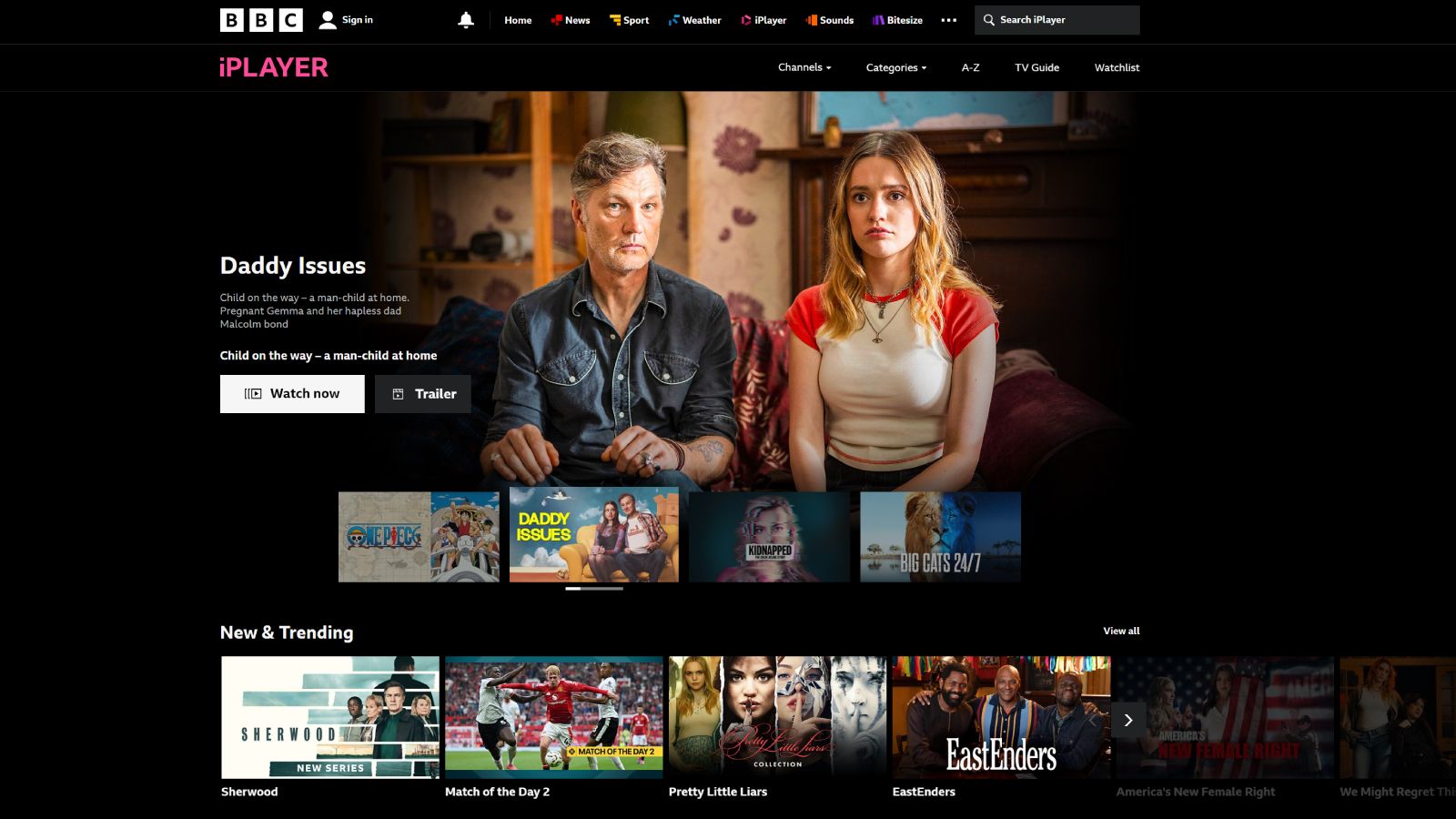
Despite the requirement for a TV Licence, accessing the platform also necessitates creating a free BBC account. This authentication layer allows the broadcaster to personalize recommendations, maintain watch histories across multiple devices, and manage parental controls.
Step-by-Step Registration Workflow
- Visit or Open the App: Navigate to the official BBC iPlayer website or launch the mobile/smart TV application.
- Select Sign In: Click or tap the "Sign In" or "Register" prompt.
- Provide Credentials: Enter a valid email address and create a secure password.
- Confirm Personal Details: Input your date of birth and country of residence. The platform uses this information to ensure compliance with age-rating restrictions and geographic availability.
- Postcode Verification: Users are typically prompted to enter a UK postcode. This helps the service deliver local news broadcasts and verify that the user resides within the UK broadcasting jurisdiction.
Registration does not perform an automated credit check or verify TV Licence status at the exact moment of account creation. However, the system logs IP addresses and device metadata, and the enforcement agency cross-references household licensing databases independently.
Geographic Restrictions: UK vs. International Access
A common point of friction for expatriates and travelers is the geographic restriction placed on the service. BBC iPlayer is funded by the UK public through the licence fee, and as a result, its streaming rights and infrastructure are legally and contractually restricted to users located within the United Kingdom.
International Access Models
For users outside the UK, the access model changes entirely:
- Free Stream Block: International IP addresses are blocked from streaming standard domestic content on BBC iPlayer. Viewers attempting to watch will encounter an error message indicating that the content is only available to watch in the UK.
- BBC.com and Commercial Partners: Outside the UK, the BBC operates commercial ventures. For instance, BBC News provides global coverage, and subscription services like BritBox (operated in partnership with ITV) syndicate selected BBC dramas and comedies to international audiences for a fee.
- Temporary Travel Within the EU: Historically, EU portability regulations allowed UK residents traveling temporarily within the European Economic Area to access their home digital services. Following the UK's departure from the European Union and the transition period, these cross-border portability rights for free UK media services ceased, meaning even temporary travelers abroad generally cannot stream domestic iPlayer content without specialized, authorized configurations (such as accessing downloaded content saved locally to a device before departure).
Technical Specifications and Device Compatibility
Accessing BBC iPlayer smoothly requires meeting basic hardware and software specifications. Because the platform streams high-definition (HD) and ultra-high-definition (UHD/4K) content—particularly for major sporting events like Wimbledon or the FIFA World Cup—network stability and device compatibility are paramount.
Supported Platforms and Minimum Requirements
| Device Category | Operating System / Requirement | Notes |
|---|---|---|
| Web Browsers | Chrome, Safari, Firefox, Edge (latest versions) | HTML5 support required; hardware acceleration recommended for 1080p/4K streams. |
| Smartphones & Tablets | iOS 15+ / Android 9.0+ | Official apps support local downloads for offline viewing within the UK. |
| Smart TVs & Streamers | Roku, Amazon Fire TV, Apple TV, Google TV, Samsung Tizen, LG webOS | Built-in apps optimized for remote control navigation and adaptive bitrate streaming. |
| Gaming Consoles | PlayStation 4/5, Xbox One / Series X | S |
Downloading Content for Offline Viewing
One of the most practical features of BBC iPlayer is the ability to download programs for offline viewing. This functionality is available primarily through the dedicated mobile and tablet applications for iOS and Android, as well as select desktop applications.
Rules and Limitations of Downloads
- UK IP Requirement for Downloading: Users must be physically located in the UK and connected to a valid network when initiating a download.
- Storage Expiry: Downloaded programs do not remain on the device indefinitely. Once downloaded, a program typically expires 30 days after acquisition, or within a much shorter window (often 48 hours) once playback has begun on that file.
- Licence Validation: Even when watching a downloaded file offline, the device must periodically reconnect to the internet to verify that the user's account and device entitlements remain valid.
Comparison of UK Streaming Access Models
To clarify how BBC iPlayer fits into the broader UK media landscape, the table below compares its access requirements with other popular streaming services available to British consumers.
| Streaming Service | Primary Access Model | Cost Structure | TV Licence Required? |
|---|---|---|---|
| BBC iPlayer | Public Service / Hybrid | Free with TV Licence | Yes (Mandatory for live & catch-up) |
| ITVX | Commercial / Ad-supported | Free tier available; Premium ad-free subscription optional | Yes (Required for live broadcasts on all channels) |
| Channel 4 (All 4) | Commercial / Ad-supported | Free with registration | Yes (Required for live broadcasts) |
| Netflix / Disney+ | Subscription Video-on-Demand (SVOD) | Monthly subscription fee | No (Unless watching live TV feeds via integrated apps) |
Common Mistakes and Troubleshooting Access Issues
Users frequently encounter obstacles when attempting to stream content. Identifying the root cause ensures a faster resolution.
Common Pitfalls
- Assuming a TV Licence is Optional for Catch-Up: A widespread misconception is that catch-up TV is exempt from licensing rules. Since 2016, watching any BBC program on iPlayer—live or recorded—without a licence is a statutory offense.
- Using Unauthorized VPNs: Attempting to bypass geographic blocks using commercial Virtual Private Networks (VPNs) often fails. The BBC maintains robust IP-blocking blacklists that detect and reject data center and VPN proxy IPs, resulting in playback error codes.
- Browser Extension Interference: Ad-blockers or privacy extensions can occasionally break the digital rights management (DRM) handshake required to play protected video streams on desktop browsers.
Frequently Asked Questions
Do I need to pay anything to use BBC iPlayer if I already have a TV Licence?
No. If your household possesses a valid UK TV Licence, you do not pay any additional fees to watch, stream, or download content on BBC iPlayer. The licence fee covers your access across all household devices.
Can I watch BBC iPlayer outside the UK while on holiday?
Generally, no. BBC iPlayer is geoblocked and restricted to users within the United Kingdom due to copyright licensing agreements and the fact that the service is funded by UK taxpayers. Programs downloaded before leaving the UK may be viewable locally on mobile devices for a limited duration, depending on content rights.
What happens if I use BBC iPlayer without a TV Licence?
Watching live television or on-demand BBC programs on iPlayer without a valid TV Licence is a breach of UK law. TV Licensing regularly investigates suspected unlicensed properties using detection technology and field visits, which can result in prosecution and magistrates' court fines.
Do students living away from home need their own TV Licence?
If a student brings a device (like a laptop or smartphone) that is plugged into the mains or charging while watching live TV or iPlayer, and their parents' home licence covers them, they might be covered under specific circumstances—such as watching on a device powered solely by internal batteries. However, rules are strict: if they plug a television or desktop computer into the mains in student accommodation, a separate licence is frequently required. It is essential to check official guidance for student living arrangements.
Why am I getting a streaming error even though I live in the UK?
If you are physically in the UK and experiencing access errors, check whether your internet service provider (ISP) uses dynamic routing that registers your IP address outside the UK, disable any active VPN services, ensure your browser is fully updated, and verify that location services are enabled on mobile devices.
Conclusion and Next Action
Accessing BBC iPlayer requires balancing free, user-friendly digital streaming with strict adherence to UK broadcasting laws. To ensure uninterrupted, legal access, verify that your household maintains a current TV Licence, register for a free official BBC account, and utilize authorized mobile applications for offline viewing within the UK. Review your setup against official guidelines to ensure complete compliance before streaming your favorite programs.
Image Gallery
Select an image to open it in a new tab.


Akira Tanaka
International Academic Trends Correspondent
