Securing the FTP Port: Protocols, Firewalls, and Best Practices for 2026
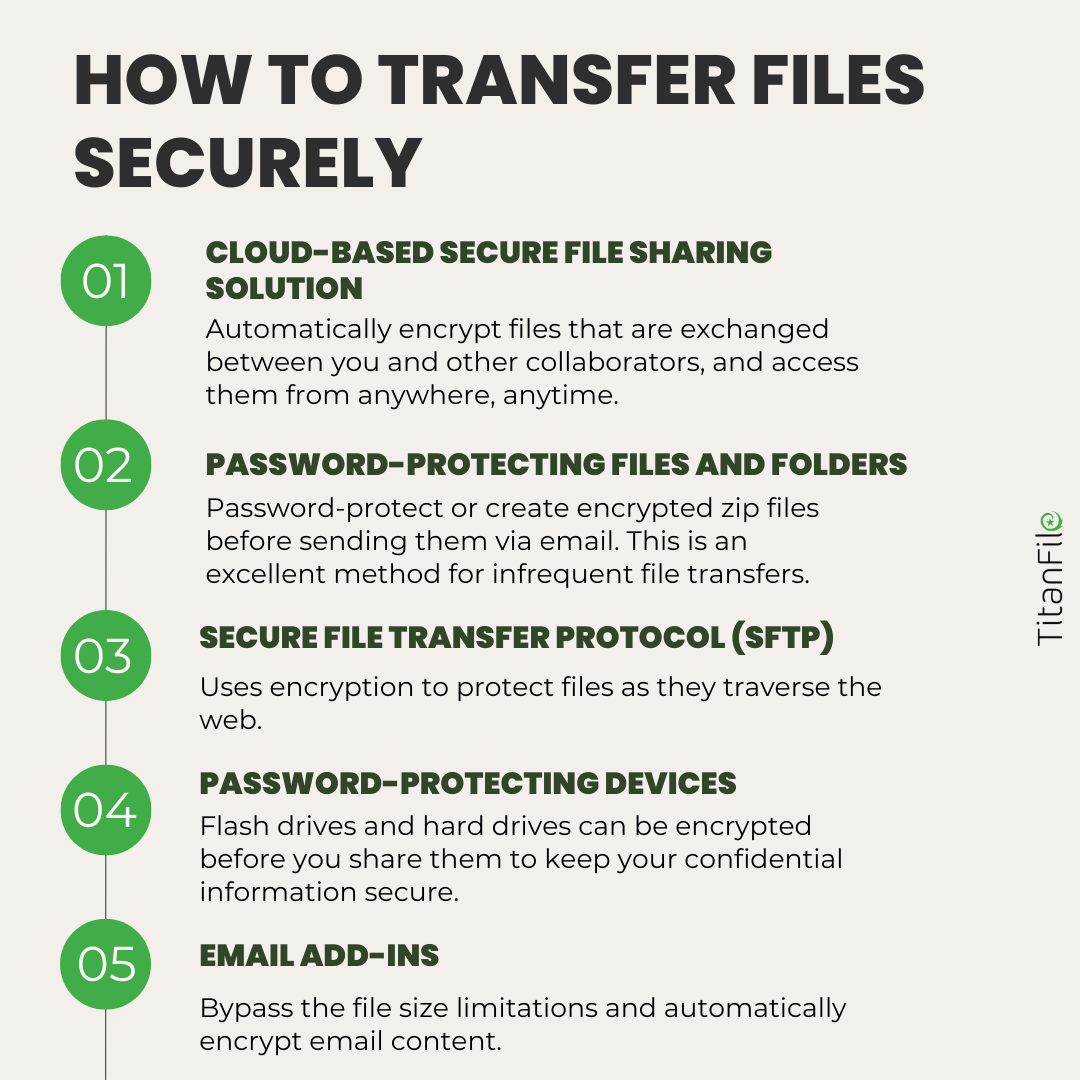
To secure the FTP port, you must transition from standard FTP (Port 21) to encrypted alternatives like SFTP (Port 22) or FTPS (Port 990/21). Use a firewall to whitelist specific IP addresses, implement brute-force protection like Fail2Ban, and disable anonymous access to ensure only authenticated, encrypted traffic can reach your server environment.
File Transfer Protocol (FTP) has served as a foundational pillar of the internet since its inception in the early 1970s. However, in 2026, the original protocol is a relic of an era when network security was based on trust rather than verification. The default behavior of Port 21—transmitting data and credentials in cleartext—is fundamentally incompatible with modern security standards. Securing the FTP port is no longer just about "locking a door"; it is about redesigning the entrance to your data architecture to prevent interception, spoofing, and unauthorized access.
Understanding the Vulnerabilities of Port 21
Before implementing security measures, it is essential to understand why Port 21 is considered a high-risk entry point. Standard FTP operates on a client-server architecture where the control connection (Port 21) handles commands and the data connection (Port 20 or a passive range) handles the actual file transfer.
The primary issue is the lack of encryption. When a user logs into a traditional FTP server, their username and password travel across the internet as plain text. Any malicious actor positioned between the client and the server—using simple packet-sniffing tools—can harvest these credentials with minimal effort. Beyond credential theft, the data itself is exposed. Sensitive documents, proprietary code, or personal information can be read, modified, or replaced in transit through Man-in-the-Middle (MitM) attacks.
Furthermore, FTP is susceptible to "bounce attacks," where an attacker uses the PORT command to request that the server send data to a third-party machine, effectively using the FTP server as a proxy to scan other ports or bypass firewalls. In 2026, these vulnerabilities are widely exploited by automated bots that constantly scan the IPv4 and IPv6 space for open Port 21 instances.
The Primary Solution: Moving to SFTP (Port 22)
The most effective way to secure the "FTP port" is to stop using FTP altogether and migrate to SFTP (SSH File Transfer Protocol). Despite the similar name, SFTP is a completely different protocol based on Secure Shell (SSH).
Why SFTP is the 2026 Standard
SFTP operates over Port 22 by default. Unlike FTP, it does not use separate channels for control and data; everything is multiplexed over a single, encrypted connection. This eliminates the "passive port range" headache and ensures that both commands and file data are shielded from prying eyes.
Security Benefits of SFTP:
- Full Encryption: Every packet, including the initial handshake and authentication, is encrypted using robust algorithms like AES-256-GCM.
- Public Key Authentication: Instead of relying on vulnerable passwords, SFTP allows for the use of SSH keys (RSA 4096 or Ed25519). These keys are virtually impossible to brute-force and eliminate the risk of credential leakage.
- Integrity Checks: SFTP uses Message Authentication Codes (MACs) to ensure that files have not been tampered with during the transfer process.
To implement this, you would disable your FTP service (e.g., vsftpd or ProFTPD) and enable the internal SFTP subsystem within your SSH configuration (/etc/ssh/sshd_config). For organizations that must provide access to external vendors, SFTP can be restricted using "chroot jails," ensuring that users are locked into their specific directory and cannot browse the rest of the server’s file system.

Implementing FTPS: FTP over SSL/TLS
If legacy requirements prevent a move to SFTP, the next best option is FTPS (FTP over SSL/TLS). This is an extension of the original FTP protocol that adds support for Transport Layer Security (TLS), much like how HTTP became HTTPS.
Explicit vs. Implicit FTPS
There are two primary modes of FTPS, and choosing the right one is critical for security:
- Explicit FTPS (AUTH TLS): The client connects to Port 21 and explicitly requests security by sending the "AUTH TLS" command. If the server supports it, the connection is upgraded to an encrypted state. The danger here is if the server allows the connection to fall back to unencrypted plain text if the handshake fails.
- Implicit FTPS: The client connects to a dedicated secure port (usually Port 990). The server immediately initiates a TLS handshake. If the handshake fails, the connection is dropped. This is generally considered more secure as it leaves no room for unencrypted communication.
In 2026, if you are running FTPS, you should strictly enforce TLS 1.3. Older versions like TLS 1.0, 1.1, and even early 1.2 should be disabled due to known vulnerabilities like POODLE and BEAST. You must also ensure that you are using valid certificates from a trusted Certificate Authority (CA) rather than self-signed certificates, which are prone to MitM warnings.
Firewall Configuration and Network Hardening
Securing the protocol is only half the battle; you must also secure the network path to the port. A "naked" port exposed to the entire internet is a target.
IP Whitelisting
The most robust firewall strategy is to close Port 21 (or 22/990) to the general public and only allow connections from known, trusted IP addresses. If your team works from a static office IP or uses a corporate VPN, you should configure your firewall (e.g., iptables, nftables, or AWS Security Groups) to drop all traffic to these ports except from those specific sources.
Rate Limiting and Brute-Force Protection
If you must keep the port open to the public, you need an automated defense mechanism. Tools like Fail2Ban monitor server logs for repeated failed login attempts. If a specific IP address fails to authenticate five times in a row, the firewall automatically blocks that IP for a set duration (e.g., 24 hours or permanently). This prevents the "slow and steady" brute-force attacks that are common against Port 21.
Dealing with Passive Mode Ports
One of the most complex aspects of securing FTP is "Passive Mode." In this mode, the server opens a random high-numbered port for the data transfer and tells the client to connect to it. To secure this:
- Define a narrow range of ports in your FTP configuration (e.g., 50000-50100).
- Open only those specific ports in your firewall.
- Ensure the FTP server is configured to report its correct external IP address to the client.
User-Level Security and Access Control
Even the most encrypted port is useless if the user account behind it is compromised. Security must extend to the identity layer.
Disabling Anonymous Access
Anonymous FTP was designed for public software mirrors, allowing anyone to log in with the username "anonymous." In a secure environment, this must be disabled. Every user must have a unique, identifiable account.
The Principle of Least Privilege (PoLP)
Users should only have the permissions necessary to perform their tasks. If a user only needs to upload files, they should not have "delete" or "execute" permissions. Use filesystem permissions (chmod/chown in Linux) to ensure that an FTP user cannot navigate outside of their designated /home/user/uploads directory.
Multi-Factor Authentication (MFA)
As of 2026, MFA is a requirement for sensitive data transfers. While traditional FTP does not natively support MFA, SFTP does. You can configure SSH to require both an SSH key and a One-Time Password (OTP) from an app like Google Authenticator or a physical hardware key (YubiKey). This ensures that even if a private key is stolen, the attacker cannot access the server without the second factor.
Comparison of Secure File Transfer Methods
The following table compares the security features of the most common methods used to secure or replace traditional FTP.
| Feature | Standard FTP | FTPS (Explicit) | SFTP (SSH-based) |
|---|---|---|---|
| Default Port | 21 | 21 | 22 |
| Encryption | None (Cleartext) | TLS 1.2 / 1.3 | SSH Encryption |
| Credential Safety | Vulnerable | Secure | High (Key-based) |
| Ease of Firewalling | Difficult (Multiple ports) | Difficult (Passive range) | Easy (Single port) |
| Data Integrity | None | High | High |
| 2026 Suitability | Obsolete | Acceptable (Legacy) | Recommended |
Monitoring and Auditing
Security is a continuous process, not a one-time configuration. You must actively monitor the activity on your secure ports.
Log Analysis
Configure your server to log all file transfer activity, including login attempts, file uploads, file deletions, and IP addresses. In Linux, these are often found in /var/log/auth.log or /var/log/vsftpd.log. Regularly auditing these logs can help you identify patterns of unauthorized access attempts or internal misuse.
Intrusion Detection Systems (IDS)
Deploying an IDS like Suricata or Snort can provide real-time alerts if suspicious patterns are detected on Port 21 or 22. For example, if a user suddenly begins downloading an unusually large volume of data at 3:00 AM, the IDS can flag this for investigation.
Common Mistakes to Avoid
- Using Default Ports: While security through obscurity is not a primary defense, moving your SFTP port from 22 to a random high-numbered port (e.g., 2222) can reduce the "noise" in your logs from automated bots.
- Weak Password Policies: If you are not using keys, ensure your password policy requires at least 16 characters with complex entropy.
- Neglecting Software Updates: FTP server software (like FileZilla Server or ProFTPD) often has vulnerabilities discovered. In 2026, ensure your package manager is set to automatically apply security patches.
- Leaving Unused Accounts Active: Periodically review your user list. If a contractor or employee no longer needs access, disable the account immediately.
Frequently Asked Questions
Is Port 21 always insecure?
Yes, Port 21 using standard FTP is inherently insecure because it does not encrypt data. Even with a strong password, the credentials and the files themselves are sent in plain text across the network, making them easy targets for interception.
Can I secure FTP without changing the port number?
You can secure the connection while keeping Port 21 by using Explicit FTPS (FTP over TLS). However, this still requires the client to support encryption and the server to be configured to "Require TLS." Moving to SFTP on Port 22 is generally considered a more robust and modern solution.
What is the difference between SFTP and FTPS?
SFTP (SSH File Transfer Protocol) runs over SSH and uses a single port (22) for all communication. FTPS (FTP over SSL/TLS) is an extension of the old FTP protocol that uses SSL/TLS for encryption and often requires multiple ports to be open for data transfer.
Should I disable Port 21 entirely?
In 2026, the best practice is to disable Port 21 entirely and close it at the firewall level. Most modern clients (like WinSCP, FileZilla, and Cyberduck) support SFTP and FTPS, so there is rarely a technical reason to leave the insecure Port 21 open.
How do I stop brute-force attacks on my FTP port?
The most effective way is to use IP whitelisting. If that isn't possible, use a tool like Fail2Ban to automatically block IP addresses after a certain number of failed login attempts. Additionally, switching to SSH key authentication for SFTP makes brute-force attacks mathematically impossible.
Final Recommendation for 2026
To achieve the highest level of security, decommission Port 21 and migrate all workflows to SFTP (Port 22). Standardize on SSH key-based authentication, enforce the use of Ed25519 keys, and implement a strict IP whitelist for administrative access. If you must support external clients with varying technical capabilities, provide a secure web-based portal or a strictly configured FTPS (Implicit) service on Port 990, ensuring TLS 1.3 is the minimum protocol version. Regular auditing and automated brute-force protection remain essential layers of defense in the current threat landscape.
Image Gallery
Select an image to open it in a new tab.
Ingrid Bjornson
Global Cyber Policy and Regulation Analyst
