What a Lockdown Tablet Really Does: Features, Limits, and Technology in 2026

A lockdown tablet is a specialized mobile device designed for highly restricted environments, most commonly correctional facilities, though they are also used in retail, healthcare, and education. These tablets provide a secure, controlled interface that allows users to access specific educational, vocational, and communication tools while completely blocking access to the open internet and unauthorized software.
By 2026, the technology behind lockdown tablets has evolved significantly. While early versions were often criticized for high costs and limited functionality, modern devices balance robust security with essential services intended to reduce recidivism and improve operational efficiency. Whether used in a prison setting or a corporate kiosk, the "lockdown" refers to a comprehensive hardware and software ecosystem that prevents the device from being used for anything other than its strictly defined purpose.
The Architecture of Restriction: Hardware and Software
To understand what a lockdown tablet really does, one must look at how it differs from a standard consumer device like an iPad or a Samsung Galaxy Tab. A consumer tablet is designed for "openness"—allowing users to download any app, connect to any network, and modify settings. A lockdown tablet is built on the principle of "Default Deny."
Ruggedized and Secure Hardware
In correctional environments, the physical hardware is the first line of defense. These tablets, produced by companies like ViaPath (formerly GTL), Securus Technologies (JPay), and Aventiv, are often constructed with clear, tamper-evident plastic. This transparency allows staff to quickly inspect the device for hidden contraband or hardware modifications.
The hardware is purposefully "nerfed." You will not find removable batteries, SD card slots, or standard USB data transfer capabilities. The ports are often proprietary or strictly limited to charging and specialized data syncing through secure kiosks. By 2026, most of these devices have transitioned to high-impact, shatterproof screens to prevent the glass from being repurposed as a weapon.
The Hardened Operating System
The software "lockdown" occurs at the kernel level of the operating system, which is usually a heavily modified (hardened) version of Android. In a standard Android device, the user has "user-level" permissions, and some tech-savvy users can gain "root" access. On a lockdown tablet, the manufacturer remains the sole administrator.
The Operating System (OS) is stripped of:
- The Google Play Store: There is no way for a user to download third-party apps.
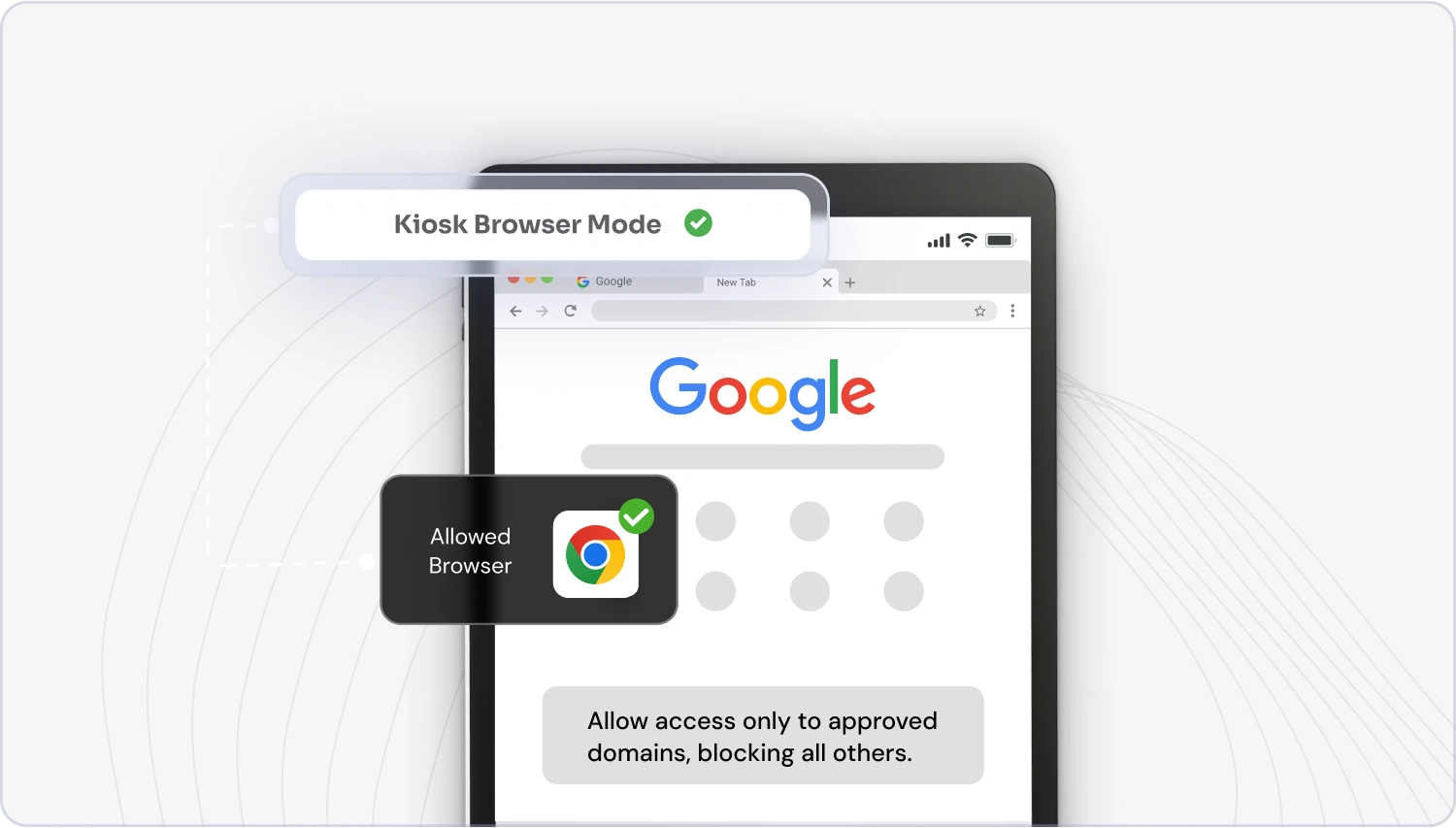
- The Web Browser: Access to the World Wide Web is replaced by a "walled garden" of pre-approved IP addresses.
- System Settings: Users cannot change network configurations, bypass VPNs, or toggle developer modes.
- Bluetooth/NFC: These are typically disabled to prevent unauthorized peer-to-peer data transfers.
Communication in a Controlled Environment
One of the primary functions of a lockdown tablet is to facilitate communication between inmates and the outside world. However, this is not "communication" in the traditional sense of a smartphone. It is a highly monitored, asynchronous, and revenue-generating service.
Monitored Messaging and "Stamps"
Instead of traditional email providers like Gmail or Outlook, lockdown tablets use proprietary messaging apps. Every message sent or received is routed through a central server where it is scanned by AI for keywords and, in many cases, reviewed by human monitors.
In 2026, digital "stamps" remain the primary currency for these messages. Families purchase credits through a portal, and each outgoing message (and sometimes incoming photo or video) costs a certain number of stamps. This system allows the facility to fund the monitoring infrastructure while providing a digital alternative to physical mail, which is often intercepted due to contraband risks.
Video Visitation and Voice Calls
The tablets have replaced the traditional "behind the glass" visits in many jurisdictions. Integrated cameras allow for video calls, but these are subject to strict scheduling and constant surveillance. If the camera detects unauthorized individuals in the background or suspicious behavior, the software is designed to terminate the call automatically.
Educational and Vocational Empowerment
A significant shift in the 2020s, continuing into 2026, has been the use of lockdown tablets as tools for rehabilitation. Because the devices are secure, they can deliver high-quality educational content to individuals who might otherwise be restricted to a physical library.
Learning Management Systems (LMS)
Many lockdown tablets are pre-loaded with specialized Learning Management Systems. These systems offer:
- GED and High School Equivalency Courses: Interactive modules that track progress.
- Vocational Training: Digital textbooks and videos for trades like carpentry, welding, and coding.
- Legal Libraries: Access to LexisNexis or similar legal databases, which is a constitutional requirement in many regions to ensure inmates can assist in their own defense.
By utilizing "offline-first" architecture, the tablets allow users to study in their cells, with progress syncing to the cloud only when the device is within range of the facility's secure Wi-Fi access points.
Mental Health and Self-Help Apps
In 2026, there is an increased focus on "wellness" apps within the lockdown ecosystem. These include meditation guides, anger management modules, and substance abuse recovery resources. These apps are designed to be "gamified," rewarding users with access to entertainment content (like music or movies) as they complete educational milestones.
The Economic Model: Who Pays and How?
The deployment of lockdown tablets is rarely free. The economic model is a "public-private partnership" where the hardware is often provided to the facility at no cost by the vendor, who then recoups the investment through user fees.
Usage Fees and Subscription Models
As of 2026, the pricing structures generally fall into three categories:
- Pay-Per-Use: Inmates pay for every minute of a movie, every song played, or every message sent.
- Subscription Tiers: A monthly fee provides access to a "basic" or "premium" library of content.
- Facility-Funded: Some progressive jurisdictions have moved toward a taxpayer-funded model where basic educational and communication services are free, aimed at lowering recidivism rates.
Comparison of Tablet Use Cases in 2026
| Feature | Correctional Tablet | Corporate Kiosk Tablet | Consumer Tablet |
|---|---|---|---|
| App Source | Proprietary White-list | Enterprise MDM | Google Play / App Store |
| Internet Access | None (Closed Network) | Restricted (White-listed) | Unrestricted |
| Hardware Case | Clear, Shatterproof | Ruggedized/Mounted | Aesthetic/Slim |
| Surveillance | 100% Monitoring (AI/Human) | Usage Logging | Optional / Minimal |
| Primary Goal | Security & Rehabilitation | Transactional/Task-based | Personal Use/Entertainment |
| Connectivity | Secure Facility Wi-Fi | Enterprise VPN | Public Wi-Fi / 5G |
Technical Enforcement: MDM and Geofencing
What "really" happens inside the tablet to keep it locked down is a combination of Mobile Device Management (MDM) and hardware-level restrictions.
Mobile Device Management (MDM) Profiles
MDM is the "brain" of the lockdown. It is a set of instructions pushed from a central server that dictates what the device can and cannot do. If an inmate attempts to "jailbreak" the device, the MDM will detect the change in the system's integrity and "brick" the tablet, rendering it useless until it is factory reset by the manufacturer.
Geofencing and Network Anchoring
Lockdown tablets are often "anchored" to specific Wi-Fi Service Set Identifiers (SSIDs). If the tablet is taken outside the range of the prison's secure Wi-Fi, it will automatically lock itself. This prevents stolen tablets from being used on outside networks. Furthermore, the IP addresses allowed for communication are strictly whitelisted; even if a user managed to open a hidden browser, they would be unable to reach any site not specifically permitted by the facility's firewall.
Common Misconceptions About Lockdown Tablets
Despite their prevalence, several myths persist about what these devices can actually do.
Myth 1: Inmates have access to Social Media
This is false. While there are "messaging" apps, they do not connect to Facebook, X (Twitter), or Instagram. The communication is closed-loop, meaning a person on the outside must be invited and verified before they can exchange messages with a tablet user.
Myth 2: The tablets are a "luxury"
While they provide entertainment (movies/music), the primary purpose from a facility standpoint is behavioral management and labor reduction. Tablets reduce the need for physical mail rooms (which are major points of entry for drugs like fentanyl) and allow for digital "kites" (requests to staff), which streamlines administrative tasks.
Myth 3: They can be used to coordinate crimes
Because every word is logged and searchable, lockdown tablets are actually one of the worst tools for illicit coordination. Law enforcement uses the data generated by these tablets as a significant source of intelligence. In 2026, AI-driven sentiment analysis can even flag messages that indicate a potential "breach of peace" before it happens.
Regulatory Landscape: The Martha Wright-Reed Act
A major shift in 2026 is the full implementation of the Martha Wright-Reed Just and Reasonable Communications Act. This legislation granted the FCC the authority to regulate the rates charged for prison communications, including those made via lockdown tablets.
Previously, families paid exorbitant rates for video calls and messages. In the current 2026 landscape, the "predatory pricing" models of the early 2020s have been mitigated by federal caps. This has made the "lockdown" aspect of the tablet more about security and less about being a "captive market" profit engine, though costs for premium entertainment (like new release movies) remain high.
Troubleshooting and Limitations
Lockdown tablets are notoriously slow compared to consumer tech. This is intentional. The processors are often several generations old to keep costs low and to minimize the thermal footprint of the device.
Common issues include:
- Syncing Failures: If the local Wi-Fi node is congested, messages may take hours to "send."
- Limited Storage: Most devices have very little onboard storage, requiring content to be streamed or frequently deleted.
- Battery Degradation: Because the batteries are non-removable and the devices are often kept in high-temperature environments, battery life is a frequent point of failure.
FAQs
Can you browse the open internet on a lockdown tablet?
No. Lockdown tablets use a "walled garden" approach. They can only access specific servers and websites that have been pre-approved (white-listed) by the facility administrators. Any attempt to reach an unauthorized URL is blocked at the network level.
Do lockdown tablets have cameras?
Yes, most modern lockdown tablets (circa 2026) have front-facing cameras primarily for video visitation. However, these cameras are software-controlled and can be remotely disabled by the facility. They are also monitored by AI to ensure the background and the user are authorized.
How do inmates pay for tablet services?
Inmates use funds from their trust accounts (commissary), which are usually funded by family members through third-party services like TouchPay or JPay. Some facilities also allow inmates to "earn" credits through participation in educational programs or work assignments.
Can a lockdown tablet be used after an inmate is released?
Generally, no. The tablets are the property of the vendor or the facility. Even if an inmate is allowed to take a tablet with them, the "lockdown" software remains active. Without the facility's secure Wi-Fi and the backend server, the device becomes a "brick."
Are messages on lockdown tablets private?
Absolutely not. There is no expectation of privacy on a lockdown tablet. Every message, photo, and video call is recorded, stored, and subject to review by correctional staff and law enforcement agencies.
Practical Recommendation for Families
If you are supporting someone using a lockdown tablet in 2026, the most efficient approach is to use the official mobile app provided by the vendor (e.g., the ViaPath or Securus app). These apps allow for the fastest "stamp" purchases and provide notifications when a message has been approved by the monitors. Always assume that anything sent via these tablets is being read by a third party, and avoid sharing sensitive legal or personal information that has not been discussed with an attorney.
Image Gallery
Select an image to open it in a new tab.

Celine Dubois
Contemporary Living and Global Arts Columnist
