Zoom Phone: A Comprehensive Guide to Zoom VoIP Service

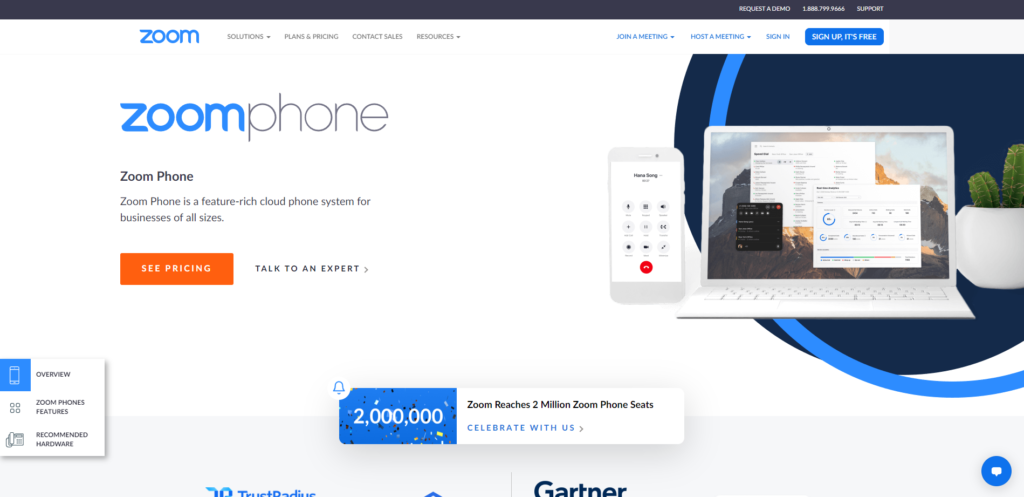
Zoom Phone is a cloud-based Voice over Internet Protocol (VoIP) service that integrates traditional business telephony with the Zoom communications platform. By leveraging a high-quality internet connection to manage voice calls, it replaces legacy Private Branch Exchange (PBX) systems, allowing users to make and receive calls on desktop computers, mobile devices, and desk phones using their assigned business number.
Understanding VoIP Architecture Within the Zoom Ecosystem
Voice over Internet Protocol (VoIP) represents a shift from circuit-switched telephone networks to packet-switched data networks. In a traditional setting, a desk phone connects to a physical copper wire. In a VoIP system like Zoom Phone, your voice is converted into digital data packets, transmitted over the internet, and reconstructed as audio on the recipient's end.
Zoom Phone functions as a softphone service, meaning the functionality is primarily handled through the same application you use for video conferencing. This unification is the core value proposition: instead of toggling between a video conferencing app and a separate physical phone or desk-bound software, the VoIP service resides in the "Phone" tab within your existing Zoom client.
Hardware and Connectivity Requirements
While Zoom Phone is built for software-based usage, it remains compatible with various hardware options. Organizations can deploy it via:
- The Zoom Desktop/Mobile App: This is the native method, turning your laptop, tablet, or smartphone into your primary business line.
- Certified Desk Phones: If your office requires physical hardware, Zoom maintains a list of certified IP phones from manufacturers like Poly, Yealink, and Cisco that are pre-configured to work with the service.
- Analog Telephone Adapters (ATAs): For organizations with legacy equipment, ATAs can convert existing analog signals into VoIP-ready data packets, extending the life of specialized hardware like door controllers or paging systems.
Key Features of Zoom VoIP Service
The transition to a cloud-based phone system is usually driven by the desire for features that are difficult or expensive to implement in traditional analog systems. Zoom Phone includes a suite of enterprise-grade capabilities accessible via a centralized management portal.
Unified Communications Integration
The primary advantage is the convergence of modalities. If you are in a Zoom Meeting and receive a phone call, the interface handles the transition gracefully. You can elevate an existing phone call into a full Zoom Meeting with one click, sharing your screen or starting video immediately without requiring the other party to download new software or dial a separate meeting link.
Intelligent Call Routing and Management
Zoom Phone provides advanced administrative controls to manage how inbound calls are handled:
- Auto-Receptionists: An automated virtual assistant that greets callers and directs them to specific extensions or departments via custom menus.
- Call Queues: Necessary for support or sales teams, these queues hold incoming callers and distribute them to the next available agent based on specific logic (e.g., longest idle, round-robin, or sequential).
- Shared Line Appearance: Allows multiple team members to manage a single shared business number, ensuring that a receptionist or assistant can pick up, hold, or transfer calls on behalf of an executive.

Implementation and Administrative Control
For organizations, moving to Zoom Phone involves a transition from managing physical phone lines to managing digital identities within the Zoom web portal. Administrators have granular control over provisioning and security.
Provisioning Users
Administrators assign direct phone numbers or extensions to users through the web portal. Once provisioned, the user receives an invitation or simply finds the "Phone" tab enabled in their existing Zoom client. Because Zoom accounts are typically tied to corporate email addresses, provisioning is often handled through Single Sign-On (SSO) integrations, meaning the phone service follows the employee’s existing identity protocols.
Porting Existing Numbers
For businesses moving from legacy providers, the "number porting" process is a standard requirement. This involves submitting a Letter of Authorization (LOA) to Zoom, which initiates a request to the previous carrier to release the phone numbers to the new VoIP service. This is a regulated process that ensures business continuity by maintaining existing client contact numbers.
Comparison of Business Communication Solutions
Choosing a VoIP provider requires evaluating the trade-offs between hardware-heavy legacy systems and cloud-native solutions like Zoom Phone.
| Feature | Legacy PBX Systems | Zoom Phone (VoIP) |
|---|---|---|
| Connectivity | Copper/Fiber lines | Internet/Data network |
| Hardware | Dedicated proprietary gear | App-based or certified SIP phones |
| Maintenance | On-site technicians required | Centralized cloud management |
| Scalability | High cost to add lines | Instant, software-based scaling |
| Integration | Difficult to link to apps | Native to Zoom video ecosystem |
Operational Limitations and Considerations
While VoIP offers significant advantages in flexibility, it introduces dependencies that do not exist with traditional analog phone lines.
Reliance on Network Quality
The quality of a Zoom Phone call is strictly bound to the quality of your internet connection. In environments with heavy jitter, high latency, or intermittent packet loss, voice quality can degrade—resulting in robotic audio or dropped calls. Professional setups often prioritize Zoom traffic on the local area network using Quality of Service (QoS) settings on office routers to ensure voice packets are handled ahead of non-critical traffic.
Emergency Services (E911)
Legislation regarding VoIP and emergency services is strict. In many jurisdictions, VoIP providers are required to provide Enhanced 911 (E911) capabilities. Zoom Phone allows administrators to set specific physical addresses for users. It is critical that users who travel or change physical locations update their "Emergency Address" in their account settings; otherwise, emergency dispatchers may be sent to an incorrect location during a 911 call.
Power Dependency
A standard analog phone connected to a wall jack often works during a power outage because it draws power from the phone line itself. A VoIP phone—and your home or office router—requires electricity. If your power goes out, your VoIP service will be offline unless you have a battery backup (Uninterruptible Power Supply) for your modem, router, and computer or phone.
Troubleshooting Common Issues
If you encounter difficulties with your Zoom Phone service, follow this diagnostic sequence:
- Network Health: Use the Zoom client's built-in network statistics tool to check for packet loss and latency. If your jitter is above 30ms, voice calls will likely suffer.
- Firmware Updates: If using a physical desk phone, check the Zoom management portal to ensure the device is running the latest firmware certified by Zoom.
- Permissions: Ensure your operating system (macOS or Windows) has granted the Zoom app permission to access your microphone.
- Account Provisioning: Verify with your IT department that your account has the correct "Phone" license assigned; without a paid license, you will not be able to place or receive calls.
Frequently Asked Questions
Does Zoom Phone require a separate application? No. Zoom Phone is integrated directly into the standard Zoom client. Once licensed, a "Phone" tab appears alongside your "Meetings," "Chat," and "Contacts" tabs, consolidating your communication tools into one interface.
Can I use my current desk phone with Zoom? Possibly. Zoom supports a wide range of SIP-based desk phones from major manufacturers. You must check the official Zoom hardware compatibility list to confirm your specific model is supported and that you have the correct provisioning credentials.
Is Zoom Phone secure? Zoom Phone employs TLS (Transport Layer Security) for signaling and SRTP (Secure Real-time Transport Protocol) for media encryption. This ensures that voice traffic is encrypted as it travels across the internet, protecting it from eavesdropping.
What happens if my internet connection fails? Because the service relies on an internet connection, it will become unavailable during an outage. However, most administrators configure "failover" rules in the Zoom portal, which can automatically route incoming calls to a mobile number or a secondary destination if your primary connection drops.
Can I use Zoom Phone internationally? Yes, Zoom Phone offers global coverage in many countries. However, international calling rates and regulatory requirements regarding local emergency services vary by region. Always review the coverage map for the specific countries where your employees are based.
Practical Next Steps for Adoption
If you are considering implementing Zoom Phone for your organization, start by auditing your current telephony usage. Identify how many employees truly need a desk phone versus those who would be better served by the softphone app. Ensure your network infrastructure—specifically your bandwidth and router configurations—can handle the concurrent data load of voice traffic.
Contact a Zoom sales representative or an authorized partner to discuss licensing models. Unlike traditional hardware providers, Zoom typically uses a subscription-based model. Review your current contract expiration dates with existing carriers to time your number porting process effectively, avoiding early termination fees while ensuring you don't lose access to your business lines during the transition.
Image Gallery
Select an image to open it in a new tab.


Omar Farooq
EdTech Innovation and Virtual Pedagogy Journalist
