Understanding the Cloudflare Proxy Ports and Network Architecture

Cloudflare proxies traffic through a specific, carefully curated subset of HTTP and HTTPS ports, meaning that any attempt to route non-supported ports through its orange-cloud network configuration will result in connectivity failures unless properly configured using alternative methods like Spectrum or unproxied DNS records. When website administrators configure their DNS settings on Cloudflare, they often encounter unexpected connectivity issues because they assume all network ports are proxied by default, whereas the reverse proxy architecture is intentionally designed to handle standard web traffic on designated ports for performance, caching, and security enforcement.
The Fundamentals of Cloudflare's Reverse Proxy Architecture
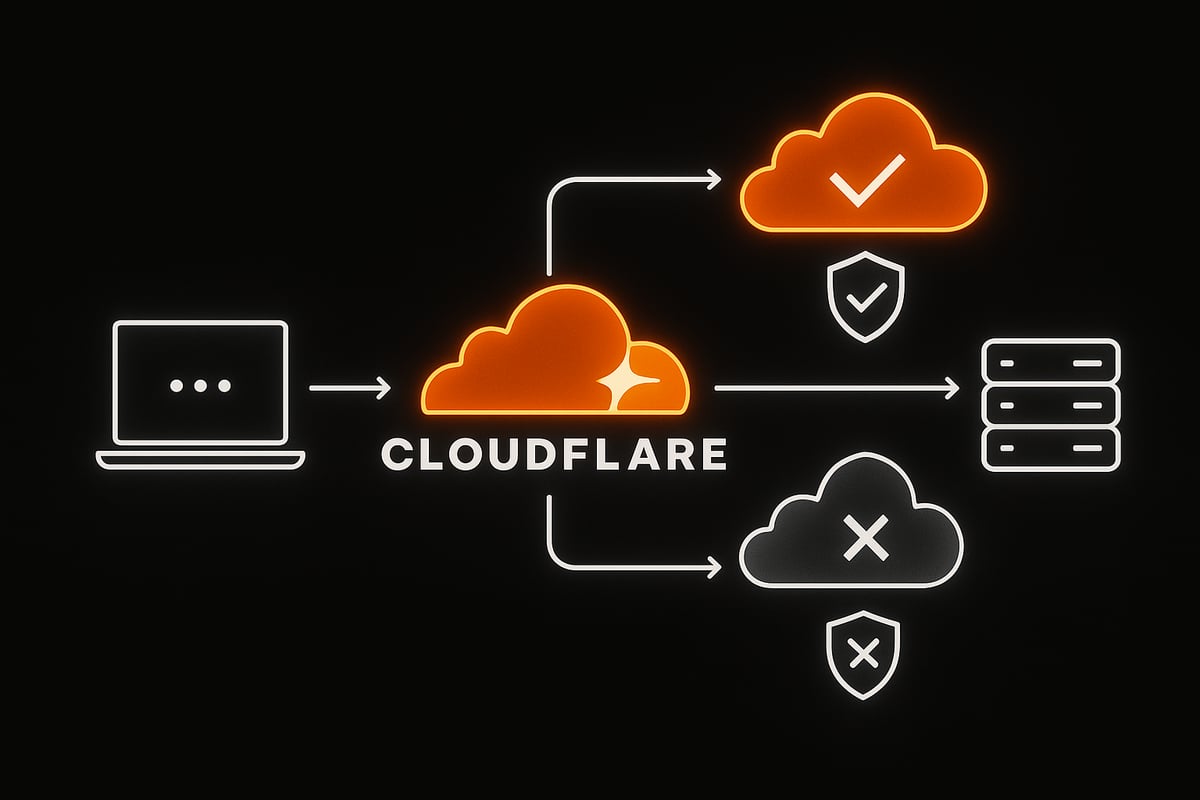
To understand how Cloudflare handles network traffic, one must first examine the role of a reverse proxy. When a domain is configured with an orange cloud status (proxied) within the Cloudflare dashboard, client requests do not hit the origin server directly. Instead, they terminate at the nearest Cloudflare edge data center. Cloudflare inspects the request for security threats, checks edge caches for static assets, applies Web Application Firewall (WAF) rules, and then—if necessary—originates a new connection back to the origin server.
This architecture requires Cloudflare to listen for specific incoming connections on its edge servers. Because the vast majority of web traffic relies on standard web ports, Cloudflare restricts its default proxy service to a specific list of HTTP and HTTPS ports. Traffic arriving on ports outside of this supported list will not be accepted by the edge proxy, resulting in connection timeouts, protocol errors, or dropped packets. Consequently, system administrators and web developers must map their services correctly to ensure uninterrupted communication between end-users, the Cloudflare edge, and the backend origin infrastructure.
Furthermore, separating web traffic from non-web traffic allows Cloudflare to optimize its edge network for high-throughput HTTP/HTTPS delivery. By limiting proxying to recognized web ports, the infrastructure can enforce TLS/SSL termination, HTTP/2 and HTTP/3 multiplexing, DDoS mitigation, and edge caching rules efficiently without wasting compute resources on arbitrary TCP or UDP protocols that require entirely different packet-handling pipelines.
Officially Supported HTTP and HTTPS Proxy Ports
Cloudflare explicitly supports a distinct list of ports for HTTP and HTTPS traffic when a DNS record is set to proxied. Attempting to run web applications on non-standard ports behind the standard proxy will fail unless those ports are explicitly included in Cloudflare's supported list.
Supported HTTP Ports
For unencrypted HTTP traffic, Cloudflare supports a handful of ports commonly used for standard web browsing and alternative development setups:
- Port 80: The default port for standard HTTP web traffic.
- Port 8080: Frequently used for alternative HTTP web servers, local development environments, and proxy configurations.
Supported HTTPS Ports
For encrypted HTTPS traffic utilizing TLS/SSL certificates, Cloudflare supports a broader range of ports to accommodate various administrative panels, application backends, and secure web services:
- Port 443: The universal standard port for secure HTTPS web traffic.
- Port 2053: Often used for specific administrative interfaces, secure API traffic, or alternative HTTPS services.
- Port 2083: Commonly associated with cPanel secure control panel connections.
- Port 2087: Frequently used for WHM (Web Host Manager) secure connections.
- Port 2095: Typically utilized for secure Webmail services.
- Port 2096: Another variant used for secure Webmail and hosting control panels.
- Port 8443: Widely adopted as an alternative secure HTTPS port for web applications, Tomcat instances, and control panels.
- Port 8880: Sometimes utilized as an alternative clear-text or encrypted web port depending on specific origin configurations.
When a client sends a request to example.com:8443, Cloudflare accepts the TLS handshake on that port at the edge, terminates the encryption, processes any security rules, and then forwards the traffic to the origin server. However, if a user attempts to connect to example.com:1234, Cloudflare's edge servers will immediately reject the connection because port 1234 is not part of the standard web proxy port manifest.
| Port Number | Protocol | Common Use Case | Cloudflare Proxy Status |
|---|---|---|---|
| 80 | HTTP | Standard web traffic | Supported (Proxied) |
| 443 | HTTPS | Secure web traffic | Supported (Proxied) |
| 2053 | HTTPS | Secure API / Admin traffic | Supported (Proxied) |
| 2083 | HTTPS | cPanel secure access | Supported (Proxied) |
| 2087 | HTTPS | WHM secure access | Supported (Proxied) |
| 2095 | HTTPS | Secure webmail | Supported (Proxied) |
| 2096 | HTTPS | Secure webmail | Supported (Proxied) |
| 8080 | HTTP | Alternative web traffic | Supported (Proxied) |
| 8443 | HTTPS | Alternative secure web traffic | Supported (Proxied) |
| 8880 | HTTP/HTTPS | Alternative web traffic | Supported (Proxied) |
| Any Other | TCP/UDP | Custom applications, SSH, FTP | Not Supported via Default Proxy |

Handling Non-Standard and Non-HTTP Ports
Many network administrators encounter roadblocks when attempting to proxy custom applications, databases, game servers, or secure shell (SSH) connections through Cloudflare. Because the default proxy engine is strictly engineered for HTTP and HTTPS protocols on the approved port list, non-web traffic cannot pass through an orange-cloud DNS record.
The Role of Cloudflare Spectrum
For organizations requiring enterprise-grade DDoS protection, load balancing, and proxying for non-HTTP protocols, Cloudflare offers a paid product known as Cloudflare Spectrum. Spectrum allows organizations to proxy any TCP or UDP-based traffic—such as SSH, Minecraft servers, FTP, VoIP, or database connections—through Cloudflare's edge network.
When using Spectrum, Cloudflare assigns listener ports on its edge infrastructure that map directly to the origin server's ports. This bypasses the traditional HTTP/HTTPS restriction, though it requires specific enterprise or paid feature entitlements depending on the protocol and configuration requirements.
Utilizing DNS-Only (Gray Cloud) Records
For users operating on free or standard tiers who need to connect to non-supported ports, the standard workaround is to set the DNS record to DNS-only (represented by a gray cloud icon in the dashboard).
When a record is set to DNS-only:
- Cloudflare acts strictly as an authoritative DNS provider.
- Traffic bypasses Cloudflare's edge data centers entirely and connects directly to the origin server's IP address.
- The origin server's firewall must be configured to accept traffic on whatever custom port is required (e.g., SSH on port 22, custom database ports like 3306 or 5432).
- Security features like the Web Application Firewall (WAF), Page Rules, and Managed Challenge protections are disabled for that specific record, leaving the origin server's IP address exposed to potential volumetric DDoS attacks and direct scanning.
Common Misconceptions and Edge Cases
Misunderstandings regarding port handling often lead to configuration errors and unexpected downtime. Analyzing these scenarios helps clarify how the edge proxy behaves in practice.
Origin Port Translation Limitations
A common point of confusion involves the relationship between the client-facing port and the origin-listening port. When using the standard Cloudflare proxy, Cloudflare expects the traffic on the edge to match one of the supported ports. While Cloudflare can proxy traffic from standard ports (like 443) down to different internal ports on the origin server via origin configurations or Load Balancer settings, it cannot dynamically accept traffic from an unsupported incoming client port unless that port is part of the official manifest.
SSL/TLS Handshake Failures on Unsupported Ports
If an administrator attempts to force HTTPS traffic over an unsupported port using a proxied DNS record, users will experience immediate connection failures. This occurs because the Cloudflare edge server never establishes a listening socket on that port for that domain. The connection attempt times out at the TCP handshake layer before any TLS negotiation can begin.
Impact on API Integrations and Webhooks
Third-party webhooks, mobile applications, and API clients frequently rely on non-standard ports for backend communication. If an application developer migrates an API endpoint behind a proxied Cloudflare DNS record while keeping the service bound to a custom port (such as https://api.example.com:9000), the integration will break instantly. To resolve this, developers must either refactor the application to use standard ports (80 or 443) or switch the DNS record to DNS-only mode.
Troubleshooting Connectivity Issues Related to Ports
When diagnosing connection errors involving Cloudflare proxy ports, a systematic troubleshooting approach helps isolate whether the issue stems from Cloudflare's edge restrictions, origin firewall rules, or DNS propagation.
- Verify DNS Record Status: Check the Cloudflare dashboard to confirm whether the DNS record is set to Proxied (orange cloud) or DNS-only (gray cloud). If the service requires an unsupported port, it must be gray-clouded.
- Check Port Compatibility: Cross-reference the port in question against the official supported port list. If the port is not on the list and the record is proxied, traffic will fail.
- Inspect Origin Firewalls: Ensure that the origin server's firewall (such as
iptables,ufw, or cloud provider security groups) allows incoming connections on the necessary ports from Cloudflare's known IP ranges. - Test Direct Connection: Temporarily bypass Cloudflare by pointing a local hosts file or querying the origin server's IP address directly (assuming it is accessible and unproxied) to verify that the application is running correctly on the server itself.
- Review Browser and Network Errors: Analyze browser developer tools or network tracing utilities (like
curlortraceroute) to determine if the failure occurs at the TCP handshake stage, the TLS negotiation phase, or the HTTP response level.
Frequently Asked Questions
Can I proxy custom ports like 8080 through Cloudflare for free?
Yes, port 8080 and port 8443 are officially supported on Cloudflare's standard proxy configuration for all account tiers, including the Free plan. However, truly arbitrary custom ports (such as 3000, 5000, or 9000) cannot be proxied on standard plans without using Cloudflare Spectrum or switching the DNS record to DNS-only mode.
What happens if I try to run SSH traffic through a proxied Cloudflare DNS record?
Standard SSH traffic operates on port 22. Because port 22 is not supported by Cloudflare's default web proxy, connection attempts will fail. To use SSH securely with Cloudflare, administrators must either use Cloudflare Spectrum (for TCP proxying), configure an SSH jump host, or use a DNS-only record combined with robust firewall rules or a Zero Trust network access solution like Cloudflare Tunnel.
Why does my web application work on port 443 but fail on port 8443?
If your application works on port 443 but fails on port 8443 through a proxied record, verify that your origin server is actively listening on port 8443 and that your cloud provider's firewall allows inbound TCP traffic on port 8443 from Cloudflare's IP ranges. Additionally, ensure that your SSL/TLS encryption mode in Cloudflare (Flexible, Full, or Full Strict) matches your origin server's certificate configuration for that port.
How does Cloudflare Tunnel affect port restrictions?
Cloudflare Tunnel (cloudflared) creates an outbound-only connection from your origin server to Cloudflare's edge. This allows you to route traffic to local services running on various internal ports without exposing public listening ports on your origin server's firewall. However, the traffic exiting Cloudflare's edge to end-users still adheres to standard web protocols and port handling unless configured via advanced routing rules.
Conclusion
Understanding Cloudflare proxy ports is essential for maintaining reliable, secure web infrastructure. By recognizing that Cloudflare's default reverse proxy strictly accepts traffic on a predefined list of HTTP and HTTPS ports, administrators can prevent unexpected downtime during deployments and API integrations. When applications require non-standard ports, utilizing DNS-only records or enterprise solutions like Cloudflare Spectrum ensures proper routing while maintaining network security. Review your application architecture, verify your port configurations against Cloudflare's supported specifications, and test your DNS and firewall rules to ensure seamless global connectivity.
Image Gallery
Select an image to open it in a new tab.

Vivian Cho
Executive IT and Emerging Technologies Reporter
