
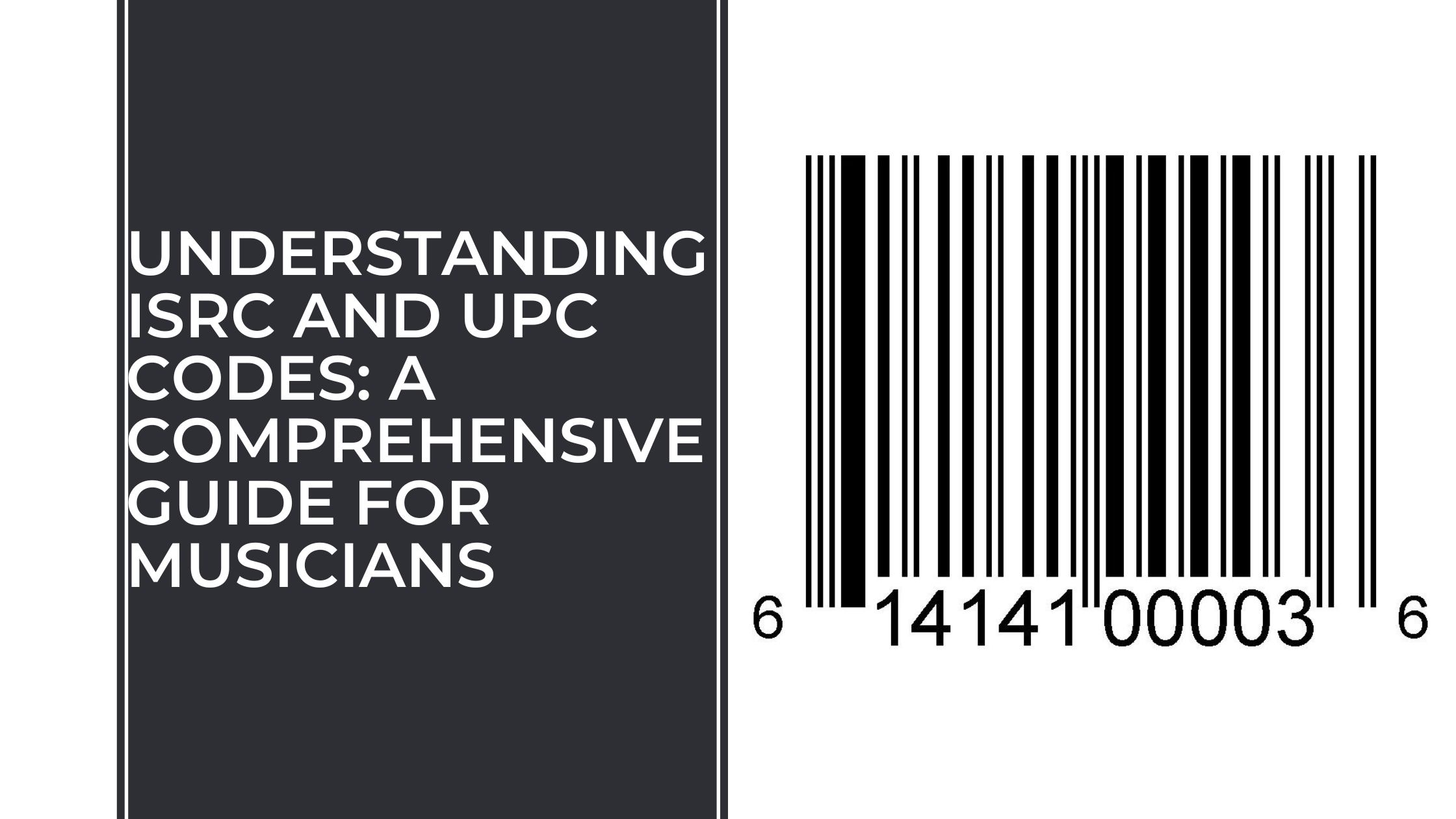
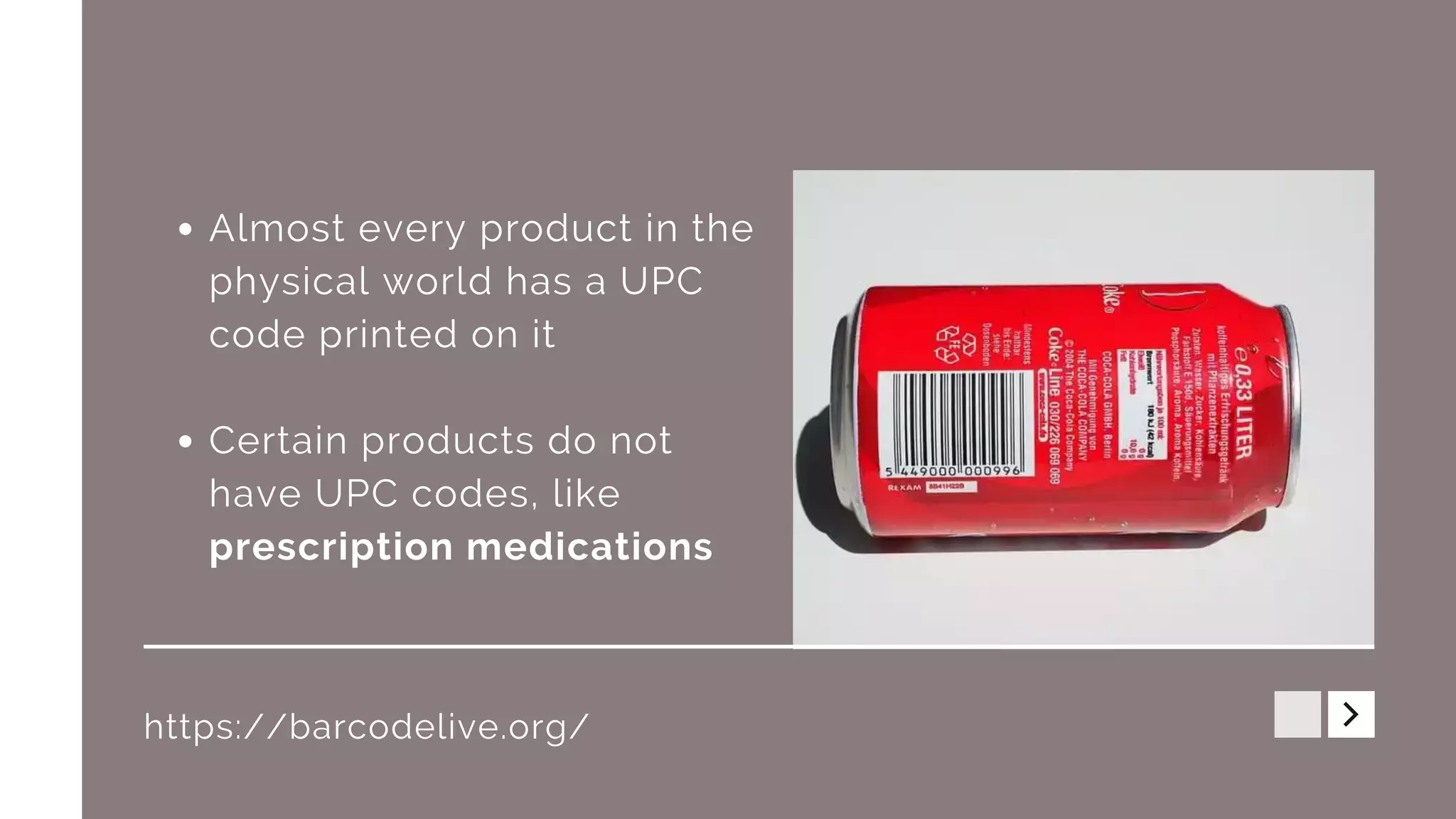
A standard UPC code, specifically the UPC-A version, looks like a rectangular arrangement of vertical black bars of varying widths separated by white spaces, with 12 digits printed directly beneath them. The bars are designed for laser scanners, while the numbers allow for manual entry and verification.
Universal Product Codes (UPC) are the ubiquitous symbols found on nearly every retail product in North America. While they may appear to be a simple series of lines and numbers, each element of a UPC code follows a rigorous international standard maintained by GS1. As we navigate the retail landscape of 2026, understanding these symbols is essential for business owners, inventory managers, and curious consumers alike.
The Visual Anatomy of a UPC-A Barcode
The most common iteration of the UPC is the UPC-A. To the naked eye, it is a 1D (one-dimensional) linear barcode. However, its visual structure is divided into several distinct zones that ensure a scanner can read the data regardless of the direction in which the item is swiped.
The Bar Pattern (The Scannable Element)
The "bars" are not just random lines; they are a binary representation of data. Each UPC-A barcode consists of 95 equal-width columns (often called "modules"). A module can be either black (1) or white (0). These modules are grouped to form specific patterns that represent digits.
- Guard Bars: You will notice three sets of bars that are slightly longer than the rest. These are the "Guard Bars" located at the far left, the far right, and the exact center. They tell the scanner where the data begins, where the halfway point is, and where it ends.
- The Left and Right Halves: A UPC is split into two halves. Visually, the bars on the left side represent the first six digits, and the bars on the right side represent the last six. Interestingly, the patterns of bars and spaces for a number on the left are the photographic inverse of the patterns for that same number on the right. This allows the scanner to determine if the code is being read right-side-up or upside-down.
The Human-Readable Interpretation (The Numbers)
Beneath the bars, you will see 12 digits. In a standard layout, the first digit is placed to the left of the barcode, the next ten digits are grouped in the center, and the final digit is placed to the right. These digits serve as a backup for the scanner; if the barcode is damaged or the label is wrinkled, a retail clerk can manually type the numbers into the Point of Sale (POS) system.
The Quiet Zone
Every UPC code requires a "Quiet Zone" on either side of the bars. This is a mandatory blank space (usually white) that signals to the scanner that the barcode is about to begin or has just ended. If text or graphics are printed too close to the bars, the scanner may fail to recognize the code.
Breaking Down the 12-Digit Structure
The 12 digits of a UPC-A are not a random serial number. They are structured into three specific segments that provide information about the manufacturer and the product.
1. The GS1 Company Prefix
The first 6 to 10 digits of the UPC-A constitute the GS1 Company Prefix. This number is uniquely assigned to a brand or manufacturer by GS1, the global standards organization. The length of the prefix varies depending on how many products a company intends to sell. A company with thousands of products will have a shorter prefix, leaving more digits available for item numbers.
2. The Item Reference Number
Following the Company Prefix is the Item Reference Number. This is a number assigned by the manufacturer to a specific product. It is important to note that every variation of a product—such as size, color, or flavor—requires a unique Item Reference Number. For example, a 12-ounce can of cola and a 20-ounce bottle of the same cola from the same manufacturer will have identical Company Prefixes but different Item Reference Numbers.
3. The Check Digit
The 12th and final digit, located at the far right, is the Check Digit. This digit is the result of a specific mathematical formula (the Modulo 10 algorithm) performed on the previous 11 digits.
The scanner performs this math instantly when the code is swiped. If the calculated result does not match the printed check digit, the scanner knows a mistake has occurred (perhaps due to a smudge or a printing error) and will emit a "fail" beep rather than entering incorrect data.

Variations: What a UPC-E Code Looks Like
While UPC-A is the standard, you may encounter a much smaller version called the UPC-E. This is a "zero-suppressed" version of the UPC-A, designed for very small items like chewing gum packs, cosmetic pencils, or individual batteries where a full-sized barcode wouldn't fit.
- Visual Appearance: It is much narrower than a UPC-A.
- Digit Count: It only displays 6 digits.
- Functionality: Through a specific set of rules, the UPC-E "hides" the zeros that would normally appear in the manufacturer prefix or the item number. When scanned, the POS system's software expands the 6 digits back into the full 12-digit UPC-A format to look up the product in the database.
Technical Specifications and Printing Standards
For a UPC code to be "legal" and functional in 2026, it must adhere to specific physical dimensions and color standards. Deviating from these can result in retailer "chargebacks" or the inability to sell products in major stores.
Dimensions and Scaling
The nominal size of a UPC-A barcode is 1.469 inches wide by 1.02 inches high. However, GS1 allows for scaling between 80% and 200% of this size. If a barcode is printed smaller than 80% (roughly 1.17 inches wide), the bars become too thin for standard lasers to resolve accurately.
The Importance of Contrast
UPC codes are almost always black bars on a white background. This is because red lasers (the most common type of retail scanner) see "red" as "white." Therefore, you cannot print a barcode with red bars, as the scanner would see it as a blank white space. Similarly, barcodes printed on dark or metallic surfaces often require a white "slug" (a white box) printed underneath the bars to provide the necessary contrast.
Bar Width and Edge Acuity
Each bar and space must have "clean" edges. If the ink bleeds (common in low-quality inkjet printing on porous cardboard), the bars become wider and the spaces narrower. This phenomenon, known as "ink spread," can change the binary data the scanner receives, leading to misreads.
Comparing UPC to Other Common Barcodes
In 2026, retailers use various types of codes. Understanding what a UPC looks like also requires knowing what it is not.
| Feature | UPC-A | EAN-13 | QR Code | Data Matrix |
|---|---|---|---|---|
| Type | 1D (Linear) | 1D (Linear) | 2D (Matrix) | 2D (Matrix) |
| Digit Count | 12 | 13 | Up to 7,089 | Up to 3,116 |
| Primary Region | North America | Global (Ex-North Am) | Global | Industrial/Healthcare |
| Visual Style | Bars/Spaces | Bars/Spaces | Square pixels/finders | Square pixels |
| Main Use | Retail Checkout | Retail Checkout | Marketing/Digital Link | Small parts/Medical |
The Future: UPC Transition to 2D Barcodes
While the 1D UPC code remains the standard for checkout in 2026, the retail industry is currently in the middle of a massive transition known as the Sunrise 2027 initiative.
Many brands are beginning to use "2D" barcodes (like QR codes or GS1 DataMatrix) alongside or in place of traditional UPCs. These 2D codes can look like a square filled with small dots or pixels. Unlike the standard UPC, which only identifies a product type, these newer codes can contain "Digital Link" data, including expiration dates, batch numbers, and links to consumer nutritional information. However, for the foreseeable future, the classic 12-digit UPC barcode remains the primary visual identifier for point-of-sale transactions.
Common Myths and Misconceptions
"The First Digit Represents the Country"
This is a common misunderstanding. While the first few digits (the GS1 Prefix) indicate the GS1 Member Organization where the company is registered (for example, 000-019 and 030-039 are assigned to GS1 US), it does not necessarily mean the product was manufactured in that country. It only indicates where the company's head office is registered with GS1.
"UPC Codes Contain the Price"
A UPC code does not contain the price of the item. Visually, it only contains the manufacturer and product IDs. When the code is scanned at a store, the POS system looks up the 12-digit number in the store's local database and retrieves the price assigned to that number by the retailer. This is why the same UPC will scan at different prices at different stores.
Troubleshooting Visual Issues with UPC Codes
If you are a business owner and your UPC code looks correct but isn't scanning, check for these common visual failures:
- Truncation: Reducing the height of the bars (making the barcode "shorter") to save space on a label. This makes it harder for a cashier to scan the item at an angle.
- Color Issues: Using low-contrast colors like blue on green or yellow on white.
- Reflectivity: Printing on a glossy or metallic surface that reflects the laser light back into the scanner, blinding it.
- Placement: Placing the barcode on a curved surface (like a small bottle) vertically rather than horizontally. If the curve is too sharp, the scanner cannot "see" the whole code at once.
Frequently Asked Questions
How can I verify if a UPC code is legitimate?
A legitimate UPC code must be registered through GS1. You can verify a code by using the GS1 GEPIR (Global Electronic Party Information Registry) tool. By entering the 12-digit number, you can see if it is officially assigned to the brand claiming to own it. "Faked" or "recycled" codes bought from unverified third-party resellers may not be accepted by major retailers like Amazon, Walmart, or Target.
Can a UPC code be any color?
No. For maximum reliability, the bars should be black or dark blue/green, and the background should be white or a light "warm" color (like yellow or orange). As noted previously, red is "invisible" to most scanners and should never be used for the bars.
What is the difference between a UPC and a Barcode?
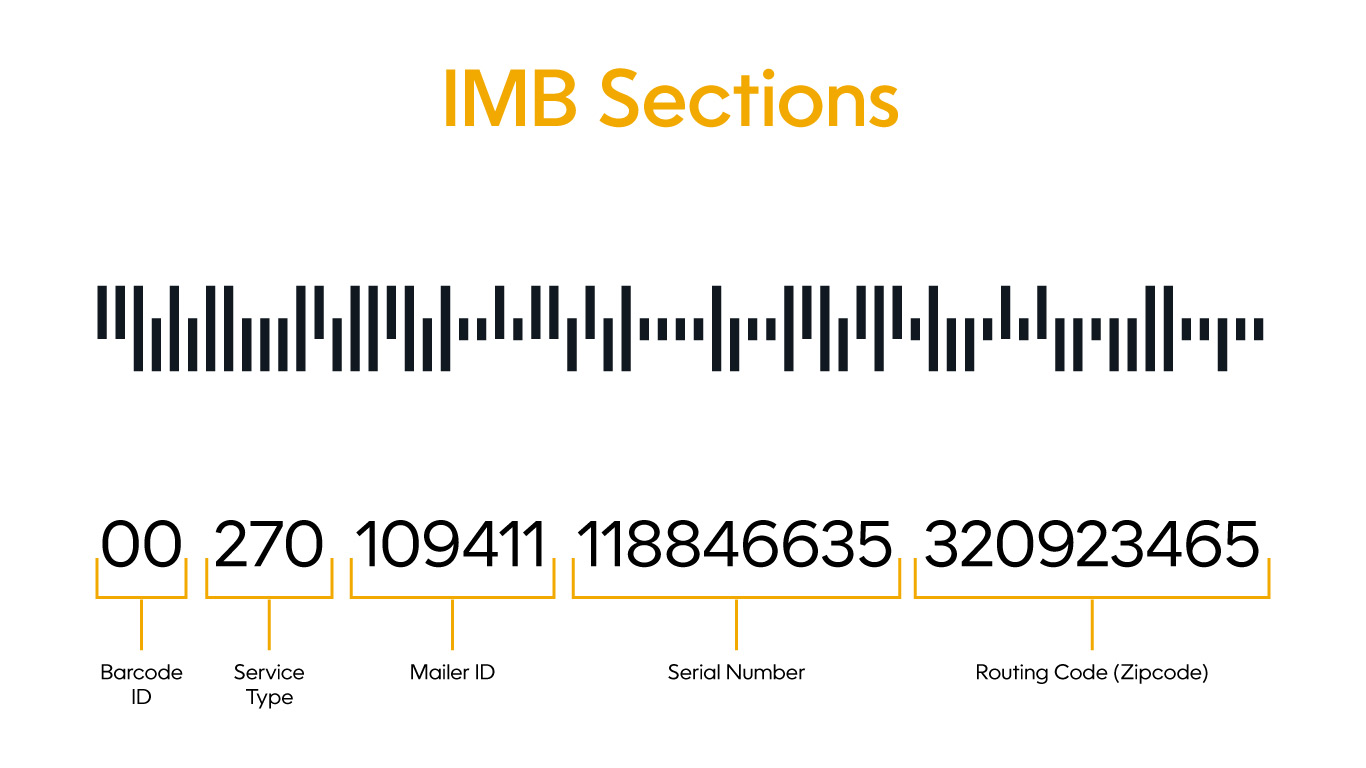
"Barcode" is a broad category that includes any optical, machine-readable representation of data. "UPC" (Universal Product Code) is a specific type of barcode used primarily for retail products in the United States and Canada. All UPCs are barcodes, but not all barcodes (such as QR codes or FedEx tracking codes) are UPCs.
Why do some UPCs have extra bars at the end?
Some products, particularly magazines and books, use "add-on" barcodes. These look like a second, smaller barcode placed to the right of the main UPC. They typically contain data regarding the issue number or a specific pricing supplement.
How small can a UPC code be printed?
The minimum recommended size is 80% of the nominal size, which results in a width of approximately 1.17 inches. If your product is too small for this, you must use a UPC-E (the 6-digit version), which has a much smaller footprint.
Final Recommendation for Business Owners
If you are preparing a product for retail in 2026, ensure your UPC code is obtained directly from GS1 to guarantee its global uniqueness and technical validity. Before finalizing your packaging, perform a "scannability test" using a high-quality verifier (not just a smartphone app) to ensure the contrast, bar width, and quiet zones meet ISO/IEC standards. This prevents costly relabeling and ensures a seamless experience for both retailers and consumers.
Image Gallery
Select an image to open it in a new tab.


Zara El-Hashem
Sociocultural Dynamics and Academics Writer
