Understanding the Google Play System: Updates, Security, and Core Functionality
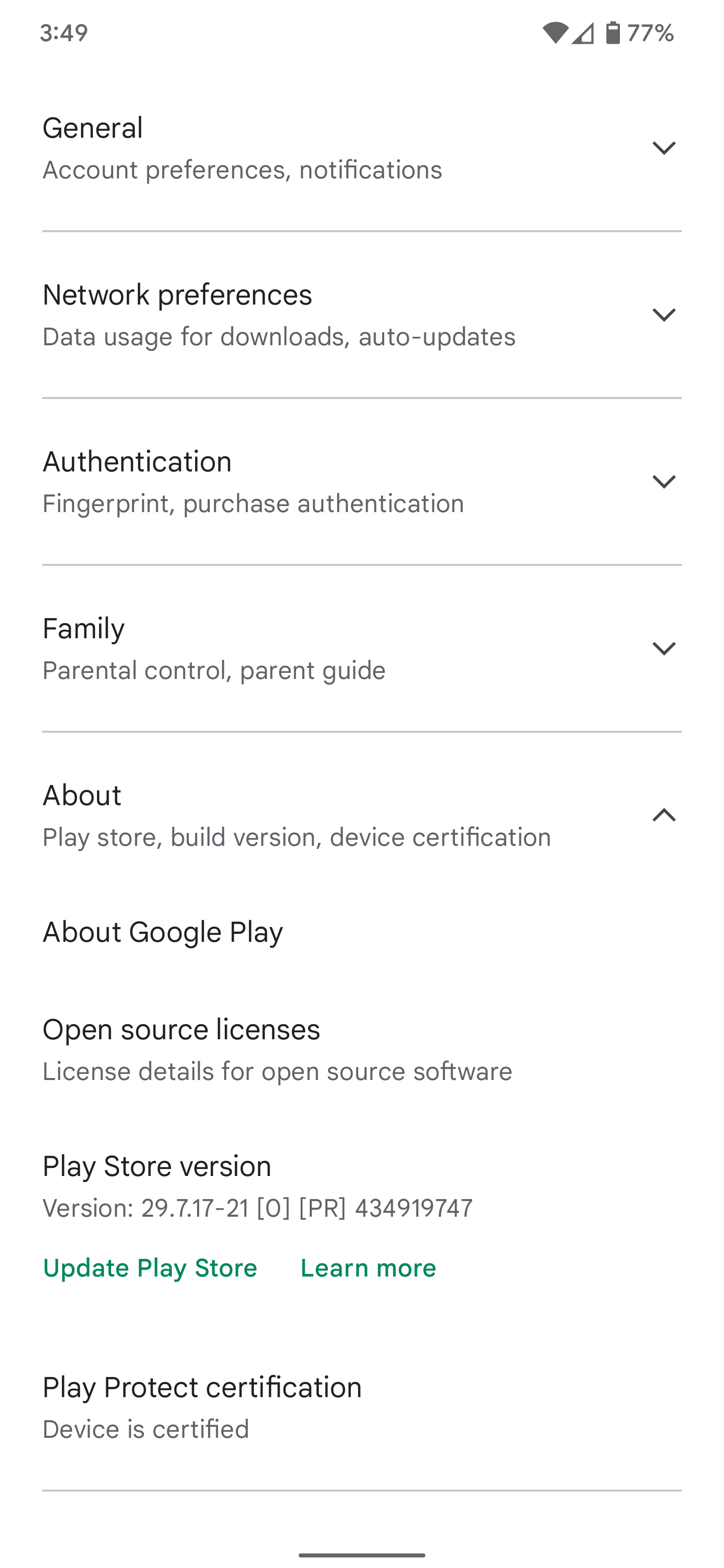
The Google Play system is a foundational component of the Android ecosystem that allows Google to deliver critical security, privacy, and functional updates directly to devices without requiring a full OS version upgrade from the manufacturer. It acts as a modular layer that decouples essential services from the core Android framework, ensuring consistent protection across a fragmented hardware landscape.
The Purpose and Evolution of Google Play System Updates
For many years, Android updates were tethered to the manufacturer’s schedule. When a security vulnerability was discovered, users often had to wait for the device manufacturer and the carrier to package, test, and push an Over-the-Air (OTA) update. This process frequently resulted in long delays, leaving older or budget-friendly devices vulnerable.
The introduction of the Google Play system (initially part of "Project Mainline") fundamentally changed this dynamic. By breaking down core Android components into modular, updatable units, Google created a mechanism to bypass the traditional bottleneck. These updates happen in the background, similar to how apps update via the Google Play Store, but they modify internal system libraries, network stacks, and security protocols rather than application-level data.
In 2026, this system remains the primary bridge between the fast-paced development of security patches and the diverse global ecosystem of Android devices. It ensures that regardless of whether a phone manufacturer has stopped issuing full firmware updates, the device can still receive vital security refinements to its underlying software modules.
Core Modules Managed via Google Play System
The system governs a variety of internal components. These are not user-facing apps but rather the "plumbing" that keeps the operating system secure and compatible. Understanding these modules helps clarify why your device might show an update for the "Google Play system" even if your Android OS version remains unchanged.
- Security & Privacy: This includes patches for the Media Framework, which handles various file types and potential exploits, and the Network Stack, which manages how your device communicates with cellular and Wi-Fi networks.
- Permissions Management: Updates here ensure that the way applications request access to your location, camera, or contacts remains consistent with the latest privacy guidelines issued by Google.
- Credential Storage: These modules manage how passwords, biometric data, and encryption keys are handled, ensuring that even if a device runs an older version of Android, the cryptographic standards remain current.
- Connectivity Services: This covers Bluetooth, Wi-Fi, and NFC modules. By updating these through the Play system, Google can fix bugs that cause connection drops or improve the security of pairing processes without modifying the manufacturer’s kernel.
- Play Store Infrastructure: The core framework that allows the Play Store to function—including license verification, subscription management, and app installation security—is itself updated via these system pushes.
How to Check and Manage Your Update Status
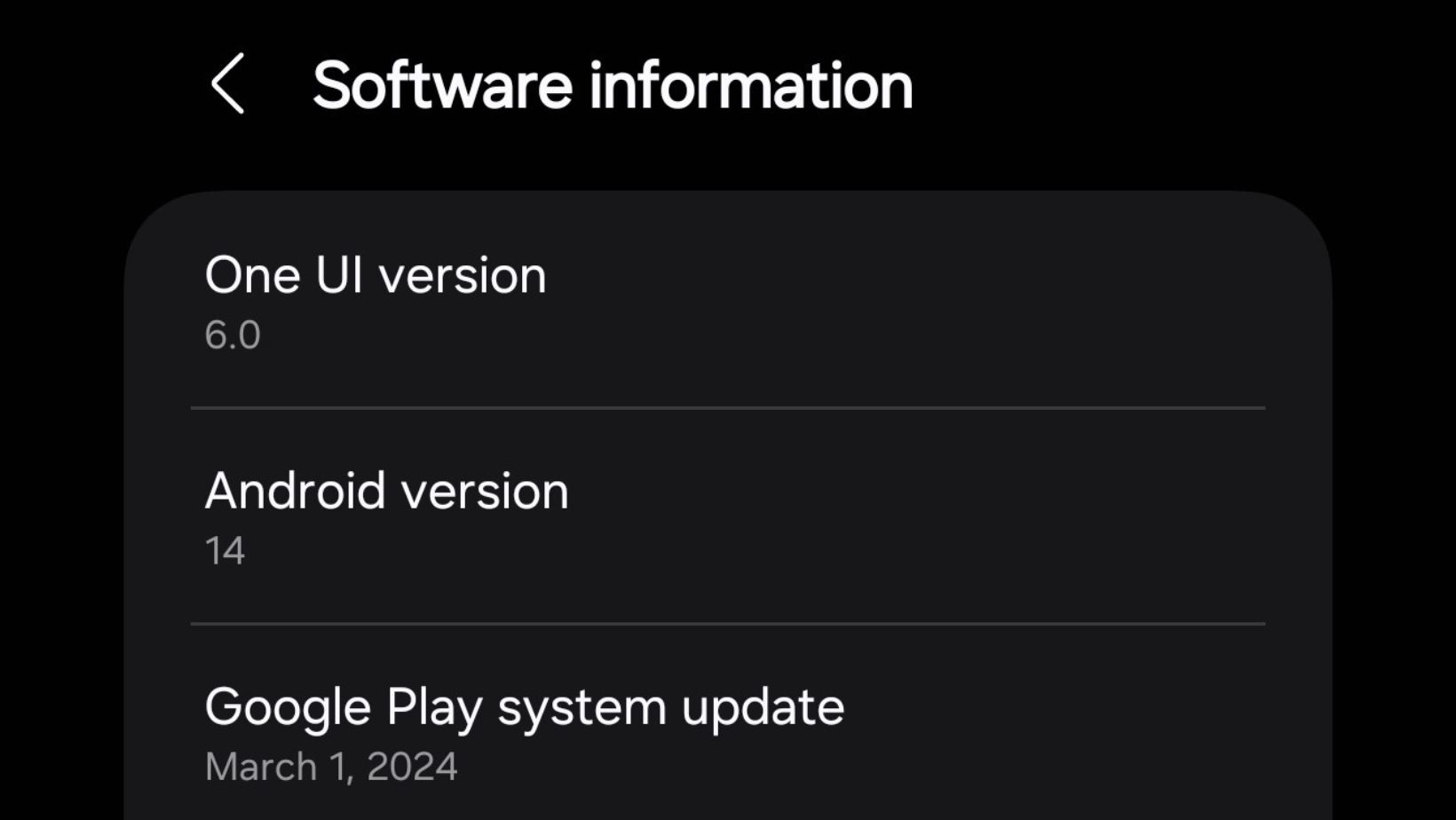
Because Google Play system updates are modular, they run independently of your phone's "Android Version." However, checking them is simple and should be a routine part of your device maintenance in 2026.
- Open your device's Settings app.
- Navigate to About Phone (or About Tablet).
- Tap on Android Version (or Software Information).
- Look for the field labeled Google Play system update.
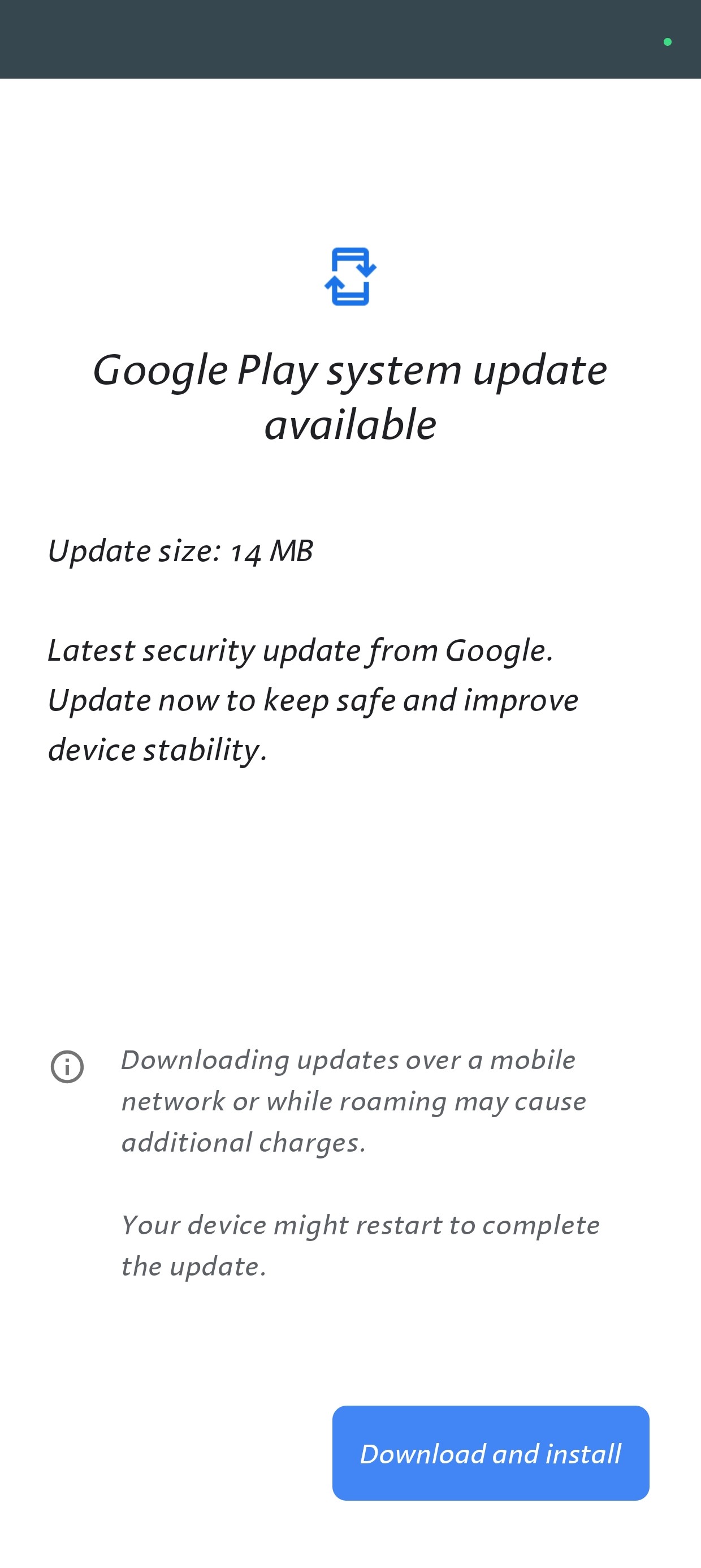
If you see a date that is several months old, your device is likely lagging behind in critical updates. Tapping this field will trigger a check against Google’s servers. If an update is available, you will be prompted to download it and restart your device to apply the changes. This restart is required because the system is replacing low-level components that cannot be swapped while the operating system is actively executing them.
Comparing Traditional OS Updates vs. Google Play System Updates
It is common to confuse a manufacturer’s Android version update with a Google Play system update. The following table clarifies the distinctions between these two critical maintenance pathways.
| Feature | Traditional OS Update | Google Play System Update |
|---|---|---|
| Source | Device Manufacturer (OEM) | |
| Frequency | Quarterly or Annually | Monthly or ad-hoc |
| Scope | Kernel, UI, Hardware Drivers | Security, Privacy, Libraries |
| Dependency | Dependent on OEM support | Independent of OEM |
| Installation | Full firmware flash | Modular patch |
Troubleshooting Common Issues
While the process is designed to be seamless, users may occasionally encounter hurdles when attempting to update the Google Play system.
The "Update Available but Not Installing" Loop If your device tells you an update is available but fails to install, the first step is to ensure you have sufficient storage space. Even though these updates are smaller than full OS images, they require "breathing room" to decompress and verify file integrity. Clear your cache or delete unused large files and try again.
Outdated "Last Checked" Date If the date has not changed in a long time, verify your internet connection. In some regions, certain firewall settings or VPNs can interfere with the connection to Google's specialized servers for these updates. Try disabling your VPN and connecting to a different network to force a fresh handshake.
System Stability After Updates If your phone experiences minor glitches immediately after a Play system update, it is often due to a conflict between the updated library and a cached configuration. Performing a "Clear Cache" on the Google Play Services app through your Settings menu can often resolve these transient issues without necessitating a full factory reset.
Security Implications and Best Practices
The Google Play system is arguably the most important security feature introduced to Android in the last decade. It effectively turns the Android ecosystem into a "living" environment where security is not a static snapshot taken at the time of manufacture, but a dynamic, evolving standard.
However, users should not rely solely on these updates. They supplement—but do not replace—the need for basic digital hygiene. Always ensure your device has a strong PIN or biometric lock enabled, and avoid installing applications from unknown third-party sources. The Google Play system protects the "how" of your device, but it cannot always protect the user from installing malicious software through social engineering.
Furthermore, recognize that while the Google Play system covers many internal components, it does not replace the manufacturer's responsibility to update drivers for your specific camera, screen, or processor hardware. A fully updated Google Play system on an old, abandoned device is better than having no updates at all, but it remains a secondary layer to the hardware-level support provided by your device manufacturer.
Frequently Asked Questions
Does the Google Play system update require a restart? Yes. Unlike standard apps that update in the background, Google Play system updates modify core libraries that are loaded into memory when the device boots. A reboot is necessary to unload the old versions and load the updated, secure modules.
Will these updates change the look of my Android interface? No. The Google Play system handles the underlying architecture, security protocols, and core APIs. It does not contain modifications to the user interface, launcher, or visual design of your OS. Those changes are delivered exclusively through manufacturer firmware updates or app-specific updates via the Play Store.
Why does my phone say my system is up to date, but the date is from last month? Updates are often rolled out in batches to ensure server stability. Additionally, not every single month requires a modular update to every system component. If your device reports that it is up to date, it means there are currently no pending patches applicable to your specific hardware configuration.
Are these updates safe to install? Yes. These updates are digitally signed by Google and pushed directly to your device via Google Play Services. They are as safe as any other official software update. Because they are modular, the risk of a "brick" (a non-functional device) is significantly lower than with a full firmware update.
Does this drain my battery more than a normal update? No. These updates are designed to be efficient. Because they replace specific, small modules rather than entire sections of the operating system, they are lightweight. Any battery drain noticed during an update process is temporary and related to the processing required to verify and install the files.
Next Steps for Device Security
To ensure your device remains protected, prioritize these three actions:
- Automate Checks: While Android generally handles these updates automatically, visit the Google Play system update menu once per month to manually verify your status.
- Monitor Storage: Keep at least 2-3GB of free space on your device at all times. Low storage can prevent system updates from unpacking correctly, leaving your device vulnerable to known exploits.
- Review Permissions: Occasionally open your privacy dashboard to review which apps have sensitive permissions. While the Google Play system keeps the "walls" of your system strong, your own permission choices dictate who has the "keys" to your personal data.
By understanding that the Google Play system acts as an invisible, self-healing shield for your device, you can better appreciate the maintenance that occurs behind the scenes. This framework is a testament to the shift toward a more secure, modular, and resilient Android experience, regardless of the specific brand or model of smartphone you carry in 2026.

Image Gallery
Select an image to open it in a new tab.



Mateo Castillo
Decentralized Finance and E-Payments Strategist
