
Push notification templates serve as standardized blueprints that decouple message structure from specific content, enabling brands to deliver consistent, personalized, and scalable alerts across mobile and web platforms. They streamline the development-to-marketing workflow by allowing non-technical users to modify messaging without altering underlying application code or requiring new deployments.
The Architectural Foundation of Push Notification Templates
At its core, a push notification template is a reusable framework designed to house the various elements of a message before it is dispatched to a user's device. In the complex ecosystem of 2026 mobile engagement, these templates act as the bridge between raw data and user-facing communication. Instead of hardcoding every message into the application’s backend logic, developers create a "skeleton" that includes placeholders for variables such as names, product titles, or specific discount percentages.
The primary role of these templates is to standardize the JSON payload sent to messaging services like Firebase Cloud Messaging (FCM) or Apple Push Notification service (APNs). By using a template, an organization ensures that every notification—whether it is a transactional receipt or a promotional alert—adheres to the technical requirements of the receiving operating system. This architectural separation ensures that if a brand decides to change its tone of voice or update a call-to-action button, it can do so within a centralized dashboard without involving engineering resources to push an app update to the App Store or Google Play.
Furthermore, templates manage the metadata that governs how a notification behaves upon arrival. This includes sound files, badge counts, and thread identifiers for grouping notifications. By centralizing these parameters in a template, businesses reduce the risk of sending broken links or unformatted text, which can significantly damage user trust and lead to high app uninstallation rates.
Driving Operational Efficiency through Standardization
One of the most significant roles of push notification templates is the drastic reduction in operational friction. In many legacy systems, sending a new type of notification required a developer to write specific code, test the payload, and deploy it. Templates eliminate this bottleneck by empowering marketing and product teams to manage the lifecycle of a message independently.
This efficiency is particularly visible in high-velocity environments, such as e-commerce or breaking news apps. When a template is established for "Price Drop Alerts," the system only needs to pass the specific product ID and new price to the template engine. The template then automatically formats the message, selects the correct image URL, and ensures the deep link is correctly structured. This allows companies to scale their communication strategies from a few dozen messages a month to millions of unique, automated touchpoints without a linear increase in headcount.
Standardization also plays a vital role in brand governance. When multiple team members are responsible for communication, maintaining a consistent brand voice is difficult. Templates enforce a specific character count, tone, and visual style. For example, a template can be configured to always include the brand’s logo in the "Rich Media" field or to ensure that "Action Buttons" always use approved terminology like "Shop Now" instead of "Buy." This prevents the fragmentation of the brand experience that often occurs when messages are crafted manually in a vacuum.

The Critical Role of Personalization and Dynamic Variables
In the current landscape, generic "blast" notifications are largely ignored by users. Push notification templates are the engine behind modern personalization. By utilizing dynamic variables—often structured using syntax like Handlebars or Liquid—templates can inject user-specific data in real-time.
The role of the template here is to define where this data lives. A typical template might look like this:
"Hello {{user.first_name}}, your order for {{order.item_name}} is out for delivery!"
When the notification is triggered, the template engine fetches the data from the user profile and the order database to populate the placeholders. This level of personalization extends beyond simple names. Advanced templates in 2026 utilize conditional logic within the template itself. For instance, a template can display a different message body based on whether a user is a "Premium" or "Free" subscriber, or even adjust the language of the message based on the user's localized settings stored in the app.
Localization is perhaps where templates offer the most value. Managing a global app involves translating notifications into dozens of languages. Instead of creating 20 different notification triggers, developers create one trigger that points to a template. The template then references a localization library to pull the correct translated string based on the recipient's device settings. This ensures that the right message reaches the right user in their preferred language, every time.
Technical Specifications and Payload Management
Understanding push notification templates requires a look at the technical payload they generate. A template is essentially a configuration file that dictates the structure of the data sent to the cloud messaging provider. While the end-user sees a simple banner, the template is managing a complex array of keys and values.
Key components managed by the template include:
- The Header and Title: The primary bolded text that catches the user's attention. Templates often enforce character limits here to prevent truncation on smaller screens.
- The Body Text: The descriptive content of the notification.
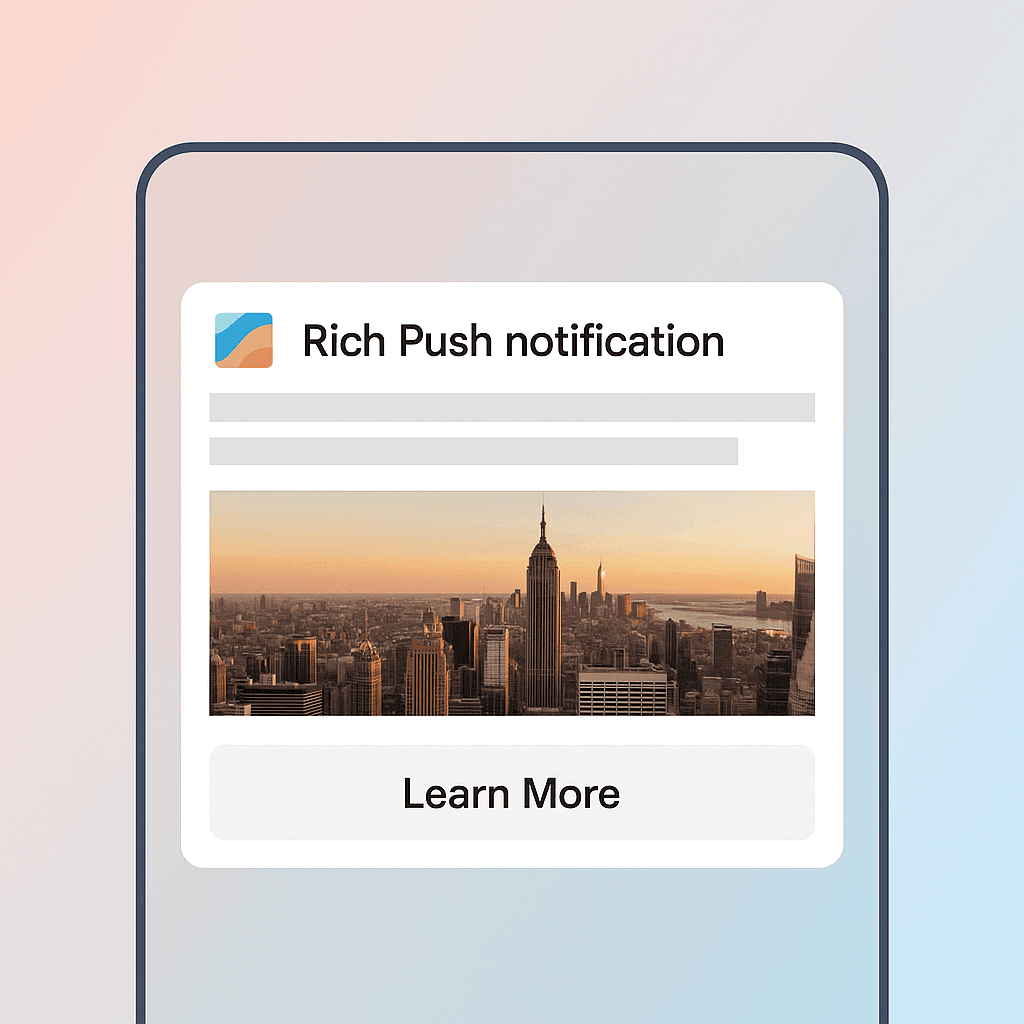
- Rich Media URLs: Links to images, GIFs, or videos that appear in the expanded view of the notification. Templates ensure these URLs are formatted correctly and point to optimized assets.
- Deep Link URI: This is one of the most critical roles. The template defines the internal path (e.g.,
myapp://products/12345) that the app should open when the user taps the notification. - Custom Key-Value Pairs: Extra data that the app uses to perform background tasks, such as updating a local database or tracking an attribution event.
By managing these components centrally, templates act as a validation layer. They can prevent a notification from being sent if a required field, such as the deep link, is missing or improperly formatted. This "fail-safe" role is essential for maintaining the technical integrity of the mobile application.
Comparing Manual Notification Logic vs. Template-Driven Systems
To better understand the necessity of templates, it is helpful to compare them against manual hard-coded notifications.
| Feature | Manual Code-Based Notifications | Template-Driven Notifications |
|---|---|---|
| Development Effort | High; requires code changes for every new message type. | Low; developers set up the framework once. |
| Speed to Market | Slow; dependent on sprint cycles and app deployments. | Instant; updates can be made via a CMS or dashboard. |
| Personalization | Limited; often requires complex backend logic for every variant. | Extensive; utilizes dynamic variables and conditional logic. |
| Brand Consistency | Low; prone to human error and stylistic drift. | High; locked layouts and pre-approved styles. |
| A/B Testing | Difficult; requires custom logic to split traffic and track. | Native; most template engines support built-in split testing. |
| Localization | Cumbersome; involves managing huge arrays of strings in-code. | Streamlined; integrates with translation management systems. |
Best Practices for Template Design and Maintenance
Designing an effective push notification template requires a balance between flexibility and constraint. A template that is too rigid cannot adapt to different marketing needs, while one that is too loose risks breaking the user experience.
One best practice is the use of fallback values. If a template is set up to use a user's first name ({{user.first_name}}), but that data point is missing from the database, the template should have a default, such as "Friend" or "Value Customer." This ensures the notification remains professional and does not display an empty space or a technical error like "Hello , your order is ready."
Another critical role of templates is managing notification fatigue. Sophisticated template systems in 2026 include "frequency capping" logic. This means the template isn't just about the message content, but also about the rules of engagement. For example, a template for "Daily News Highlights" might be coded to never trigger more than once every 24 hours, regardless of how many news events occur. This logic, stored within the template configuration, protects the user from being overwhelmed by alerts.
Finally, organizations should implement a version control system for their templates. Just as code is versioned, templates should have a history of changes. This allows teams to roll back to a previous version if a new copy change results in a drop in click-through rates or if a newly added rich media asset causes crashes on older devices.
Troubleshooting Common Template Issues
Even with a robust template system, issues can arise. Understanding these common pitfalls is part of mastering the role of templates in your notification strategy.
- Payload Overload: Mobile operating systems have strict limits on the size of a notification payload (typically around 4KB for FCM). If a template includes too many custom key-value pairs or excessively long URLs, the notification may be rejected by the service provider.
- Variable Mismatching: This occurs when the backend system sends a data type that the template doesn't expect—for example, sending an array when the template expects a single string. This usually results in the notification failing to render or displaying the raw code to the user.
- Deep Link Breakage: Since deep links are often manually entered into templates by non-technical staff, it is common for typos to occur. Regular auditing of template links is necessary to ensure they point to active pages within the application.
- Rendering Discrepancies: A template might look perfect on a high-end Android device but appear truncated or poorly aligned on an older iPhone. Testing templates across a "device farm" or using preview tools is a vital step in the template creation process.
Strategic Recommendation
For organizations looking to optimize their mobile engagement in 2026, the transition to a fully template-driven push notification architecture is not optional—it is a requirement for scale. The first step is to audit all existing hard-coded notifications and identify common patterns. Group these into categories such as Transactional (alerts the user needs), Lifecycle (onboarding and re-engagement), and Promotional (offers and news).
Once these categories are identified, develop a library of 10 to 15 core templates that cover 90% of your communication needs. Ensure these templates are integrated with your customer data platform (CDP) to maximize the utility of dynamic variables. By investing in a robust template infrastructure now, you ensure that your marketing and product teams can react to market changes in real-time, without being tethered to technical deployment schedules.
Frequently Asked Questions
What is the difference between a push notification template and a message?
A push notification template is the structural blueprint (the "how"), whereas the message is the specific instance of content delivered to a user (the "what"). The template contains the placeholders and logic, while the message contains the actual data that fills those placeholders at the moment of delivery.
Can push notification templates include images and videos?
Yes, in 2026, most push notification templates support "Rich Media." The template defines a specific field for a media URL. When the notification is sent, the device downloads the image or video from that URL and displays it within the notification banner, provided the user's device and OS support rich previews.
Do I need a different template for iOS and Android?
While iOS and Android have different technical requirements and display styles, modern notification platforms allow you to create a "Universal Template." This template automatically maps the correct data to the specific keys required by APNs (Apple) and FCM (Google), ensuring a consistent look and feel while respecting the unique constraints of each operating system.
How do dynamic variables work in a template?
Dynamic variables work by using a tagging system (like {{name}}). When the notification is triggered, the delivery engine looks at the data object associated with that trigger. It searches for a key that matches the tag and replaces the tag with the corresponding value from your database before the message is sent to the user.
Can templates help with A/B testing?
Absolutely. Templates are the primary tool for A/B testing. You can create two versions of a template (Template A and Template B) with different headlines or call-to-action buttons. Your messaging platform can then split your audience, sending Template A to 50% and Template B to the other 50%, allowing you to measure which version performs better in terms of open rates or conversions.
Image Gallery
Select an image to open it in a new tab.


Omar Farooq
EdTech Innovation and Virtual Pedagogy Journalist
