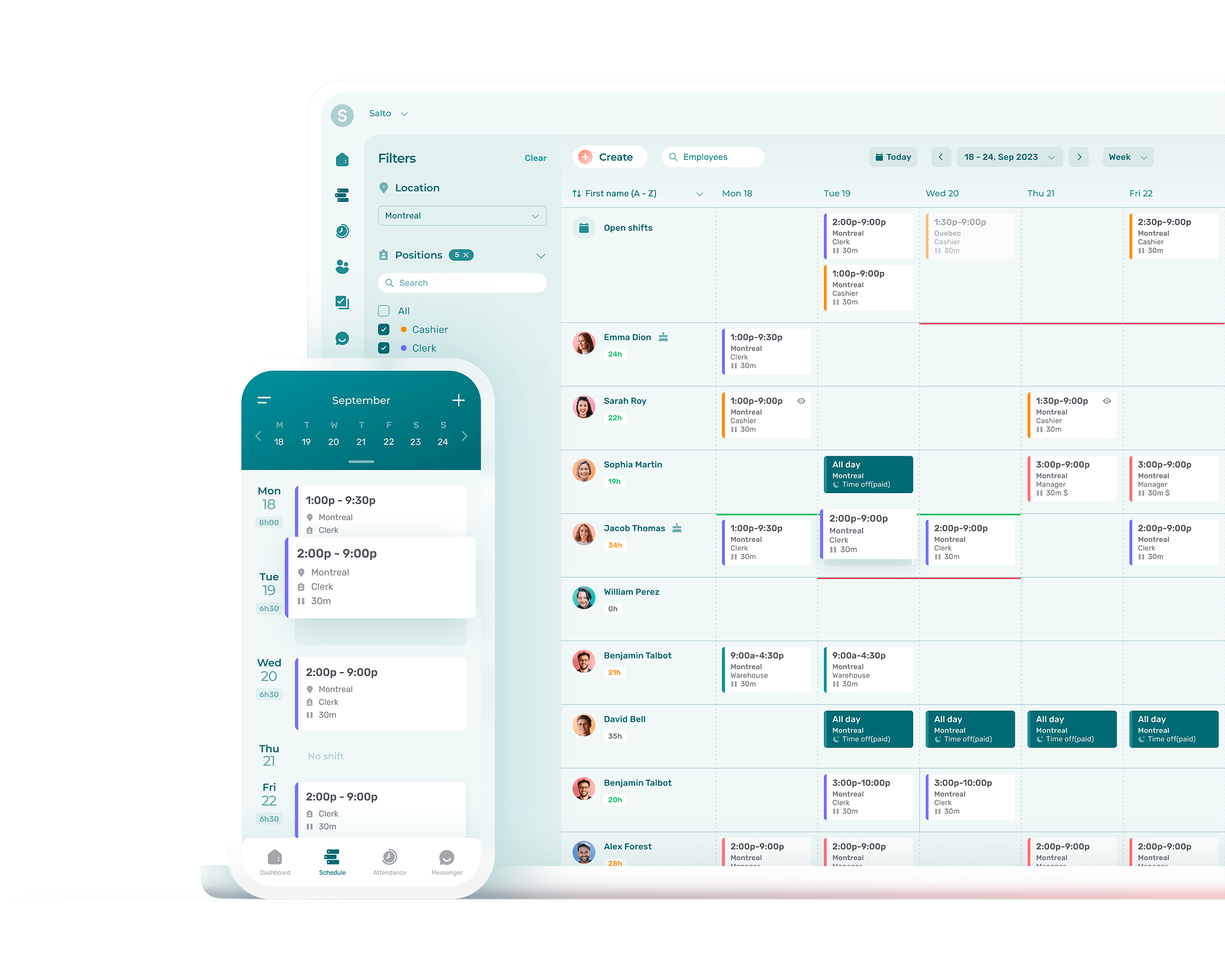
Choosing the right call centre management software involves evaluating your operational volume, identifying necessary integration points with existing CRM systems, and determining the required level of AI-driven automation. In 2026, the primary focus is on selecting a platform that balances agent experience with omnichannel customer demands while ensuring robust data security and scalability.
Defining Your Call Centre Requirements
Before evaluating vendors, you must define the specific operational needs of your organization. Call centre management software is no longer just about routing phone calls; it is the central nervous system of customer experience (CX). Identifying whether your primary focus is inbound support, outbound sales, or a blended environment will dictate the technical architecture you require.
Inbound operations typically prioritize Automatic Call Distribution (ACD) and Interactive Voice Response (IVR) systems to minimize wait times. Outbound operations, conversely, require sophisticated dialing algorithms—such as predictive, power, or preview dialers—to maximize agent talk time while remaining compliant with telemarketing regulations. A blended environment needs a dynamic platform that can shift agent resources between queues based on real-time traffic fluctuations.
Furthermore, consider the scale of your operations. Small businesses might benefit from "all-in-one" solutions that provide basic ticketing and voice, whereas enterprise-level organisations often require modular Contact Center as a Service (CCaaS) platforms. These enterprise solutions allow for deep customisation via APIs and support thousands of concurrent sessions across global data centres.
Core Features and Functionality in 2026
The technological landscape of 2026 has elevated certain features from "luxury" to "essential." When choosing software, you must look beyond basic telephony to ensure the platform supports a modern workforce and customer base.
Omnichannel Integration
Modern customers expect to transition between voice, SMS, email, live chat, and social media messaging without repeating their issues. True omnichannel software maintains a single customer profile across all these touchpoints. This ensures that when a customer moves from a chatbot to a live human agent, the agent has the full context of the previous interaction. This significantly improves First Contact Resolution (FCR) rates.
AI and Conversational Intelligence
By 2026, artificial intelligence is deeply embedded in call centre management. Look for software that offers:
- Natural Language Understanding (NLU): Advanced IVRs that allow customers to speak naturally rather than pressing buttons.
- Real-time Agent Assist: AI that listens to calls and provides agents with knowledge base articles or suggested responses in real-time.
- Sentiment Analysis: Tools that automatically flag calls where a customer is becoming frustrated, allowing supervisors to intervene before an escalation occurs.
- Automated Summarization: AI that generates post-call summaries, reducing the Average Handle Time (AHT) by removing manual data entry tasks.
Workforce Engagement Management (WEM)
Managing a remote or hybrid workforce requires tools that go beyond simple scheduling. Effective call centre software should include Workforce Management (WFM) modules that predict staffing needs based on historical data patterns. Additionally, look for "gamification" features and performance dashboards that help keep agents engaged and motivated by providing transparent access to their own KPIs.

Technical Architecture and Deployment Models
The debate between on-premises and cloud-based solutions has largely been settled in favour of the cloud, but specific technical nuances remain critical when making a choice.
Cloud-Based (CCaaS) vs. Hybrid
Most organisations in 2026 opt for CCaaS due to its inherent scalability and lower upfront capital expenditure. Cloud solutions receive automatic updates and make it easier to support a distributed workforce. However, some highly regulated industries—such as government or specific financial sectors—may still require hybrid models where sensitive data is processed on-site while the application logic resides in the cloud.
Integration with Existing Tech Stacks
Your call centre software must not exist in a vacuum. It is vital to verify the "out-of-the-box" integration capabilities with your Customer Relationship Management (CRM) platform (e.g., Salesforce, Microsoft Dynamics, or HubSpot). Deep integration allows for "screen pops," where the customer's record appears automatically when they call, and ensures that all communication history is logged automatically in the CRM.
Reliability and Uptime
In a call centre environment, every minute of downtime results in lost revenue and damaged reputation. Evaluate the vendor’s Service Level Agreement (SLA). In 2026, a "four-nines" (99.99%) or "five-nines" (99.999%) uptime guarantee is the industry standard. Additionally, inquire about their disaster recovery protocols and the geographic redundancy of their data centres.
Security, Privacy, and Compliance
Data security is a paramount concern, particularly with the proliferation of AI and the storage of large volumes of personal interaction data. Any software you choose must adhere to the latest global standards.
- General Data Protection Regulation (GDPR) and CCPA: The software must provide tools for data redaction, right-to-be-forgotten requests, and secure data residency options.
- PCI DSS Compliance: If your agents handle credit card information, the software should offer "pause and resume" recording features or secure payment links to ensure sensitive data is never captured on call recordings.
- SOC2 Type II Certification: This independent audit confirms that a service provider securely manages your data to protect the interests of your organisation and the privacy of its clients.
- Encryption: Ensure that data is encrypted both "at rest" and "in transit" using modern protocols such as TLS 1.3.
Evaluating Total Cost of Ownership (TCO)
The sticker price of call centre management software is often just the beginning. To make an informed decision, you must calculate the total cost over a three-to-five-year period.
| Cost Component | Description | Consideration for 2026 |
|---|---|---|
| Subscription Fees | Monthly or annual per-user/per-seat costs. | Look for flexible "active user" pricing to save on seasonal staff. |
| Implementation Fees | Costs for setup, configuration, and data migration. | Highly customized enterprise integrations can take 3-6 months. |
| Telephony Charges | Per-minute rates for PSTN connectivity or SIP trunking. | Consider "Bring Your Own Carrier" (BYOC) models to lower rates. |
| AI Usage Costs | Usage-based billing for chatbots and automated summaries. | Monitor these closely as they can scale rapidly with volume. |
| Training & Support | Onboarding for agents and ongoing technical support. | Check if "Premier" support carries an additional percentage fee. |
When comparing quotes, be wary of "hidden" costs. Some vendors charge extra for advanced reporting, API access, or specific third-party integrations that your business might consider essential. Always ask for a transparent breakdown of what is included in the base license versus what requires a premium add-on.
The Selection Process: From RFP to Implementation
Choosing call centre management software should be a structured process involving stakeholders from IT, operations, and finance.
Phase 1: The Request for Proposal (RFP)
Create a detailed RFP that outlines your technical requirements, expected call volumes, and desired business outcomes. This document forces vendors to address your specific needs rather than providing a generic sales pitch. Focus on asking for evidence of how their software solves specific problems you are currently facing, such as high churn or poor customer satisfaction scores.
Phase 2: The Proof of Concept (PoC)
Before signing a long-term contract, conduct a Proof of Concept. This involves setting up a small group of agents on the new platform for a limited time. A PoC allows you to test the actual user interface, the quality of the voice connection, and the ease of integration with your CRM in a real-world scenario.
Phase 3: Vendor Viability and Roadmap
In 2026, the pace of technological change is rapid. Choose a partner, not just a product. Investigate the vendor’s financial stability and their product roadmap. Are they investing in the right areas of AI? Do they have a history of frequent, stable updates? A vendor that is lagging in innovation will leave your business at a competitive disadvantage within two years.
Common Pitfalls to Avoid
Many organisations make the mistake of over-buying features they will never use. While AI is transformative, buying an "AI-first" platform when your primary need is basic inbound routing for a 10-person team is a waste of resources. Conversely, underestimating your growth can lead to painful migrations later.
Another common error is neglecting the agent experience. If the software is difficult to use, has a cluttered interface, or suffers from latency, your agent turnover will increase. Higher turnover leads to increased recruitment and training costs, which often outweigh any savings gained from a cheaper software license.
FAQs
How long does it take to implement new call centre software?
Implementation timelines vary significantly based on complexity. A standard cloud-based CCaaS solution for a small-to-medium business can be deployed in 2 to 4 weeks. However, enterprise migrations involving deep CRM integrations, custom API work, and complex IVR flows can take 4 to 9 months to fully optimize and test.
Is AI really necessary for a small call centre?
While not strictly "necessary" for basic operations, AI provides a competitive edge even for small teams. Automated call transcription and basic sentiment analysis can help small business owners monitor quality without spending hours listening to recordings. By 2026, most entry-level packages include some form of AI-lite functionality as standard.
Can I keep my existing phone numbers when I switch providers?
Yes, this is a standard process known as "number porting." Most reputable software providers handle the administrative work of moving your existing Toll-Free or local numbers from your current carrier to their platform. It is important to start this process early, as it can take several weeks depending on your current carrier's policies.
What is the difference between a "seat-based" and "usage-based" pricing model?
Seat-based pricing (per user per month) provides cost predictability, making it ideal for organizations with stable staffing levels. Usage-based pricing (charging per minute or per interaction) is often better for businesses with extreme seasonal fluctuations, as they only pay for what they use during peak times.
How does call centre software help with compliance?
Modern platforms automate compliance by providing built-in recording consent prompts, masking sensitive data (like credit card numbers) in transcripts, and maintaining detailed audit logs of who accessed which customer records. They also help manage "Do Not Call" (DNC) lists automatically for outbound operations.
Practical Recommendation
For most organisations in 2026, the most effective path is to choose a cloud-native, API-first CCaaS platform that prioritises integration. Start by conducting a thorough audit of your current customer journey to identify the biggest friction points. If your customers are complaining about wait times, focus on IVR and NLU automation. If your agents are overwhelmed, focus on WFM and AI-driven agent assistance tools. Prioritise vendors who offer a transparent pricing model and can demonstrate a clear ROI through improved FCR and reduced AHT.
Image Gallery
Select an image to open it in a new tab.
Omar Farooq
EdTech Innovation and Virtual Pedagogy Journalist
