To send email with Python via Gmail in 2026, you must use either the Gmail API with OAuth2 authentication or the SMTP protocol paired with an App Password. The Gmail API is the most secure method for production applications, while SMTP remains a viable, simpler alternative for basic scripting and automated notifications.
The landscape of automated communication has shifted significantly toward high-security protocols. As of 2026, Google has long since deprecated "Less Secure Apps," making it mandatory for developers to understand the nuances of modern authentication. Whether you are building a notification system for a web application, a data report distributor, or a simple contact form handler, Python provides a robust ecosystem of libraries to interface with Google’s infrastructure. This guide explores the architectural requirements, security configurations, and implementation strategies necessary to integrate Python with Gmail successfully.
Understanding the Two Primary Integration Methods
When a developer decides to send emails through Gmail using Python, they are faced with a choice between two distinct paths: the Simple Mail Transfer Protocol (SMTP) and the Google Gmail REST API. Each has specific use cases, security implications, and implementation complexities.
The SMTP Approach (Simple Mail Transfer Protocol)
SMTP is the universal language of email transmission. Python’s built-in smtplib library allows you to connect to Google’s outgoing mail servers. However, because Google prioritizes account security, you cannot simply use your standard Gmail password. Instead, you must generate a 16-character App Password. This method is lightweight and requires fewer external dependencies, making it ideal for small-scale projects or internal tools where the overhead of a full API integration is unnecessary.
The Gmail API Approach (OAuth2)
The Gmail API is part of the Google Cloud ecosystem. Unlike SMTP, it uses OAuth2 for authentication, which involves creating a project in the Google Cloud Console, defining scopes of access, and managing access and refresh tokens. While the initial setup is more demanding, it offers superior security because it does not require an App Password to be stored in your environment. Furthermore, the API provides more granular control, allowing you to manage drafts, labels, and threads in addition to sending messages. In 2026, this is the industry-standard approach for any application intended for public use or high-volume enterprise environments.
Essential Prerequisites and Environment Setup
Before writing a single line of Python code, you must prepare your Google account and your development environment. This ensures that Google’s security filters do not block your connection attempts.
Google Account Configuration
For the SMTP method, you must have Two-Factor Authentication (2FA) enabled on your Google account. Once 2FA is active, you navigate to the security settings and generate an "App Password." You should label this password specifically (e.g., "Python Email Script") so you can revoke it independently if your script is ever compromised.
For the Gmail API method, the process is more involved:
- Navigate to the Google Cloud Console.
- Create a new project or select an existing one.
- Enable the Gmail API within the Library section of the console.
- Configure the OAuth Consent Screen, selecting the "External" or "Internal" user type based on your organization.
- Create OAuth 2.0 Client IDs (Desktop application type is usually best for local scripts).
- Download the credentials.json file, which contains your Client ID and Client Secret.
Python Environment Preparation
It is recommended to use Python 3.10 or higher for these implementations to ensure compatibility with the latest security patches. Using a virtual environment is a best practice to manage dependencies without affecting the global system Python installation.
If you are using the SMTP method, the necessary libraries (smtplib and email.mime) are part of the Python Standard Library, meaning no additional installations are required. If you choose the Gmail API, you will need to install the following packages via pip:
- google-api-python-client: The core library for interacting with Google APIs.
- google-auth-oauthlib: Handles the OAuth2 flow and credential exchange.
- google-auth-httplib2: Provides the transport layer for the authentication requests.
Implementing SMTP with Python
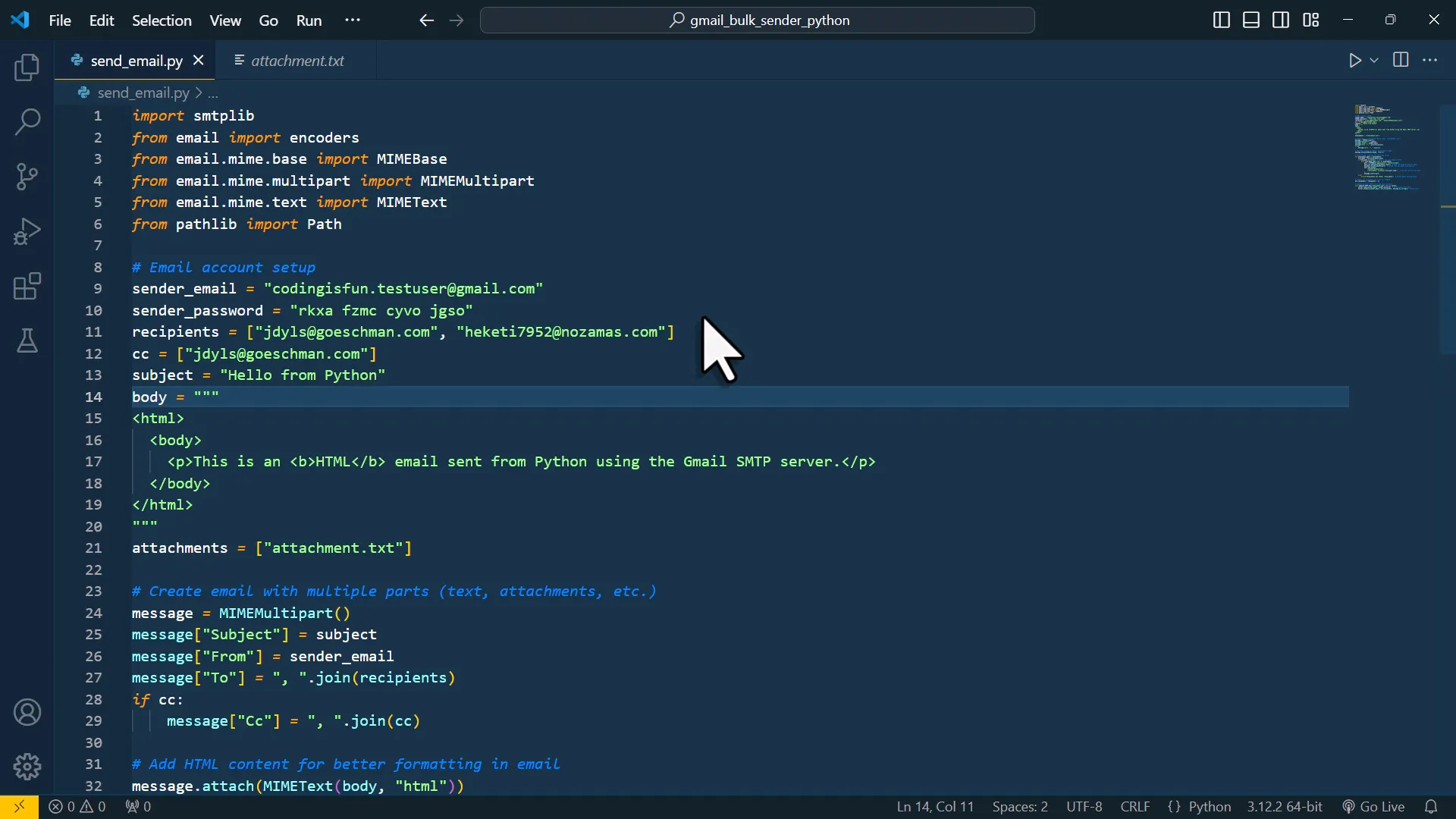
The SMTP method relies on establishing a secure connection to smtp.gmail.com. There are two main ports used for this: Port 587, which uses STARTTLS for encryption, and Port 465, which uses SSL/TLS from the beginning. Port 587 is generally preferred in 2026 for its better compatibility with modern network configurations.
Establishing the Connection
The workflow begins by importing the smtplib module. You then create an instance of the SMTP class, specifying the Gmail host and port. After initiating the connection, you must issue the starttls() command to encrypt the communication. Once the connection is secure, you use the login() method, passing your Gmail address and the 16-digit App Password as arguments.
Constructing the Email Object
In Python, emails are constructed using the email.mime modules. A common structure involves using MIMEMultipart as a container. This container allows you to attach different parts to the email, such as a plain text body, an HTML version of the message, and file attachments. You must set the "From," "To," and "Subject" headers explicitly within this object.
Sending and Closing
Once the message object is populated, it is converted into a string format using the as_string() method. This string is then passed to the sendmail() function. Finally, it is critical to call the quit() method to close the connection to Google’s servers gracefully, preventing "hanging" connections that could lead to temporary IP blocks.
Implementing the Gmail API with OAuth2
The Gmail API method is built around the concept of a "Service" object. This method avoids the need for hardcoded passwords and instead relies on a token-based system.
The Authentication Flow
When you run an OAuth2-enabled script for the first time, it will typically open a web browser asking you to log into your Google account and grant the requested permissions (scopes). For sending emails, the standard scope is https://www.googleapis.com/auth/gmail.send. After approval, Google returns a code that your script exchanges for an access token and a refresh token. These tokens are saved locally (often as token.json) so that subsequent runs do not require manual login until the tokens expire or are revoked.
Creating the Service Object
Using the googleapiclient.discovery module, you build a service object for 'gmail', version 'v1'. This object serves as the gateway for all API calls. It handles the underlying HTTP requests and authentication headers automatically, allowing you to focus on the message content.
Encoding the Message
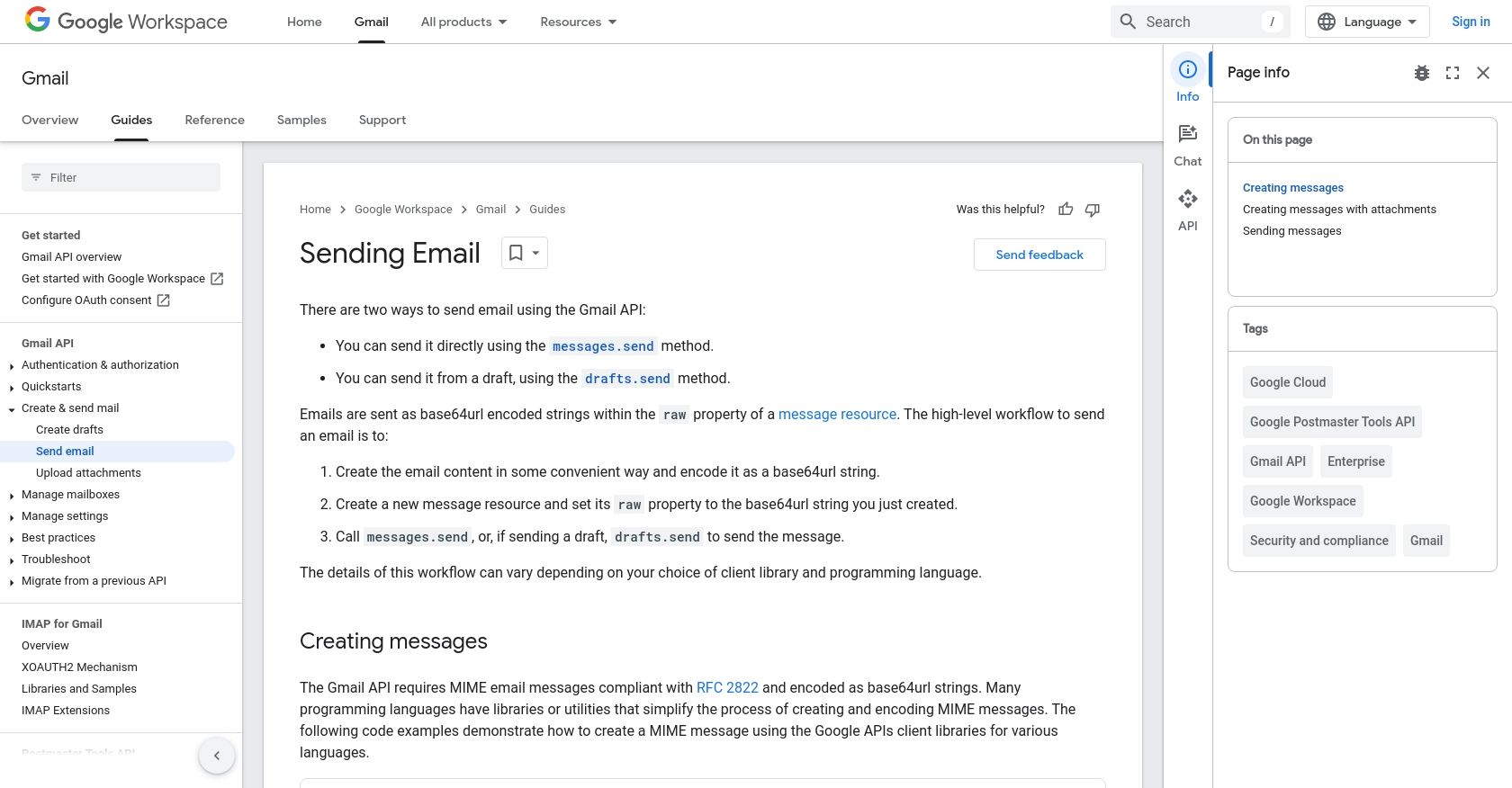
The Gmail API expects messages to be base64url encoded. This is a specific requirement of the REST API that differs from the standard SMTP string format. You first create a standard MIME message (using the same modules as the SMTP method), convert it to a byte string, and then encode it using the base64 module. The resulting encoded string is placed inside a dictionary under the key 'raw', which is then passed to the service.users().messages().send() method.
Comparison of SMTP vs. Gmail API in 2026
Choosing the right tool depends on your project's scale and security requirements. The following table highlights the material differences between the two methods.
| Feature | SMTP (App Passwords) | Gmail API (OAuth2) |
|---|---|---|
| Security Level | Moderate (Static password) | High (Token-based) |
| Setup Complexity | Low | High |
| Ideal Use Case | Cron jobs, simple alerts | Production apps, SaaS integrations |
| Rate Limits | Stricter (based on IP/Account) | Higher (based on Project Quotas) |
| Dependency | Standard Library only | External Google Libraries |
| Functionality | Send only | Send, Read, Draft, Delete, Labels |
| Maintenance | Low | Requires token management |
Advanced Email Features and Content Handling
Modern emails are rarely just plain text. To provide a professional user experience, you must handle HTML content and attachments effectively.
Sending HTML Content
HTML emails allow for branding, links, and structured data like tables. When using Python, you should ideally provide a "Multi-part/Alternative" structure. This includes both a plain text version and an HTML version. If a recipient's email client cannot render HTML, it will fall back to the plain text version. This is achieved by attaching two MIMEText objects to your main MIMEMultipart container, with the subtypes "plain" and "html" respectively.
Handling Attachments
To send files such as PDFs, images, or CSV reports, you use the MIMEBase class. You must read the file in binary mode, encode it using base64, and then add a "Content-Disposition" header. This header tells the email client that the data is an attachment and provides the filename. This process is repeated for every file you wish to include in the message.
Managing Rate Limits and Quotas
Google imposes limits on the number of emails you can send to prevent spam. For standard personal Gmail accounts, the limit is typically 500 recipients per day. For Google Workspace accounts, this limit increases to 2,000 recipients per day. If your Python script exceeds these limits, Google will return a "429 Too Many Requests" error or an SMTP "Data command failed" error. To handle this, implement exponential backoff—a strategy where the script waits for an increasing amount of time before retrying a failed request.
Troubleshooting Common Implementation Issues
Even with a perfect script, environmental factors can cause failures. Understanding these common pitfalls is essential for a resilient integration.
Authentication Errors (5.7.0)
If you receive an SMTP "Authentication Required" error, it usually signifies that 2FA is not enabled or the App Password is incorrect. Ensure that there are no spaces in the 16-character password when pasting it into your script. For API users, this error often means the token.json has expired or the requested scopes do not match the ones authorized in the Google Cloud Console.
Connection Timeouts and Firewall Blocks
Some hosting providers, particularly cloud platforms like AWS or DigitalOcean, block Port 25 and sometimes Port 587 by default to prevent their IP ranges from being used for spam. If your script hangs or returns a "Connection Refused" error, check your server's outbound firewall rules. You may need to request an unblock from your provider or use a dedicated transactional email service if the restriction is permanent.
Spam Filtering and Deliverability
Sending emails via Python can sometimes trigger spam filters. To improve deliverability:
- Use a clear and recognizable "From" name.
- Avoid using "spammy" keywords in the subject line.
- Ensure your HTML is well-formatted and does not contain broken links.
- If sending from a custom domain via Gmail, ensure your SPF, DKIM, and DMARC records are correctly configured in your DNS settings.
Security Best Practices for 2026
Security remains the most critical aspect of automated emailing. Hardcoding credentials directly into your Python scripts is a significant risk, especially if the code is shared or hosted on platforms like GitHub.
- Environment Variables: Store your App Passwords or API secrets in environment variables or a hidden
.envfile. Use the os or python-dotenv library to retrieve them at runtime. - Credential Encryption: For highly sensitive applications, consider using a secret management service like HashiCorp Vault or AWS Secrets Manager to store and rotate your Google credentials.
- Minimal Scopes: When using the Gmail API, only request the specific permissions you need. If you only need to send mail, use the
gmail.sendscope rather than the fullgmail.modifyorgmail.readonlyscopes. - Logging and Monitoring: Implement logging in your Python script to track successful sends and capture errors. However, ensure that your logs do not accidentally record the content of the emails or any sensitive authentication tokens.
Frequently Asked Questions
Can I send emails from Gmail using Python without an App Password?
No. Standard passwords are no longer supported for SMTP connections to Gmail. You must use either an App Password (which requires Two-Factor Authentication) or the Gmail API with OAuth2 credentials. The "Less Secure Apps" toggle was permanently removed by Google several years ago to enhance user security.
Is there a limit to how many emails I can send per day?
Yes. For free, personal Gmail accounts, the limit is 500 emails or 500 total recipients per 24-hour period. For Google Workspace (formerly G Suite) accounts, the limit is 2,000 per day. If you need to send higher volumes, you should consider a specialized transactional email provider such as SendGrid, Mailgun, or Amazon SES.
Why does my script work locally but fail on my web server?
This is usually caused by firewall restrictions. Many VPS and cloud providers block the standard SMTP ports (25, 465, and 587) to mitigate spam. You may need to contact your host to open these ports or use the Gmail API, which operates over standard HTTPS (Port 443) and is rarely blocked.
Can I send attachments like PDFs or Excel files?
Yes. By using the email.mime modules, you can encode files into base64 and attach them to your message. You must specify the correct MIME type (e.g., application/pdf) so the recipient's email client knows how to handle the file.
How do I send an email to multiple recipients?
For the SMTP method, you provide a list of email addresses to the sendmail() function. For the Gmail API, you include multiple addresses in the 'To' field of your MIME message, separated by commas. It is important to note that each recipient counts toward your daily sending limit.
Final Recommendation
For most developers in 2026, the Gmail API is the recommended path forward due to its security and flexibility. While the initial setup in the Google Cloud Console is more complex than generating an App Password, the resulting application is more robust and adheres to modern security standards. If you are developing a professional application or a service that will be used by others, prioritize the OAuth2 flow. If you are simply looking for a quick way to send a personal notification from a local machine, the SMTP method remains a functional and efficient choice. Always remember to secure your credentials using environment variables to maintain the integrity of your Google account.
Image Gallery
Select an image to open it in a new tab.




Celine Dubois
Contemporary Living and Global Arts Columnist
