
The Yahoo Mail phishing report is a critical security feature that allows users to flag deceptive emails designed to steal sensitive information like passwords or credit card numbers. When you report an email as phishing, Yahoo’s security systems analyze the message headers and sender data to block similar threats globally, protecting the entire user base.
Phishing remains one of the most persistent threats to digital identity in 2026. While automated filters catch the vast majority of malicious attempts, human intuition and the act of reporting are essential for stopping sophisticated, AI-driven social engineering attacks. Understanding how the Yahoo Mail phishing report works—and using it correctly—transforms a passive user into an active participant in the platform's security ecosystem.
The Evolution of Phishing in 2026
To understand the value of the phishing report, one must recognize the current state of email threats. In 2026, phishing has moved beyond the "Nigerian Prince" tropes of the past. Modern attackers utilize generative AI to create perfectly phrased, contextually relevant emails that mirror the tone of legitimate services like banks, streaming platforms, or even Yahoo’s own security team.
These "spear phishing" attempts often lack the traditional red flags of poor grammar and spelling. Instead, they rely on technical deceptions:
- Look-alike Domains: Using characters from different alphabets (homoglyphs) to make a sender's address look identical to a legitimate one.
- URL Shorteners and Redirects: Hiding the final destination of a link behind multiple layers of redirection.
- Session Hijacking: Using "adversary-in-the-middle" proxies to steal multi-factor authentication (MFA) tokens in real-time.
The Yahoo Mail phishing report is the primary mechanism through which users feed these new patterns back into Yahoo's machine learning models. Every time a report is filed, the system learns more about the evolving tactics of these high-tech threat actors.
Phishing vs. Spam: Knowing Which Report to Use
One of the most common mistakes users make is using the "Spam" and "Phishing" buttons interchangeably. While both remove the unwanted email from your inbox, they trigger different internal processes at Yahoo.
Spam is generally defined as unwanted commercial email. It is a nuisance but usually not a direct security threat. When you mark something as spam, Yahoo focuses on the sender's reputation and the volume of emails sent.
Phishing is a malicious attempt to commit fraud. It involves an element of impersonation or trickery. When you mark an email as phishing, Yahoo’s security team prioritizes the report for deep technical analysis. This includes examining the DKIM (DomainKeys Identified Mail) signatures and SPF (Sender Policy Framework) records to see if the sender has bypassed authentication protocols.
Comparison of Email Classification
| Feature | Legitimate Email | Spam / Junk | Phishing |
|---|---|---|---|
| Primary Intent | Communication or requested service. | Mass marketing and advertising. | Theft of credentials, data, or funds. |
| Sender Authenticity | Verified via DMARC and BIMI. | Often technically valid but unsolicited. | Forged, spoofed, or compromised accounts. |
| Link Behavior | Directs to official, secure domains. | Directs to sales pages or trackers. | Leads to credential harvesting sites. |
| Urgency Level | Normal or situational. | High (Sales, discounts). | Extreme (Account suspension, legal threats). |
| Action Required | Mark as Spam (optional). | Click "Report Spam". | Click "Report Phishing" immediately. |
How to Access and Use the Phishing Report
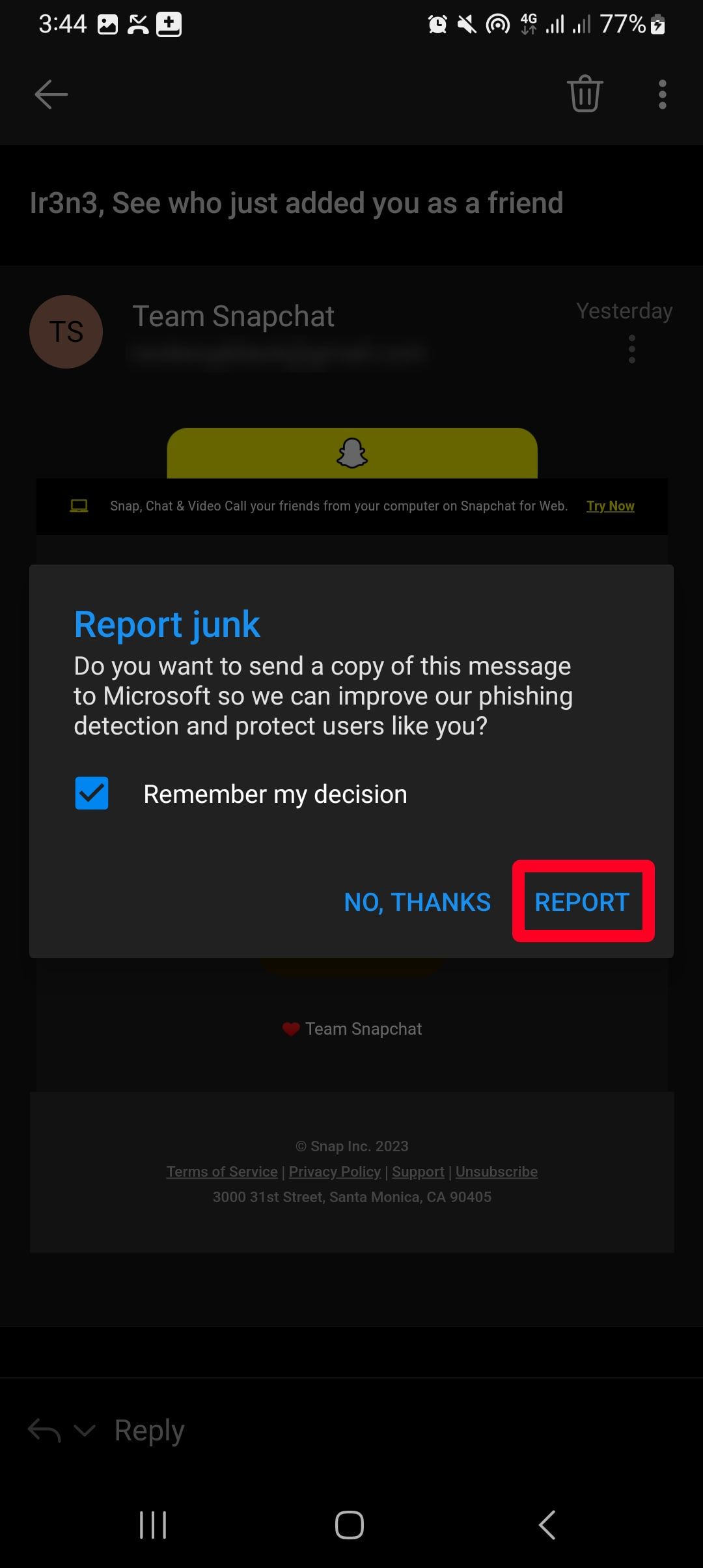
Yahoo provides several ways to report phishing across different platforms. The process is designed to be quick, ensuring that users can secure their accounts without significant disruption.
Using Yahoo Mail on a Web Browser
- Select the Message: Open the suspicious email or select the checkbox next to it in your inbox.
- Locate the Spam Icon: On the top toolbar, you will see an icon that looks like a shield with an "X" or a traditional trash can (depending on your specific UI layout in 2026).
- Choose "Report Phishing": Do not simply click the button if it defaults to spam. Click the dropdown arrow next to the button and select Report Phishing.
- Confirm the Action: A confirmation dialog may appear, explaining that the message will be moved to the Trash and analyzed by the security team.
Using the Yahoo Mail Mobile App (iOS and Android)
The mobile experience is streamlined for touch interactions.
- Open the Email: Tap the message you suspect is fraudulent.
- Access More Options: Tap the More icon (usually three vertical or horizontal dots) located at the bottom or top corner of the screen.
- Select Report Phishing: From the menu that appears, tap Report Phishing. This action automatically moves the message out of your sight and sends the data to Yahoo.
Technical Mechanics: What Happens After You Report
When you trigger a phishing report, Yahoo doesn't just delete the email. A complex series of automated actions begins to protect the wider network.
1. Header Analysis and Extraction
The system extracts the email headers, which contain the "fingerprints" of the message. This includes the IP address of the sending server, the path the email took across the internet, and the results of various authentication checks (SPF, DKIM, DMARC). If a message claims to be from "Yahoo Security" but the headers show it originated from an unverified server in a different jurisdiction, the system flags this as a high-confidence threat.
2. URL and Attachment Scanning
Yahoo’s security engine scans the links within the reported email. In 2026, this involves "detonating" links in a safe, sandboxed environment to see what they do. If a link leads to a page that mimics a login screen or attempts to download a malicious payload, the URL is added to a global blocklist used by Yahoo and shared with other major email providers and web browsers.
3. Fingerprinting and Pattern Matching
The system creates a "fuzzy hash" of the email content. This allows Yahoo to identify variations of the same phishing campaign. Even if the attacker changes a few words or the sender’s name, the underlying structure of the attack remains recognizable, allowing Yahoo to proactively block thousands of similar emails before they ever reach other users' inboxes.
4. Sender Reputation Adjustment
Frequent reporting of a specific sender or domain as "phishing" will lead to a total block of that entity. Yahoo maintains a dynamic reputation score for all sending IPs. A successful phishing report is one of the fastest ways to tank a malicious sender's reputation.
Identifying Modern Phishing Red Flags in 2026
Despite the technical sophistication of Yahoo’s filters, some phishing attempts will always land in your inbox. Recognizing these red flags is the first step toward effectively using the reporting tool.
Visual Deceptions and Brand Spoofing
Attackers often use high-resolution logos and the exact CSS (styling) of legitimate companies. However, they cannot spoof the actual BIMI (Brand Indicators for Message Identification) icons if they don't own the domain. In Yahoo Mail, look for the official verified checkmark next to the sender's avatar. If an email claims to be from a major brand but lacks the verified badge, treat it with extreme suspicion.
The "Urgency and Fear" Tactic
Phishing relies on "Amygdala Hijack"—forcing you to act before you think. Common themes include:
- "Unauthorized login detected: Your account will be locked in 30 minutes."
- "Urgent: Unpaid invoice #88291 is overdue."
- "Security Alert: Your MFA settings have been changed."
The Hidden URL
Always hover your mouse (on desktop) over any link or button before clicking. The bottom corner of your browser will show the actual destination URL. If the link says "yahoo.com" but the hover text shows "security-check-login-update.net," it is a phishing attempt. On mobile, you can long-press a link to see the actual URL before opening it.
Troubleshooting and Correcting Mistakes
It is possible to report an email as phishing by mistake, especially when navigating a cluttered inbox. While this doesn't "break" your account, it can lead to legitimate emails from that sender being blocked in the future.
How to Undo a Phishing Report
If you realize you made a mistake immediately, check your Trash or Spam folder. Find the email you just reported and move it back to your Inbox. Most modern email clients, including Yahoo, will interpret this manual move as a "not phishing/not spam" signal, which helps recalibrate the filter for your specific account.
Dealing with "False Positives"
If legitimate emails are consistently being flagged as phishing, ensure the sender is in your Contacts. Yahoo's filters are less likely to flag messages from known contacts. Additionally, if the sender is a business, check if they have a "Manage Preferences" or "Whitelist" guide, as they may need to update their own DMARC records to comply with 2026 security standards.
Beyond the Report: Comprehensive Account Protection
The phishing report is a reactive tool. To truly secure a Yahoo account in 2026, it should be part of a multi-layered defense strategy.
- Enable Yahoo Account Key: This replaces passwords with a push notification sent directly to your mobile device. Since there is no password to type, phishing pages have nothing to steal.
- Use Hardware Security Keys: For the highest level of security, use a physical U2F key (like a YubiKey). These are virtually immune to phishing because the key only shares its credentials with the legitimate, verified website.
- Monitor Recent Activity: Regularly check your Yahoo account's "Recent Activity" page. This shows every login, the device used, and the geographic location. If you see a successful login from a location you haven't visited, change your credentials immediately.
- Use a Password Manager: Password managers won't autofill your credentials on a phishing site because they recognize the domain doesn't match. This provides a vital "second opinion" if you accidentally click a malicious link.
Frequently Asked Questions
Does Yahoo read my personal emails when I report phishing?
Yahoo's security systems use automated scanners to analyze reported emails. While human analysts may occasionally review high-level data or headers to identify broad attack patterns, they do not "read" your personal correspondence in a traditional sense. The focus is on the technical metadata and the presence of malicious code or links.
Will the sender know I reported them?
No. Reporting an email as phishing is an internal action within the Yahoo ecosystem. The sender does not receive a notification that you specifically flagged their message. However, if enough people report a sender, they will notice their emails are no longer being delivered to any Yahoo addresses.
Can a phishing email infect my computer just by being opened?
In 2026, simply opening an email is extremely unlikely to result in a malware infection, as Yahoo Mail blocks the automatic loading of scripts. However, viewing images can sometimes confirm to an attacker that your email address is active (via tracking pixels). The real danger lies in clicking links or downloading attachments.
What should I do if I already clicked a link in a phishing email?
If you entered any information, change your password immediately and enable MFA if it isn't already active. If you downloaded a file, run a full system scan with reputable antivirus software. You should also monitor your financial accounts for any unauthorized transactions.
Is the phishing report available on third-party apps?
If you access Yahoo Mail through an app like Apple Mail or Outlook via IMAP, the "Report Phishing" button may not be synced with Yahoo's internal system. To ensure Yahoo's security team receives the data, it is best to use the official Yahoo Mail app or the web interface at mail.yahoo.com.
Final Recommendation
The Yahoo Mail phishing report is your most direct line of communication with the engineers tasked with keeping the platform safe. Never simply delete a suspicious email; taking the extra two seconds to Report Phishing helps protect millions of other users who might not be as tech-savvy. For the best protection in 2026, combine active reporting with a "zero-trust" approach to unsolicited links and a move toward passwordless authentication through the Yahoo Account Key.
Image Gallery
Select an image to open it in a new tab.


Celine Dubois
Contemporary Living and Global Arts Columnist
