Selecting the appropriate password manager for a team requires balancing rigorous security protocols, administrative oversight, and user adoption rates. A robust solution must provide encrypted vault sharing, granular access controls, and administrative auditing features while integrating seamlessly into existing professional workflows to ensure team productivity without compromising credentials.
Assessing Your Team’s Security Requirements
Before evaluating specific vendors, you must define the operational boundaries of your organization. A password manager for a team is fundamentally different from a personal tool; it is a collaborative platform designed to manage the digital identity of a collective entity. You should start by documenting the size of your team, the diversity of your technical environment, and the nature of the data you manage.
Consider whether your team is entirely cloud-based, hybrid, or on-premises. High-compliance environments—such as healthcare, legal, or financial services—often demand SOC2 Type II certification, HIPAA compliance, or specific data residency requirements. If your organization operates under strict regulatory frameworks, you must prioritize providers that offer verifiable compliance reports and robust audit trails, as these are non-negotiable prerequisites for corporate risk management.
Key Features of Enterprise-Grade Password Managers
When evaluating potential solutions, prioritize features that facilitate scalable security rather than basic password storage.
- Granular Access Controls and Permissions: You need the ability to define who can access specific folders or credentials based on role-based access control (RBAC). A marketing intern, for instance, should have access to social media credentials but not the root access for your production server.
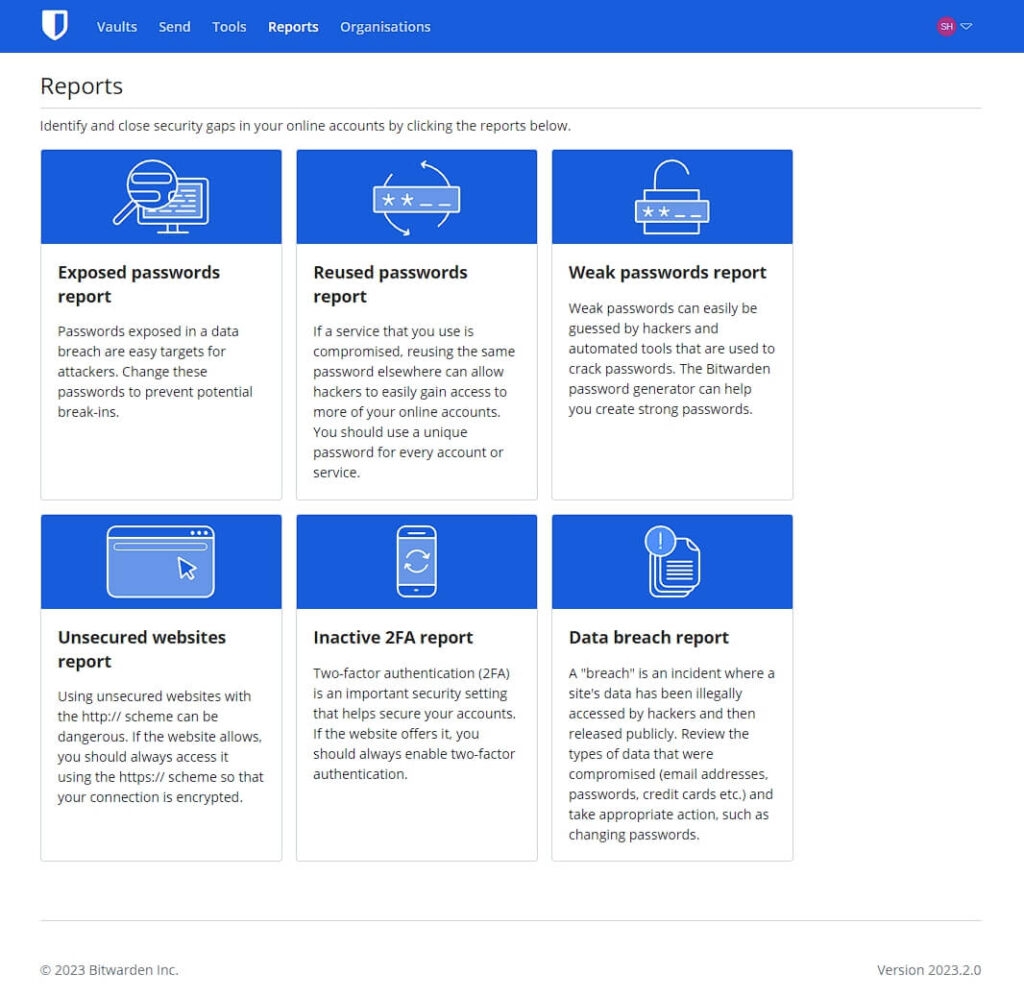
- Administrative Auditing and Reporting: The ability to see who accessed a credential, when they accessed it, and from what IP address is vital. Detailed logs allow for post-incident analysis and ensure accountability.
- Secure Credential Sharing: Look for platforms that support "blind sharing," where sensitive passwords can be shared with users without them seeing the actual characters, or encrypted vaults that can be granted and revoked instantly.
- Directory Integration: Modern enterprise tools should integrate with Identity Providers (IdPs) like Okta, Microsoft Entra ID (formerly Azure AD), or Ping Identity. This allows for Single Sign-On (SSO) and automated user provisioning, meaning that when an employee leaves the company, their access to the password vault is terminated automatically.
- Emergency Access Policies: Define what happens if a key administrator loses access or departs unexpectedly. Establishing a recovery process that does not compromise the security of the master vault is essential for business continuity.
Comparing Popular Enterprise Solutions
While the market fluctuates, several industry-standard tools have established themselves as robust choices for teams of varying sizes.
| Feature | 1Password (Teams/Business) | Bitwarden (Teams/Enterprise) | Keeper (Business) |
|---|---|---|---|
| Core Architecture | Proprietary Secret Key | Open Source Auditability | Proprietary Zero-Knowledge |
| SSO Integration | Native SAML 2.0 | Native SAML 2.0/SCIM | Advanced SSO/SCIM |
| Compliance | SOC2, GDPR, ISO | SOC2, HIPAA, GDPR | SOC2, HIPAA, FedRAMP |
| Best For | User experience/UI | Transparency/Self-hosting | High-compliance needs |
Note: Feature sets are subject to provider updates. Always verify current certifications directly via the provider’s compliance portal.
The Role of Zero-Knowledge Encryption
A critical factor in your selection process is understanding the "Zero-Knowledge" security model. In a true zero-knowledge environment, the service provider never has access to the plaintext passwords stored in the vaults. The encryption and decryption happen exclusively on the user's local device. Even if the password manager’s servers were compromised, the attackers would only possess useless, encrypted data.
When choosing a vendor, demand clear documentation on their encryption standards, such as AES-256-bit encryption for data at rest and PBKDF2 or Argon2 for key stretching. If a vendor cannot explain how they protect your data from their own employees, they should be disqualified from your selection process.
Managing Deployment and User Adoption
The most secure password manager is ineffective if your team refuses to use it. Resistance usually stems from a perception that the tool disrupts workflow. To mitigate this:
- Pilot Testing: Roll out the solution to a small, tech-savvy group first. Gather feedback on the browser extensions and mobile application experience.
- Clear Policy Definition: Create a written policy that mandates the use of the password manager for all shared credentials. Explicitly prohibit saving passwords in spreadsheets, messaging apps, or browser-native managers, which are often less secure and lack centralized management.
- Ongoing Training: Conduct workshops focusing on the "How" rather than the "Why." Show employees how to use the "Autofill" feature to save time, emphasizing that the tool makes their workday faster, not just more secure.
- Incentivize Compliance: Gamify the transition by highlighting individual security scores or rewarding teams that successfully migrate all shared credentials into the vault.
Addressing Common Implementation Pitfalls
One common mistake is the "Master Password" bottleneck. If your organization relies on a single password for the entire team to access a master vault, you have created a single point of failure. Always utilize individual accounts for each team member, linking those accounts to the company directory, and manage access through shared vaults.
Another frequent oversight is neglecting to manage "Service Accounts" or machine-to-machine credentials. While individual users need their own access, your CI/CD pipelines, APIs, and servers also require credential rotation. Ensure your chosen tool supports Secrets Management, or pair your password manager with a dedicated secrets management platform like HashiCorp Vault if your team handles significant infrastructure automation.
Frequently Asked Questions
What is the difference between a password manager and a secrets manager? A password manager is optimized for human-to-application interaction, storing credentials for websites and apps that users log into. A secrets manager is designed for application-to-application interaction, handling API keys, SSH keys, and certificates used by servers and code. Many enterprise-grade password managers now offer basic secret-management features, but high-scale infrastructure often requires a dedicated secrets tool.
Does using a cloud-based password manager violate data privacy regulations? Not necessarily, provided you choose a provider that offers data residency options and meets the specific standards for your region, such as GDPR in the European Union. Always check where the data is hosted and whether the vendor has a Data Processing Agreement (DPA) available for review.
How do we handle offboarding employees? If your password manager is integrated with your Identity Provider (IdP) via SCIM (System for Cross-domain Identity Management), disabling the user in your central directory (e.g., Google Workspace or Microsoft 365) will automatically revoke their access to the password manager. This is the most secure and efficient method for team offboarding.
Is it safe to store highly sensitive credentials in a password manager? Yes. Modern password managers use high-level encryption standards that far exceed those used by standard databases or spreadsheets. Using a dedicated manager is significantly safer than storing passwords in plain text or using repetitive, weak passwords across multiple services.
Should we self-host our password manager? Self-hosting provides total control over your data but requires significant maintenance, patching, and security management of the underlying server. For most teams, a high-quality SaaS (Software as a Service) provider is more secure, as they have dedicated security teams monitoring infrastructure and patching vulnerabilities faster than most internal IT teams could.
Next Steps for Implementation
Begin by auditing your current credential landscape. Identify all locations where shared passwords currently reside—whether in Slack history, email, or unencrypted text files. Once you have a clear picture of the sprawl, establish a migration timeline.
Select a candidate solution, conduct a 30-day pilot with a specific department, and ensure you have verified their SOC2 Type II or equivalent report. Finally, document your internal password policy, communicate it clearly, and enforce the transition with a firm deadline. Secure credential management is not a one-time setup; it is an ongoing process of monitoring, rotating, and reviewing access privileges to match the evolution of your team.

Image Gallery
Select an image to open it in a new tab.

Akira Tanaka
International Academic Trends Correspondent
