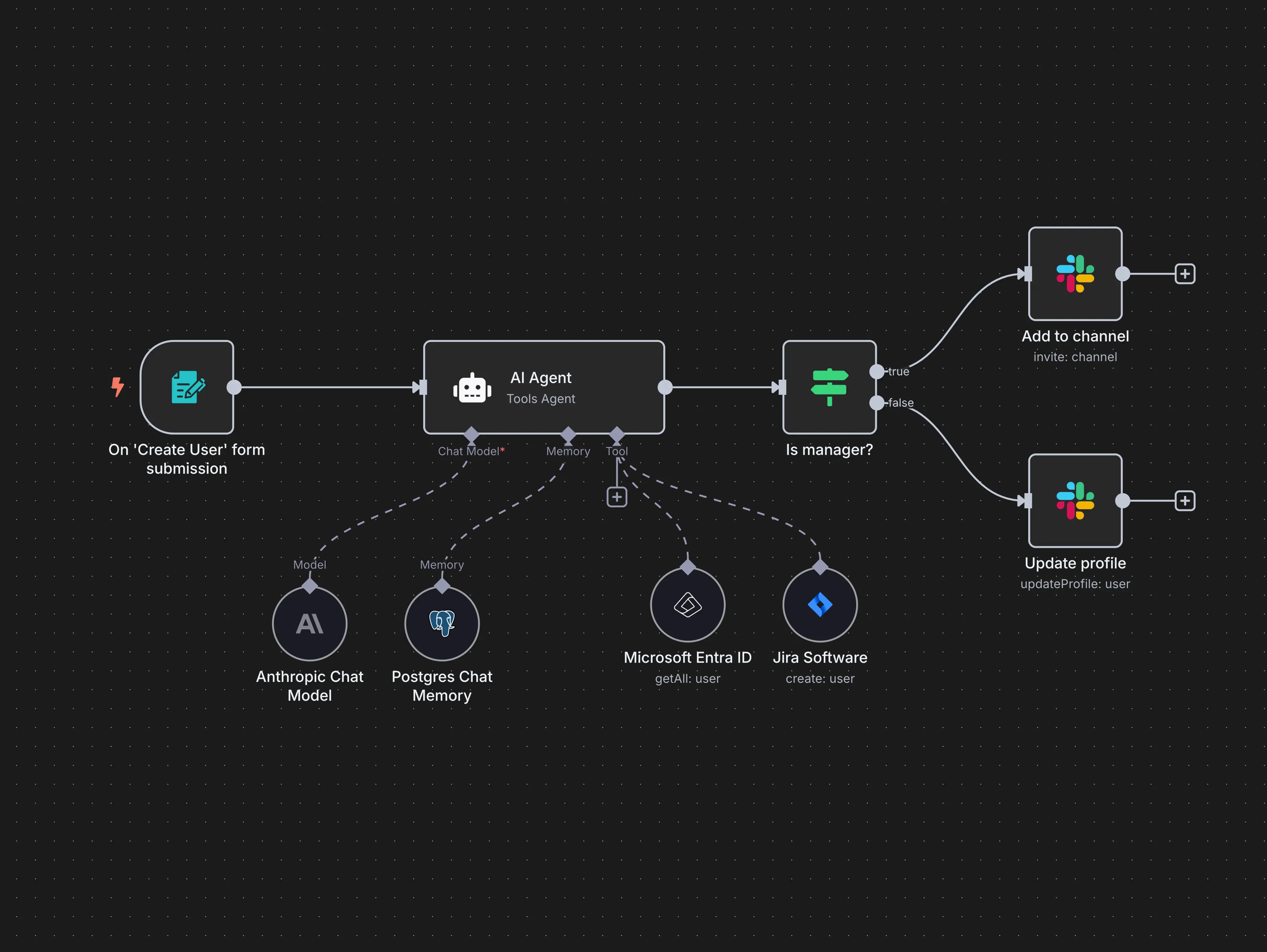
App work flow dictates how users interact with smart devices by bridging the gap between hardware capabilities and human intent. In 2026, these logical sequences determine everything from initial device pairing to complex multi-stage automations, ultimately defining a system’s responsiveness, ease of use, and overall reliability in a fragmented digital landscape.
The architecture of a mobile application is no longer just a remote control for your lights; it is the central nervous system of the modern residence. As we move deeper into 2026, the distinction between "smart" and "automated" has narrowed, largely due to how application work flows have evolved to prioritize intent-based design over manual toggles. When an application's work flow is optimized, the hardware becomes invisible, executing tasks based on presence, time, and environmental variables without requiring constant manual intervention. Conversely, a poorly designed work flow can make even the most expensive hardware feel cumbersome and unreliable.
The Foundation of Digital Orchestration
In the context of home automation, "work flow" refers to the specific sequence of operations a user performs within an app to achieve a desired outcome, as well as the backend logic that executes those commands. This includes the onboarding process, the creation of routines (often referred to as scenes or recipes), and the feedback loops that notify a user when an action is completed.
The efficiency of these flows is governed by the underlying communication protocols. With the widespread adoption of Matter 1.4 and high-speed Thread networking, the work flow for adding a new device has been reduced from a multi-minute ordeal of entering Wi-Fi credentials to a near-instantaneous handshake. This "zero-touch" provisioning is a direct result of app work flows designed to leverage Bluetooth Low Energy (BLE) and NFC for immediate discovery. When the app flow is streamlined, the barrier to expanding a home automation system drops, encouraging users to integrate more diverse sensors and controllers.
Logical Sequencing: From If-Then to Context-Aware
The most significant way app work flow shapes home automation is through the logic used to build routines. Historically, these were simple "If This, Then That" (IFTTT) statements. If the front door opens, then turn on the hallway light. However, 2026 standards demand higher complexity through conditional nesting.
Modern app flows now allow for "When, And, Then" logic. For example: When the front door opens, And it is after sunset, And the security system is armed "Away," Then turn on the hallway lights to 50% and play a greeting on the smart speaker. This transition from binary triggers to multi-conditional flows allows the home to respond to the specific context of the user’s life. If the app interface makes these conditions difficult to program, the user likely won't use them, rendering the hardware's advanced features useless. The "flow" here is as much about the user's cognitive load as it is about the code execution.
The Impact of Local vs. Cloud-Based Work Flows
A critical but often overlooked aspect of app design is where the "thinking" happens. The work flow can be processed either locally on a home hub or in the cloud on a manufacturer's server.
- Local Execution: Apps that prioritize local work flows (like those integrated with Home Assistant or Apple Home) offer near-zero latency. When you tap a button or a sensor is triggered, the action happens instantly because the command doesn't need to travel to a server and back.
- Cloud Execution: While cloud-based flows allow for easier remote access and integration between different brands, they introduce a dependency on the internet. If the server is down or the internet connection is slow, the work flow breaks.
The design of the app determines how these two paths are balanced. Leading applications in 2026 use a "Local-First" approach, where the work flow is executed within the home's perimeter for speed and security, using the cloud only for remote updates or off-site notifications. This architectural choice directly shapes the user's perception of reliability; a light that takes two seconds to turn on because of a cloud-hop feels "broken" compared to one that reacts in 50 milliseconds.
UI/UX as a Functional Barrier or Bridge
The user interface (UI) is the visual manifestation of the app work flow. If an app requires five taps to reach a thermostat control, the work flow is inefficient. In 2026, the trend has shifted toward dashboard density and personalization.
Effective work flows now utilize "Dynamic Tiles" that change based on the time of day or active devices. If the washing machine is running, its status moves to the top of the dashboard. If it is 11:00 PM, the "Lock All Doors" and "Sleep Scene" buttons become prominent. By anticipating the user's needs, the app flow reduces friction.
Furthermore, the integration of Natural Language Processing (NLP) within apps has changed the work flow from navigating menus to simple voice or text prompts. Instead of digging through settings to dim the lights, the user interacts with a flow that understands intent: "Make the living room cozy." The app then translates this into a pre-defined flow involving light temperature, brightness, and motorized shade positions.
Comparison of Home Automation App Work Flow Philosophies
The following table compares how different ecosystem philosophies handle the work flow of a common task: setting up a "Coming Home" routine.
| Feature | Plug-and-Play (e.g., Google/Amazon) | Prosumer/DIY (e.g., Home Assistant) | Ecosystem-Locked (e.g., Apple Home) |
|---|---|---|---|
| Setup Flow | Guided AI-assisted suggestions. | Manual YAML or Node-RED logic. | Standardized "Scene" templates. |
| Trigger Options | Geofencing and voice-first. | Unlimited (Sensors, API calls, MQTT). | Geofencing and NFC tags. |
| Execution Path | Primarily Cloud-based. | 100% Local (Hardware dependent). | Local via HomePod/Apple TV hub. |
| Complexity Level | Low: Focuses on ease of use. | High: Infinite customization. | Moderate: Focuses on security/privacy. |
| Interoperability | Broad, but features may vary. | Absolute (via community drivers). | Strict (Matter/HomeKit certified). |
Automation Complexity and Error Handling
A robust app work flow must also account for what happens when things go wrong. This is known as "Exception Handling." In a complex home automation environment, a device might be offline, a battery might be dead, or a signal might be blocked.
Poorly shaped work flows simply fail silently, leaving the user wondering why the porch light didn't turn on at dusk. Advanced app flows in 2026 provide proactive troubleshooting. If a command fails, the work flow triggers a notification: "The porch light is unresponsive; would you like to restart the Zigbee bridge?" By integrating diagnostic steps into the user-facing work flow, the app empowers the user to maintain the system rather than feeling frustrated by its complexity.
The Role of Predictive AI in 2026 Work Flows
We have reached a point where the app work flow is no longer entirely dictated by the user. Predictive Modeling monitors habits and suggests flows. If you consistently turn off the kitchen lights and turn on the bedroom fan at 10:30 PM, the app will eventually ask: "I noticed a pattern. Should I automate this for you?"
This "learning flow" represents the pinnacle of home automation shaping. The application moves from being a tool to being an assistant. However, this requires a work flow that prioritizes data privacy. High-quality apps process this behavioral data on-device, ensuring that your daily routines aren't being uploaded to a third-party server for advertising purposes. This commitment to privacy is now a primary feature that shapes which apps consumers choose to govern their homes.
Troubleshooting Common Work Flow Bottlenecks
Even the best systems encounter issues. Most work flow bottlenecks in 2026 stem from three areas:
- Signal Interference: Overcrowded 2.4GHz bands can delay the execution of a flow. Switching to Thread-enabled devices often resolves this.
- Stale Metadata: Occasionally, an app "remembers" a device that has been moved or replaced. Clearing the app cache or re-syncing the Matter fabric is the standard fix.
- Conflicting Automations: If two different routines are fighting for control (e.g., one turns the heat up while another turns it down), the app's "Conflict Resolution" flow should flag this to the user.
Reliable platforms like the Connectivity Standards Alliance provide guidelines on how devices should report their status, which helps app developers build better error-recovery flows.
FAQs
How does Matter 1.4 change the way I set up my home automation app?
Matter 1.4 simplifies the setup flow by allowing devices to be added to multiple ecosystems simultaneously without needing separate "pairing modes." This means your app can discover a new light bulb instantly, regardless of the manufacturer, and share it across your preferred platforms (e.g., using a Home Assistant hub and a Google Home app at the same time).
Why do some automations feel "laggy" compared to others?
Lag is usually a result of a cloud-dependent work flow. If your app has to send a command to a server in another country to turn on a switch in your kitchen, you will experience latency. Apps that utilize local control via protocols like Thread or local Zigbee hubs eliminate this delay.
Can I change the work flow of a proprietary smart home app?
Generally, proprietary apps (like those from specific appliance manufacturers) have fixed work flows. To gain more control, many users migrate their devices to open platforms like Home Assistant or Hubitat, which allow for custom-built logic and sophisticated branching flows that proprietary apps might restrict.
Is voice control considered a different work flow than using the app interface?
Yes. Voice control relies on an "Audio Processing Flow," which involves speech-to-text, intent parsing, and command execution. While it uses the same backend logic as the app, the "User Flow" is different because it lacks visual feedback. Modern apps now sync these, so a voice command triggers a visual confirmation on any nearby screen or smart hub.
How do I fix an automation that worked yesterday but failed today?
Check the app's "Log" or "History" view. Most modern apps provide a step-by-step breakdown of the work flow execution. You can see exactly which trigger fired and at which step the "Then" action failed. Common causes include a device losing its connection to the mesh network or a sensor battery dying.
Practical Recommendation for Choosing an Ecosystem
When selecting or building a home automation system in 2026, prioritize the application’s work flow flexibility over individual hardware specs. A device is only as smart as the app that controls it.
Look for platforms that offer "Local-First" execution and support for the Matter standard. For most users, Apple Home or Samsung SmartThings provides an excellent balance of guided work flows and powerful automation. For those who want absolute control over every logical branch and data point, Home Assistant remains the gold standard, though it requires a steeper learning curve to master its complex work flow engine. Start with a single room, master the "Scene" logic, and gradually expand as you become comfortable with the conditional flows that turn a house into a truly smart home.
Image Gallery
Select an image to open it in a new tab.

Simon Caldwell
Enterprise Technology and Systems Editor
