
The 2015 13-inch MacBook Pro remains a notable landmark in laptop engineering, offering a unique intersection of legacy connectivity, a highly regarded scissor-switch keyboard, and the final iteration of Apple’s iconic glowing logo design. For users in 2026, it represents a capable, reliable machine for baseline computing tasks, provided one understands its software limitations and hardware constraints.
The Last of the Classic Design Language
When evaluating what the 2015 13-inch MacBook Pro offers, the first aspect to consider is its industrial design. This model stands as the definitive bridge between the "classic" MacBook era and the ultra-thin, port-restricted modern era. It features a robust aluminum unibody construction that many users still find more durable and ergonomic than subsequent iterations.
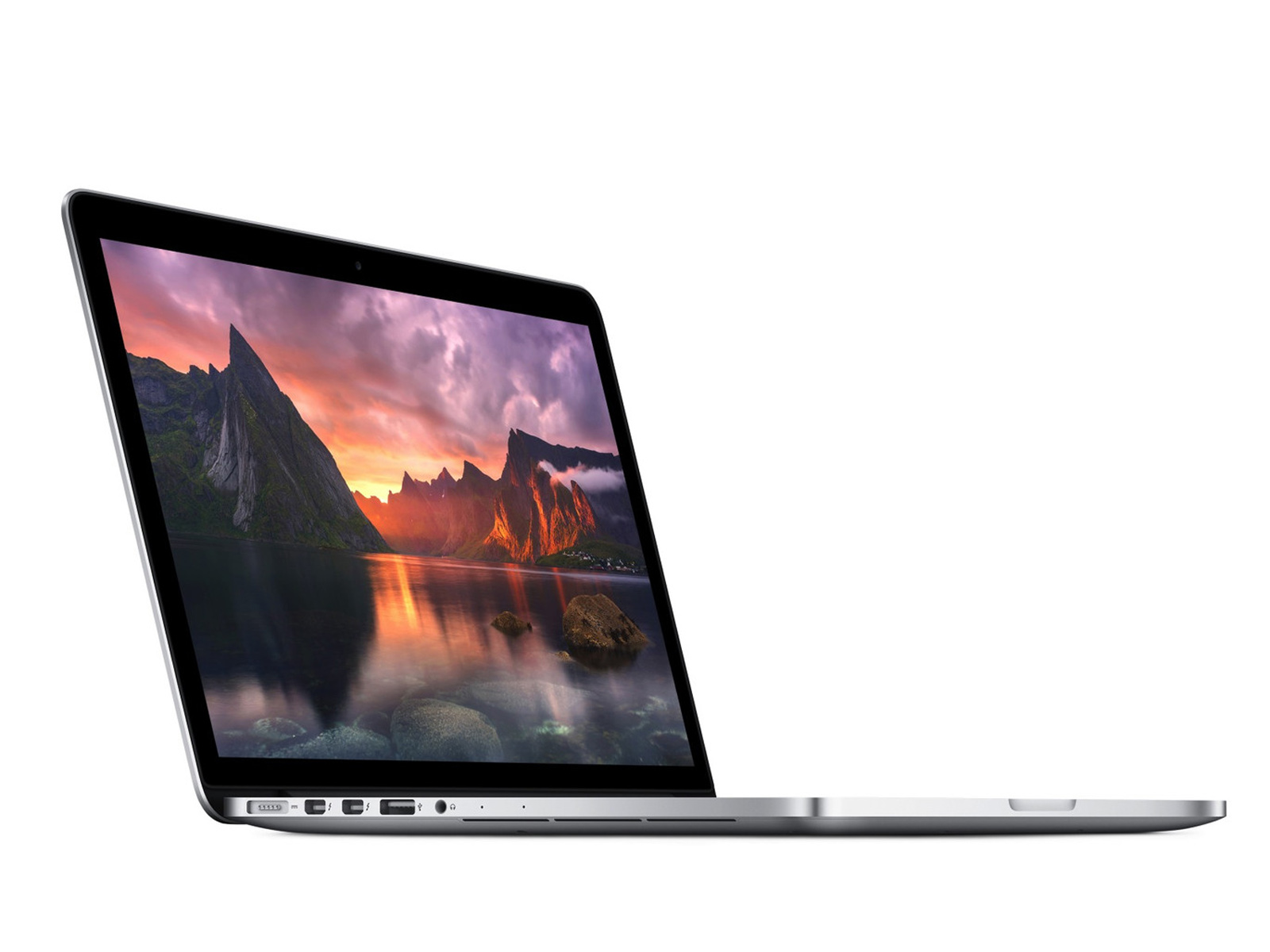
One of its most significant physical attributes is the selection of I/O ports. Unlike modern machines that necessitate an array of dongles, the 2015 model includes two Thunderbolt 2 ports, two USB 3.0 ports, an HDMI port, a dedicated SDXC card slot, and the MagSafe 2 charging port. For photographers, videographers, and professionals who frequently interact with legacy peripherals, this native connectivity provides a level of utility that is becoming increasingly rare. The presence of the MagSafe connector, which uses magnets to disconnect the power cable safely if tripped over, is a feature that many long-time users still prioritize over USB-C charging.
Display and Visual Performance
The 13-inch Retina display on the 2015 MacBook Pro offers a resolution of 2560 by 1600 pixels. While display technology has evolved significantly in the last decade—with modern Apple Silicon models offering higher brightness, improved color accuracy (P3 gamut), and ProMotion variable refresh rates—the 2015 panel remains highly competent for general consumption.
The screen offers good viewing angles and sufficient sharpness for text-heavy work and basic photo editing. However, users should be aware that the anti-reflective coating on these displays is susceptible to "staingate," a condition where the coating begins to delaminate or peel away from the glass. By 2026, many units have already been repaired or exhibit varying degrees of this cosmetic wear. It is a vital check for anyone considering a pre-owned purchase.
Input Hardware: The Scissor-Switch Advantage
For many, the defining feature of the 2015 MacBook Pro is the keyboard. Following this model, Apple transitioned to the problematic "butterfly" switch mechanism, which suffered from widespread reliability issues. The 2015 model utilizes a refined version of the traditional scissor-switch mechanism, offering significant key travel and tactile feedback that many professional typists prefer.
Similarly, the Trackpad remains a gold standard. Even by 2026 standards, the Force Touch trackpad provides an excellent haptic response and a large glass surface area that makes navigation intuitive. The combination of this keyboard and trackpad often leads users to maintain their 2015 machines for years longer than intended, simply for the sake of the typing experience.
Performance and Hardware Specifications
The 2015 13-inch MacBook Pro was released with Intel’s 5th-generation "Broadwell" dual-core i5 or i7 processors. In the context of 2026, these chips are undeniably aging. They are more than capable of handling web browsing, word processing, email, and streaming video. However, they struggle with modern, resource-intensive workflows such as 4K video rendering, large-scale software compilation, or complex multitasking with numerous background applications.
The RAM is soldered to the logic board, meaning the amount you purchase is the amount you are limited to for the life of the machine. These units typically shipped with 8GB or 16GB of LPDDR3 memory. If you are looking to purchase one today, seeking out the 16GB configuration is essential, as 8GB is often insufficient for modern operating system overhead and web browser memory demands.
| Feature | Specification | User Impact |
|---|---|---|
| Processor | Intel Core i5 / i7 (Broadwell) | Adequate for general tasks, slow for modern heavy apps |
| Memory | 8GB or 16GB (Soldered) | 16GB highly recommended for multitasking |
| Storage | Proprietary PCIe SSD | Replaceable, but requires specific, non-standard drives |
| Connectivity | USB 3.0, Thunderbolt 2, HDMI | High legacy compatibility; no dongles required |
| OS Support | macOS Monterey (Official) | Requires patchers for newer OS versions |
Storage and Upgradeability
One of the distinct advantages of the 2015 model is that the SSD is not soldered to the motherboard. While Apple used a proprietary connector, it is possible to replace the drive using adapters that allow for the installation of standard M.2 NVMe SSDs. This is a critical factor in 2026, as it allows users to extend the usable storage space of the machine far beyond the original factory configurations, keeping the device relevant for longer.
Software Limitations and Considerations
The most significant limitation in 2026 is the official software support status. Apple officially ended support for the 2015 MacBook Pro with macOS Monterey (macOS 12). While this version of macOS remains functional for many applications, it no longer receives security updates from Apple.
For users who are technically inclined, community-driven tools such as OpenCore Legacy Patcher have enabled the installation of newer versions of macOS, including the latest iterations current in 2026. While this allows for access to modern features and current browser security, it is a third-party modification that requires a degree of comfort with system-level maintenance. Users must balance the risk of running an unsupported operating system against the effort required to patch the system.
Troubleshooting and Common Maintenance
Given the age of these machines, there are specific areas where maintenance is likely required in 2026:
- Battery Health: Lithium-ion batteries degrade over time. If the original battery is still installed, it is almost certainly past its prime. Third-party replacement kits are widely available and relatively straightforward to install for those comfortable with basic tools.
- Thermal Management: The fans and heatsink fins often accumulate dust over a decade of use. Cleaning the internal fans and applying fresh thermal paste to the CPU can significantly reduce fan noise and prevent thermal throttling.
- SSD Adapters: If upgrading the storage, ensure the use of high-quality NVMe-to-Apple adapters to prevent wake-from-sleep issues or kernel panics.
Is the 2015 MacBook Pro Right for You?
Determining if this machine meets your needs requires an honest assessment of your digital workflow. If your requirements are limited to drafting documents, web research, watching media, or light remote work, the 2015 13-inch MacBook Pro offers a premium-feeling experience at a fraction of the cost of a modern laptop. It provides a tactile satisfaction and connectivity convenience that modern designs often lack.
Conversely, if you rely on professional software suites that demand the latest macOS versions for compatibility, or if you perform tasks that require high-speed multi-core processing, this machine will likely prove frustrating. It is best viewed as a secondary machine, a student laptop for basic research, or a "nostalgia" workstation that still manages to pull its weight in daily tasks.
Frequently Asked Questions
Can I run the latest version of macOS on a 2015 MacBook Pro? Officially, no. The machine is capped at macOS Monterey. Unofficially, you can use the OpenCore Legacy Patcher to install newer versions, but this requires ongoing maintenance and carries minor risks regarding system stability and performance.
Is 8GB of RAM enough in 2026? For most users, 8GB will feel restrictive. Modern web browsers and background services often consume most of this memory, leading to increased use of "swap" memory on the SSD, which slows down the system. Opting for a 16GB model is strongly advised.
What is the "staingate" issue? This refers to the anti-reflective coating on the Retina display degrading, which causes a patchy, splotchy appearance on the screen. It is a known manufacturing defect from that era. Always inspect the screen while turned off under bright light before purchasing.
Can I still buy replacement parts for this laptop? Yes. Due to the popularity of the 2015 model, a robust secondary market for components exists. You can easily find replacement batteries, trackpads, SSD adapters, and even complete logic boards via online marketplaces and independent repair shops.
How does the battery life compare to modern MacBooks? The 2015 model's battery life is significantly lower than that of modern Apple Silicon MacBooks. Even with a brand-new, high-quality replacement battery, you should expect roughly 5 to 7 hours of light use, whereas modern MacBooks can often exceed 15 to 18 hours.
Is the storage upgradable? Yes, unlike later MacBook Pro models, the 2015 SSD is removable. You can replace the stock drive with a modern, higher-capacity M.2 NVMe SSD using an inexpensive adapter, providing a cost-effective way to boost storage.
Final Recommendation
The 2015 13-inch MacBook Pro is a testament to Apple's peak hardware design from the mid-2010s. If you are seeking a reliable, inexpensive machine for basic productivity and appreciate the physical keyboard and port selection, this model remains a viable choice in 2026. Prioritize units that have had the battery replaced, aim for 16GB of RAM, and be prepared to manage software updates manually if you wish to run a modern operating system.

Image Gallery
Select an image to open it in a new tab.


Celine Dubois
Contemporary Living and Global Arts Columnist
