
To achieve HIPAA compliant faxing, healthcare organizations must implement a combination of technical, administrative, and physical safeguards. This includes signing a Business Associate Agreement (BAA) with your service provider, ensuring end-to-end encryption (AES-256 or higher), maintaining detailed audit logs, and establishing strict access controls to prevent unauthorized viewing of Protected Health Information (PHI).
The Health Insurance Portability and Accountability Act (HIPAA) has remained the cornerstone of patient privacy in the United States for decades. As we navigate the healthcare landscape in 2026, the methods by which we transmit sensitive data have evolved, yet the fundamental requirement to protect patient confidentiality remains unchanged. Faxing continues to be a primary method of communication in healthcare due to its perceived reliability and widespread adoption, but "traditional" faxing often falls short of modern security standards.
Understanding the HIPAA Regulatory Framework for Faxing
Achieving compliance is not about a single piece of software; it is about adhering to the standards set forth by the Department of Health and Human Services (HHS). Specifically, two main rules govern how faxing must be handled: the Privacy Rule and the Security Rule.
The HIPAA Privacy Rule
The Privacy Rule establishes national standards for the protection of certain health information. It applies to health plans, healthcare clearinghouses, and those healthcare providers that conduct certain healthcare transactions electronically. When faxing, the Privacy Rule requires that you take "reasonable safeguards" to protect PHI. This means ensuring that a faxed document does not sit on a shared tray where unauthorized individuals can read it.
The HIPAA Security Rule
While the Privacy Rule covers all PHI, the Security Rule specifically addresses Protected Health Information in electronic form (e-PHI). If you use a digital or cloud-based fax service—which is the standard in 2026—you must implement technical safeguards. These include access control, integrity controls, and transmission security. In a cloud environment, the Security Rule is much more stringent than the guidelines for traditional analog faxes.
The Essential Foundation: The Business Associate Agreement (BAA)
The single most important step in achieving HIPAA compliant faxing with a third-party vendor is the execution of a Business Associate Agreement (BAA). Under HIPAA, any service provider that handles, stores, or transmits PHI on behalf of a covered entity is considered a "Business Associate."
A BAA is a legal contract that clarifies the responsibilities of each party regarding the protection of PHI. It mandates that the vendor will implement the same level of security and privacy protections as the covered entity itself. Without a signed BAA, any fax transmitted through a third-party service—no matter how encrypted it is—is a violation of HIPAA regulations.
In 2026, reputable cloud fax providers proactively offer BAAs. However, it is the responsibility of the healthcare provider to ensure the agreement is signed before any data is transmitted. Be wary of "free" fax services; these rarely offer BAAs and typically do not meet the security requirements for healthcare use.

Technical Safeguards for Modern Faxing
For a faxing solution to be considered secure in the current technological environment, several technical mechanisms must be in place.
End-to-End Encryption
When using electronic faxing (e-fax), the data must be encrypted both "at rest" (while stored on a server) and "in transit" (while moving from your computer to the recipient). In 2026, the industry standard for encryption is AES-256 for storage and TLS 1.2 or 1.3 for transmission. Encryption ensures that even if the data is intercepted by a malicious actor, it remains unreadable.
Secure User Authentication
Access to fax portals must be restricted to authorized personnel only. Compliance requires unique user IDs and strong password policies. Furthermore, Multi-Factor Authentication (MFA) is no longer optional in 2026 healthcare settings. MFA adds a critical layer of security, ensuring that a stolen password alone is not enough to grant access to sensitive patient records.
Audit Trails and Logging
HIPAA requires covered entities to maintain records of activity on systems that house PHI. Your faxing solution must provide detailed logs that include:
- The identity of the sender.
- The identity of the recipient (fax number).
- The date and time of the transmission.
- The status of the transmission (success or failure).
- A record of who accessed the faxed documents within the system.
These logs are essential during a compliance audit or in the event of a security breach investigation.
Administrative and Physical Safeguards
Technical security is only half the battle. Administrative and physical protocols ensure that the "human element" does not compromise patient data.
Physical Placement of Hardware
If you are still using a physical fax machine, its location is critical. It should be placed in a secure, non-public area where patients or unauthorized staff cannot see incoming or outgoing documents. If a machine is located in a high-traffic area, it must be monitored constantly, or "secure print" features must be enabled so that the document is only printed when an authorized user enters a PIN.
Staff Training and Policies
Human error remains the leading cause of HIPAA breaches. Organizations must implement mandatory training programs that cover:
- Verifying fax numbers before sending.
- Using pre-configured speed-dial numbers to minimize manual entry errors.
- The proper use of fax cover sheets.
- What to do if a fax is sent to the wrong recipient (incident reporting).
The Role of the Fax Cover Sheet
While often overlooked, a HIPAA-compliant cover sheet is a vital administrative safeguard. It should include a confidentiality notice stating that the information is intended only for the specified recipient and providing instructions on what to do if the fax is received in error. Crucially, the cover sheet itself should not contain PHI (such as patient names or diagnoses).
Step-by-Step Guide to Implementing HIPAA Compliant Faxing
To transition your practice to a compliant faxing workflow, follow these structured steps:
- Audit Current Practices: Identify every point where PHI is sent via fax. Are you using analog lines, multi-function printers, or computer-based applications?
- Select a Compliant Vendor: Choose a cloud-based fax provider that specializes in healthcare. Ensure they explicitly state they are "HIPAA Compliant" and are willing to sign a BAA.
- Execute the BAA: Do not send a single page of PHI until the BAA is signed by both parties. Store this document in your compliance folder.
- Configure Security Settings: Once the service is active, enable MFA for all users. Set up automatic session timeouts and disable any "auto-forward to email" features unless the destination email is also HIPAA compliant.
- Clean Up Recipient Lists: Verify the fax numbers of your most frequent contacts (pharmacies, specialists, labs). Update your digital address book to prevent "wrong number" transmissions.
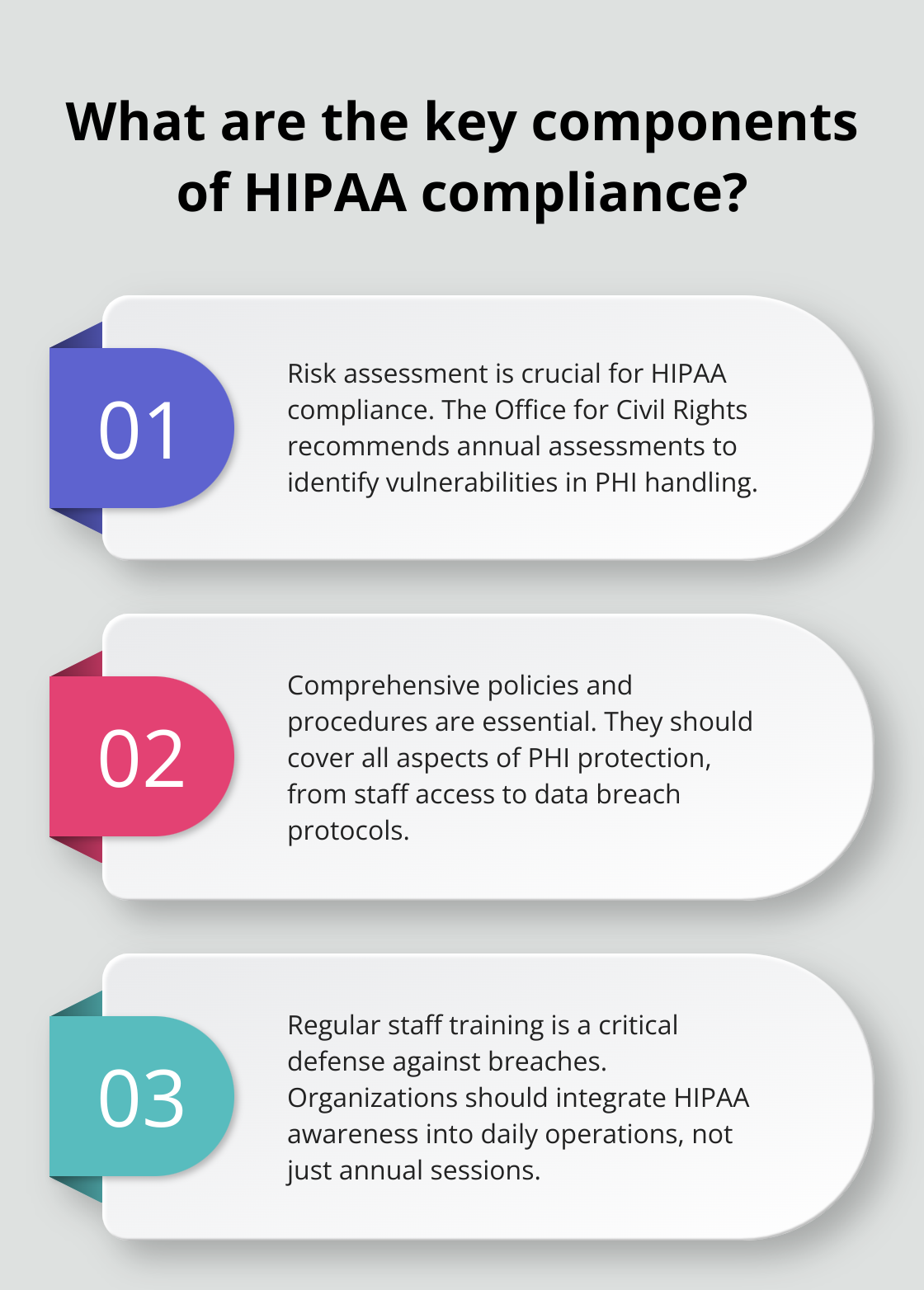
- Train Your Team: Conduct a dedicated session on the new secure faxing workflow. Document that this training occurred, as this documentation is a HIPAA requirement.
- Monitor and Audit: Once a month, review your fax logs. Look for any unauthorized access or unusual patterns that might indicate a security lapse.
Comparing Faxing Methods for Healthcare
Not all faxing methods are created equal. The following table compares the three most common methods used in 2026.
| Feature | Traditional Analog Fax | Basic Digital Fax (No BAA) | Secure Cloud Fax (With BAA) |
|---|---|---|---|
| Encryption in Transit | No (Uses PSTN) | Varies (often TLS) | Yes (TLS 1.3) |
| Encryption at Rest | N/A (Paper based) | Varies | Yes (AES-256) |
| Business Associate Agreement | Not usually required* | No | Yes (Required) |
| Audit Logs | Limited (Local machine) | Basic | Comprehensive & Searchable |
| Access Control | Physical only | Password | MFA & Role-Based Access |
| Primary Risk | Physical theft/viewing | Data interception/Legal | Human error (wrong number) |
*Traditional landlines are often covered under the "conduit exception," but this does not apply to digital storage or VOIP lines.
Common Pitfalls and How to Avoid Them
Even with the best technology, certain mistakes can lead to costly HIPAA violations.
The "Conduit Exception" Misconception
Some providers believe that because the "conduit exception" exists for the USPS or traditional landline telephone companies, it also applies to internet-based faxing. This is incorrect. In 2026, almost all faxing travels over the internet at some point. Therefore, the service provider acts as more than a simple conduit—they are processing and often storing data, making a BAA mandatory.
Fax-to-Email Risks
Many digital fax services offer a feature where incoming faxes are forwarded to your email inbox. If your email provider (like standard Gmail or Outlook) is not specifically configured for HIPAA compliance and you do not have a BAA with them, this workflow is a violation. The fax is decrypted by the fax provider and then sent over potentially unsecure email channels. To avoid this, always view faxes within the secure provider portal.
Abandoned Faxes
In a busy clinic, it is common for a fax to be sent and the original document left on the scanner glass, or for an incoming fax to sit in the output tray for hours. Both scenarios are physical security failures. Transitioning to a "paperless" cloud fax system eliminates this risk by keeping the PHI digital and behind a secure login.
The Importance of Frequent Auditing
In 2026, the Office for Civil Rights (OCR) has increased the frequency of "desk audits" for healthcare providers. Achieving compliance is not a one-time event; it is an ongoing process of verification.
You should regularly verify that:
- Your BAA is still on file and the vendor has not changed its terms of service.
- No former employees still have active login credentials to your fax portal.
- The encryption protocols used by your vendor have not been deprecated (e.g., ensuring they have moved from TLS 1.0/1.1 to 1.2 or 1.3).
- Your internal policies are being followed (e.g., cover sheets are being used correctly).
For more information on the specific technical standards for healthcare data transmission, the National Institute of Standards and Technology (NIST) provides detailed Special Publications (such as SP 800-66) that align with HIPAA Security Rule requirements.
Frequently Asked Questions
Is "standard" faxing through a landline HIPAA compliant?
Traditional analog faxing over a Public Switched Telephone Network (PSTN) is generally considered compliant because it is a point-to-point transmission that does not store data in the cloud. However, it lacks the audit trails and modern encryption required for high-level security. Furthermore, if you use a VOIP (Voice over IP) phone system, your fax is no longer analog and must be treated as digital data, requiring encryption and a BAA.
Can I use a free online fax service for patient records?
No. Free fax services almost never provide a Business Associate Agreement (BAA) and often lack the necessary encryption and access controls required by the HIPAA Security Rule. Using a free service to transmit PHI is a high-risk activity that can lead to significant fines.
What should I do if I accidentally fax PHI to the wrong number?
This is considered a potential breach. You should immediately attempt to contact the recipient and ask them to destroy the document. You must then document the incident internally and perform a risk assessment to determine if the error rises to the level of a "reportable breach" under the HIPAA Breach Notification Rule. Following the HHS Breach Notification guidelines is essential in these cases.
Does a fax cover sheet need to include the patient's name?
No, and it should not. A HIPAA-compliant cover sheet should only contain the sender's info, the recipient's info, the number of pages, and a confidentiality disclaimer. Including PHI like a patient's name or date of birth on the cover sheet increases the risk of an accidental disclosure if the fax is seen by an unauthorized person.
Do I need a BAA if I host my own fax server?
If you maintain your own hardware and software entirely on-site and do not use a third-party cloud service or external VOIP provider to transmit the data, you may not need a BAA because you are not using a "Business Associate." However, you are still responsible for ensuring that your internal server meets all the technical safeguards of the HIPAA Security Rule, including encryption and access logging.
Final Recommendation for 2026
To achieve and maintain HIPAA compliant faxing in 2026, the most effective and secure path is to migrate to a dedicated cloud-based healthcare fax provider. This move replaces the physical vulnerabilities of paper faxes and analog machines with robust encryption, MFA, and comprehensive audit trails. Ensure you sign a BAA before your first transmission, train your staff annually, and regularly audit your transmission logs to ensure your patient data remains secure.
Image Gallery
Select an image to open it in a new tab.


Mateo Castillo
Decentralized Finance and E-Payments Strategist
