How Accurate Are Tile Trackers in Practice? Real-World Range, Precision, and Network Performance
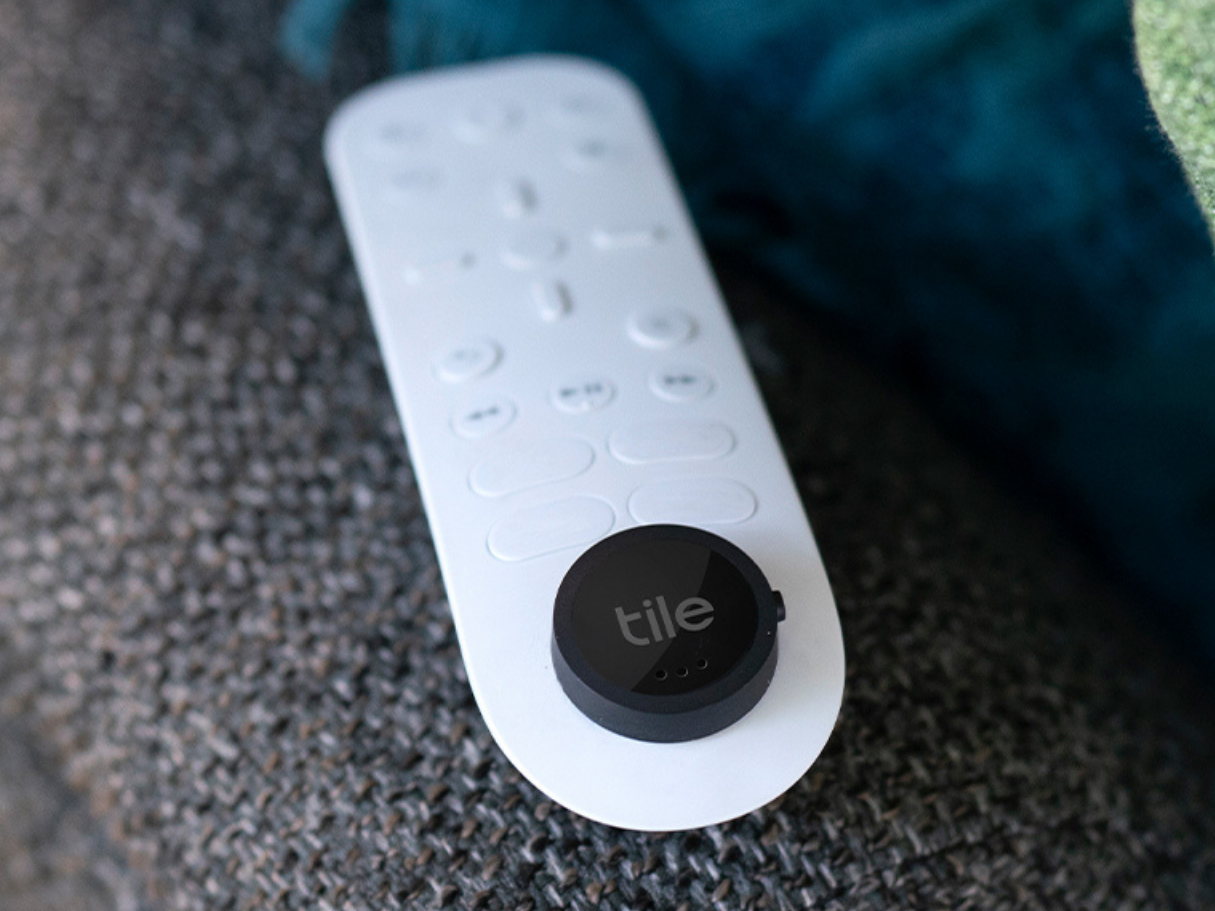
In practical everyday use, Tile trackers provide direct location precision within 10 to 30 feet indoors when connected via Bluetooth, and up to 100 to 200 feet in clear, outdoor line-of-sight conditions. For items outside immediate Bluetooth range, accuracy relies entirely on the crowd-sourced Tile and Life360 network, which updates location coordinates whenever another opted-in smartphone passes within range of the tracker.
Understanding How Tile Trackers Work: Bluetooth vs. GPS
A common misconception among first-time buyers is that small tracking discs contain miniature Global Positioning System (GPS) chips or cellular modems. Tile trackers do not contain GPS receivers, nor do they communicate directly with satellite constellations or cellular towers. Understanding this hardware distinction is essential to understanding their practical performance limits.
Tile trackers rely on Bluetooth Low Energy (BLE) radio signals. The tracker operates as a continuous beacon, broadcasting a unique encrypted identification code into its immediate surroundings. The device does not calculate its own geographic coordinates; instead, it relies entirely on a host device—such as your smartphone—to perform the location calculation.
When your phone's Tile app detects your tracker's BLE signal, it reads the phone's current GPS coordinates and timestamps that event. The app then sends these coordinates to Tile's cloud servers. Therefore, the physical "accuracy" reported on your screen is actually the GPS accuracy of the phone that last detected the tracker, combined with the Bluetooth signal's maximum range at that precise moment.
- Tile Tracker (No GPS Receiver) sends BLE Beacon Signal to User's Smartphone (App Records GPS).
- User's Smartphone (App Records GPS) connects via Cellular / Wi-Fi to Tile Cloud Server.
Because standard smartphone GPS chips are accurate to within roughly 10 to 30 feet (3 to 9 meters) under clear skies, a Tile tracker's location ping can never be more precise than the phone recording it. When indoors, urban environments, dense foliage, or tall buildings degrade the smartphone’s satellite lock, the baseline location accuracy recorded by the app degrades accordingly.
Direct Range Accuracy: Line-of-Sight vs. Real-World Obstacles
Tile publishes maximum theoretical range specifications for each product in its lineup. These metrics represent optimal laboratory conditions: open space, zero radio-frequency (RF) interference, high-sensitivity receiving hardware, and elevated line of sight.
In practice, physical objects, building materials, and background electromagnetic noise significantly reduce these theoretical figures.
Theoretical vs. Real-World Range Comparison:
- Tile Pro (Advertised: 400 ft / 120 m)
- Theoretical Open Air: 400 ft
- Real-World Line-of-Sight: 180-250 ft
- Indoor Walls: 40-75 ft
- Tile Mate / Slim / Sticker (Advertised: 250 ft / 75 m)
- Theoretical Open Air: 250 ft
- Real-World Line-of-Sight: 100-150 ft
- Indoor Walls: 25-45 ft
Tile Pro Performance
- Advertised Range: Up to 400 feet (120 meters)
- Real-World Line-of-Sight: 180 to 250 feet (55 to 76 meters)
- Real-World Indoor Range: 40 to 75 feet (12 to 23 meters)
The Tile Pro features a larger internal antenna structure and higher transmission power. In an open park or empty parking lot, a phone can maintain a stable connection up to roughly 200 feet. Indoors, passing through two drywall partitions reduces the effective range down to under 60 feet.
Tile Mate, Tile Slim, and Tile Sticker Performance
- Advertised Range: Up to 250 feet (75 meters)
- Real-World Line-of-Sight: 100 to 150 feet (30 to 45 meters)
- Real-World Indoor Range: 25 to 45 feet (7 to 14 meters)
The compact form factors of the Mate, Slim, and Sticker mandate smaller omnidirectional antennas and slightly lower power envelopes to preserve battery life. Indoors, solid wood doors, metal appliances, or placing the tracker inside a leather bag will drop connection reliability past 30 feet.
Environmental Factors Degrading Signal Accuracy
- Physical Obstructions: Materials like concrete, brick, plaster, and double-paned glass reflect and attenuate 2.4 GHz radio waves. Placing a Tile inside a metal briefcase, foil-lined purse, or heavy gun safe acts as a partial Faraday cage, cutting range down to a few feet or completely blocking transmission.
- Body Water Content: Human bodies are composed largely of water, which readily absorbs 2.4 GHz frequencies. If you carry a key ring equipped with a Tile in a rear pocket while facing away from your phone, your body can block the signal.
- RF Interference: Dense Wi-Fi networks, Bluetooth audio streams, microwave ovens, and wireless baby monitors all share the congested 2.4 GHz ISM radio band. High-density residential buildings present severe signal-to-noise ratio challenges, shrinking effective detection radiuses.
The Crowd-Finding Network: Urban vs. Rural Performance
When an item is lost beyond your personal phone's Bluetooth radius, Tile relies on its crowd-sourced location network. Every smartphone running the Tile application—or integrated partner applications—acts as an automated node. When any user with an active app passes within Bluetooth range of your lost tracker, their device silently captures the tracker's ID, matches it against missing device flags in the cloud, and updates the owner's map interface.
The Impact of the Life360 Acquisition
In late 2021, location-sharing platform Life360 acquired Tile. This acquisition expanded the crowd-finding footprint by integrating Tile scanning protocols directly into the Life360 mobile app ecosystem. This enlarged the passive detection network by adding tens of millions of active mobile nodes across North America and international markets.
Geographic Density Determinants
The accuracy and update frequency of a lost Tile depend entirely on population density and network penetration in the immediate vicinity of the lost item.
- Metropolitan Areas & Transit Hubs: In major cities, airports, coffee shops, and public transit systems, the network density is high. If you drop a tiled item on a busy city sidewalk, there is a strong probability that a user running Life360 or Tile will walk within 30 to 50 feet of it within minutes. The location timestamp remains fresh, offering practical accuracy within a city block or specific building address.
- Suburban Environments: Detection intervals widen to hours rather than minutes. An item dropped in a residential park may only update when a nearby resident walking a dog passes within range.
- Rural and Remote Locations: In low-density rural zones, state parks, or highway stretches, network coverage drops sharply. If a Tile is lost along a hiking trail, it may never register a crowd update unless another app user walks that exact trail.
Timestamp Freshness vs. Spatial Precision
It is critical to distinguish between spatial precision (where the item was when detected) and temporal accuracy (how long ago that detection occurred).
If your Tile app displays a pin on a map pointing to a restaurant with a timestamp reading "Updated 2 hours ago," the geographic pin may be accurate to within 20 feet of where the item rested at 2:00 PM. However, if a bystander picked up the item at 2:15 PM and walked away with it, the map data remains statically locked to the historical location until another network node pings the device elsewhere.
Precision Features: Audio Alerts, Signal Meters, and Tech Limitations
Unlike competitors that leverage Ultra-Wideband (UWB) chips for directional on-screen arrows (such as Apple’s Precision Finding feature utilizing U1/U2 chips), traditional Tile models rely primarily on Received Signal Strength Indicator (RSSI) meters and high-output acoustic speakers for localized recovery.
- Target Item Hidden Under Cushion
- App RSSI Meter: Visual Signal Strength (Buzzer gets stronger as proximity increases)
- Piezo Speaker: Audible Tone Ring (80 - 128 dB output guides final foot)
Signal Strength Proximity Meters
The Tile application features a visual proximity ring. As you move closer to the hidden tracker, the app measures the incoming RSSI decibel level. If the signal strengthens, the green rings expand, indicating you are closing the physical distance.
However, RSSI is inherently imprecise. Multipath radio propagation—where Bluetooth signals bounce off metal appliances, mirrors, and tiled walls—can make a tracker located 15 feet away behind a bathroom mirror appear weaker than a tracker 20 feet away across an open hallway. The visual proximity meter should be treated as a rough thermal gauge ("warmer/colder") rather than a tape measure.
High-Output Piezo Speakers
Because radio-based distance calculations suffer from indoor interference, Tile relies heavily on audio outputs to bridge the final 10 feet of spatial ambiguity.
- Tile Pro: Equipped with the loudest piezo driver in the product line, generating up to ~128 decibels at direct contact (roughly 90–100 dB measured at 1 meter). This high volume helps sound penetrate couch cushions, heavy coats, or closed cabinet doors.
- Tile Mate and Slim: Produce moderate acoustic outputs (roughly 80–90 dB at 1 meter), which are audible across an average-sized residential room but can be muffled under dense bedding or inside insulated bags.
Absence of Directional Ultra-Wideband (UWB)
Standard Tile units do not provide spatial vectoring—meaning the app cannot tell you to "turn 45 degrees left and walk 4 feet." To locate a silent item (e.g., if the speaker's sound port is pressed flat against a memory-foam cushion), users must rely on systematic sweeps of an area while watching for RSSI signal increases.
Real-World Performance Matrix
The following table synthesizes real-world testing data, theoretical limits, and functional capabilities across the Tile product ecosystem alongside primary market benchmarks.
| Feature / Model | Tile Pro | Tile Mate | Tile Slim | Tile Sticker | Apple AirTag (Comparison) |
|---|---|---|---|---|---|
| Advertised Range | 400 ft (120 m) | 250 ft (75 m) | 250 ft (75 m) | 250 ft (75 m) | ~30 ft (BLE) / ~30 ft (UWB) |
| Real-World Outdoor Line-of-Sight | 180–250 ft | 100–150 ft | 90–130 ft | 80–120 ft | 80–120 ft |
| Real-World Indoor Range | 40–75 ft | 25–45 ft | 20–40 ft | 15–35 ft | 20–40 ft |
| Primary Precision Tool | Loud Audio (~128 dB) | Standard Audio | Standard Audio | Standard Audio | Directional UWB + Audio |
| Crowd Network Base | Tile + Life360 Network | Tile + Life360 Network | Tile + Life360 Network | Tile + Life360 Network | Apple Find My Network |
| Battery Type | Replaceable CR2032 | Non-replaceable (3-yr) | Non-replaceable (3-yr) | Non-replaceable (3-yr) | Replaceable CR2032 |
| Form Factor Optimization | Heavy-duty keys, bags | Standard keyrings | Wallets, passports | Electronics, tools | Removable keychains/mounts |
| Water Resistance Rating | IP67 | IP67 | IP67 | IP67 | IP67 |
Performance Across Practical Daily Scenarios
Real-world tracking success varies significantly depending on the environmental context. Here is how Tile performs across common deployment conditions:
1. Keys Misplaced Inside the Home
- Accuracy Rating: Excellent (9/10)
- Performance Dynamics: Bluetooth establishes a connection quickly within typical home dimensions (1,000–3,000 sq ft). Once connected, triggering the audible chime resolves the location immediately, even if keys are tucked inside laundry piles or under furniture.
- Failure Points: Dead batteries or speaker ports blocked by dense cushions.
2. Wallet Left Behind in a Restaurant or Coffee Shop
- Accuracy Rating: High (8/10)
- Performance Dynamics: If you leave a wallet equipped with a Tile Slim inside an urban business, your phone will log the disconnect location the moment you walk out of Bluetooth range (typically 30 to 50 feet past the entryway).
- Performance Dynamics: The app alerts you (with a Premium subscription) and displays an accurate pin directly over the establishment's address. If the wallet remains untouched on the table, secondary crowd pings from other patrons confirm its presence continuously.
3. Checked Airline Luggage
- Accuracy Rating: Moderate to High (7/10)
- Performance Dynamics: While aircraft are in transit, Bluetooth signals cannot penetrate cargo bays or reach network devices, leaving maps silent during flight.
- Performance Dynamics: Upon landing, as baggage handlers unload containers or transfer luggage near airport workers and passengers using Life360/Tile apps, location pings populate quickly. This allows passengers to verify whether their bag arrived at the destination airport before standing at the baggage carousel.
4. Vehicle Location in Large Parking Structures
- Accuracy Rating: Moderate to Low (4/10)
- Performance Dynamics: Storing a Tile inside a glove box or trunk introduces heavy steel and glass shielding. The radio signal struggles to push past the vehicle frame.
- Performance Dynamics: If your car is parked on subterranean level 3 (B3) of a concrete parking garage, GPS accuracy on the recording phone drops sharply before connection breaks, often leaving a misplaced pin on the street level above the garage structure.
5. Tracking Moving Pets or Children
- Accuracy Rating: Poor (2/10)
- Performance Dynamics: Tile hardware is not engineered for real-time telemetry or anti-theft tracking. If a dog wearing a Tile Sticker escapes into a neighborhood, location pings only occur when the dog pauses near an active network user.
- Performance Dynamics: Because the pet is moving, by the time a notification delivers to your phone, the dog has likely moved hundreds of yards away from the recorded timestamp. Dedicated cellular/GPS pet collars are far more effective for this use case.
Scenario Suitability Summary:
- Keys / Household Items: Excellent (9/10)
- Wallets / Static Items: High (8/10)
- Airline Luggage: Moderate-High (7/10)
- Car in Concrete Garage: Moderate-Low (4/10)
- Pets / Moving Targets: Poor (2/10)
Optimizing Your Tile Tracker's Accuracy
To extract maximum location accuracy and range reliability from your Tile units, configure your host smartphone OS settings and physical placement according to these technical best practices:
| Mobile Device Optimization Checklist |
|---|
| [✓] Location Permissions : Set to "Always Allow" |
| [✓] Precise Location : Toggle ON (Enables High-Accuracy GPS) |
| [✓] Power Management : Exclude Tile App from OS Battery Saver |
| [✓] Bluetooth State : Keep Permanently Active |
| [✓] Background Refresh : Enable Background Data & App Refresh |
Mobile OS Configuration Settings
- Set Location Access to "Always Allow": On both iOS and Android, the Tile app requires continuous background location access. If set to "Only While Using App," the phone cannot record the location where an item was disconnected or log background crowd pings for other users.
- Enable "Precise Location" Toggles: Ensure the OS-level high-accuracy location toggle is active for the Tile app. Disabling this setting forces the app to rely on cell-tower triangulation rather than dual-frequency GPS, widening spatial uncertainty from 15 feet to over 1,000 feet.
- Disable Battery Optimization Overrides: Modern mobile operating systems actively terminate background applications to preserve battery life. White-list the Tile app within your phone's battery management settings (e.g., set to "Unrestricted" on Android or enable "Background App Refresh" on iOS) to prevent the OS from killing the BLE scanning process.
- Maintain Active Bluetooth and Data Connections: Turning off Bluetooth or disabling cellular data halts background syncs, preventing your phone from uploading real-world position updates to Tile's central cloud database.
Physical Mounting and Orientation Tips
- Avoid Encasing in Metal: Mounting a Tile Sticker directly to metal toolboxes, aluminum laptops, or inside steel cases degrades effective radiation patterns. If attaching to metal objects, use a plastic, silicone, or leather intermediary layer to offset the antenna from ground planes.
- Expose the Speaker Aperture: Avoid wrapping Tiles tightly in heavy duct tape or non-breathable vinyl, which muffles speaker decibel output and compromises your primary close-range physical recovery tool.
- Maintain Clear Thermal and Environmental Limits: Operating Tiles continuously in extreme cold (below -10°C/14°F) increases internal battery resistance, causing temporary drops in BLE broadcast wattage and reducing immediate connection range.
Frequently Asked Questions
Can a Tile tracker show exact real-time street addresses?
No. A Tile tracker displays the last recorded GPS coordinates of the smartphone that passed within Bluetooth range of the tag. If the item is static and a nearby phone gets a clear GPS fix, the address pin on the map will be accurate within 10 to 30 feet. However, if the item is moving or indoors without clear cellular/GPS signals, the displayed address may be delayed or offset.
How accurate is Tile if an item is stolen or left on public transit?
Accuracy in transit depends on whether passengers near your lost item have active Tile or Life360 apps installed on their phones. On a crowded bus or subway car in a dense city, signal updates can occur frequently. However, because the vehicle is moving rapidly, map locations represent historical pings rather than real-time tracking coordinates.
Why does my Tile app show a location from several hours ago?
A stale timestamp means no opted-in phone running the Tile or Life360 application has come within Bluetooth range (10 to 100 feet, depending on obstacles) of your tracker since that recorded time. The map pin shows where the item was when its signal was last registered.
Does a Tile tracker work without Wi-Fi or cellular service?
Yes, for local searching. Your phone connects directly to the Tile via Bluetooth radio waves without needing Wi-Fi or cellular networks. You can ring your lost keys or view signal strength meters while completely offline. However, loading map tiles or receiving crowd-network location updates from other users requires an active cellular data or Wi-Fi internet connection.
How does Tile's practical accuracy compare to Apple AirTags?
Within short range (under 30 feet), Apple AirTags offer superior directional precision for users with modern iPhones due to Ultra-Wideband (UWB) directional arrows. At macro distances, Apple's Find My network leverages every active iPhone globally, giving it higher crowd-finding density in many regions. However, Tile offers multi-platform support across both Android and iOS, higher peak audio decibel output on models like the Tile Pro, and broader device integration via the Life360 platform.
Final Recommendation: Practical Action Plan
To maximize the performance of your Tile tracking devices:
- Match the Form Factor to the Risk Profile: Deploy the Tile Pro for critical outdoor items, heavy luggage, or keyrings where extended range (up to 200+ feet outdoor line-of-sight) and maximum speaker volume (~128 dB) are necessary to overcome obstacles. Use the Tile Slim exclusively for flat spaces like wallets, passport holders, and thin sleeves.
- Audit Mobile App Permissions Immediately: Open your phone's system settings and ensure the Tile application is set to "Always Allow" for Location Services, with "Precise Location" enabled and Battery Saver optimizations disabled.
- Conduct an Indoor Baseline Test: Test your devices around your own living space. Hide your keys in a typical spot (e.g., under a couch cushion or inside a coat pocket) and run a search test to learn how your specific home layout degrades Bluetooth signal strength. This helps you understand how the visual signal meter behaves before an actual loss occurs.
By adjusting your operational expectations to account for RF attenuation, environmental obstacles, and network node density, Tile trackers remain effective, highly reliable tools for recovering misplaced personal property.
Image Gallery
Select an image to open it in a new tab.
Vivian Cho
Executive IT and Emerging Technologies Reporter
