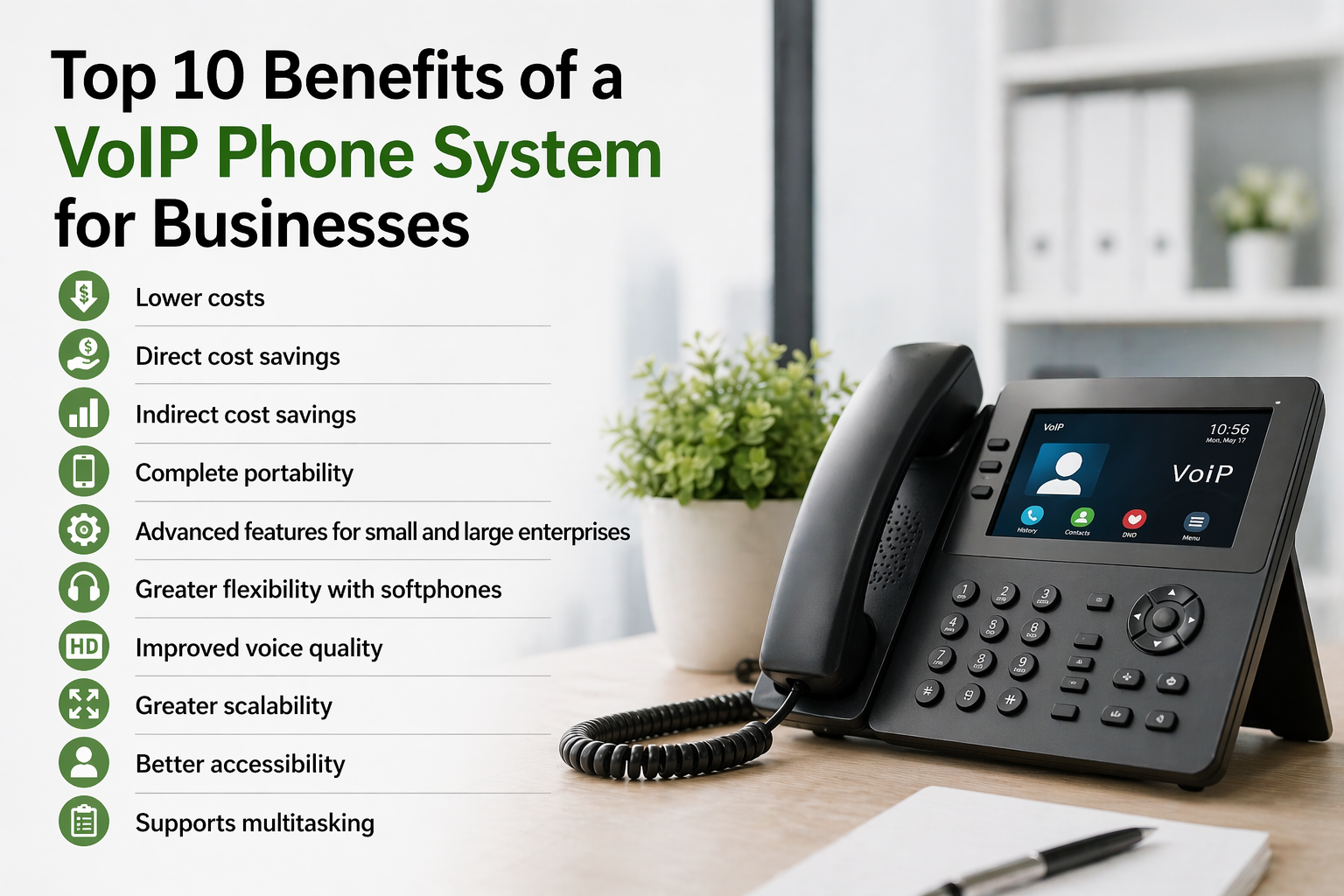
Voice over Internet Protocol (VoIP) technology allows small businesses to manage voice calls, video conferencing, and messaging over a broadband internet connection instead of traditional copper telephone lines. By lowering initial hardware investments, offering enterprise-level call management features, supporting hybrid and mobile teams, and scaling without complex wiring, hosted VoIP provides small companies with a cost-effective, professional communications platform.
Understanding VoIP Technology for Small Business Operations
To understand why VoIP has transformed business communications, it helps to examine how the underlying technology operates compared to the legacy Public Switched Telephone Network (PSTN). Traditional telephony relies on dedicated circuit-switched copper wiring managed by local telecom carriers. Every physical desk phone requires an analog connection to an on-site private branch exchange (PBX) switchboard or directly to the telecom wall jack. This legacy model demands heavy physical infrastructure, expensive line maintenance fees, and long-distance surcharges.
In contrast, VoIP converts analog audio signals into digital data packets. When a caller speaks into a VoIP-enabled device, an audio encoder-decoder (codec) samples the acoustic voice signal, compresses it, and breaks it down into small Internet Protocol (IP) packets. These packets travel across local networks and the public internet using standardized network protocols, such as Session Initiation Protocol (SIP) for session establishment and Real-time Transport Protocol (RTP) for media delivery. Once the data reaches its destination, the receiving device reassembles the packets into clear audio.
- Analog Voice
- Codec Compression
- IP Packets
- Internet/SIP Server
- Packet Reassembly
- Clear Audio
Modern VoIP systems typically operate through one of two deployment architectures:
- Hosted Cloud PBX: The communication software and PBX routing logic reside off-site in high-availability data centers managed by a third-party VoIP service provider. The business connects to these services using standard broadband internet connections. This eliminates the need to purchase or maintain local PBX servers.
- On-Premise IP-PBX: The business hosts its own IP-PBX server hardware on-site, connecting calls to external carrier networks via SIP trunks. While this grants maximum control over configuration and security, it requires substantial upfront capital, specialized IT hardware, and ongoing maintenance.
For the vast majority of small companies, cloud-hosted VoIP represents the ideal balance of functionality, reliability, and financial simplicity.
Financial and Operational Advantages for Growing Businesses
Small businesses must balance operational efficiency with strict budget controls. Switching from legacy landlines to a cloud-hosted VoIP solution addresses both priorities across several key areas.
Predictable Operational Expenses vs. Upfront Capital Outlays
Traditional telephone installations require significant upfront Capital Expenditure (CapEx). Companies must purchase proprietary PBX switchboard hardware, line cards, individual analog handsets, and pay technicians to run dedicated phone cabling throughout the building. Expanding the office by five employees often requires buying additional physical expansion cards or leasing extra dedicated trunk lines from the phone company.
Cloud VoIP shifts business communication to an Operational Expenditure (OpEx) model. Businesses pay a predictable monthly subscription fee per user line or extension. Because routing occurs in the cloud, companies can use existing computer hardware, mobile devices, or softphone applications, dramatically reducing hardware setup costs.
Enterprise-Grade Call Management on a Small Business Budget
In the past, advanced call routing features were accessible only to large enterprises with six-figure IT budgets. Cloud VoIP providers bundle these features into standard service tiers, allowing small businesses to deliver a polished, professional image to callers regardless of company size.
Key built-in features include:
- Auto-Attendant / Multi-Level IVR: Virtual receptionists answer incoming calls with custom greetings and route customers to the correct department or extension via touch-tone or voice menus.
- Ring Groups and Call Queuing: Inbound calls can ring multiple desk phones simultaneously or sequentially (round-robin) so sales or support inquiries are answered quickly by available staff.
- Visual Voicemail and Voicemail-to-Email: Voice messages are automatically transcribed into text and emailed alongside audio attachments, allowing team members to review caller requests without dialing into a voice inbox.
- Dynamic Call Forwarding and Find-Me/Follow-Me: Calls can ring a desk phone first, then automatically forward to a mobile phone, desktop softphone, or colleague if unanswered after a set number of rings.
Unified Communications (UCaaS) Integration
Modern business communication involves more than basic voice calls. Modern VoIP systems operate as Unified Communications as a Service (UCaaS) platforms, consolidating multiple communication channels into a single user interface:
- Voice and High-Definition (HD) Audio: Clear voice transmissions using wideband codecs like Opus and G.722.
- Business SMS and MMS: Employees can text clients using their professional business phone number rather than sharing personal mobile numbers.
- Video Meetings and Screen Sharing: Built-in video channels allow internal team huddles or client presentations without purchasing separate video conferencing subscriptions.
- CRM and Business Tool Integration: Advanced VoIP platforms connect directly with Customer Relationship Management (CRM) tools like Salesforce, HubSpot, or Zoho. When an existing customer calls, a pop-up displays their account history, open support tickets, and past order details before the staff member answers.
Mobility and Hybrid Workforce Empowerment
The standard workplace is no longer tied to fixed office desks. Remote work, field service operations, and business travel require communication tools that operate anywhere with an internet connection.
With VoIP softphone applications installed on laptops, smartphones, or tablets, employees take their business extension with them. Outbound calls made from a mobile softphone app display the company’s main caller ID, preserving brand consistency and personal privacy. Team members can switch active calls between devices—transferring a conversation from a desktop computer to a mobile phone mid-call without interrupting the caller.

Technical Requirements and Infrastructure Prerequisites
While VoIP offers clear operational benefits, system performance depends heavily on the quality and configuration of the company's local computer network and internet connection. Understanding basic technical requirements prevents audio quality problems like choppy voice data, echo, or dropped calls.
Bandwidth and Latency Standards
Voice packets require stable network conditions. While individual voice calls use minimal data compared to video streaming, the connection must remain consistent and low-latency.
- Bandwidth Per Call: Standard uncompressed VoIP calls using the G.711 codec consume approximately 87 to 100 Kbps of upload and download bandwidth per active call. Compressed codecs like G.729 require about 30 to 32 Kbps per call. A business expecting 10 simultaneous calls should dedicate at least 1 Mbps of symmetric (upload and download) internet capacity solely for voice traffic.
- Latency: The round-trip time it takes for a voice data packet to travel from the sender to the receiver and back. To maintain natural conversational speech, total network latency should remain under 150 milliseconds (ms).
- Jitter: The variable delay in arrival times between consecutive data packets. Excessive jitter causes choppy or scrambled speech. Jitter levels should remain under 30 ms.
- Packet Loss: The percentage of data packets lost during transmission across the network. Because voice transmission happens in real-time, lost packets cannot be resent without causing noticeable gaps in sound. Total packet loss must be under 1%.
Local Network Hardware and Quality of Service (QoS)
To maintain call quality when office computers download large files or stream media, small businesses must configure Quality of Service (QoS) settings on their local routers and switches.
QoS marks voice data packets with higher network priority (usually via DSCP or IEEE 802.1p tags) than routine internet traffic. When network congestion occurs, the router processes voice packets first, keeping audio clear even during heavy local network use.
Choosing the Right Endpoint Hardware
Businesses transitioning to VoIP can choose from several hardware setup options depending on worker roles and budget constraints:
- Softphones: Desktop and mobile software applications that convert computers, smartphones, and tablets into full-featured business phones. Softphones require minimal extra hardware beyond a decent USB or Bluetooth headset, making them the most flexible and cost-effective option for remote or hybrid employees.
- IP Desk Phones: Hardware desk phones that connect directly to local network switches via Ethernet cables. Modern IP phones support Power over Ethernet (PoE), drawing power and internet access through a single cable. Models range from basic entry-level phones for common areas to multi-line executive phones with color touchscreens.
- Analog Telephone Adapters (ATAs): Hardware devices that bridge traditional analog phones, fax machines, or door intercoms to an IP network. ATAs allow companies to reuse legacy physical equipment while routing traffic through cloud VoIP servers.
Evaluating Telephony Options: PSTN vs. On-Premise PBX vs. Cloud VoIP
Selecting the right communication architecture requires comparing options across cost, maintenance, and flexibility. The matrix below outlines how traditional landlines, managed on-premise IP-PBX systems, and hosted cloud VoIP compare for small businesses.
| Feature / Metric | Legacy PSTN Landlines | On-Premise IP-PBX | Cloud-Hosted VoIP |
|---|---|---|---|
| Initial Upfront Capital Costs | High (Copper wiring, physical PBX switchboard) | High (Server hardware, SIP trunk gateways, licensing) | Low (Software-based, compatible with existing hardware) |
| Ongoing Maintenance Needs | Managed by legacy telecom operator; high line fees | Requires internal IT staff or paid managed service contracts | Managed entirely by the cloud provider |
| Scalability Speed | Slow (Requires physical installation of new lines) | Moderate (Requires adding hardware cards or user licenses) | Instant (Add or remove lines in a web portal) |
| Remote Work Support | Very limited (Basic call forwarding to mobile lines) | Moderate (Requires complex VPNs or specialized softphones) | Native (Softphones work on any broadband/cellular network) |
| System Reliability / Disaster Recovery | High resilience to local power outages; weak flexibility | Subject to local hardware, internet, and power failures | Built-in auto-failover, mobile routing, and redundant data centers |
| Included Advanced Features | Additional cost per feature (Caller ID, voicemail, forwarding) | Comprehensive (Requires custom configuration) | Included in standard subscription tiers |
| Integration Capabilities | None | Moderate (Requires custom API development) | Native (Built-in connectors for CRM, email, and productivity apps) |
Common VoIP Challenges and Risk Mitigation Strategies
While cloud VoIP offers high operational agility, deployment comes with potential technical challenges. Proactively addressing these operational risks ensures a seamless transition.
Internet Dependency and Power Failure Resilience
Because VoIP relies entirely on network connectivity and electricity, internet outages or local power loss can disrupt landline communications if backup systems are missing.
Mitigation Strategies:
- Dual-WAN Routers with Automatic Failover: Install a dual-WAN router that connects to a primary high-speed connection (such as fiber optic) and a secondary secondary connection (such as 4G/5G cellular or secondary cable internet). If the primary line goes down, network traffic switches to the backup connection automatically.
- Uninterruptible Power Supplies (UPS): Place essential network switches, routers, modems, and PoE injectors on battery backup units (UPS) to keep voice communication operational during brief power losses.
- Cloud-Based Auto-Forwarding: Configure backup routing rules in the VoIP portal. If the provider loses connection to local office devices, incoming calls automatically forward to employee mobile phones or an off-site call center.
Enhanced 911 (E911) Location Compliance
Emergency call handling operates differently over IP networks than traditional copper lines. Because IP desk phones and softphones are portable, an emergency operator might receive incorrect physical location data if a remote employee dials 911.
In the United States, telecommunications regulations—including Kari's Law and the RAY BAUM'S Act—mandate that business multi-line telephone systems must allow direct 911 dialing without entering a prefix (such as dialing "9" first) and must transmit precise location details (such as building number, floor, and suite) to emergency dispatchers.
Mitigation Strategies:
Ensure your business configures dynamic E911 services within the VoIP administration dashboard. Remote employees using softphones must update their physical location in the app whenever working from a new home or remote environment to ensure emergency services reach the correct address.
Network Security and Voice Encryption
VoIP systems face potential network security threats, including unauthorized call interception, SIP trunk hijacking, automated robo-calling spam, and Distributed Denial of Service (DDoS) attacks aimed at knocking down voice systems.
Mitigation Strategies:
- Transport Layer Security (TLS) and SRTP: Ensure your provider encrypts call signaling via TLS and voice media streams via Secure Real-time Transport Protocol (SRTP) to prevent eavesdropping across public networks.
- Strong Password Policies and Multi-Factor Authentication (MFA): Enforce strong authentication standards across all user software accounts and administrative web portals to prevent credential stuffing.
- SIP Port Management: Avoid exposing default SIP ports (such as UDP 5060) directly to the public internet on local firewalls without configuring access control lists (ACLs) or session border controllers (SBCs).
Step-by-Step Implementation Plan for Small Businesses
Transitioning to a hosted VoIP platform requires clear planning to minimize operational disruption during deployment.
- Phase 1: Network Audit
- Phase 2: Needs Assessment
- Phase 3: Provider Selection
- Phase 4: Porting & Routing
- Phase 5: Staff Training & Go-Live
Phase 1: Conduct a Comprehensive Network Audit
Before shopping for providers, test your current local network infrastructure.
- Run VoIP-specific network tests across peak business operational hours to record average bandwidth, latency, packet loss, and jitter.
- Inspect network switches to verify support for Power over Ethernet (PoE IEEE 802.3af/at) if deploying physical desktop IP phones, which removes the need for separate AC power adapters at every desk.
- Review local router capabilities to confirm support for Quality of Service (QoS) packet prioritization and SIP ALG (Application Layer Gateway) disabling, as improperly configured SIP ALG features frequently break incoming call connections.
Phase 2: Define Feature Requirements and Budget Constraints
Survey key internal teams (sales, customer support, administration) to determine essential platform capabilities:
- How many active extension lines are required today, and what growth is projected over the next 12 to 24 months?
- Do employees require physical IP desk phones, or will softphones on existing laptops and mobile devices suffice?
- Which business tools (e.g., CRM systems, helpdesk ticketing tools, Google Workspace, Microsoft 365) require native VoIP integration?
- Does the business need international calling plans, toll-free numbers, or call recording capabilities for compliance or training?
Phase 3: Evaluate and Select a VoIP Provider
Compare cloud VoIP vendors across platform security, uptime service level agreements (SLAs), compliance standards, and customer support accessibility. Look for providers that offer guaranteed 99.999% ("five nines") uptime, which translates to less than 5.26 minutes of unmanaged downtime per year. Review contractual SLA terms to verify how the vendor handles service interruptions.
Phase 4: Plan Number Porting and Design Call Routing Architecture
Under regulatory rules such as the FCC's Local Number Portability (LNP) guidelines in the United States, businesses retain the legal right to transfer existing business telephone numbers to a new provider.
- Request a Copy of Record (CoR) or recent billing invoice from the legacy carrier to confirm exact account details, service addresses, and authorized account contacts.
- Submit a Letter of Authorization (LOA) to the new VoIP vendor to initiate the porting process, which typically takes between 5 and 15 business days.
- While number porting is pending, map out call routing rules in the administration portal: set up auto-attendant menu structures, record professional greetings, assign extensions, configure ring groups, and assign user permissions.
Phase 5: Execute Employee Training and Final Rollout
To ensure smooth employee adoption, schedule training sessions before the live cutover date. Teach staff members how to place, receive, transfer, and park calls on their specific devices or softphone interfaces. Demonstrate how to manage voicemail settings, change call forwarding rules, and initiate impromptu video conferences.
Once number porting completes, conduct initial test calls across internal extensions, emergency services protocols, and inbound customer paths before announcing the live system to the public.
Frequently Asked Questions
Can a small business keep its existing phone numbers when switching to VoIP?
Yes. Under Local Number Portability (LNP) regulations, companies can port existing landline, toll-free, and mobile phone numbers to a new VoIP service provider. To ensure a smooth transfer without service interruptions, maintain your existing service account active with your current carrier until the number porting process fully completes.
How much internet bandwidth does a VoIP call consume?
Standard VoIP calls use approximately 87 to 100 Kbps of upload and download bandwidth per uncompressed active call (using the standard G.711 codec). When using compressed audio codecs like G.729, bandwidth requirements drop to roughly 30 to 32 Kbps per active call.
Will VoIP phones work during a power or internet outage?
Physical IP desk phones lose service during local power or internet outages unless connected to a backup generator or Uninterruptible Power Supply (UPS). However, hosted cloud VoIP systems remain active in the cloud. Providers can automatically redirect inbound calls to employee mobile softphone applications over cellular networks or forward calls to off-site locations.
Do small businesses need dedicated IT staff to manage a cloud VoIP system?
No. Cloud-hosted VoIP platforms are designed to be managed through user-friendly web administration portals. Non-technical administrators can quickly add lines, change call routing rules, configure auto-attendants, and update user settings without needing specialized network engineering skills or ongoing IT support.
What is the difference between a softphone and a traditional IP desk phone?
An IP desk phone is a physical phone hardware unit that sits on a desk and connects directly to the network using an Ethernet cable. A softphone is a software application installed on a computer, smartphone, or tablet that provides full business phone functionality using the host device's internet connection, micro-speakers, or connected headsets.
Summary Recommendation: Modernizing Business Communications
Upgrading to a cloud-hosted VoIP platform is one of the most impactful, cost-effective decisions a growing small business can make. By shifting away from rigid, expensive legacy landlines, small companies gain access to high-definition voice capabilities, seamless remote work tools, robust disaster recovery options, and enterprise-level features like auto-attendants and CRM integrations—all at a predictable monthly operational cost.
To get started, conduct a thorough internal bandwidth and network readiness audit, identify the core feature sets your teams require day-to-day, and test softphone applications alongside physical hardware to find the best configuration for your workforce. Moving your communications to the cloud positions your business with a flexible infrastructure built to support long-term growth.
Image Gallery
Select an image to open it in a new tab.
Declan O'Connor
Higher Education and Campus Culture Reporter
