How to Pick the Right MSP Management Software
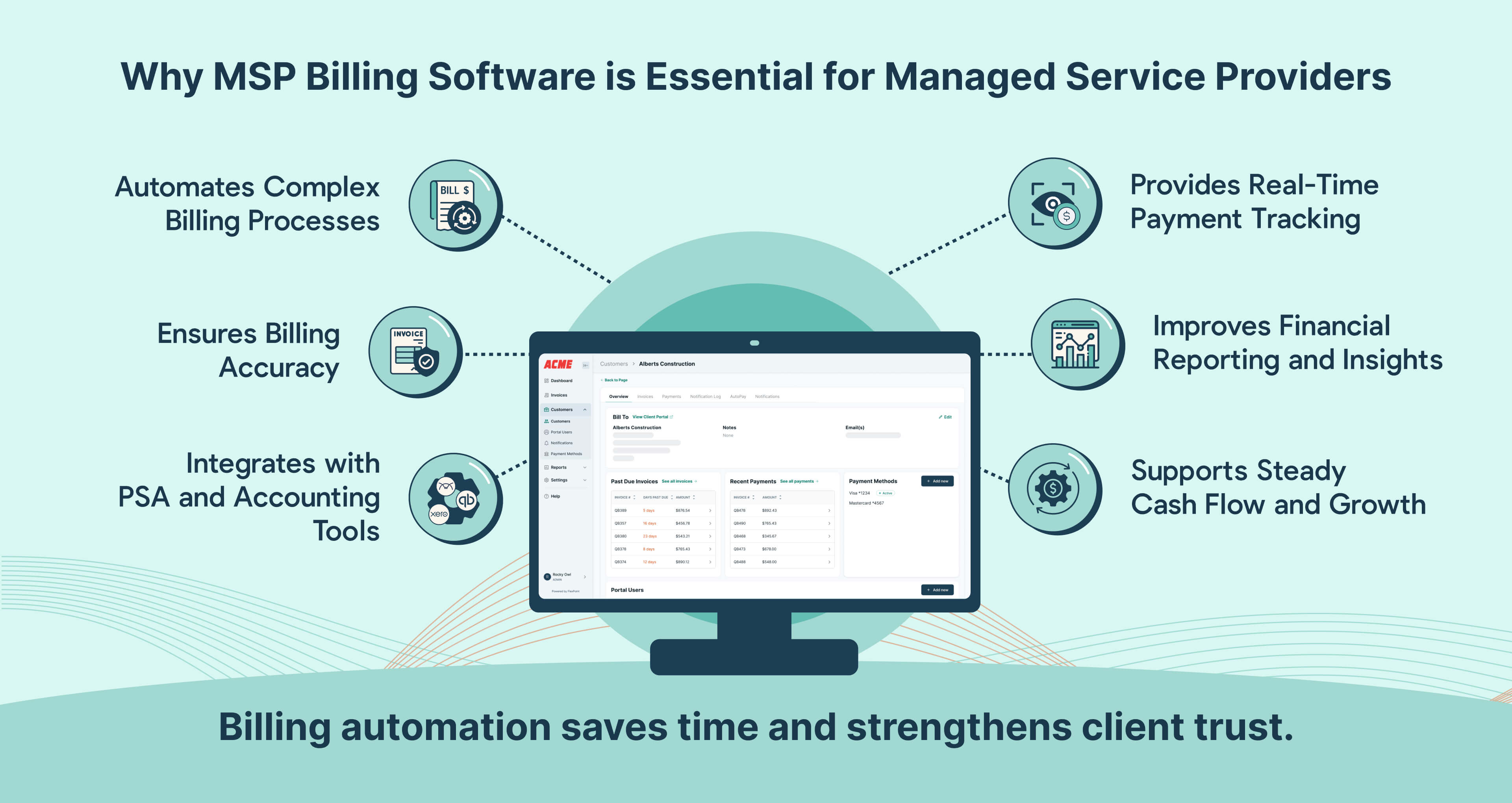
Choosing the right Managed Service Provider (MSP) management software requires evaluating your core operational needs, integration capabilities with existing professional services automation (PSA) and remote monitoring and management (RMM) tools, scalability, and technician workflow requirements to ensure long-term profitability and service delivery efficiency.
The modern managed service provider ecosystem is defined by a dizzying array of toolsets, platforms, and vendors promising to streamline operations, optimize technician efficiency, and secure client endpoints. However, investing in the wrong software stack can lead to fragmented workflows, exorbitant licensing costs, and engineer frustration. Selecting the right MSP management software—encompassing platforms like Professional Services Automation (PSA), Remote Monitoring and Management (RMM), and unified IT management dashboards—is a foundational decision that impacts every tier of your service organization, from frontline helpdesk dispatchers to executive leadership.
Approaching this selection process requires a structured methodology. You must look beyond flashy marketing materials and vendor feature lists to examine how a platform aligns with your specific operational maturity, client base, service-level agreements (SLAs), and internal technical capabilities. By understanding the core functional categories, mapping out non-negotiable requirements, and evaluating total cost of ownership, your organization can avoid costly migration cycles and secure a scalable operational foundation.
Understanding the MSP Management Ecosystem
Before evaluating individual software vendors, it is vital to understand the structural components of the MSP management software market. Historically, MSPs relied on disjointed point solutions for ticketing, remote control, patch management, and asset discovery. Today, the market has evolved toward consolidated ecosystems, though architectural philosophies still vary significantly between vendors.
At the center of most MSP operations are two primary software pillars: Professional Services Automation (PSA) and Remote Monitoring and Management (RMM). While some vendors offer unified platforms that combine both functions natively, others rely on deep integrations between distinct best-of-breed systems.
- MSP Management Ecosystem
- PSA Tool (Business Layer)
- Ticketing
- Billing
- CRM
- Project Mgmt
- RMM Tool (Technical Layer)
- Monitoring
- Alerting
- Patching
- Remote Control
- Unified Dashboard (Integrations & Documentation)
- PSA Tool (Business Layer)
Professional Services Automation (PSA)
The PSA platform acts as the business management layer of your MSP. It handles customer relationship management (CRM), contract administration, helpdesk ticketing, time tracking, project management, dispatching, and billing. A robust PSA provides visibility into technician utilization rates, contract profitability, and overall business health. If your PSA is poorly configured or unsuited to your workflow, dispatch bottlenecks occur, billing leakage increases, and client communication breaks down.
Remote Monitoring and Management (RMM)
The RMM platform represents the technical and operational layer. Installed as agents on client endpoints, servers, and network devices, an RMM continuously monitors system health, automates patch management, executes scripts, and provides secure remote-control access for troubleshooting. An effective RMM shifts your service delivery model from reactive break-fix firefighting to proactive, automated maintenance.
Unified Platforms vs. Best-of-Breed Integration
A major architectural decision is choosing between an all-in-one suite from a single vendor or assembling a best-of-breed stack using open APIs. Unified platforms offer out-of-the-box compatibility and a single vendor relationship, but they may compromise on the depth of specific features (such as weaker RMM scripting engines or basic ticketing). Best-of-breed setups allow you to pair the most powerful ticketing system with the most advanced monitoring agent, but they require ongoing management of API integrations and potential finger-pointing between vendors when sync errors occur.
Core Evaluation Criteria for MSP Software
To separate high-performing platforms from mediocre tools, you must establish a rigorous evaluation matrix. The criteria below reflect the operational realities faced by growing managed service providers.
Integration Capabilities and API Openness
No single software vendor builds everything well. Your chosen management software must integrate smoothly with your existing stack, including security tools (EDR/XDR, backup solutions, identity providers) and accounting platforms (QuickBooks, Xero). Evaluate the vendor's API documentation, rate limits, and the presence of pre-built community integrations. A closed ecosystem will trap your data and create manual data-entry silos.
Automation and Scripting Flexibility
Manual processes destroy MSP margins. Look for management software that goes beyond basic alert generation to offer robust remediation scripting (PowerShell, Bash, Python), event-driven automation, and self-service password reset capabilities. The system should allow you to automate routine maintenance tasks, drastically reducing the need for human intervention on Level 1 tickets.
Multi-Tenancy and Access Control
As an MSP, you manage multiple distinct client environments from a single pane of glass. The software must support true multi-tenancy, allowing you to segment clients, apply global policies while permitting granular overrides, and enforce role-based access control (RBAC). Your tier-one helpdesk technicians should not have global administrator rights across every managed tenant.
User Interface and Technician Adoption
Even the most feature-rich platform will fail if your technicians hate using it. Clunky, high-latency interfaces lead to poor time tracking, inaccurate ticket notes, and widespread user resistance. Involve your senior engineers and helpdesk leads in live sandbox testing to evaluate the speed, layout, and search functionality of candidate platforms.

Financial Considerations and Total Cost of Ownership
Evaluating MSP management software based solely on the sticker price per user or per endpoint is a critical mistake. Hidden fees and structural pricing models can drastically alter the actual total cost of ownership (TCO).
- Per-User vs. Per-Endpoint Licensing: Understand how the vendor scales. RMM tools typically charge per endpoint (servers, workstations, network gear), while PSAs often charge per technician seat. Ensure you account for seasonal scaling and client growth projections.
- Implementation and Onboarding Fees: Many enterprise-grade platforms require professional services for initial setup, data migration, and workflow configuration. These implementation fees can range from a few thousand dollars to tens of thousands.
- Add-On Modules: Be cautious of platform ecosystems where essential features—such as advanced patch management, network discovery, documentation tools, or mobile apps—are sold as expensive add-on modules rather than included core functionality.
- Minimum Agent Commitments: Ensure your contract terms accommodate fluctuations in your client base without locking you into excessive minimum license counts that you cannot monetize.
Comparison of Management Software Approaches
To help visualize how different architectural strategies impact your business, consider the following structural comparison:
| Approach | Key Advantages | Potential Drawbacks | Best Suited For |
|---|---|---|---|
| Unified Single-Vendor Suite | • Single throat to choke for support• Native data sharing and workflows• Simplified billing and onboarding | • Compromised depth in specific modules• Vendor lock-in risks• Potential pricing volatility | Small-to-midsized MSPs seeking simplicity and rapid deployment. |
| Best-of-Breed Integration | • Access to market-leading tools in every category• Greater functional depth• Flexibility to swap components | • Complex API maintenance and sync failures• Multiple vendor support channels• Steeper learning curve for staff | Established MSPs with dedicated tooling engineers and complex client requirements. |
| Open-Source / Modular Stack | • Complete control over code and data• Minimal licensing costs for base software | • High internal maintenance overhead• Lack of formal vendor SLA support• Requires specialized engineering talent | Technically advanced MSPs with custom development resources. |
Step-by-Step Selection Process
Finding the right software requires a disciplined, multi-stage procurement process. Avoid rushing into annual commitments based on sales demonstrations.
- Audit Current Operational Friction Points: Document where your team spends the most time. Are tickets falling through the cracks? Is patching inconsistent? Are you losing revenue due to unbilled billable hours? Let these pain points dictate your software requirements.
- Form a Cross-Functional Evaluation Team: Include representation from executive leadership, dispatch, the helpdesk, and field technicians. An executive may love a platform's reporting dashboard, but if technicians find the ticketing interface unusable, adoption will collapse.
- Draft a Formal Request for Information (RFI): Send your detailed requirements—including API integration needs, security compliance standards (SOC 2, ISO 27001), and pricing constraints—to shortlisted vendors.
- Conduct Scripted Live Demonstrations: Do not let vendors run their standard generic sales demo. Provide them with a scripted scenario based on your actual workflows (e.g., "Show us how an alert from a client server triggers an automated remediation script and generates a billable ticket in the PSA").
- Execute a Real-World Sandbox Pilot: Narrow your choice down to the top two contenders and run a 30-day proof of concept in a live testing environment. Connect a few non-critical endpoints, test script execution, and evaluate data migration accuracy.
Common Mistakes to Avoid
Even experienced MSP leaders fall into predictable traps during software evaluations. Be mindful of the following pitfalls:
- Buying for Features You Don't Need: Vendors love showcasing futuristic AI modules and complex automation builders. Focus on mastering the core 20% of features that drive 80% of your daily operational efficiency before worrying about advanced bells and whistles.
- Underestimating Data Migration Complexity: Migrating historical ticket notes, client configurations, and asset inventories from a legacy database to a new platform is notoriously difficult. Inquire about migration tools and historical data import support early in the sales conversation.
- Ignoring Vendor Roadmaps: Ask hard questions about upcoming architectural changes, end-of-life policies for current versions, and recent corporate acquisitions that might signal future product instability or price hikes.
Conclusion
Selecting the right MSP management software is a high-stakes decision that dictates the operational ceiling of your managed service business. By prioritizing robust API integrations, seamless technician workflows, scalable multi-tenancy, and transparent total cost of ownership, you can build an agile technology stack. Take the time to audit your internal bottlenecks, run rigorous proof-of-concept pilots, and involve your frontline technical staff in the decision-making process to ensure long-term platform adoption and business profitability.
Image Gallery
Select an image to open it in a new tab.





Akira Tanaka
International Academic Trends Correspondent
