
Salesforce integration functions by establishing secure, automated communication channels between the Salesforce platform and external systems, using APIs to exchange, synchronize, or aggregate data in real-time or via batch processes. This connectivity enables organizations to break down data silos, unify customer views, and automate workflows across disparate software environments.
The Foundation of Salesforce Connectivity: APIs and Middleware
At its core, Salesforce integration relies on a robust architecture of Application Programming Interfaces (APIs). These interfaces act as the formal agreements that allow Salesforce to request or receive information from external applications without requiring direct access to the underlying database structure.
The most prominent API used within the Salesforce ecosystem is the REST API, which is preferred for its ease of use, lightweight JSON-based message format, and widespread support for mobile and web applications. For high-volume data operations, the Bulk API is the standard; it is designed to process massive sets of data asynchronously, preventing system timeouts and preserving API limits. SOAP APIs also persist in the architecture, typically reserved for legacy systems that require highly rigid, XML-based contractual interactions.
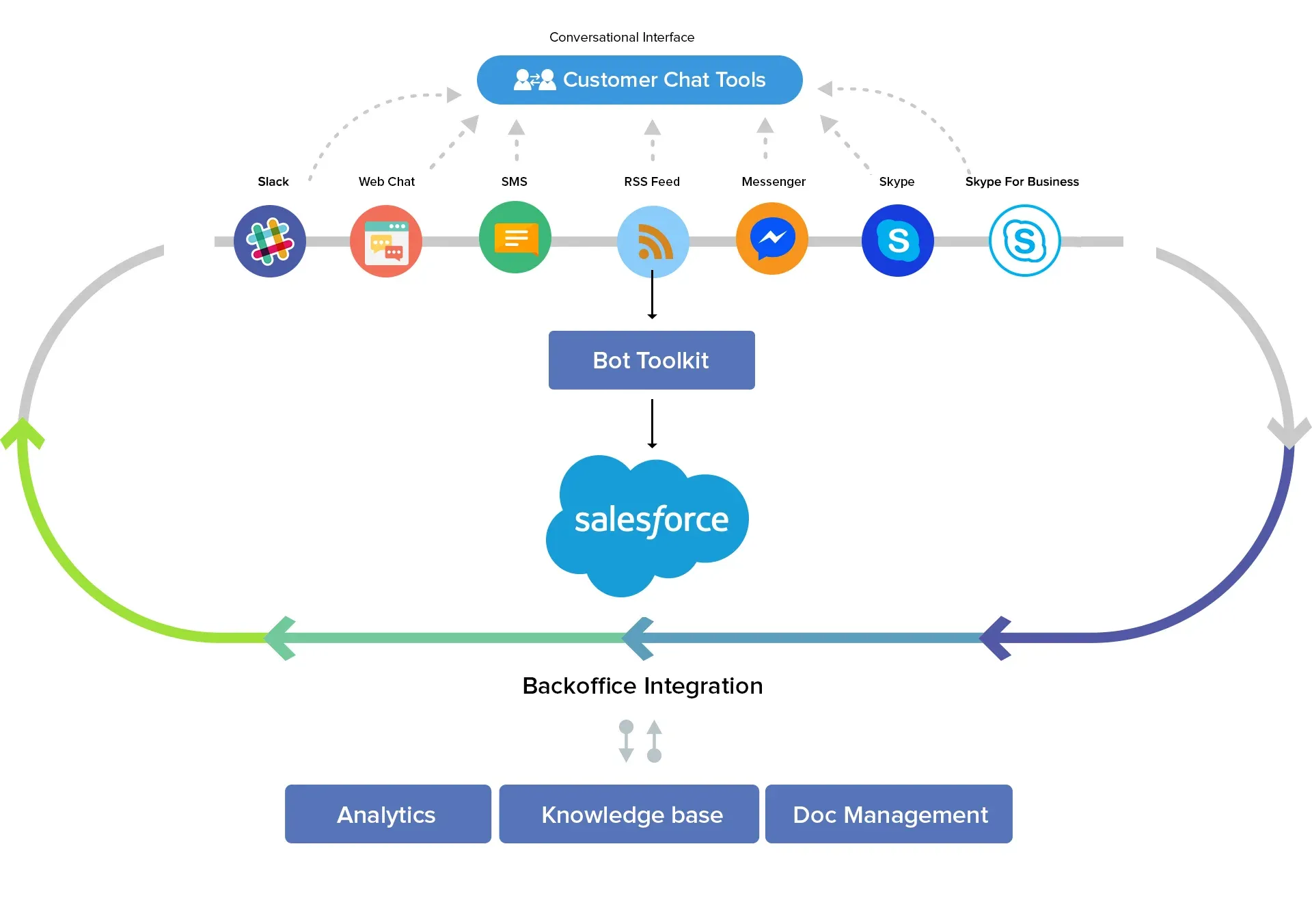
Beyond native APIs, integration often involves middleware—also known as Integration Platform as a Service (iPaaS)—such as MuleSoft. Middleware serves as an abstraction layer that handles complex mapping, data transformation, and error logging. By using a middleman, organizations can decouple the source and destination systems, ensuring that changes in one environment do not necessitate a complete rewrite of the integration logic.
Common Integration Patterns and Architectures
Understanding how integration works requires a grasp of the architectural patterns used to move data. The method chosen dictates the reliability, speed, and cost of the integration.
Request-Reply (Synchronous)
In a request-reply pattern, an application triggers an action in Salesforce and waits for a response. For example, when a user clicks a "Verify Credit" button in a Salesforce opportunity record, the system sends an immediate request to an external credit bureau and displays the result within the same browser session. This pattern is ideal for tasks requiring real-time confirmation but introduces latency if the external system is slow.
Fire-and-Forget (Asynchronous)
In this pattern, the source system sends data without waiting for an acknowledgment. This is common in log-based integrations where data is pushed to a data warehouse or an analytics engine. Because the source system is not dependent on the destination’s availability, this pattern is highly resilient to network fluctuations.
Batch Processing
Batch integration is the process of moving large volumes of records on a set schedule. This is frequently used for nightly syncs between an Enterprise Resource Planning (ERP) system and Salesforce. By grouping records, the integration minimizes the impact on API governor limits, which are Salesforce’s built-in usage constraints designed to maintain platform stability for all users.
Navigating Salesforce Governor Limits
A unique aspect of Salesforce integration is the concept of governor limits. Because Salesforce is a multi-tenant cloud environment, it enforces strict resource usage limits to ensure that one customer’s heavy data usage does not degrade performance for others.
Developers must design integrations that respect these boundaries:
- API Request Limits: Organizations are allocated a daily limit of API calls based on their license type. Exceeding these limits can result in blocked requests.
- Execution Time Limits: Apex code triggered by an integration must complete within a specific timeframe; otherwise, the transaction is rolled back.
- Heap Size Limits: Large data payloads must be managed carefully to ensure they do not exceed the available memory allocated for a single transaction.
Effective integration strategies prioritize "delta loading"—sending only the records that have changed since the last sync—rather than transferring the entire database every time.
Comparison of Salesforce Integration Methods
| Method | Best Use Case | Implementation Complexity | Primary Constraint |
|---|---|---|---|
| Salesforce Connect | Accessing external data without physical import | Low | Latency dependent on external system |
| REST/SOAP API | Real-time, event-driven interactions | Moderate | API call limits |
| Bulk API | Massive data migration or synchronization | High | Processing latency (asynchronous) |
| iPaaS (MuleSoft) | Complex cross-system orchestration | High | Licensing and subscription costs |
| AppExchange Apps | Standard connections to common CRMs/ERP | Very Low | Monthly subscription fees |
Prerequisites for Successful Integration
Before initiating an integration project, technical teams must perform a thorough audit of their ecosystem. The most critical prerequisite is defining the "Source of Truth." If a customer’s address exists in both an ERP and Salesforce, the integration logic must explicitly state which system’s data takes precedence if a conflict arises.
Security is the second pillar of integration. Salesforce enforces strict authentication protocols. Modern integrations should utilize OAuth 2.0, an industry-standard framework that allows external systems to access Salesforce data without the need to store long-lived credentials like passwords. Instead, these systems use "Access Tokens" that are refreshed periodically, significantly reducing the security risk if an external system is compromised.
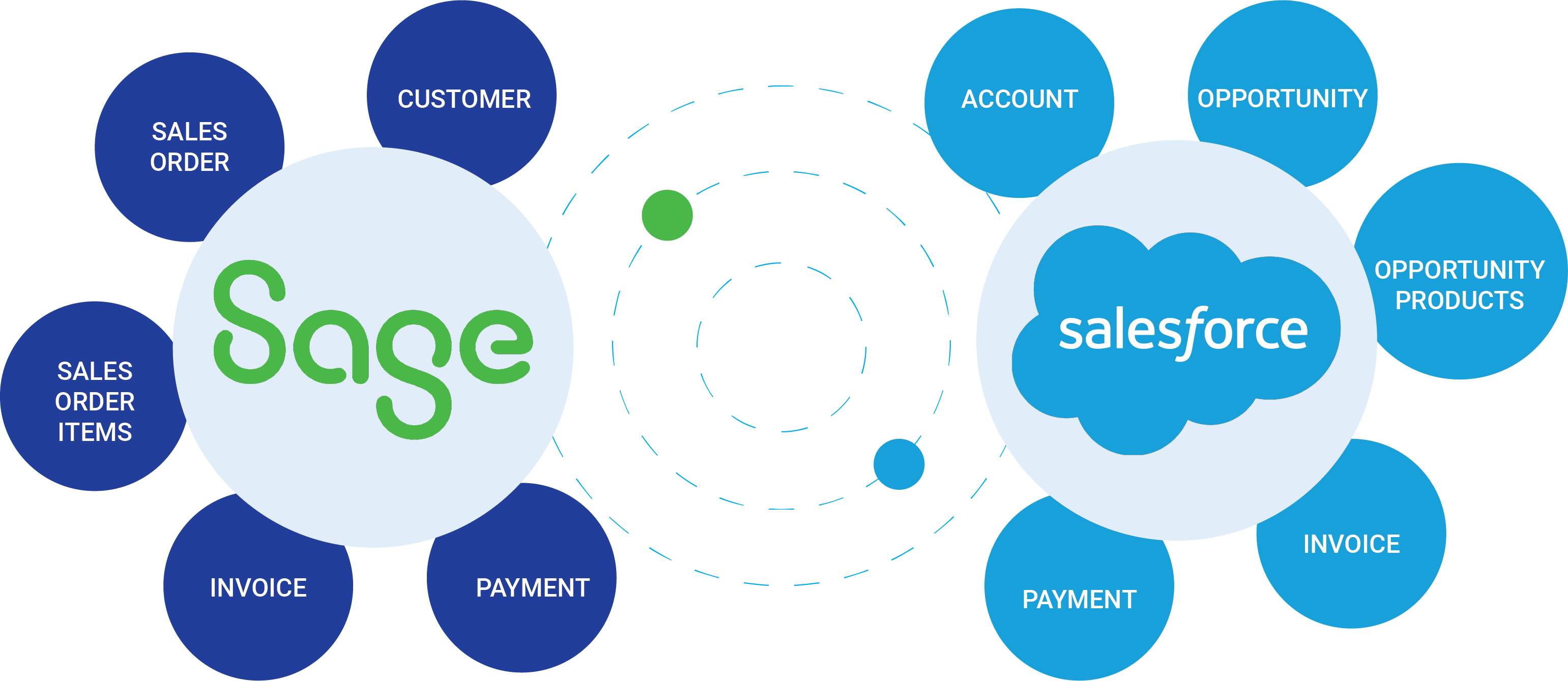
Finally, mapping data fields is essential. External systems rarely use identical naming conventions. An integration project involves creating a translation layer where, for example, "Cust_ID" in an SQL database is mapped to "Account_Number" in the Salesforce object model.
Troubleshooting Common Integration Failures
Integration is rarely a "set and forget" task. When an integration fails, the issue typically resides in one of three areas: authentication, data validation, or governor limits.
Authentication failures often stem from expired client secrets or misconfigured "Connected Apps" within Salesforce. These should be investigated by checking the Salesforce Login History to see if the integration user is even reaching the platform.
Data validation errors occur when the incoming data does not meet the requirements of the destination field. For instance, if a field in Salesforce is defined as a "PickList," sending a string value that is not in the allowed list will cause the integration to reject the record. Robust error handling should include "dead letter queues"—storage areas where failed records are held for manual review rather than being lost entirely.
FAQ: Integration in Salesforce CRM
1. Is it necessary to use a paid middleware to integrate Salesforce? Not always. For simple, point-to-point integrations, Salesforce’s native APIs are sufficient. However, as the number of integrated systems grows to three or more, the complexity of managing these connections justifies the use of middleware to maintain a central hub of integration logic.
2. How does Salesforce ensure my integration is secure? Salesforce uses a combination of OAuth 2.0 authentication, TLS (Transport Layer Security) for data in transit, and "IP Whitelisting," which restricts integration access to specific, verified server addresses.
3. What happens to my integration if I reach my API limit? Once you hit your daily API request limit, Salesforce will return a 503 error code to your external system, effectively rejecting new requests until your limit resets. This is why monitoring and efficient coding are critical.
4. Can I integrate Salesforce with systems that are not cloud-based? Yes. You can integrate Salesforce with on-premises legacy systems using a "Secure Agent" or a gateway that allows the on-premises database to communicate securely with the Salesforce cloud.
5. What is the difference between Salesforce Connect and a standard API integration? Salesforce Connect allows you to "virtualize" external data, making it appear as if it resides inside Salesforce without physically importing it. Standard API integrations usually involve copying the data into Salesforce tables.
Next Steps for Integration Planning
To begin your integration journey, start by documenting the data flow: identify exactly which fields need to move, how often they must move, and which system is the final authority for the data. Audit your Salesforce edition to confirm your available API limit threshold. For organizations with limited in-house technical resources, prioritize solutions found on the Salesforce AppExchange, which offer pre-built connectors that eliminate the need for custom coding. If your requirements are complex, engage a certified Salesforce architect to map your data governance strategy before writing a single line of code.
Image Gallery
Select an image to open it in a new tab.





Celine Dubois
Contemporary Living and Global Arts Columnist
