
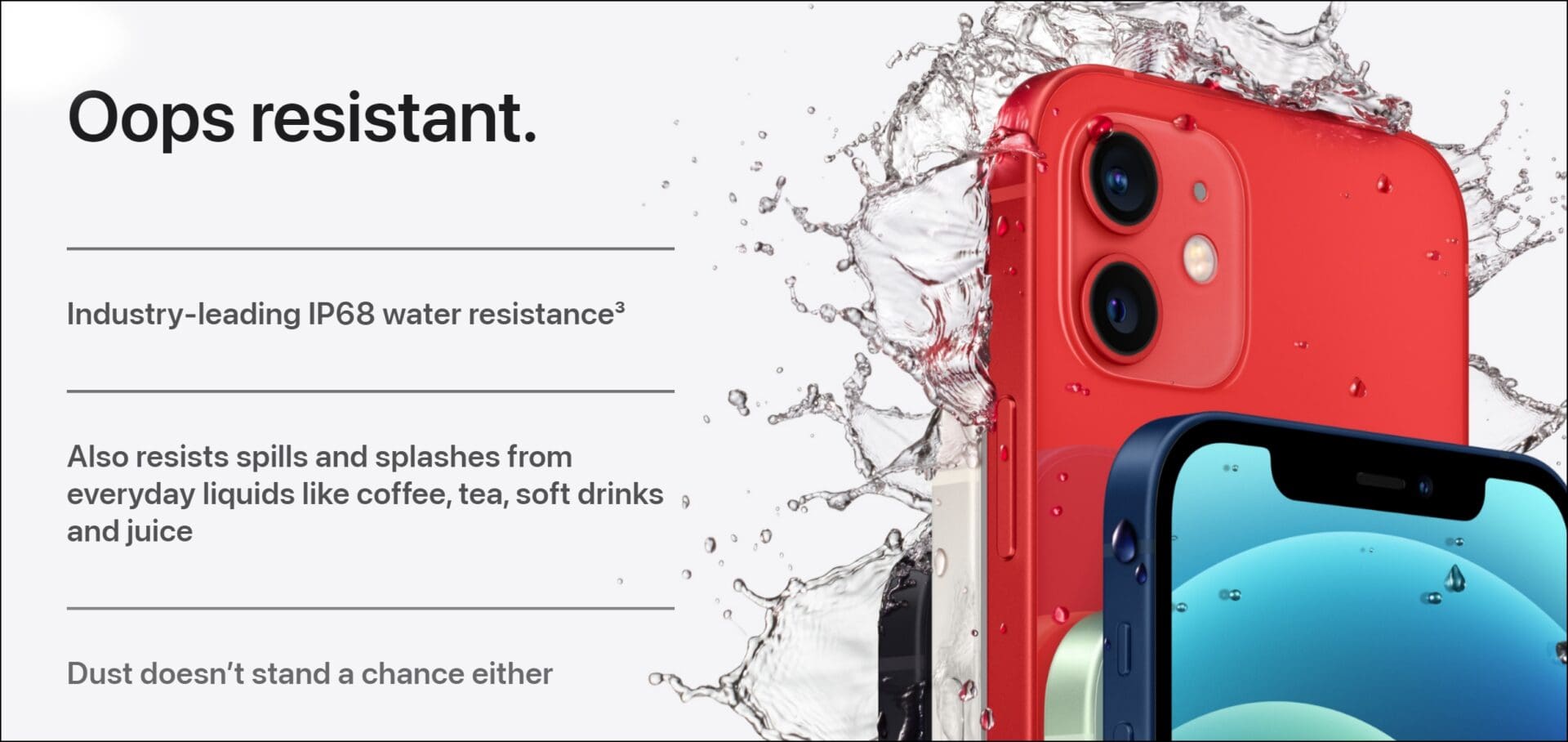
iPhone water resistance is a protective feature designed to prevent liquid ingress from accidental splashes, rain, or brief submersion. Modern models, including the iPhone 17 and iPhone 16, typically carry an IP68 rating under IEC standard 60529, allowing for submersion up to 6 meters for up to 30 minutes. However, this resistance is not permanent and can diminish over time through normal wear and tear.
Understanding the limits of your device is essential for maintaining its longevity. While Apple has made significant strides in structural engineering, "water-resistant" does not mean "waterproof." This guide explores the technical specifications of iPhone ingress protection, how to handle liquid exposure, and what the current 2026 standards mean for your daily use.
The Technical Reality of IP Ratings
To understand iPhone water resistance, you must first decode the IP (Ingress Protection) rating system. This is an international standard used to define the levels of sealing effectiveness of electrical enclosures against intrusion from foreign bodies and moisture.
The rating typically consists of two digits. The first digit (ranging from 0 to 6) indicates protection against solid particles like dust. A "6" is the highest possible rating, meaning the device is "dust-tight." The second digit (ranging from 0 to 9) indicates protection against liquids.
IP67 vs. IP68: What is the Difference?
Older models, such as the iPhone 7 and iPhone 8, were rated IP67. This meant they could withstand immersion in water up to a depth of 1 meter for 30 minutes. Starting with the iPhone XS and progressing through the iPhone 17, Apple moved to the IP68 standard.
Under the IP68 classification, the manufacturer defines the specific depth beyond the IP67 baseline. While the standard requires at least 1.5 meters, Apple has pushed these limits significantly. Recent flagship models are tested to withstand depths of up to 6 meters (approximately 19.7 feet) for 30 minutes. This provides a substantial safety margin for accidental drops into swimming pools or shallow bodies of water.
iPhone Water Resistance by Model (2026 Reference)
The following table outlines the official water resistance ratings for iPhone models. Note that as of 2026, the structural integrity of newer models like the iPhone 17 Pro has been optimized to maintain these seals longer than previous generations, though the technical IP rating remains the same.
| iPhone Model Series | IP Rating | Maximum Depth | Maximum Duration |
|---|---|---|---|
| iPhone 12, 13, 14, 15, 16, 17 (All variants) | IP68 | 6 meters | 30 minutes |
| iPhone 11 Pro & Pro Max | IP68 | 4 meters | 30 minutes |
| iPhone 11, XS, XS Max | IP68 | 2 meters | 30 minutes |
| iPhone XR, X, 8, 8 Plus, 7, 7 Plus | IP67 | 1 meter | 30 minutes |
| iPhone SE (2nd, 3rd Gen) | IP67 | 1 meter | 30 minutes |
| iPhone 6s and earlier | None | N/A | N/A |

How Water Resistance Works Mechanically
Apple achieves water resistance through a combination of physical barriers and chemical seals. It is a multi-layered approach that targets every possible entry point for liquid.
- Gaskets and O-Rings: The buttons (Volume, Power, Action button) and the SIM tray are fitted with tiny silicone or rubber gaskets. These create a physical compression seal that prevents water from seeping through the gaps in the chassis.
- Specialized Adhesives: A strong, pressure-sensitive adhesive runs along the entire perimeter where the display meets the enclosure. This "display glue" is the primary defense against liquid ingress.
- Acoustic Vents and Meshes: To allow sound to travel through speakers and microphones without letting water in, Apple uses ultra-fine hydrophobic meshes. These meshes have pores small enough to let air molecules pass (allowing sound waves to move) but utilize surface tension to prevent water droplets from entering.
- Conformal Coating: On the internal logic board, Apple often applies a microscopic protective coating. While this won't save a phone from total prolonged immersion if the outer seals fail, it can prevent short circuits from minor moisture or condensation.
Why Water Resistance Fails Over Time
It is a common misconception that an iPhone's water resistance is a permanent "shield." In reality, water resistance is a consumable characteristic. Several factors can cause these protections to degrade:
1. Natural Aging of Adhesives
The chemical bonds in the adhesives used to seal the iPhone 17 and earlier models eventually break down. Heat cycles—such as leaving your phone in a hot car or high-intensity gaming—can accelerate the drying and cracking of these glues. Once the adhesive becomes brittle, it no longer provides a watertight seal.
2. Physical Impact and Structural Stress
Even if the glass doesn't crack, dropping your iPhone can slightly deform the metal frame. A microscopic shift in the alignment of the frame and the display can create a gap in the adhesive seal. Frequent drops compromise the integrity of the gaskets around the buttons and the charging port.
3. Exposure to Chemicals and Solvents
The IP68 rating is based on testing in fresh water. Other liquids can actively damage the seals. Surfactants in soaps and shampoos reduce the surface tension of water, allowing it to penetrate the hydrophobic meshes more easily. Chlorine in pools and salt in seawater can corrode the metal components and the charging port contacts, while also eating away at the rubber gaskets.
4. High-Pressure Water and Steam
Water resistance is tested under static pressure. High-velocity water, such as a direct hit from a showerhead, a garden hose, or a jet ski spray, can exert enough force to push past the seals. Furthermore, steam is particularly dangerous. Water vapor molecules are smaller than liquid water droplets and can easily bypass meshes and gaskets, eventually condensing inside the phone and causing internal corrosion.
What to Do When Your iPhone Gets Wet
If your iPhone is exposed to liquid, taking the correct steps immediately can mean the difference between a functional device and a total loss.
Step 1: Immediate Power Down
If the phone was submerged or heavily splashed, turn it off immediately. Water is a conductor; keeping the device powered on increases the risk of a short circuit on the logic board.
Step 2: Rinse (If Necessary)
If the liquid was anything other than fresh water (e.g., soda, salt water, or soapy water), lightly rinse the affected area with a small amount of cool tap water. This removes corrosive residues that could damage the seals or the exterior finish.
Step 3: Exterior Drying
Wipe the iPhone with a soft, lint-free cloth (like a microfiber cloth). Ensure the exterior is completely dry.
Step 4: Clear the Ports
Hold the iPhone with the USB-C or Lightning port facing down and gently tap the device against your hand to remove excess liquid from the connector and speaker grilles.
Step 5: Air Drying
Place the iPhone in a dry area with some airflow. A cool fan blowing directly into the charging port can help speed up the evaporation process. Do not use the phone for at least 5 hours, and do not attempt to charge it until the port is completely dry.
The "Rice Myth" and Other Things to Avoid
Despite popular internet advice, there are several things you should never do to a wet iPhone:
- The Rice Trick: Putting your iPhone in a bag of rice is ineffective. Rice does not have the "pulling power" to extract moisture from the deep recesses of a sealed device. Worse, rice dust and small grains can enter the ports and swell when wet, causing mechanical damage.
- External Heat Sources: Never use a hair dryer, oven, or radiator to dry your iPhone. Excessive heat can permanently damage the OLED display and further melt the internal adhesives that provide water resistance.
- Compressed Air: High-pressure air can actually force water deeper into the device, pushing it past the gaskets and onto the logic board.
- Cotton Swabs or Paper Towels: Inserting foreign objects into the charging port can damage the delicate pins.
Detecting Liquid Damage: The LCI
Every iPhone is equipped with a Liquid Contact Indicator (LCI). This is a small strip of material that is normally white or silver but turns bright red when it comes into contact with water or a liquid containing water.
On most modern iPhones (iPhone 12 through iPhone 17), the LCI is located inside the SIM card slot. By removing the SIM tray and looking inside with a magnifying glass and a light, you can see the indicator. If the LCI is red, Apple technicians will identify the device as having "liquid damage," which has significant implications for your warranty.
Warranty and AppleCare+ Considerations
It is a standard industry practice that liquid damage is not covered under the Apple One-Year Limited Warranty. Even if your iPhone 17 is rated for 6 meters of depth and it fails in a sink, the manufacturer usually assumes the failure was due to the degradation of seals or an exceedance of the rated limits.
AppleCare+ for Liquid Damage
The only way to have financial protection against water damage is through AppleCare+. Under this plan, liquid damage is classified as "accidental damage from handling." While it is not free, the deductible for an AppleCare+ claim is significantly lower than the out-of-warranty cost of a full device replacement. In 2026, out-of-warranty replacements for Pro models can exceed $600, whereas an AppleCare+ incident fee is typically around $99.
Practical Advice for Water Environments
If you plan on using your iPhone near water—such as for beach photography or boat navigation—consider the following precautions:
- Use a Waterproof Housing: For snorkeling or swimming, do not rely on the iPhone’s built-in IP68 rating. Use a dedicated, pressure-rated waterproof case.
- Avoid Underwater Photography: Pressing the physical buttons while underwater can temporarily break the seal of the gaskets, allowing water to enter.
- Check the SIM Tray: Ensure the SIM tray is fully inserted and the gasket is clean before going near water.
- The "Water Eject" Shortcut: Use the "Water Eject" Siri Shortcut or similar apps that play a specific low-frequency tone. This vibrates the speaker diaphragm to physically push water out of the speaker cavities.
Frequently Asked Questions
Can I take my iPhone into the shower?
It is not recommended. While the iPhone might survive occasional splashes, the combination of high-pressure water from the showerhead and the presence of steam and surfactants (soap/shampoo) can quickly bypass the water-resistant seals. Over time, this exposure will lead to internal fogging or hardware failure.
What should I do if my iPhone warns me about liquid in the connector?
Modern iPhones will display a "Liquid Detected" alert if you plug in a cable while the port is wet. If this happens, disconnect the cable immediately. Do not use the "Emergency Override" unless it is a genuine emergency. Allow the port to dry naturally for several hours until the alert no longer appears.
Does a cracked screen affect water resistance?
Yes, absolutely. Any crack in the front glass or back glass completely voids the IP68 rating. Even a hairline fracture allows a direct pathway for liquid to reach the internal electronics. If your screen is cracked, keep the device away from all moisture.
Can salt water damage my iPhone even if it's water-resistant?
Yes. Salt is highly corrosive. If your iPhone is exposed to salt water, the IP68 rating might prevent immediate failure, but the salt will crystallize as the water dries. This can corrode the charging port, speaker meshes, and the metal frame. Always rinse your iPhone with fresh water immediately after exposure to the ocean.
Is the iPhone 17 "waterproof"?
No. No iPhone is waterproof. They are water-resistant. "Waterproof" implies a permanent state where water cannot enter under any circumstances. "Water-resistant" means the device is designed to resist ingress under specific, controlled conditions, but those protections can and will fail under enough pressure or over enough time.
Practical Recommendation: Treat your iPhone's water resistance as an emergency safety feature, not a functional one. While you shouldn't panic if you get caught in the rain or drop your phone in a sink, you should avoid intentional submersion. If you frequently use your phone in wet environments, investing in AppleCare+ or a dedicated waterproof dry bag is the most effective way to protect your investment in 2026.
Image Gallery
Select an image to open it in a new tab.


Lars Thomsen
Global Labor Markets and Economic Strategy Editor
