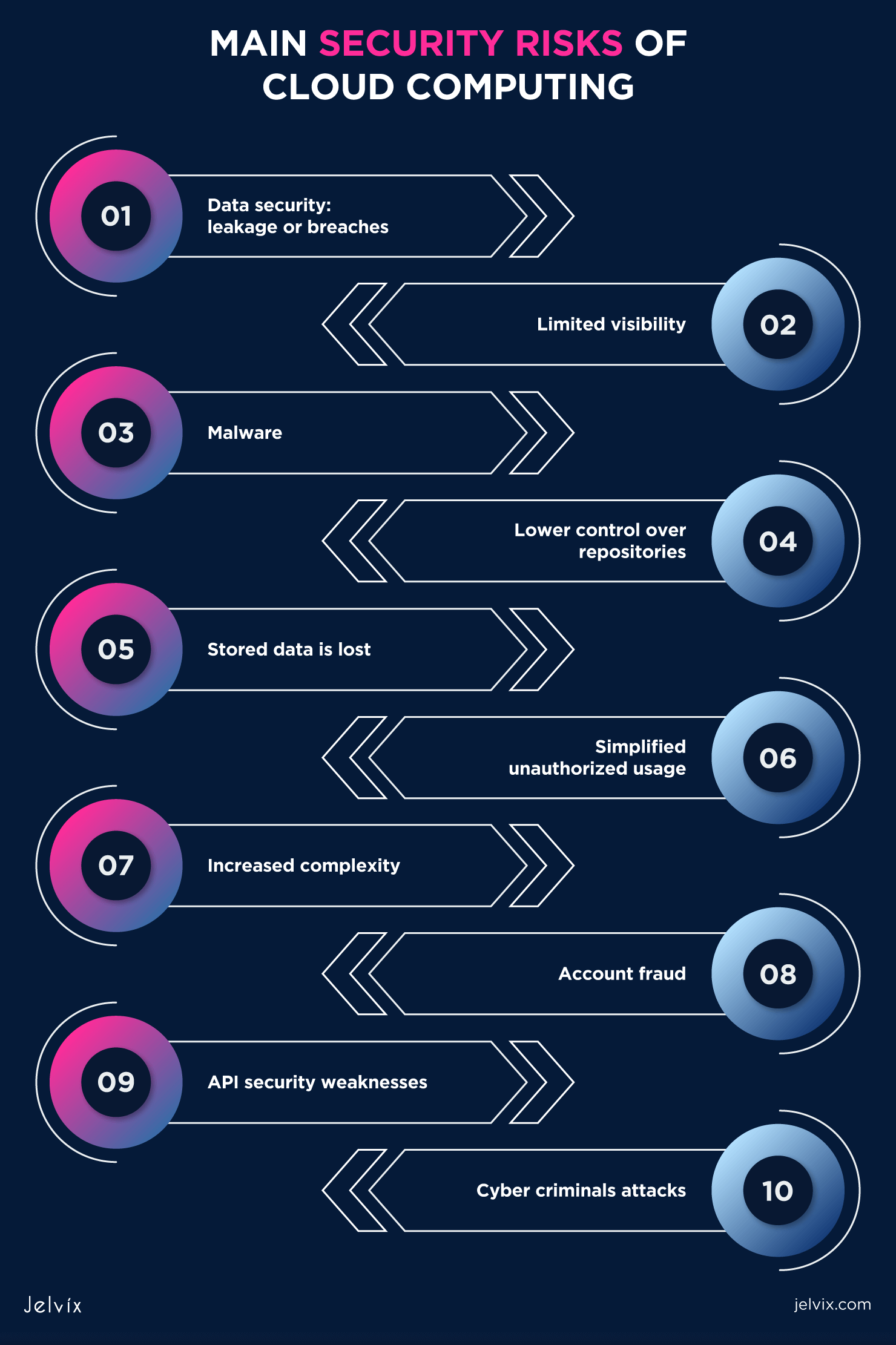
Explaining cloud computing security requires breaking down complex architectural models into relatable concepts: shared responsibility, multi-layered encryption, physical data center protection, and automated compliance frameworks. By emphasizing that modern cloud environments frequently surpass traditional on-premises data centers in visibility, redundancy, and specialized defense capabilities, non-technical stakeholders can easily grasp how digital assets remain protected.
Understanding the Fundamental Shift in Data Storage and Security
For decades, organizations and individuals relied on physical filing cabinets, local hard drives, and private server closets running inside their own offices. Security meant locking the office door, installing a firewall appliance in the corner room, and backing up data onto an external tape drive every Friday afternoon. When cloud computing emerged, this paradigm shifted entirely. Instead of managing physical hardware, users rent processing power, storage, and networking from massive, specialized providers.
To many non-technical observers, this move feels inherently counterintuitive. Handing data over to a third party and letting it travel across the internet feels like leaving valuables on a public park bench rather than keeping them in a home safe. However, the foundational design of cloud computing turns this intuition upside down. Cloud providers treat security as their primary operational baseline. They employ thousands of full-time cybersecurity specialists, implement automated monitoring systems, and build physical facilities fortified to military standards.
Explaining this safety begins with debunking the "out of sight, out of mind" fallacy. When data sits on a physical server under a desk, it is vulnerable to office floods, power surges, accidental spills, and physical theft by anyone with a screwdriver and a cart. In contrast, cloud computing distributes data across redundant geographic regions, encrypts it continuously, and shields it behind layers of software-defined perimeters that constantly adapt to emerging threat vectors.
The Shared Responsibility Model: Who Protects What?
The most effective framework for explaining cloud safety is the Shared Responsibility Model. Every major cloud service provider—such as Amazon Web Services (AWS), Microsoft Azure, and Google Cloud Platform (GCP)—operates under this division of labor. Understanding who does what prevents dangerous misconceptions about who bears the blame when security incidents occur.
Under this model, the cloud provider is responsible for security of the cloud, while the customer is responsible for security in the cloud.
Security OF the Cloud (Provider's Responsibility)
The provider secures the underlying infrastructure that runs all services offered in the cloud. This includes:
- Physical Security: Guarded perimeters, biometric access controls, video surveillance, and environmental controls (fire suppression, HVAC, backup generators) at data centers.
- Hardware and Software Infrastructure: The servers, storage hardware, routers, switches, and virtualization software that form the foundation of the cloud.
- Network Infrastructure: The underlying fiber-optic backbones, DNS services, and edge protection mechanisms that route traffic safely between facilities.
Security IN the Cloud (Customer's Responsibility)
The customer retains control over what they build, store, and configure within that secure environment. This includes:
- Data Classification and Encryption: Deciding what data goes into the cloud, whether it requires encryption at rest, and managing encryption keys.
- Identity and Access Management (IAM): Creating user accounts, enforcing multi-factor authentication (MFA), and assigning the principle of least privilege.
- Operating Systems and Applications: Patching virtual machine operating systems, updating software libraries, and configuring network firewall rules (security groups).
| Responsibility Domain | Cloud Provider Role | Customer / User Role |
|---|---|---|
| Physical Facilities | Complete management of buildings, guards, power, and hardware. | No physical access or responsibility required. |
| Virtualization & Hypervisor | Securing and patching the layer that separates virtual machines. | Choosing instance types and managing guest operating systems. |
| Data Protection | Providing encrypted storage primitives and physical media destruction. | Classifying data, setting permissions, and managing keys. |
| Access Control | Providing IAM tools, hardware tokens, and API authentication frameworks. | Creating strong passwords, enforcing MFA, and auditing user roles. |

Defense in Depth: How Cloud Providers Shield Data
When explaining how cloud safety works in practice, the concept of Defense in Depth is essential. Rather than relying on a single impenetrable wall, cloud security functions like a medieval castle equipped with multiple concentric rings of defense. If an attacker manages to breach one layer, subsequent barriers immediately halt further progress.
1. Physical and Environmental Safeguards
Before data ever touches a software layer, it lives in a physical building. Modern cloud data centers are monolithic, unassuming structures lacking external signage. Access requires multi-factor biometric authentication, mantraps, and constant internal monitoring. Environmental systems feature N+2 redundancy, meaning that if multiple power grids or cooling systems fail, backup generators and chillers kick in instantly without dropping a single packet of data.
2. Network-Level Isolation and Perimeter Defense
Data traveling to and from the cloud moves across encrypted tunnels or private dedicated circuits that bypass the public internet entirely. Inside the cloud environment, resources are isolated within Virtual Private Clouds (VPCs). Network administrators use subnets, route tables, and security groups to ensure that database servers, for instance, cannot be reached directly from the public internet, acting as internal moats that contain potential breaches.
3. Encryption at Rest and in Transit
Encryption is the great equalizer of digital security. Even if an adversary manages to intercept data packets as they travel across a network (in transit) or somehow extracts a physical hard drive from a server rack (at rest), the data remains entirely unreadable without the corresponding cryptographic keys. Cloud providers use advanced algorithms such as AES-256 for storage and TLS 1.3 for communications, giving customers full control over key lifecycle management through dedicated hardware security modules (HSMs).
Compliance, Auditing, and Automated Governance
One of the strongest arguments for cloud security is the rigorous regulatory framework under which providers operate. Independent third-party auditors continuously test cloud environments to verify adherence to global standards such as ISO/IEC 27001, SOC 2 Type II, HIPAA, PCI-DSS, and GDPR.
For a mid-sized enterprise, building an on-premises data center that meets PCI-DSS compliance for processing credit card transactions requires millions of dollars in specialized hardware, legal consulting, and continuous auditing. In the cloud, that same enterprise can spin up a pre-configured, compliant environment in minutes.
Furthermore, cloud security relies heavily on automated governance and policy-as-code. Automated tools constantly scan customer environments for configuration errors—such as an accidentally public storage bucket—and alert security teams or automatically remediate the misconfiguration within seconds. This level of continuous, algorithmic vigilance far exceeds the capabilities of human security auditors reviewing logs manually once a quarter.
Common Misconceptions About Cloud Safety
When discussing cloud computing security with clients, executives, or everyday users, several persistent myths frequently arise. Addressing these misconceptions directly helps clarify the true nature of cloud safety.
- Myth: "The cloud is on the internet, so anyone can hack it."
- Reality: Public cloud infrastructure is hosted on private networks managed by providers. Traffic passing over the internet is encrypted, and resources are hidden behind strict access controls. A cloud resource is only as exposed as its owner configures it to be.
- Myth: "If my data is in the cloud, I don't need to worry about backups."
- Reality: While cloud providers guarantee high availability and protect against hardware failures, they do not automatically protect against user error, malicious deletion, or ransomware encryption. Customers must still implement backup and snapshot strategies.
- Myth: "Cloud providers can read all my private data."
- Reality: Leading providers implement cryptographic isolation and customer-managed encryption keys (CMK). When properly configured, not even the cloud provider's engineers can decrypt or view customer data payloads.
Frequently Asked Questions
Is cloud computing safer than traditional on-premises servers?
In almost all scenarios, yes. Cloud providers invest billions of dollars annually in physical security, automated threat detection, and specialized security personnel—resources that typical on-premises data centers cannot match. However, ultimate security depends on proper configuration by the user under the Shared Responsibility Model.
What happens to my data if a cloud data center catches fire or loses power?
Cloud providers build redundancy directly into their architecture through Availability Zones. Data and applications are replicated across multiple physically separated facilities within a region. If one data center experiences a catastrophic failure, traffic automatically reroutes to a secondary facility with zero perceptible downtime.
Who owns the encryption keys in cloud storage?
Customers can choose. They can allow the cloud provider to manage encryption keys automatically for convenience, or they can use Key Management Services (KMS) to generate, rotate, and retain exclusive control over their own master encryption keys, ensuring the provider has no access to the plaintext data.
Can cloud providers see my confidential files?
No, provided that you implement client-side encryption or customer-managed keys. Providers operate on a zero-trust administrative model where system operations occur at the hypervisor or infrastructure management layer without requiring inspection of tenant data payloads.
How do I prevent human error from causing a cloud security breach?
Mitigating human error requires enforcing the principle of least privilege through Identity and Access Management (IAM), mandating multi-factor authentication for all accounts, utilizing infrastructure-as-code templates, and deploying automated posture management tools that flag misconfigured storage buckets or open firewall ports immediately.
Practical Next Steps for Securing Your Cloud Environment
Transitioning to or managing workloads in the cloud requires moving away from passive trust toward active verification. Start by auditing your current cloud footprint using the Shared Responsibility Model as your guide. Ensure that multi-factor authentication is active across every administrative account, review data classification policies to identify which assets require advanced encryption, and implement automated monitoring to catch configuration drift before it introduces vulnerability. By pairing the robust structural defenses of the cloud provider with disciplined internal hygiene, organizations achieve a security posture far superior to legacy infrastructure models.
Image Gallery
Select an image to open it in a new tab.


Omar Farooq
EdTech Innovation and Virtual Pedagogy Journalist
