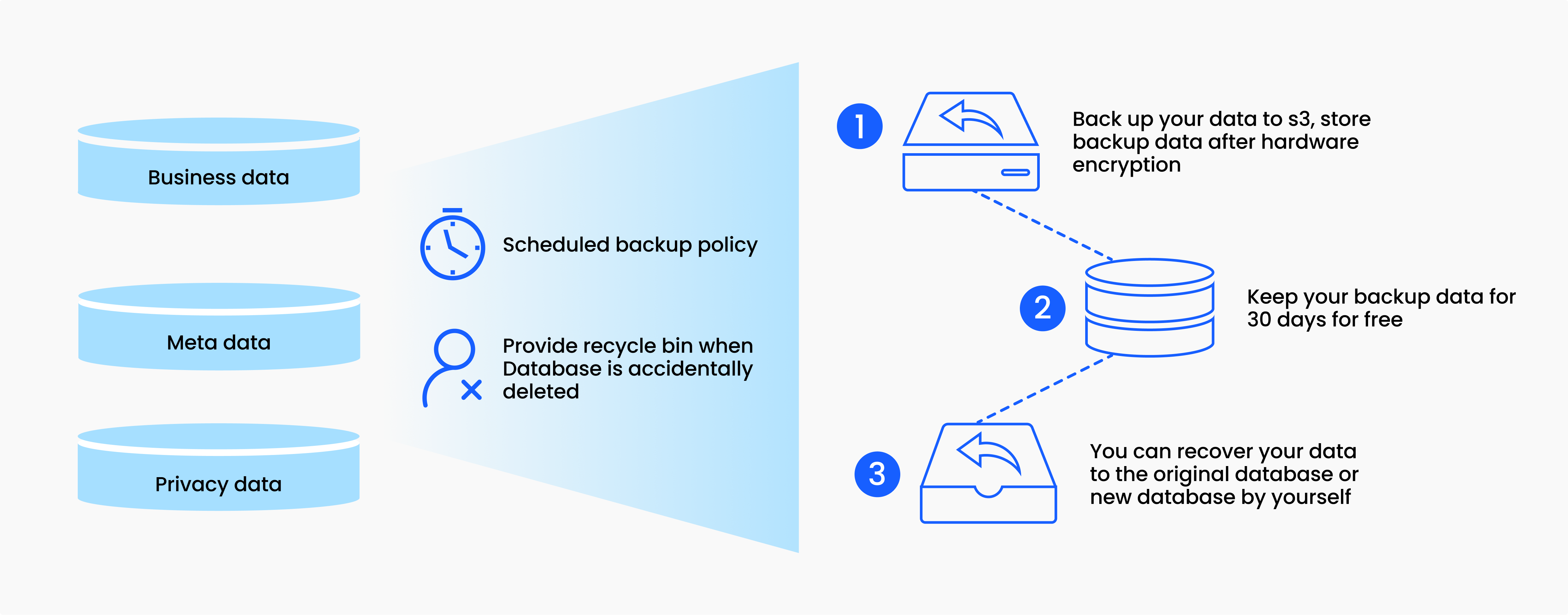
Cloud servers security protects data through a multi-layered defensive strategy that combines hardware isolation, cryptographic encryption, rigorous identity management, and automated monitoring to safeguard digital assets against unauthorized access, theft, and loss.
The Evolution of Cloud Security Architecture
Securing data in cloud environments requires a fundamental departure from traditional on-premise security models. Historically, organizations protected their data by building a physical perimeter around their servers—often referred to as a "castle-and-moat" strategy.
In contrast, modern cloud computing environments are decentralized, elastic, and accessed remotely over public and private networks. This shift demands a distributed security posture where protection mechanisms travel with the data itself, rather than relying solely on the physical walls of a data center.
Cloud security is built on a collaborative model known as the shared responsibility model. Under this framework, cloud service providers (CSPs) are responsible for securing the underlying infrastructure—including the physical data centers, host hardware, storage, and networking components.
Meanwhile, the customer is responsible for security in the cloud. This includes configuring guest operating systems, managing network firewalls, controlling identity and access management (IAM) policies, and applying robust encryption to data at rest and in transit. Understanding this division is the first step toward evaluating how cloud servers protect sensitive workloads.
Core Pillars of Cloud Server Security
To comprehensively understand how cloud servers defend information, it is helpful to examine the foundational pillars that make up a robust cloud security framework. Each layer addresses a different vector of potential vulnerability.
1. Cryptographic Data Protection
Data encryption forms the bedrock of modern cloud security. Even if an unauthorized actor manages to bypass network perimeters or extract storage drives, encrypted data remains unreadable without the corresponding decryption keys.
- Data at Rest: Information stored in databases, object storage buckets, or virtual hard disks is encrypted using advanced cryptographic algorithms such as Advanced Encryption Standard (AES-256).
- Data in Transit: Information moving between a user's device and the cloud server—or between microservices within the cloud architecture—is protected using protocols like Transport Layer Security (TLS). This prevents interception or man-in-the-middle attacks.
- Key Management Services (KMS): Cloud providers offer dedicated key management tools that allow organizations to generate, rotate, and revoke cryptographic keys, ensuring that administrative access to data is strictly auditable and controlled.
2. Identity and Access Management (IAM)
Identity is the new security perimeter. Because cloud servers are accessible from anywhere on the internet, verifying who is requesting access is critical.
IAM systems enforce the principle of least privilege, ensuring that users, services, and applications only have access to the specific resources necessary to perform their functions. Multi-factor authentication (MFA), role-based access control (RBAC), and temporary security credentials minimize the risk of compromised passwords leading to widespread data breaches.
3. Network Segmentation and Virtual Firewalls
Cloud servers do not exist in a vacuum; they reside within virtual networks that mimic traditional local area networks but with advanced software-defined controls.
- Virtual Private Clouds (VPCs): Organizations isolate their cloud resources within private virtual networks, separating public-facing application servers from internal databases containing sensitive user data.
- Security Groups and Network ACLs: These act as virtual firewalls at the instance and subnet levels, filtering incoming and outgoing traffic based on IP addresses, ports, and protocols.
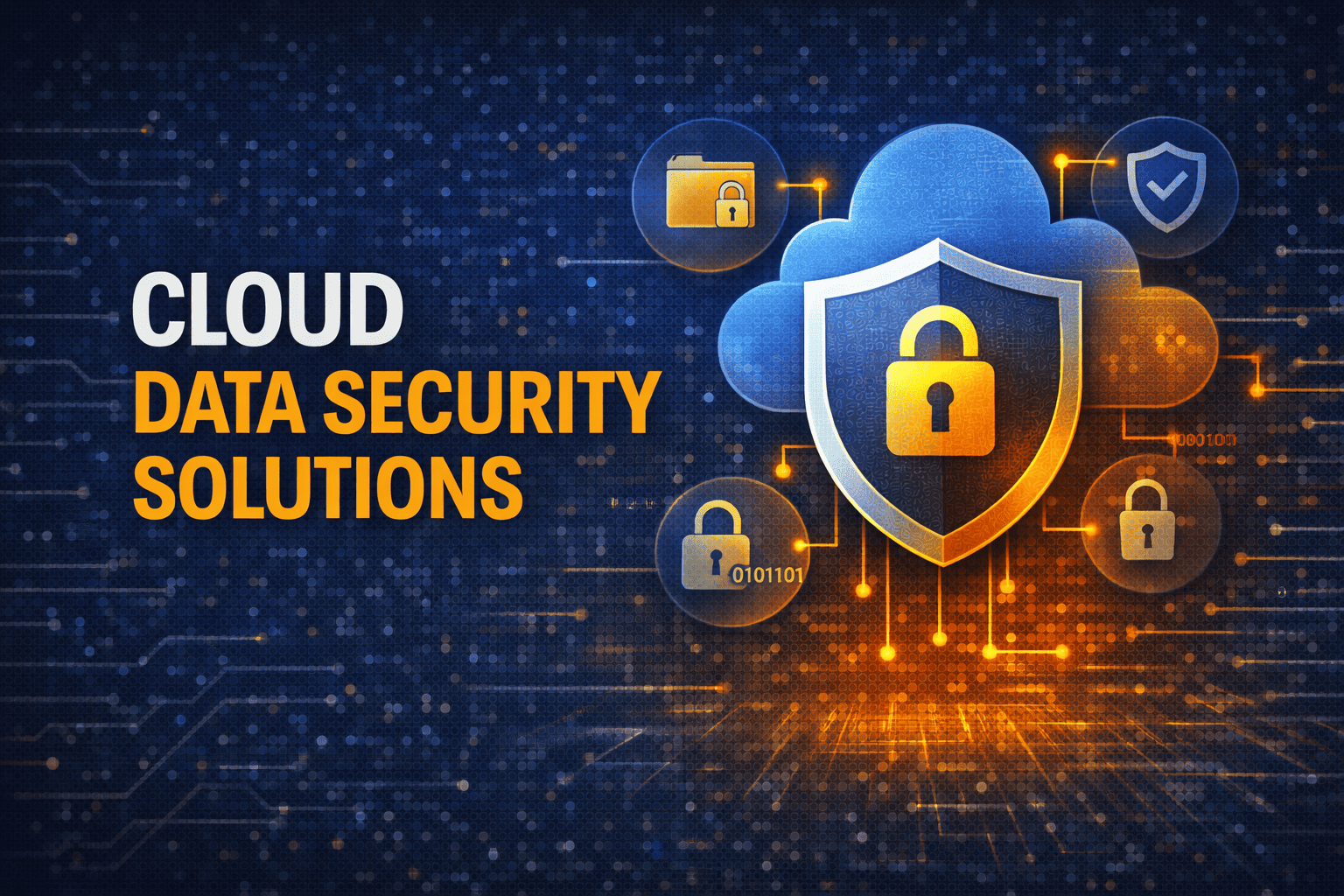
Technical Comparison of Cloud Security Mechanisms
To evaluate how different security controls operate within a cloud server ecosystem, consider the following breakdown of mechanisms, their primary functions, and what they protect against.
| Security Mechanism | Primary Function | Threat Mitigated |
|---|---|---|
| AES-256 Encryption | Mathematical transformation of data into ciphertext | Data theft via physical drive extraction or unauthorized database reads |
| Multi-Factor Authentication (MFA) | Requiring two or more verification factors for access | Credential stuffing, phishing attacks, and stolen password exploitation |
| Virtual Private Cloud (VPC) | Isolating network traffic into logical segments | Unauthorized lateral movement by attackers within the cloud network |
| Web Application Firewall (WAF) | Filtering and monitoring HTTP traffic to web applications | SQL injection, cross-site scripting (XSS), and distributed denial-of-service (DDoS) |
| Cloud Security Posture Management (CSPM) | Automated scanning for misconfigurations and compliance violations | Accidental public data exposure via open storage buckets |
Advanced Threat Detection and Automated Remediation
Modern cloud security relies heavily on automation and machine learning to detect anomalies that human administrators might miss. Because cloud environments scale rapidly, manual security oversight is insufficient.
Cloud providers and third-party security platforms deploy intelligent monitoring tools that analyze network flows, API calls, and system logs in real time. For example, if an administrative account suddenly begins downloading large volumes of data from an unusual geographic location at 3:00 AM, the security system can flag the behavior, trigger an alert, or automatically revoke the compromised credentials before significant damage occurs.
Furthermore, vulnerability scanning tools continuously inspect container images, virtual machine operating systems, and application dependencies for known security flaws. When a vulnerability is discovered, automated patching pipelines or deployment gates prevent the vulnerable code from reaching production cloud servers.
Regulatory Compliance and Data Sovereignty
Protecting data in the cloud is not only a technical challenge but a legal and regulatory requirement. Organizations operating in sectors such as healthcare, finance, and e-commerce must adhere to strict compliance frameworks, including HIPAA, PCI-DSS, GDPR, and SOC 2.
Cloud servers aid compliance by offering certified data centers with built-in auditing capabilities. These environments maintain immutable logs of all system access and configuration changes, allowing compliance officers to generate audit reports rapidly.
Additionally, cloud providers offer multi-region deployment options, allowing organizations to ensure that data remains within specific geographic borders to satisfy local data sovereignty laws.
Common Mistakes in Cloud Security Configuration
Despite the advanced tools provided by cloud platforms, data breaches frequently occur due to human error during configuration. Understanding these common pitfalls helps organizations maintain a strong defensive posture.
- Misconfigured Storage Buckets: Leaving cloud storage objects publicly readable or writable is one of the most frequent causes of accidental data exposure.
- Over-Privileged Service Accounts: Assigning overly broad permissions to applications or scripts allows a compromised application to access entire databases instead of isolated tables.
- Neglecting Default Credentials: Failing to change default usernames, passwords, or API keys upon initial server deployment creates immediate entry points for automated botnets.
- Inadequate Logging and Monitoring: Disabling audit logs or failing to review security alerts leaves organizations blind to ongoing malicious activity until it is too late.
Frequently Asked Questions
Is cloud server security safer than on-premise data storage?
Cloud server security can be significantly more robust than traditional on-premise storage because major cloud providers invest billions of dollars into dedicated security infrastructure, automated threat detection, and expert security personnel that most individual enterprises cannot afford to maintain independently. However, security ultimately depends on proper customer configuration.
How does encryption protect data on a cloud server?
Encryption scrambles readable data into unencrypted ciphertext using complex mathematical algorithms. Even if a malicious actor intercepts network traffic or breaches a cloud storage volume, the data remains useless and unreadable without the specific decryption keys, which are typically managed separately from the storage location.
What is the shared responsibility model in cloud security?
The shared responsibility model dictates that the cloud provider is responsible for securing the underlying infrastructure—such as hardware, physical facilities, and virtualization software. The customer remains responsible for securing everything they put on the cloud, including operating system configurations, user access controls, firewall rules, and data encryption.
What happens to my data if a cloud server hardware component fails?
Cloud providers utilize redundant architecture across multiple physical drives, servers, and availability zones. If a physical hardware component fails, automated systems instantly migrate virtual servers and storage volumes to healthy hardware nodes without interrupting service or causing data loss.
How can I verify that my cloud server is secure?
Organizations can verify cloud server security by conducting regular vulnerability assessments, utilizing Cloud Security Posture Management (CSPM) tools, performing penetration testing, and auditing Identity and Access Management (IAM) permissions to ensure adherence to the principle of least privilege.
Practical Next Steps for Securing Cloud Workloads
To implement these security principles effectively, start by auditing your current cloud architecture against the shared responsibility model. Review your existing IAM policies to ensure that all user accounts and applications operate under the principle of least privilege, and enforce mandatory multi-factor authentication across your entire organization.
Next, verify that all sensitive data is encrypted both at rest and in transit, and enable automated logging and threat detection tools provided by your cloud platform. By combining robust platform features with diligent configuration management, you can establish a resilient cloud environment capable of protecting critical data against evolving cyber threats.
Image Gallery
Select an image to open it in a new tab.
Mateo Castillo
Decentralized Finance and E-Payments Strategist
