Using Databricks DBFS for Data Storage: Architecture, Best Practices, and Implementation
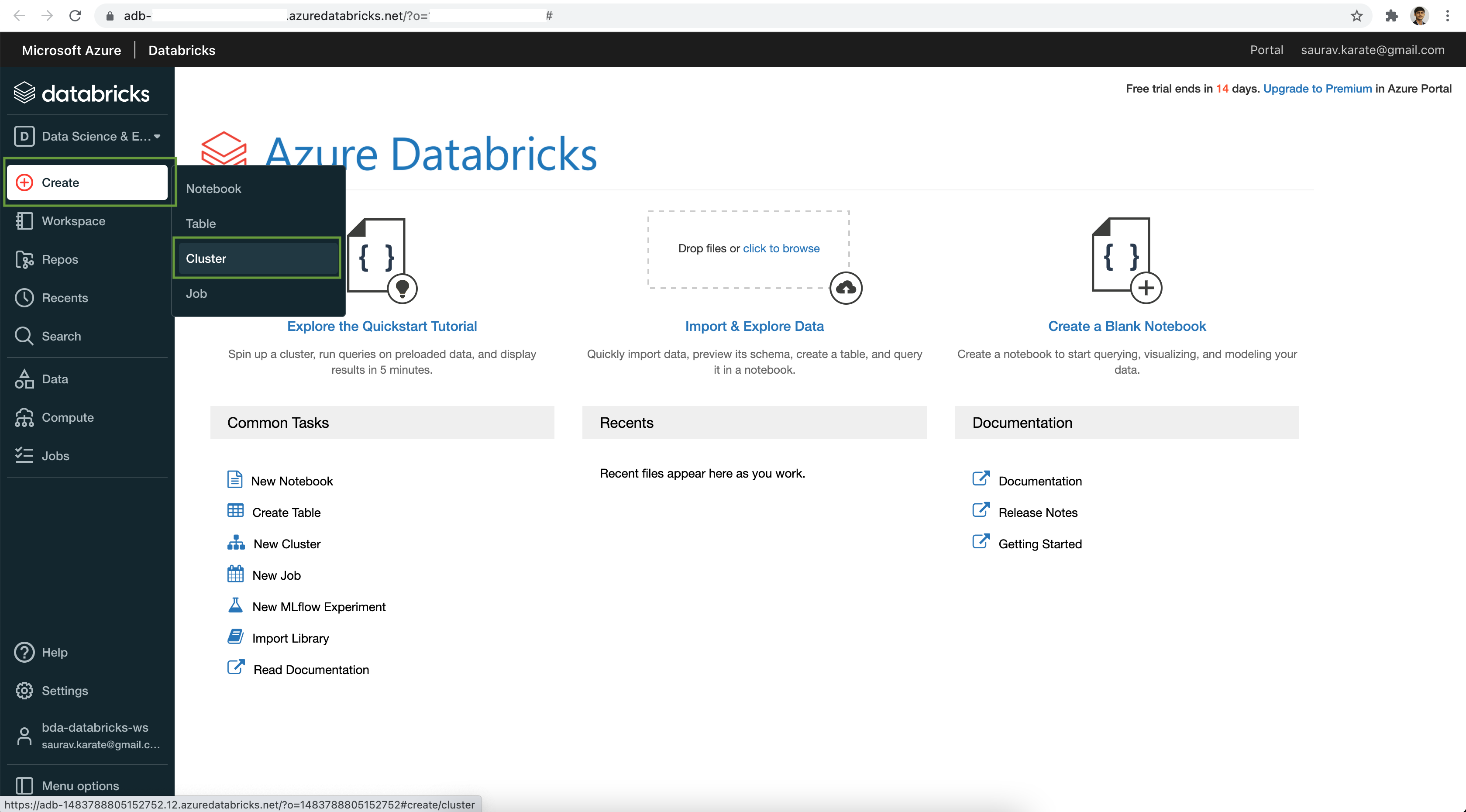
Databricks File System (DBFS) is a distributed file system mounted into a Databricks workspace and available on Databricks clusters. It provides an abstraction layer over cloud object storage, allowing users to interact with data using familiar file system semantics while maintaining the scalability and cost-efficiency of underlying services like Amazon S3, Azure Data Lake Storage, or Google Cloud Storage.
Understanding DBFS Architecture and Its Role in 2026
By 2026, the landscape of data engineering has shifted significantly toward unified governance, yet DBFS remains a foundational component for many Databricks workflows. At its core, DBFS is not a physical storage medium but a virtual file system. It maps URI paths—prefixed with **dbfs:/—**to the underlying object storage of your cloud provider. This mapping allows data scientists and engineers to use standard file APIs to read and write data without needing to manage complex cloud-specific credentials for every individual operation.
The architecture relies on a Fuse (File system in UserSpace) mount point. This is particularly critical because it allows local file system calls, such as those from Python's built-in os or io libraries, to interact with cloud storage. When you access a path starting with /dbfs/, the Databricks cluster translates these local calls into cloud API calls (like GET or PUT requests in S3). This bridge is what makes Databricks so flexible for both distributed Spark processing and single-node Python libraries like Pandas or Scikit-Learn.
However, it is essential to distinguish between the DBFS Root and Mounted Storage. The DBFS root is the storage location provided automatically during the workspace creation. It contains system-related directories such as /FileStore, /databricks-results, and /databricks-datasets. While convenient, the DBFS root is generally considered a "managed" area where data is persistent but governed by workspace-wide permissions, which may not be granular enough for sensitive production data in a modern enterprise environment.
The Evolution of DBFS: From Mounting to Unity Catalog Volumes
In the early days of Databricks, "mounting" was the primary way to bring external data into the DBFS namespace. This involved using the dbutils.fs.mount() command to link an S3 bucket or an Azure Blob container to a DBFS path. While this method is still functional in 2026, the industry has largely transitioned toward Unity Catalog Volumes for most data storage needs.
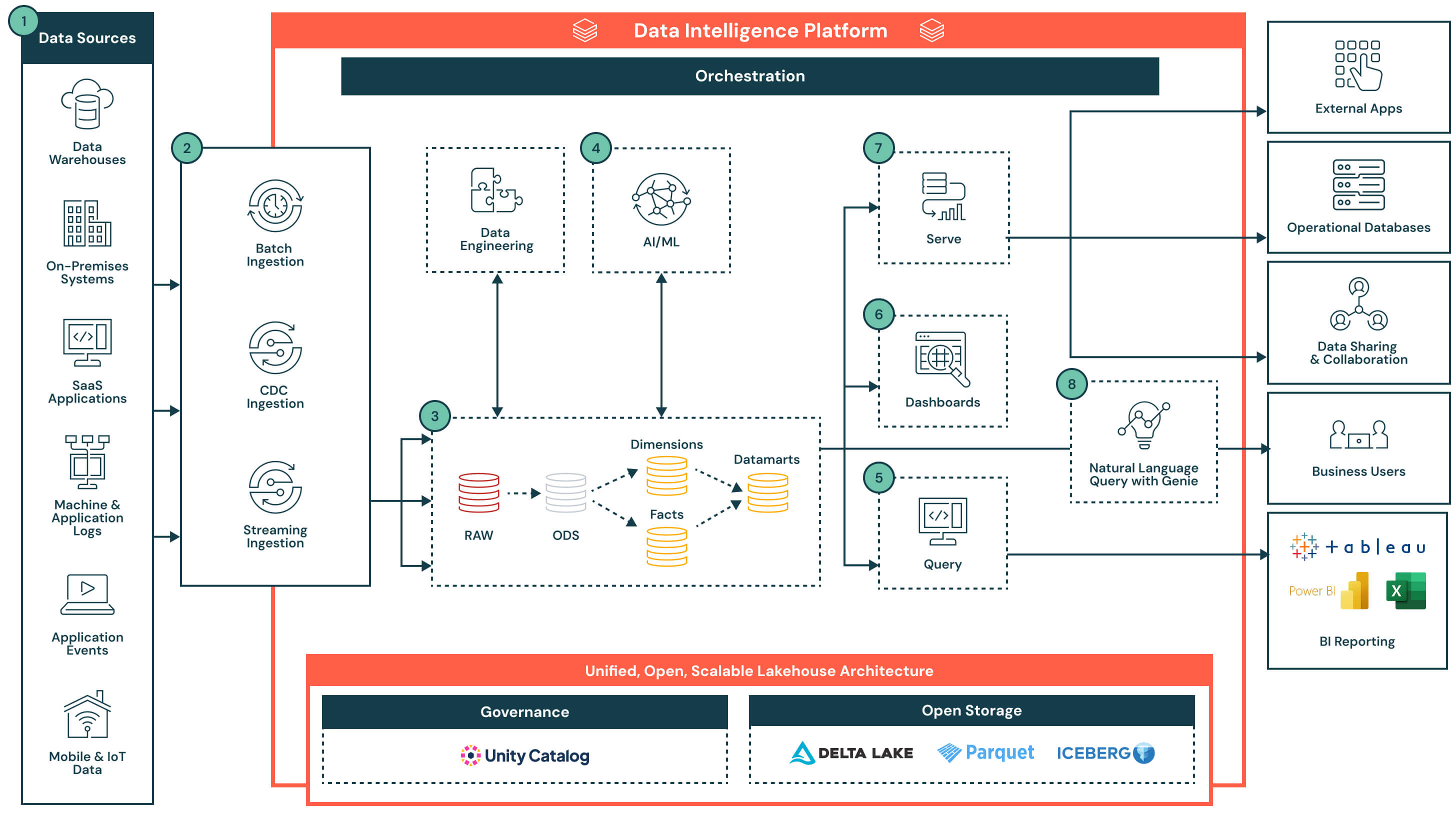
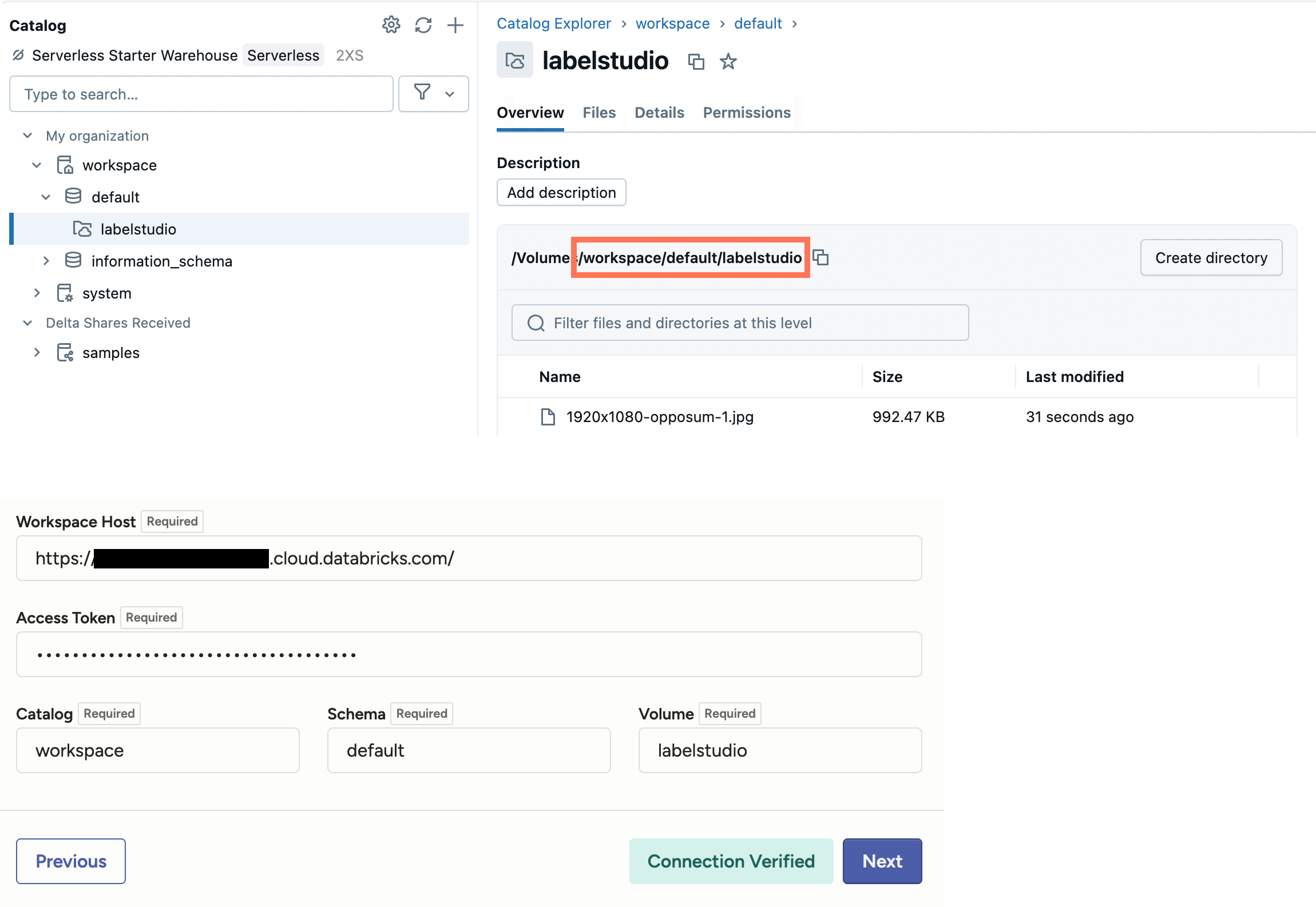
Unity Catalog Volumes offer a more secure and governed approach to non-tabular data storage (like CSVs, images, or PDFs) than traditional DBFS mounts. While the underlying technology still utilizes the DBFS interface for access, Volumes provide fine-grained access control, auditing, and lineage—features that were traditionally difficult to manage with raw DBFS mounts. When choosing how to store data, organizations now prioritize Volumes for any data that requires strict compliance or multi-workspace access, leaving the standard DBFS root primarily for temporary scratch space, initialization scripts (init scripts), and small configuration files.
Methods for Accessing and Managing Data in DBFS
Interacting with DBFS can be achieved through several different interfaces, each suited to specific tasks. Understanding when to use which method is key to operational efficiency.
1. Databricks Utilities (dbutils.fs)
The dbutils.fs library is the most common way to manage files within a Databricks notebook. It provides commands like cp (copy), mv (move), ls (list), and mkdirs (make directory). This utility is optimized for the Databricks environment and handles the communication with the underlying cloud storage efficiently. For instance, dbutils.fs.ls("/mnt/data/") provides a high-performance listing of files that is much faster than using standard Python libraries for large directories.
2. The Local File API (FUSE)
One of the most powerful features of DBFS is the ability to access data as if it were on the cluster's local disk. By using the /dbfs/ prefix, any library that expects a local file path can read from cloud storage. For example, a user can run pd.read_csv("/dbfs/mnt/training/data.csv"). This is invaluable for integrating legacy code or libraries that do not natively support cloud URIs. However, users must be aware that the FUSE mount can introduce latency for small, frequent random reads/writes, as every local call is translated into a network request.
3. Spark APIs
For large-scale data processing, the Spark API remains the gold standard. Using spark.read.format("parquet").load("dbfs:/path/to/data") allows the cluster to distribute the data loading across all worker nodes. This bypasses the FUSE mount and uses optimized cloud connectors, making it the fastest way to ingest large datasets into a Spark DataFrame.
4. Databricks CLI and REST API
For automation and CI/CD pipelines, the Databricks Command Line Interface (CLI) and REST APIs allow users to upload files from their local machines to DBFS. This is commonly used for deploying JAR files, Python Wheel files, or configuration scripts that need to be available to clusters during startup.
Comparison of Storage Options in Databricks
Deciding where to place your data is a critical architectural decision. The following table compares the different ways to utilize storage through the DBFS interface.
| Feature | DBFS Root | DBFS Mount Points | Unity Catalog Volumes |
|---|---|---|---|
| Primary Use Case | System files, small scratch data | Legacy data pipelines | Production data, ML models, Governance |
| Persistence | Permanent (unless deleted) | Permanent (mapping only) | Permanent (managed or external) |
| Security | Workspace-wide (Low) | IAM Roles / Service Principals | Fine-grained ACLs (High) |
| Performance | High | High (Cloud dependent) | High (Optimized) |
| Governance | Minimal | Basic | Full Lineage & Auditing |
| Access Method | dbfs:/ | dbfs:/mnt/ | /Volumes/catalog/schema/ |
Best Practices for Data Storage in DBFS
To maintain a performant and secure environment, practitioners should follow these established guidelines:
Avoid Storing Sensitive Data in the DBFS Root The DBFS root is accessible by all users who have access to the workspace. In an era of strict data privacy (GDPR, CCPA), storing PII (Personally Identifiable Information) in the root is a major compliance risk. Always use Unity Catalog Volumes or restricted mount points for sensitive information.
Manage File Sizes for Performance Cloud object storage is optimized for large files. Storing millions of tiny files (kilobytes in size) in DBFS can lead to significant performance degradation during file listing and metadata operations. Aim for file sizes between 128MB and 1GB. If your process generates many small files, consider a "compaction" step to merge them.
Use Service Principals for Mounting When creating mount points to external storage, never use individual user credentials. This creates a "brittle" architecture where pipelines fail if a user leaves the company. Instead, use Service Principals (on Azure) or IAM Roles (on AWS) to provide identity-based access that is independent of specific users.
Leverage DBFS for Init Scripts and Configuration DBFS is the ideal location for cluster-scoped init scripts. These scripts run during cluster startup to install libraries or set environment variables. Placing these in a dedicated, read-only folder in DBFS ensures that every cluster in the workspace can boot with a consistent configuration.
Performance Optimization and Troubleshooting
While DBFS simplifies storage, it is not immune to bottlenecks. High latency is often the result of the FUSE mount overhead. When a Python script performs many small "seek" operations on a file located in /dbfs/, the performance will be significantly slower than on a local SSD. To mitigate this, consider copying the file to the cluster's local node storage (the /tmp directory or the local worker disk) if the file needs to be read repeatedly by a non-distributed library.
Another common issue is "Mount Point Drifting." This occurs when different clusters have different mount configurations, leading to a situation where a notebook works on Cluster A but fails on Cluster B. By 2026, the best practice to avoid this is to define mounts at the workspace level or, preferably, move toward Unity Catalog, where storage locations are defined globally and governed centrally.
If you encounter "Permission Denied" errors when accessing DBFS, first verify if the cluster has the necessary IAM role or Service Principal permissions. Secondly, check if the workspace has "Table Access Control" enabled, which might restrict DBFS access even if the underlying cloud permissions are correct.
Security and Governance in a 2026 Context
As of 2026, security in Databricks has evolved to be "identity-first." This means that DBFS is no longer a "wild west" of open file paths. The integration with Unity Catalog allows administrators to set permissions at the file and directory level using standard SQL commands like GRANT READ ON VOLUME.
Furthermore, auditing has become more granular. Every access to a file through the DBFS interface can be logged in the Databricks system tables. This allows security teams to see exactly who accessed which file and when, providing a level of transparency that was difficult to achieve with raw cloud provider logs alone. For organizations in regulated industries, moving away from the "shared" nature of the DBFS root toward governed Volumes is not just a best practice; it is often a requirement for passing security audits.
Frequently Asked Questions
What is the difference between dbfs:/ and /dbfs/?
The prefix dbfs:/ is a URI scheme used by Databricks-aware APIs like Spark and dbutils. It tells these tools to look in the Databricks File System abstraction. The path /dbfs/ is a physical mount point on the cluster's local Linux file system. You use /dbfs/ when you are using standard Python libraries (like open() or os.listdir()) that do not understand cloud URIs.
Can I delete the DBFS root?
No, you cannot delete the DBFS root. It is a system-managed storage area required for the workspace to function. However, you can and should avoid using it for your own data. You can delete sub-directories within the root (like /FileStore), but be cautious as this might break certain notebook features or UI-based file uploads.
Is DBFS storage free?
The storage itself is not "free"; you pay your cloud provider (AWS, Azure, or GCP) for the underlying object storage (S3 buckets or ADLS containers). Databricks does not typically charge an additional premium for the DBFS abstraction layer itself, but the data stored in the DBFS root contributes to your total cloud storage bill.
How do I move data from my local computer to DBFS?
In 2026, the most efficient way to move local data is through the Databricks UI "Upload Data" feature, which puts files into a Volume or the /FileStore. For larger datasets or automated workflows, use the Databricks CLI command: databricks fs cp local_file.csv dbfs:/target_path/local_file.csv.
Why is my Spark job slow when reading from /dbfs/?
If you are using the /dbfs/ path in a Spark job, you are forcing Spark to use the FUSE mount, which is much slower than the native Spark cloud connectors. Always use the dbfs:/ URI or the direct cloud path (e.g., s3:// or abfss://) in Spark commands to ensure maximum throughput and parallelized I/O.
Can I share DBFS mount points between different workspaces?
Traditional DBFS mount points are workspace-specific. If you mount a bucket in Workspace A, it will not automatically appear in Workspace B. To share data across workspaces, you should use Unity Catalog External Locations or Volumes, which are designed for cross-workspace data sharing and centralized governance.
Practical Recommendation for 2026
For any new project initiated in 2026, the recommendation is to minimize the use of traditional DBFS mounts and the DBFS root. Instead, leverage Unity Catalog Volumes for all unstructured data and Managed Tables for structured data. Use the DBFS root exclusively for temporary system artifacts, such as library logs or cluster init scripts. By adopting a Volume-centric approach, you ensure your data architecture is secure, auditable, and compatible with the latest Databricks performance optimizations.
If you are maintaining legacy pipelines that rely heavily on DBFS mounts, consider a phased migration. Start by moving the most sensitive datasets to Unity Catalog, and use the dbutils.fs.updateMount utility to transition existing mounts to more secure authentication methods, such as OAuth or managed identities, to ensure long-term stability and compliance.
Image Gallery
Select an image to open it in a new tab.



Ingrid Bjornson
Global Cyber Policy and Regulation Analyst
