
When searching for the most secure email provider, the answer depends on your threat model, but services offering end-to-end encryption—such as ProtonMail and Tutanota—are widely considered the gold standard for protecting everyday communications. These platforms ensure that only the sender and the intended recipient can read message contents, shielding sensitive data from third-party surveillance, corporate data mining, and sophisticated cyberattacks.
Evaluating secure email services requires a deep dive into cryptography, metadata retention policies, server infrastructure, and jurisdiction. Traditional webmail services offer convenience, but they often scan message contents to serve targeted advertisements or comply with broad government data requests. Secure email providers bridge this gap by prioritizing digital privacy, user anonymity, and zero-access architectures. This guide explores the technical mechanisms defining email security, compares leading providers, and outlines how to select a platform that aligns with your privacy requirements.
Understanding Email Security Fundamentals
To evaluate what makes an email provider secure, you must first understand the vulnerabilities inherent in legacy email protocols. Standard Simple Mail Transfer Protocol (SMTP) and Internet Message Access Protocol (IMAP) transmissions are largely unencrypted by default unless paired with modern transport security standards.
In-Transit Versus At-Rest Encryption
A secure email provider must implement encryption at two distinct stages: in transit and at rest.
- Encryption in Transit: This safeguards your messages as they travel across the internet between mail servers. Technologies like Transport Layer Security (TLS) and its predecessor, Secure Sockets Layer (SSL), prevent eavesdropping and interception by malicious actors while emails are in motion. However, standard TLS only protects messages between servers that both support the standard; once a message reaches a legacy server, it may be stored in plaintext.
- Encryption at Rest: This protects data stored on physical hard drives or cloud servers. If a provider uses standard at-rest encryption, their system administrators or external entities possessing the decryption keys can technically read your emails. True secure providers utilize zero-access or zero-knowledge architectures, meaning data is encrypted on your device before it reaches the server, and the provider has no technical means to decrypt it.
End-to-End Encryption (E2EE) and OpenPGP
The highest tier of email security relies on end-to-end encryption. In an E2EE framework, messages are encrypted on the sender's client device using a public key belonging to the recipient. The ciphertext remains encrypted while traversing networks and resting on servers. Only the recipient's private key—stored securely on their device and protected by a local passphrase—can decrypt the message.
Many secure providers integrate OpenPGP (Pretty Good Privacy), an open-source cryptographic standard that allows users to communicate securely across different platforms, provided both parties exchange public keys. Alternatively, some modern providers use proprietary or modified cryptographic protocols designed to streamline user onboarding without sacrificing mathematical security.
Critical Features of a Secure Email Provider
Beyond encryption algorithms, several architectural, legal, and operational factors dictate the true security posture of an email provider.
Zero-Access Architecture and Metadata Protection
A truly secure provider cannot read your emails even if compelled by a court order or compromised by a data breach. This zero-access capability is achieved by handling key management entirely on the client side.
However, message contents are only part of the equation. Metadata—including sender addresses, recipient addresses, timestamps, IP addresses, and subject lines—often reveals sensitive patterns of communication. While full end-to-end encryption cannot obscure all metadata (such as routing information required to deliver a message), elite secure providers strip IP addresses from email headers, minimize server-side logging, and offer metadata-resistant features like self-destructing messages.
Jurisdiction and Legal Privacy Frameworks
The physical location of a provider's servers and the legal jurisdiction of its parent company profoundly impact user privacy.
- Favorable Jurisdictions: Providers based in Switzerland, Iceland, or Germany operate under stringent data protection laws, such as the Swiss Federal Act on Data Protection (FADP) and the European Union’s General Data Protection Regulation (GDPR). Switzerland, for instance, is outside the European Union and the European Economic Area, offering unique legal protections against foreign surveillance alliances.
- Unfavorable Jurisdictions: Providers operating within the "Five Eyes" intelligence-sharing alliance (the United States, United Kingdom, Canada, Australia, and New Zealand) are subject to aggressive legal frameworks, gag orders, and compulsory data retention mandates that can undermine user privacy.
Open-Source Code and Independent Audits
Security through obscurity is a dangerous vulnerability in cryptography. The most secure email providers make their client-side source code publicly available under open-source licenses. This transparency allows independent security researchers worldwide to inspect the codebase for vulnerabilities, backdoors, or cryptographic flaws.
Furthermore, reputable providers commission regular independent third-party security audits. These penetration tests and cryptographic verifications provide objective validation of the provider's security claims.
Comparing Leading Secure Email Providers
Selecting the right provider requires balancing uncompromising security with usability, storage limits, and cost. Below is a detailed comparison of the industry’s most prominent secure email services.
| Provider | Primary Jurisdiction | Encryption Standard | Open Source Status | Free Tier Available | Notable Security Features |
|---|---|---|---|---|---|
| Proton Mail | Switzerland | OpenPGP / Custom Zero-Access | Client-side open source | Yes | Onion site (Tor), hardware-secured servers, alias management |
| Tuta (formerly Tutanota) | Germany | Proprietary Post-Quantum | Open source | Yes | Encrypted calendars, post-quantum encryption readiness, zero server logs |
| StartMail | Netherlands | PGP-based / IMAP support | Proprietary client code | No | Disposable email addresses, PGP integration for standard clients |
| Mailfence | Belgium | OpenPGP | Open-source components | Yes | Integrated document storage, digital signatures, full data ownership |
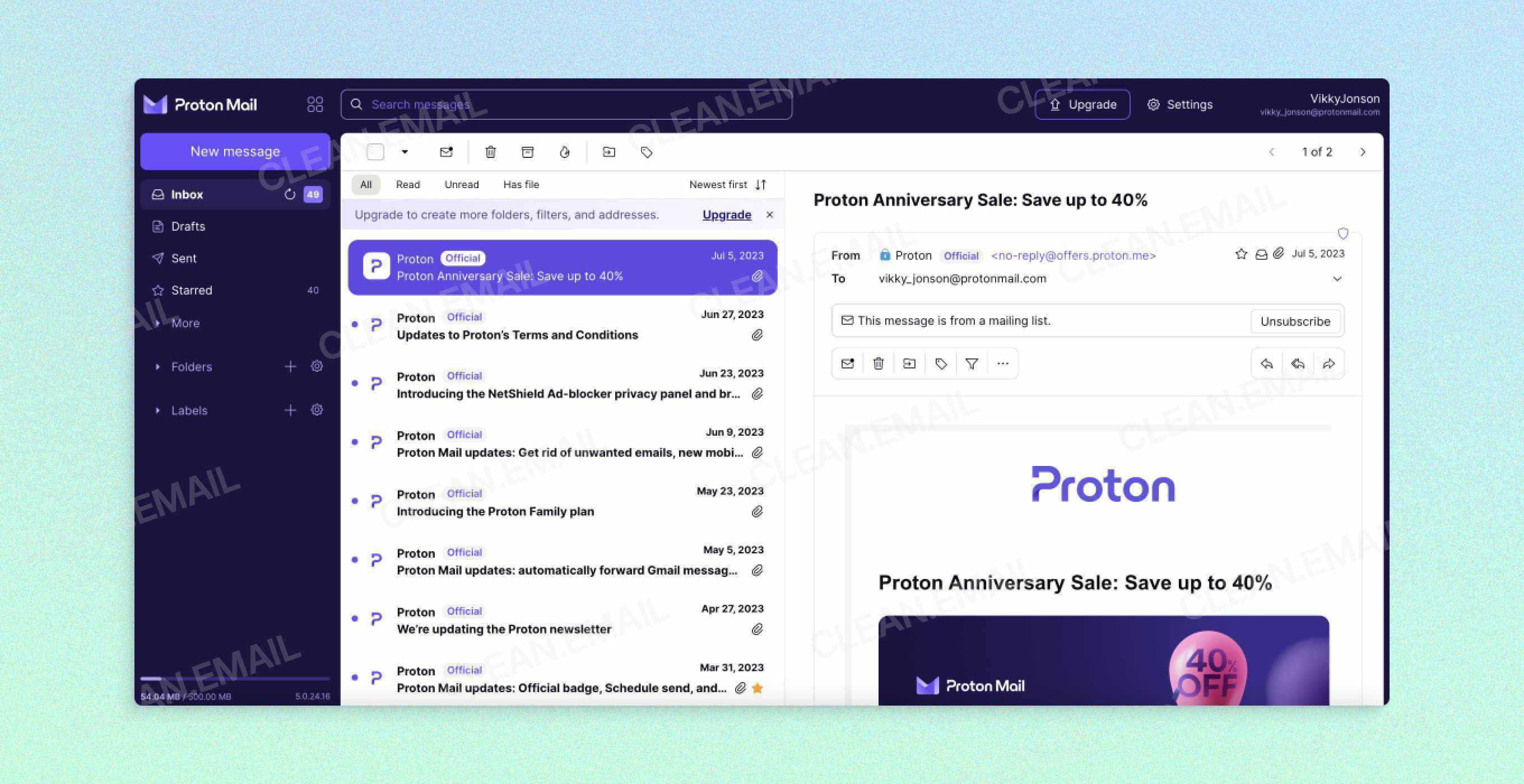
Proton Mail
Headquartered in Geneva, Switzerland, Proton Mail is arguably the most recognizable name in secure communications. Founded in 2013 by scientists at CERN, Proton Mail utilizes OpenPGP architecture combined with zero-access encryption.
- Strengths: Proton Mail offers a polished web interface and mobile applications that abstract away the complexities of key management. It supports automatic E2EE communication with other Proton users and seamless PGP decryption with external contacts. Additional privacy tools—such as Proton VPN, Proton Drive, and Proton Pass—integrate into a unified ecosystem.
- Considerations: While the core web and mobile apps are open-source, some desktop applications have historically lagged behind in open-source adoption, though code releases continue to expand. Free accounts feature strict storage caps and message limits.
Tuta
Based in Hannover, Germany, Tuta (formerly Tutanota) approaches security with a focus on comprehensive data protection, encrypting not only message bodies and attachments but also address books and calendar entries.
- Strengths: Tuta relies on a proprietary encryption protocol designed to withstand future quantum computing threats (post-quantum cryptography). Operating under strict German privacy laws, Tuta maintains zero server-side logs and strips metadata wherever technically feasible.
- Considerations: Because Tuta utilizes a distinct encryption structure to protect calendar and contact metadata, it does not natively support traditional IMAP/SMTP protocols or external PGP clients without specialized workarounds.
StartMail
Operating from the Netherlands, StartMail focuses on delivering privacy-friendly email without requiring advanced technical knowledge from the user.
- Strengths: StartMail offers robust PGP support that allows users to communicate securely with non-StartMail users. A standout feature is its disposable email alias generator, which allows users to create and delete secondary email addresses instantly to protect their primary identity from spam and tracking.
- Considerations: StartMail lacks a free tier, requiring a paid subscription after an initial trial period, and its client applications are not fully open-source.
Mailfence
Based in Belgium, Mailfence provides a secure ecosystem centered around open-source standards and user data ownership.
- Strengths: Mailfence emphasizes digital sovereignty, offering integrated document storage, calendars, and chat functionality alongside encrypted email. It supports full OpenPGP key generation and management, allowing users to maintain complete control over their cryptographic keys.
- Considerations: The user interface is less modernized compared to competitors like Proton Mail, and advanced features require paid subscription tiers.
Step-by-Step Guide to Setting Up Secure Email
Migrating from a mainstream provider (such as Google Gmail or Microsoft Outlook) to a secure email provider involves strategic planning to ensure a smooth transition without data loss or security leaks.
Step 1: Choose Your Provider and Create an Account
Select a provider based on your specific requirements regarding jurisdiction, encryption standards, and ecosystem integration. During registration, choose a strong, unique account password.
- Crucial Note: In zero-access architectures, the provider does not store your account password. If you lose your password and your recovery phrase, the provider cannot reset it or recover your encrypted data. Store your recovery credentials securely offline.
Step 2: Configure Recovery and Two-Factor Authentication (2FA)
Enhance your account perimeter security immediately upon creation. Enable Time-based One-Time Password (TOTP) two-factor authentication using an authenticator app (such as Aegis or ente Auth) rather than SMS, which remains vulnerable to SIM-swapping attacks. Establish a recovery email or recovery phrase, ensuring these recovery vectors do not compromise your overall anonymity model.
Step 3: Set Up Custom Domains (Optional)
For professional or long-term personal use, configure a custom domain (e.g., you@yourdomain.com). Owning your domain ensures portability; if you ever decide to switch secure email providers, you can redirect your MX (Mail Exchange) records to a new service without changing your public email address.
Step 4: Import Existing Messages and Contacts
Most secure providers offer native import tools or bridge applications that allow you to securely transfer historical emails and contacts from your legacy provider via IMAP migration. Review imported emails to ensure sensitive data is re-encrypted under your new zero-access keys.
Step 5: Communicate with External Contacts
Understand how your chosen provider handles communication with users who do not use secure email services:
- Internal Communication: If both you and your recipient use the same secure provider (or compatible PGP keys), encryption is automatic and transparent.
- External Communication: If emailing a standard Gmail or Outlook user, secure providers typically allow you to send a password-protected encrypted message via an external link, requiring the recipient to input a shared passphrase to read the email on a secure web portal.
Common Mistakes and Operational Security Pitfalls
Even the most secure email provider cannot protect your data if operational security (opsec) is compromised at the device or habit level. Avoid these frequent missteps:
- Reusing Passwords: Using a password associated with a compromised web service on your secure email account invites credential-stuffing attacks. Always use a dedicated, cryptographically strong password managed by a reputable offline or zero-knowledge password manager.
- Neglecting Device Hygiene: If your smartphone or computer is infected with malware, keyloggers, or spyware, malicious actors can intercept your keystrokes before encryption occurs on your device. Ensure your operating system and security software are routinely updated.
- Trusting Subject Lines: In standard PGP implementations, email subject lines are typically unencrypted to allow mail servers to route messages correctly. Never place highly sensitive information, such as passwords or financial account numbers, in an email subject line.
- Failing to Verify Public Keys: When exchanging encrypted messages via PGP with external contacts, always verify the recipient's fingerprint through an out-of-band communication channel (such as an encrypted messaging app or in-person verification) to prevent man-in-the-middle key substitution attacks.
Summary and Recommended Next Action
The search for the most secure email provider ultimately leads to services that implement zero-access encryption, operate within privacy-respecting jurisdictions like Switzerland or Germany, and subject their codebases to independent public scrutiny. For most users seeking an optimal balance of advanced security, cross-platform usability, and ecosystem maturity, Proton Mail serves as the most dependable recommendation. Those prioritizing post-quantum cryptographic design and metadata minimization should strongly evaluate Tuta.
To take your next step, assess your current threat model. If you manage sensitive professional correspondence, high-net-worth assets, or confidential investigative work, register for a privacy-focused provider, configure two-factor authentication, and begin migrating your communications away from surveillance-reliant legacy tech platforms today.
Image Gallery
Select an image to open it in a new tab.
Declan O'Connor
Higher Education and Campus Culture Reporter
