Using Asana for Project Management: A Comprehensive Guide to Workflow Optimization

Asana serves as a centralized work management platform designed to help teams coordinate tasks, automate repetitive processes, and maintain visibility over complex project lifecycles. By providing a structured environment for task assignment, deadline tracking, and collaborative communication, Asana enables organizations to transition from fragmented email threads and disparate spreadsheets to a unified system of record that aligns individual effort with overarching project goals.
Core Fundamentals of the Asana Architecture
Understanding how Asana organizes information is critical to effectively implementing the tool within a professional environment. Unlike basic to-do lists, Asana utilizes a hierarchical structure that scales from individual tasks to organizational initiatives.
The Hierarchy: Organizations, Teams, and Projects
At the top level, an Organization is typically linked to a company’s corporate email domain, gathering all employees under one roof. Within the organization, Teams act as internal departments—such as Marketing, Engineering, or Human Resources—each hosting its own set of projects. Projects are the primary workspaces where work is performed. Whether a project is a temporary initiative or an ongoing operational workflow, it functions as a container for tasks, subtasks, milestones, and discussions.
Task Management and Attribution
A task is the fundamental unit of work in Asana. To ensure accountability, every task should contain:
- Assignee: The individual responsible for moving the task to completion.
- Due Date: A clear temporal constraint for the deliverable.
- Dependencies: Logical links that prevent a task from starting until its predecessor is complete.
- Custom Fields: Data points (such as priority levels, status, or budget codes) that allow for filtering and reporting.
Selecting the Right View for Your Workflow
One of Asana's primary strengths is its ability to visualize the same underlying data through different lenses. Choosing the appropriate view significantly impacts team productivity and transparency.
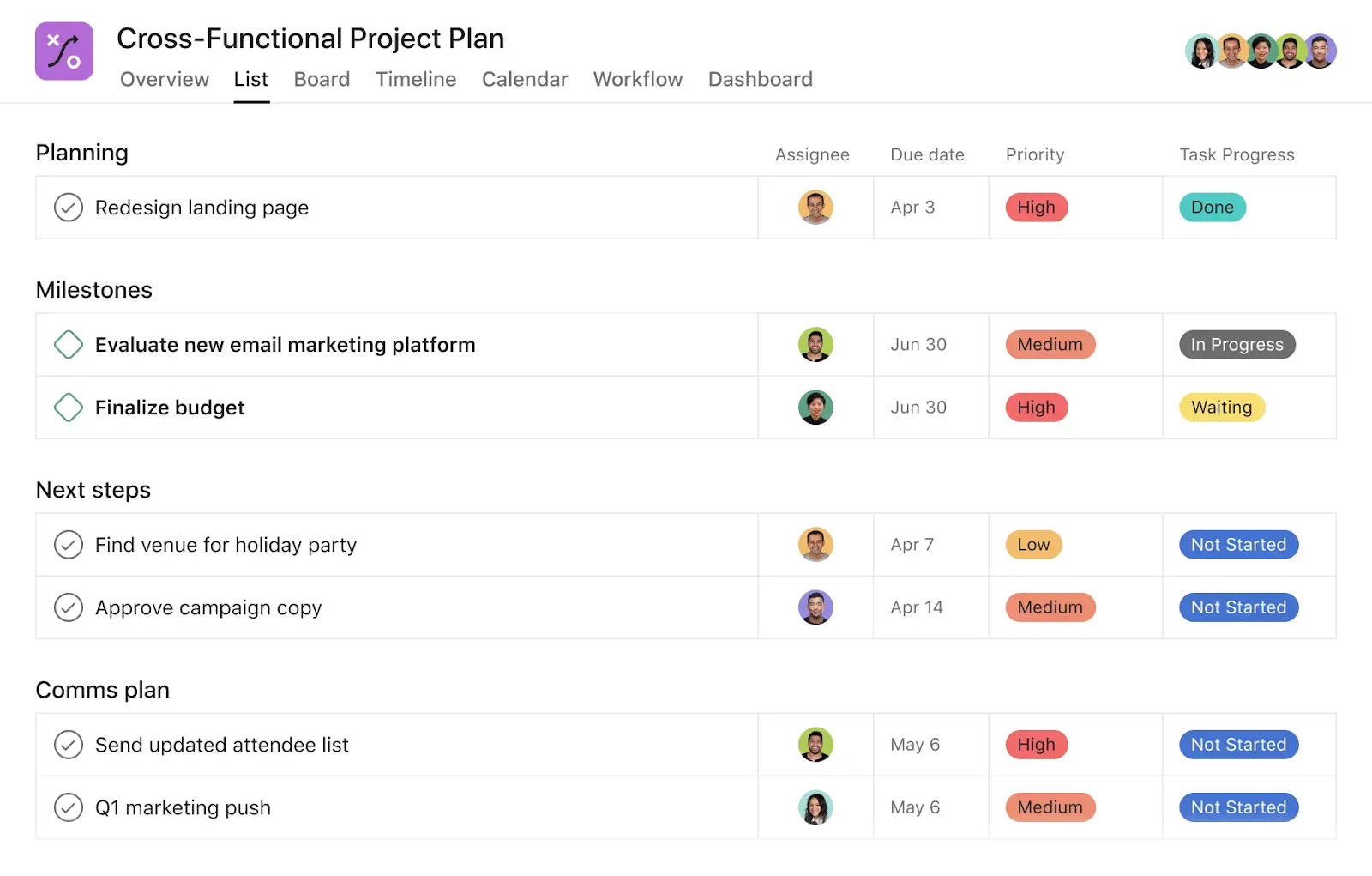
- List View: Ideal for teams that thrive on clear, sequential priorities. It functions similarly to a spreadsheet and is highly effective for high-volume, routine tasks where completion order is paramount.
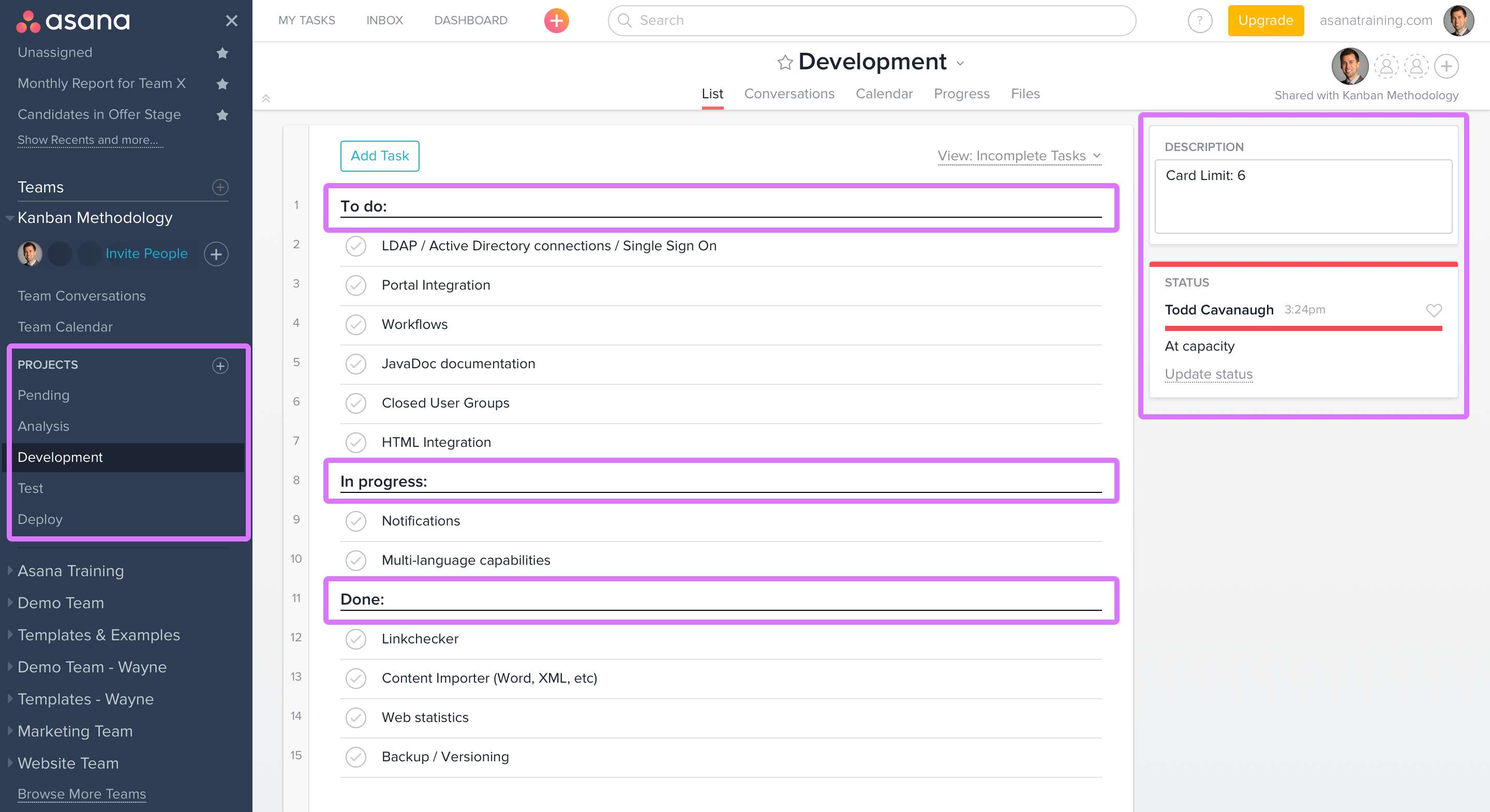
- Board View: Based on the Kanban methodology, this view is best for visualizing workflows. Columns represent stages of a process (e.g., "To Do," "In Progress," "Review," "Done"). Dragging a task across columns provides an immediate sense of project momentum.
- Timeline View: A Gantt-chart-style interface that allows project managers to map out project phases across a calendar. It is essential for identifying bottlenecks, managing resource allocation, and visualizing dependencies over long durations.
- Calendar View: Designed for teams focused on deadlines and content schedules. It provides a bird's-eye view of upcoming obligations, helping prevent scheduling conflicts.

Setting Up Your First Project
Successfully launching a project in Asana requires more than creating a list of items; it requires a deliberate structural approach. Follow this progression to ensure long-term stability:
- Define the Scope: Before adding tasks, define the project objective. Create custom fields for "Status" (e.g., Not Started, On Track, At Risk, Blocked) to provide immediate context to stakeholders.
- Determine the Template: If the project is recurring, such as a "Monthly Content Calendar" or "New Client Onboarding," use Asana’s native template feature. This ensures that every project starts with a consistent structure, reducing setup time and errors.
- Populate Tasks with Context: A common mistake is creating vague tasks. A task named "Write report" is less effective than "Draft Q3 Financial Report - Finalized Version." Attach necessary documents directly to the task so collaborators do not waste time searching through email or file storage systems.
- Establish Milestones: Mark critical checkpoints as milestones. This provides a sense of progress and gives management a clear way to measure the project’s advancement toward its final goal.
Comparing Asana Project Management Features
| Feature | Functionality | Best Use Case |
|---|---|---|
| Workflow Builder | Visual flow mapping | Automating repetitive task handoffs |
| Portfolios | Cross-project monitoring | Tracking high-level status of multiple initiatives |
| Workload | Resource capacity planning | Balancing team capacity to prevent burnout |
| Automation | Rule-based triggers | Updating fields or moving tasks based on changes |
| Reporting | Real-time data visualization | Executive presentations and status updates |
Best Practices for Scaling Operations
As teams grow, the volume of data can become overwhelming without established protocols. Standardizing how Asana is used ensures that the platform remains a source of clarity rather than a source of noise.
Communication and Notifications
Reduce reliance on external chat apps by keeping task-related communication within the specific task comment section. This creates a searchable history of decisions made during the project. Encourage the use of "@mentions" to bring specific team members into a discussion, ensuring they receive relevant notifications without inundating the entire team.
Leveraging Automation
Asana’s built-in Rules engine allows teams to automate manual administrative work. For example, you can set a rule that automatically moves a task to the "Review" section when an assignee changes the custom field status to "Ready for Review." This reduces the need for constant status check-ins and minimizes the risk of tasks falling through the cracks.
Maintaining Data Hygiene
Conduct periodic project audits. Close out completed projects to remove them from active views, and ensure that overdue tasks are either re-assigned or pushed to later dates. Unmaintained projects quickly become "digital clutter," which lowers the team’s trust in the system's accuracy.
Common Pitfalls and Troubleshooting
Even with a well-designed system, teams often encounter friction. Common issues typically stem from process breakdown rather than software limitations.
- The "Shadow Work" Problem: If tasks are being completed but not recorded in Asana, the data will be inaccurate, rendering reports useless. Ensure team members understand that "if it isn't in Asana, it doesn't exist."
- Notification Overload: Users often feel overwhelmed by system emails. Customize notification settings in the user profile to receive alerts only for tasks where they are a collaborator or assignee, or set alerts to "Daily Digest" mode to batch updates.
- Complexity Creep: Over-engineering projects with too many subtasks or overly complex custom field dependencies can discourage adoption. Start simple and add complexity only when the team demonstrates a clear need for it.
Frequently Asked Questions
Can Asana manage projects with external clients?
Yes, Asana supports guest access. You can add external stakeholders to specific projects as guests. They will have access only to the projects you share with them, ensuring that internal discussions remain private while facilitating seamless collaboration on shared deliverables.
How do I handle resource management in Asana?
Asana features a "Workload" function (available in higher-tier plans) that allows managers to see the capacity of their team members based on the number of tasks assigned or the estimated effort per task. This helps in identifying who is overworked and who has the capacity to take on more responsibilities.
Is Asana suitable for agile software development?
Asana is highly capable of supporting Agile methodologies, such as Scrum or Kanban. You can organize boards by sprints, use custom fields for "Story Points," and utilize the reporting dashboard to track burndown charts. While it lacks some of the specialized native features found in dedicated software engineering tools, its flexibility is often sufficient for most teams.
What is the difference between a Task and a Subtask?
Tasks are primary work items that can be assigned, tracked, and reported on independently. Subtasks are meant to break down the primary task into actionable steps. Note that subtasks do not automatically inherit the project’s custom fields or parent task properties, so they should be reserved for granular steps that do not require independent high-level tracking.
How do I ensure data security within my organization?
Asana provides administrative controls for data privacy, including SAML-based Single Sign-On (SSO) and SCIM provisioning for enterprise accounts. Administrators can manage permissions at the team and project levels, ensuring that sensitive data is only visible to authorized personnel.
Strategic Next Actions
To successfully adopt Asana for project management in 2026, begin by auditing your current workflow. Identify a single, repeatable project—such as a weekly report, a client onboarding process, or a monthly marketing launch—and migrate it into a dedicated Asana project. Invite your core team, establish a "single source of truth" policy for task updates, and review the project's progress in Asana’s reporting dashboard after one month. Refining your approach on a single project before scaling to the entire organization minimizes friction and ensures long-term adoption success.
Image Gallery
Select an image to open it in a new tab.


Declan O'Connor
Higher Education and Campus Culture Reporter
