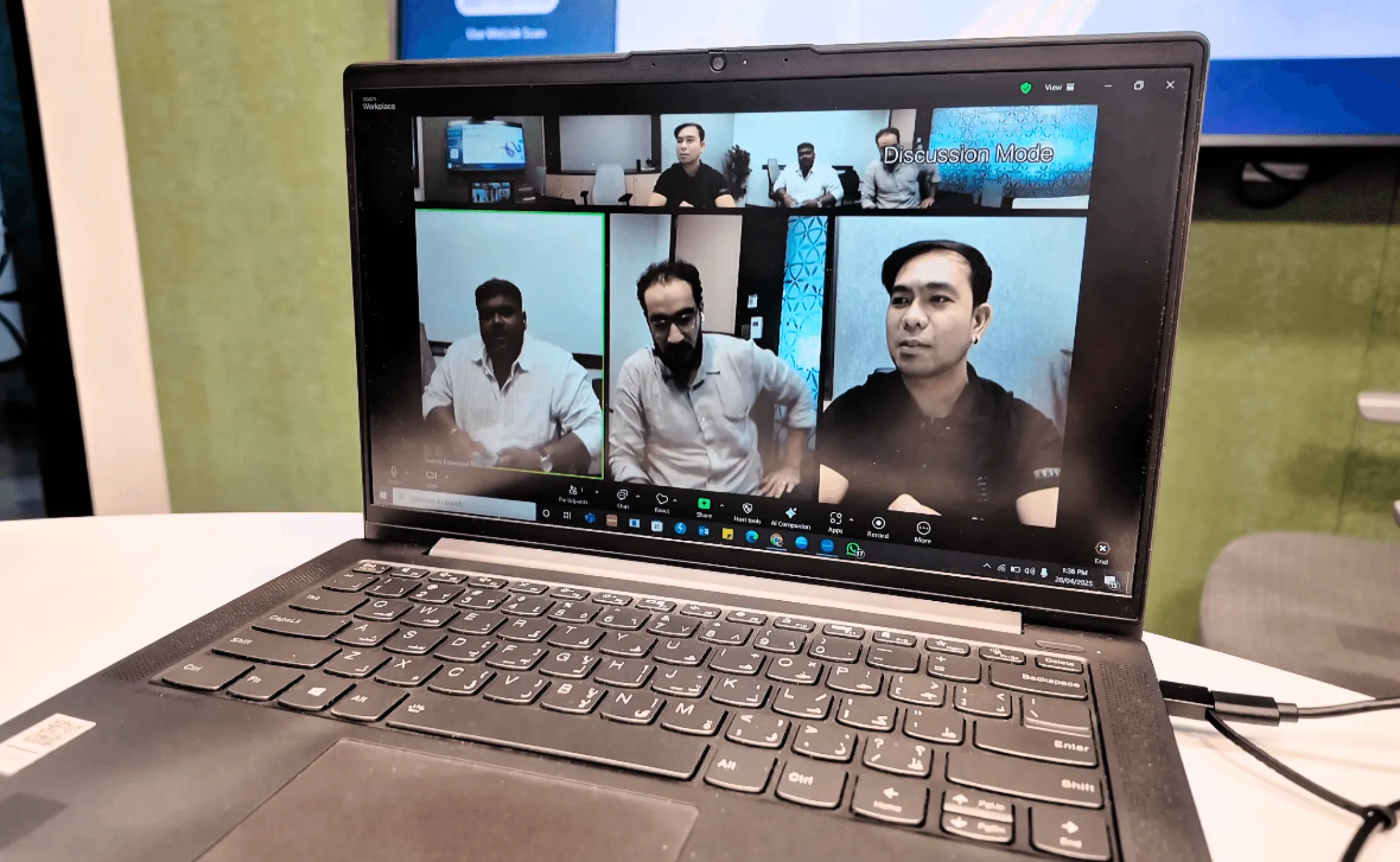
Selecting the ideal video conferencing camera depends on the physical dimensions of the meeting space, the number of participants, and the specific lighting conditions of the environment. For most professional settings in 2026, a 4K resolution camera with a 90-degree to 120-degree field of view and AI-driven auto-framing provides the necessary clarity and engagement for hybrid collaboration.
Understanding the Impact of Room Size on Camera Selection
The physical environment is the most significant factor in determining which camera technology will perform effectively. A camera designed for a small home office will fail in a large boardroom, just as a high-end Pan-Tilt-Zoom (PTZ) system is often overkill for a single-person huddle space.
Huddle Rooms and Small Meeting Spaces
Small rooms, typically designed for two to four people, require a wide-angle lens. Because participants often sit close to the monitor where the camera is mounted, a narrow field of view (FOV) will cut off people sitting at the edges of the table. In these scenarios, look for a camera with at least a 120-degree FOV. Fixed-lens cameras are often sufficient here, as the distance between the lens and the furthest person is rarely more than six to eight feet.
Mid-Sized Conference Rooms
Mid-sized rooms seating six to ten people present a different challenge. The distance to the furthest participant increases, making digital zoom less effective due to pixelation. For these spaces, a camera with 3x to 5x optical zoom is preferred. This allows the camera to focus on specific speakers without losing image quality. Many organizations in 2026 opt for "Video Bars" in these rooms—all-in-one devices that combine the camera, microphones, and speakers into a single chassis.
Large Boardrooms and Training Centers
Large spaces require professional-grade PTZ (Pan-Tilt-Zoom) cameras. These devices use mechanical motors to move the lens, providing a range of motion that covers long tables or podiums. A 10x to 20x optical zoom is standard for these environments to ensure that a person at the back of a 30-foot room appears clear on the far end of the call. In 2026, many of these rooms utilize multi-camera setups where an AI-driven switcher toggles between a wide "room view" and a tight "speaker view."
Essential Technical Specifications for 2026
When evaluating technical datasheets, several key metrics determine the actual performance of the hardware during a live meeting.
Resolution and Frame Rate
While 1080p (Full HD) remains the standard for many web-based platforms, 4K Ultra HD has become the baseline for professional hardware procurement. 4K does not just provide more pixels; it provides "digital headroom." A 4K sensor allows for digital cropping and zooming—often called ePTZ—without the image dropping below 1080p quality.
Frame rate should ideally be maintained at 30 frames per second (fps) for natural motion. While some cameras offer 60fps, this is often unnecessary for standard business meetings and can consume excessive bandwidth, leading to lag if the network infrastructure is not robust.
Field of View (FOV)
The FOV determines how much of the room the camera can "see" without moving.
- 70–90 Degrees: Ideal for individual workstations or narrow rooms.
- 90–120 Degrees: Standard for small to medium meeting rooms.
- 150+ Degrees: Specialized "fisheye" or multi-lens cameras used to capture everyone in very shallow rooms where the table is pushed against the wall.
Optical vs. Digital Zoom
It is vital to distinguish between these two. Optical zoom moves the physical glass elements of the lens to enlarge the image, maintaining full resolution. Digital zoom simply enlarges the existing pixels, which eventually leads to a grainy or "noisy" image. For any room larger than a huddle space, prioritize optical zoom.
The Role of AI and Intelligent Framing
As of 2026, "dumb" cameras are largely a thing of the past in corporate environments. Artificial Intelligence has revolutionized how cameras manage a meeting's visual flow.
Auto-Framing and Group Framing
This feature uses facial and torso detection to automatically adjust the crop of the image so that all participants are perfectly centered. If one person leaves the room or another enters, the camera smoothly zooms out or in to recompose the shot. This eliminates the need for a manual remote control and ensures there is no "dead space" on the screen.
Speaker Tracking
More advanced than group framing, speaker tracking uses a combination of visual data and audio beamforming to identify exactly who is talking. The camera will then move or zoom to focus on that specific individual. This mimics the feel of a professionally produced television broadcast and significantly increases engagement for remote participants who can now see the speaker's facial expressions clearly.
Lighting and Color Optimization
Professional cameras now include sophisticated Image Signal Processors (ISPs) that handle difficult lighting. Most office environments suffer from "backlighting" (windows behind the participants) or harsh overhead fluorescent lights. High-end cameras use Wide Dynamic Range (WDR) technology to balance these light levels, ensuring that faces aren't shrouded in shadow while the background remains visible.
Connectivity, Mounting, and Compatibility
Hardware excellence is irrelevant if the camera cannot integrate with your existing workflow.
Connection Interfaces
Most modern cameras utilize USB-C or USB 3.0 for plug-and-play simplicity. However, for large-scale installations, look for cameras that support NDI (Network Device Interface) or PoE (Power over Ethernet). These allow the camera to send video signals and receive power over a single standard network cable, greatly simplifying the wiring in large rooms.
Platform Certification
Ensure the camera is certified for the specific software your organization uses, such as Microsoft Teams, Zoom, or Google Meet. Certified devices undergo rigorous testing to ensure that their hardware buttons (like mute or end call) sync perfectly with the software interface.
Mounting Options
Consider where the camera will live. Standard options include:
- Monitor Mount: Clips to the top of a display.
- Wall Mount: Permanent installation, usually at eye level.
- Tripod Thread: Standard 1/4-inch thread for flexible placement.
- In-Wall/Caddy: Specialized mounts that hide cables and the camera base for a clean architectural look.
Camera Type Comparison Table
| Camera Category | Ideal Room Size | Zoom Type | Primary Benefit | Best Use Case |
|---|---|---|---|---|
| Professional Webcam | 1-2 People | Digital | Portability & Low Cost | Personal office, Remote work |
| All-in-One Video Bar | 3-8 People | Digital/ePTZ | Simple setup, built-in audio | Standard huddle/medium rooms |
| PTZ Camera | 8-20+ People | Optical | High detail at long distance | Boardrooms, Lecture halls |
| 360-Degree Center Table | 4-10 People | N/A | Captures everyone equally | Round-table discussions |
| Multi-Camera System | Large/Complex | Optical | Broadcast quality, varied angles | Executive suites, Town halls |
Audio Integration and Microphones
While the focus is often on the lens, the "video conferencing camera" is frequently the hub for audio. In 2026, many cameras feature integrated microphone arrays. These arrays use beamforming technology to "steer" the microphone's sensitivity toward the person speaking while ignoring ambient noise like air conditioning or keyboard typing.
If you are choosing a camera for a large room, verify if the camera supports expansion mics. Even the best 4K camera cannot pick up clear audio from 20 feet away if the microphones are only located at the front of the room. A system that allows for daisy-chained microphones across the table ensures that everyone is heard as well as they are seen.
Common Mistakes to Avoid
- Over-investing in Resolution, Under-investing in Lighting: A 4K camera will look worse than a 1080p camera if the room is poorly lit. Ensure your room has adequate "fill light" on participants' faces before blaming the camera quality.
- Incorrect Mounting Height: Cameras mounted too high (near the ceiling) create an "eye-of-god" perspective that feels impersonal. Cameras mounted too low look up people's noses. Aim for eye level, or slightly above, to maintain a natural gaze.
- Ignoring Bandwidth Constraints: High-resolution cameras require significant upload speeds. If your office internet is slow, a 4K camera may be forced to compress the signal so heavily that the quality becomes worse than a standard HD stream.
- Neglecting Software Updates: Modern AI cameras are essentially computers with lenses. Manufacturers frequently release firmware updates that improve auto-framing logic and color science. Ensure your IT team has a plan for managing these updates.
Frequently Asked Questions
Do I really need 4K for video conferencing in 2026?
Yes, but not necessarily for the 4K output. Most platforms still stream at 720p or 1080p to save bandwidth. However, a 4K sensor allows for lossless digital zooming. This means the camera can "zoom in" on a speaker's face by cropping the 4K image down to 1080p, maintaining perfect clarity without needing a bulky mechanical lens.
What is the difference between ePTZ and mechanical PTZ?
ePTZ (Electronic Pan-Tilt-Zoom) uses a high-resolution sensor and software to "move" within a static image. It is silent and has no moving parts to break. Mechanical PTZ uses motors to physically move the lens. Mechanical PTZ is superior for large rooms because it utilizes optical zoom, which provides much better detail at long distances (15+ feet).
Is a 360-degree camera better than a front-of-room camera?
It depends on the table layout. If your team sits around a circular table, a center-of-table 360-degree camera provides a more equitable experience for remote viewers. However, for traditional long rectangular tables where everyone faces a screen, a front-of-room camera is more natural as it mimics the direction participants are already looking.
Can I use a DSLR or mirrorless camera as a meeting camera?
While possible via a capture card or USB utility, it is generally not recommended for permanent meeting room installations. Consumer cameras often have overheating issues during long meetings, and they lack the automated AI features like group framing and speaker tracking that are essential for a professional, low-maintenance corporate environment.
How do I know if a camera is compatible with my computer?
Most cameras in 2026 use the UVC (USB Video Class) standard. This is a universal driver format that allows the camera to work instantly with Windows, macOS, and ChromeOS without installing specialized software. Always check for UVC compliance to ensure a plug-and-play experience.
Practical Recommendation
For the majority of modern business environments, the All-in-One 4K Video Bar is the most effective choice. It balances high-fidelity video, integrated AI framing, and simplified cabling. If you are outfitting a standard medium-sized conference room, prioritize a model with at least a 110-degree field of view and certified compatibility with your primary meeting platform (Zoom or Teams). For executive boardrooms where the distance to the speaker exceeds 15 feet, invest in a dedicated Mechanical PTZ camera with at least 12x optical zoom to ensure professional-grade clarity for high-stakes communication.
Image Gallery
Select an image to open it in a new tab.
Omar Farooq
EdTech Innovation and Virtual Pedagogy Journalist
