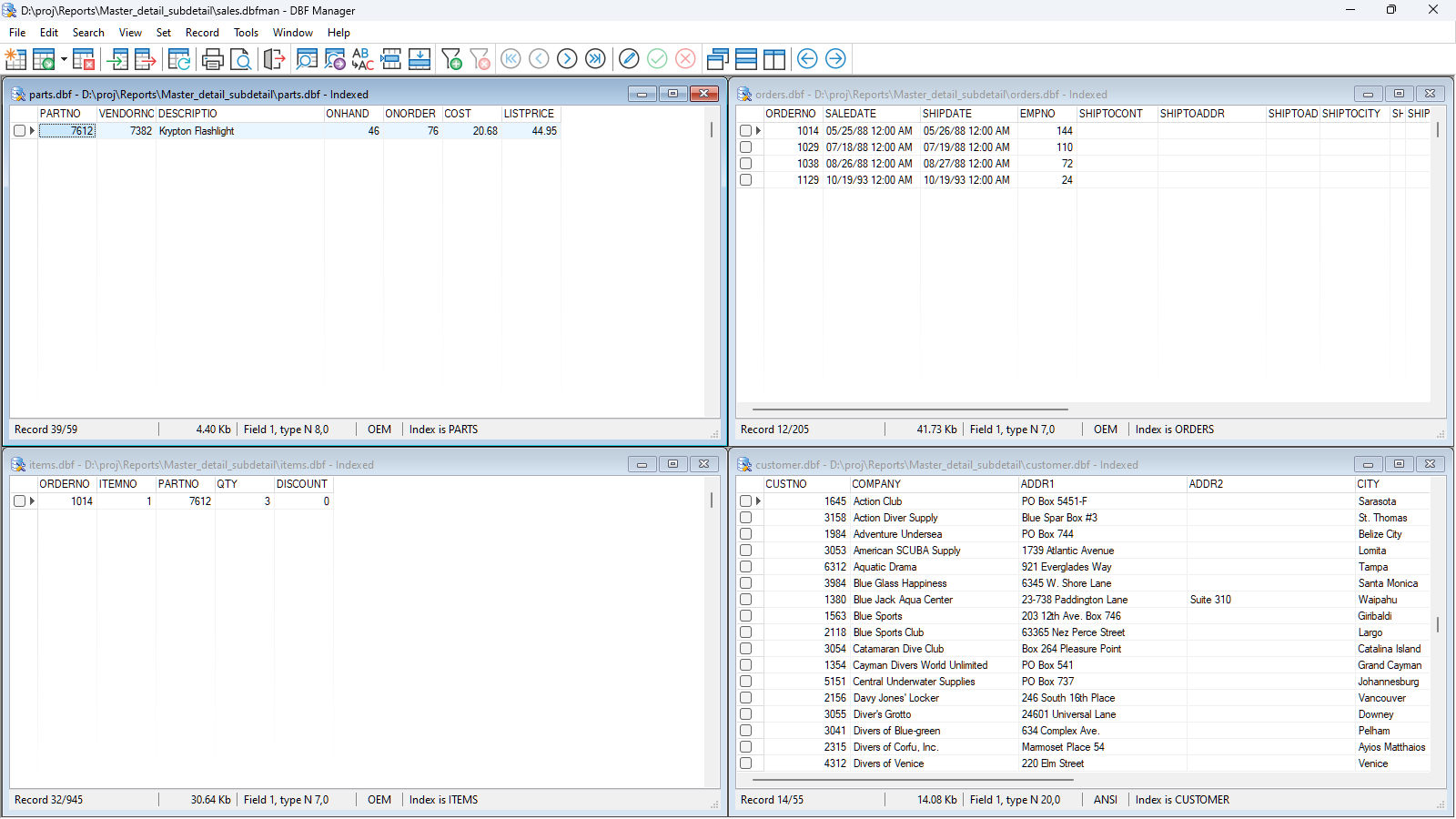
A DBF file is a standard database file format originally introduced with the dBase database management system in the late 1970s. It stores data in a structured, tabular format consisting of a header section and fixed-length data records. While considered a legacy format, it remains widely used in 2026 as the attribute storage component of ESRI Shapefiles and within various industrial enterprise applications.
The Origin and Evolution of the DBF Format
To understand what a DBF file is, one must look back at the early days of microcomputing. The format was pioneered by Wayne Ratliff, who developed a program called Vulcan (later dBase II) for the CP/M operating system. The goal was to provide a simple, structured way to store data that didn't require the massive overhead of mainframe database systems.
By the mid-1980s, dBase III and dBase IV became the dominant database standards for the IBM PC and DOS environment. During this era, the DBF format became a "de facto" standard for data exchange. Because the file structure was relatively simple and well-documented, other software developers began adopting it. This led to the birth of the "xBase" family of languages and tools, including FoxPro, Clipper, and FlagShip.
In 2026, we view the DBF file as a bridge between the era of flat-file storage and the modern relational database management systems (RDBMS) we use today. While it lacks some features of modern SQL databases, such as native encryption or robust multi-user concurrency controls, its simplicity ensures that it can still be read by hundreds of different software packages across almost every operating system.
The Technical Architecture of a DBF File
The longevity of the DBF format is largely due to its predictable, binary structure. A DBF file is not a text file; it is a binary file divided into two primary sections: the header and the data records.
1. The Header Section
The header acts as the "map" for the rest of the file. It contains metadata that tells software how to interpret the bytes that follow. Key components of the header include:
- Version Number: The first byte identifies the version of dBase or the xBase product that created the file (e.g., 0x03 for dBase III, 0x30 for Visual FoxPro).
- Date of Last Update: Stored in YYMMDD format.
- Record Count: A 32-bit integer indicating the total number of data records in the file.
- Header Length: Indicates where the actual data starts.
- Record Length: The total size in bytes of a single row of data.
- Field Descriptors: A series of 32-byte blocks that define each column in the database, including the field name (limited to 10 characters), the data type (Character, Numeric, Date, etc.), and the field's width.
2. The Data Records
Following the header, the data is stored in a continuous stream of fixed-length records. Each record begins with a "delete flag" byte. If the byte is a space (0x20), the record is active. If it is an asterisk (0x2A), the record is marked as deleted but has not yet been physically removed from the file (a process known as "packing" in dBase terminology).
Because the records are fixed-length, the database engine can jump to any specific record instantly by calculating its offset: Header Length + (Record Index * Record Length). This was a revolutionary feature in the 1980s, as it allowed for fast data retrieval even on slow hardware.
Why DBF Files Remain Relevant in 2026
It might seem surprising that a format designed for DOS is still in active use in 2026. However, there are two primary reasons for its continued survival: the GIS industry and legacy enterprise systems.
The Role of DBF in Geographic Information Systems (GIS)
The most significant reason for the continued existence of DBF files is the ESRI Shapefile. Despite more modern formats like GeoPackage or File Geodatabases, the Shapefile remains the industry standard for sharing geospatial vector data. A "Shapefile" is actually a collection of at least three files:
- .shp: Stores the geometry (points, lines, or polygons).
- .shx: An index file for the geometry.
- .dbf: The attribute table that stores the data associated with each geometric shape.
For example, if you have a map of city parks, the .shp file draws the boundaries of the parks, while the .dbf file stores the park name, acreage, and facility count. Because millions of datasets are archived in this format, GIS professionals must maintain the ability to read and write DBF files.
Legacy Enterprise Maintenance
Many vertical-market software applications—such as those used in pharmacy management, older accounting systems, and manufacturing logistics—were built using Clipper or FoxPro in the 1990s. These systems are often "too big to fail" or too expensive to replace. In these environments, DBF files continue to serve as the primary storage medium, often operating silently in the background of modern Windows or Linux servers.
Comparison of DBF Versions and Variations
Not all DBF files are identical. Over the decades, different software vendors added their own extensions to the format.
| Feature | dBase III / III+ | dBase IV | Visual FoxPro (VFP) |
|---|---|---|---|
| Max Fields | 128 | 255 | 255 |
| Field Name Limit | 10 Characters | 10 Characters | 10 Characters (up to 128 in DBC) |
| Memo File Support | .DBT | .DBT | .FPT (more efficient) |
| Data Encryption | No | Yes (limited) | No (requires 3rd party) |
| Null Value Support | No | No | Yes |
| Autoincrement | No | No | Yes |
While dBase III is the "lowest common denominator" that almost any reader can open, Visual FoxPro files are more complex and may require specific drivers to access features like "Null" values or autoincrementing integer fields.
How to Open and Work with DBF Files
If you encounter a DBF file today, you have several options for accessing its contents, ranging from simple viewers to sophisticated programming libraries.
Spreadsheet Software
- LibreOffice Calc: This is currently one of the most reliable ways to open a DBF file. Unlike modern versions of Microsoft Excel, LibreOffice has maintained robust support for dBase files, allowing you to edit the data and save it back in the original format without corrupting the header.
- Microsoft Excel: While older versions of Excel supported DBF natively, Microsoft removed the ability to save to DBF in newer versions (Excel 2013 and later) due to security and format obsolescence concerns. You can often still open them, but saving changes is problematic.
Dedicated DBF Viewers
For users who need to inspect the raw structure or fix a corrupted header, dedicated tools like DBF Viewer Plus or CDBF are essential. These tools allow you to see the "deleted" records and modify the field definitions directly, which is often impossible in a spreadsheet.
GIS Software
If the DBF file is part of a Shapefile, it should be opened using GIS software such as QGIS (open source) or ArcGIS. These programs ensure that the link between the spatial geometry and the attribute data remains intact. Editing a DBF file in Excel and saving it can sometimes change the record order, which will "break" the associated Shapefile.
Programming and Data Science
Modern developers use libraries to handle DBF files programmatically. In Python, the dbfread and pyidrisi libraries are popular for reading, while pandas can read DBF files if the simpledbf or dbfread engine is installed. This is particularly useful for automating the migration of legacy data into modern SQL databases like PostgreSQL or MySQL.
Technical Limitations and Challenges
Despite its reliability, the DBF format has several hard limitations that can cause issues in a modern high-data environment.
- The 2GB File Size Limit: Most DBF implementations are limited by 32-bit offsets, meaning a single file cannot exceed 2 gigabytes. In the era of Big Data, this is a significant bottleneck.
- Field Name Constraints: Standard DBF field names are limited to 10 characters. This often leads to cryptic column headers like
CUST_ADR_1orYR_END_BAL. - Concurrency Issues: DBF files were designed for a time when only one or a few people accessed a database at once. They rely on "file locking," which can be slow and prone to corruption if a network connection is dropped while a write operation is in progress.
- Lack of Encoding Standards: Early DBF files used various DOS "code pages" for text encoding. Opening an old DBF file created with a Cyrillic or Greek code page in a modern UTF-8 environment can result in "mojibake" (garbled text).
- The "Memo" File Problem: If a database contains "Memo" fields (long text), the actual text is stored in a separate file (.DBT or .FPT). If the main .DBF file and the memo file become out of sync or separated, the data becomes unreadable.
Troubleshooting Common DBF Errors
When working with these files, you may encounter specific errors. Here is how to handle them:
- "Not a Valid Database File": This usually indicates a corrupted header. The first byte (the version marker) or the record count might be damaged. Using a hex editor or a DBF repair tool can often fix this by resetting the header metadata.
- "Missing Memo File": The DBF header has a flag indicating there is an associated .DBT or .FPT file. If you have the .DBF but not the companion file, you cannot open the database. You may need to use a hex editor to flip the "memo flag" in the header to "off" if you only need the tabular data and can discard the long-form text.
- Data Displacement: If you open a DBF in a text editor and save it, you will likely destroy the fixed-width structure. If columns appear to "shift" to the left or right, the record length definition in the header no longer matches the actual byte count of the records.
Summary of Recommendations
If you are dealing with DBF files in 2026, the best approach depends on your end goal:
- For Data Analysis: Import the DBF into a Python Pandas DataFrame or a SQL database to escape the 2GB limit and gain access to modern analytical tools.
- For GIS Work: Always keep the .shp, .shx, and .dbf files in the same folder and avoid editing the .dbf in Excel. Use QGIS for any attribute edits.
- For Legacy Maintenance: Regularly "Pack" the database to remove records marked for deletion and prevent the file from reaching the 2GB limit.
- For Data Migration: When moving away from DBF, SQLite is the recommended alternative. It offers a single-file format like DBF but includes full SQL support, better data types, and significantly higher storage limits.
FAQ
Can I convert a DBF file to Excel? Yes. You can open a DBF file in LibreOffice Calc and save it as an .XLSX file. Alternatively, you can use online converters or Python scripts to automate the process. Most modern data tools can read DBF and export to CSV, which Excel opens natively.
Is the DBF format obsolete? In terms of new application development, yes. Modern developers prefer SQLite, PostgreSQL, or NoSQL solutions. However, in terms of data exchange and GIS, it remains an essential format that will likely be supported for several more decades.
What happens if I delete a record in a DBF file? When a record is "deleted" in a dBase-compatible program, it isn't actually erased from the disk. A special byte at the beginning of the record is changed to an asterisk. To permanently remove these records and shrink the file size, you must perform a "Pack" operation.
How do I handle character encoding in old DBF files? You must identify the original code page (e.g., Windows-1252, CP437). When reading the file with Python or a DBF viewer, specify the encoding explicitly to ensure that special characters and non-Latin scripts display correctly.
Why is there a 2GB limit on DBF files? The limit stems from the use of 32-bit signed integers for file offsets within the database engine. This restricts the software from "pointing" to any data located beyond the 2,147,483,647th byte. Some late-stage versions of xBase tried to circumvent this, but the 2GB limit remains the standard for compatibility.
Image Gallery
Select an image to open it in a new tab.
Declan O'Connor
Higher Education and Campus Culture Reporter
